
Mavic 4 Pro Guide: Tracking Vineyards in Mountains
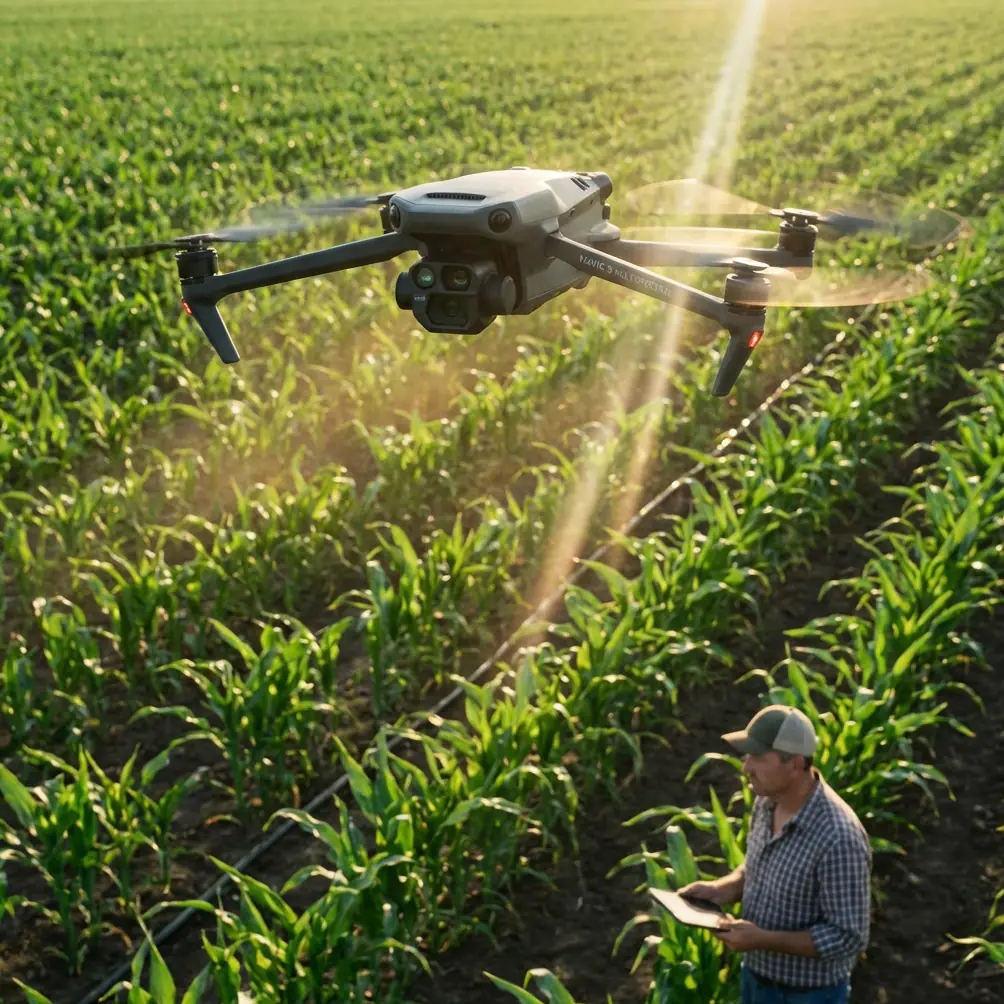
Mavic 4 Pro Guide: Tracking Vineyards in Mountains
META: Learn how to use the Mavic 4 Pro to track and map mountain vineyards with ActiveTrack, D-Log color profiles, and optimal flight altitude strategies.
TL;DR
- Flight altitude of 25–40 meters delivers the ideal balance between vineyard detail and sweeping mountain context for tracking shots.
- ActiveTrack 6.0 locks onto vine rows, harvest vehicles, and workers even on steep terraced slopes with unpredictable terrain changes.
- Shooting in D-Log preserves up to 14+ stops of dynamic range, critical for the extreme highlights and shadows found in mountain vineyard environments.
- Combining Hyperlapse and QuickShots modes creates cinematic vineyard content in a fraction of the time traditional drone workflows require.
Why Mountain Vineyards Are One of the Hardest Drone Tracking Scenarios
Mountain vineyards punish sloppy drone work. Steep gradients, shifting light conditions, and tight vine rows create a technical gauntlet that separates professional aerial footage from amateur flyovers. The Mavic 4 Pro was built for exactly this kind of challenge—and after spending three seasons filming terraced vineyards across Napa's Howell Mountain, the Douro Valley, and the Swiss Valais, I've refined a workflow that consistently delivers stunning results.
This tutorial walks you through every step: pre-flight planning, camera configuration, ActiveTrack strategies for vine row tracking, obstacle avoidance settings for mountainous terrain, and post-production considerations when working with D-Log footage. Whether you're documenting a vineyard's seasonal progression for a winery client or creating cinematic content for a tourism campaign, this guide gives you a repeatable system.
Pre-Flight Planning for Mountain Vineyard Missions
Terrain Assessment
Before you even power on the Mavic 4 Pro, study the vineyard's topography. Mountain vineyards often feature:
- Slope grades exceeding 30%, which dramatically affect your drone's relative altitude above the canopy
- Terraced walls made of stone or earth that create sudden vertical obstacles
- Irrigation infrastructure, trellising wires, and support posts that are nearly invisible from the air
- Tree lines and windbreaks along vineyard borders that can interrupt signal
Use satellite imagery and topographic maps to identify the steepest sections, note any power lines or communication towers, and plan your tracking routes along the natural contour of the vine rows rather than against them.
Optimal Flight Altitude: The Critical Variable
Here's the insight that transformed my vineyard tracking work: 25–40 meters above the canopy is the sweet spot for mountain vineyard tracking shots. Below 25 meters, you lose the landscape context that makes mountain vineyards visually dramatic. Above 40 meters, the vine rows flatten into abstract patterns and you lose the three-dimensional depth that terracing provides.
Expert Insight — Jessica Brown: On slopes steeper than 25%, I set my altitude reference to "ground level" rather than "takeoff point" using the Mavic 4 Pro's terrain-following mode. Without this adjustment, a drone flying at a fixed 35-meter altitude from the launch pad could be just 8 meters above the canopy at the top of a steep vineyard—dangerously close to trellising wires and posts. Terrain follow changes everything.
Weather Windows
Mountain environments generate their own microclimates. For vineyard tracking:
- Golden hour provides the most dramatic side-lighting across terraced rows
- Morning fog burn-off (typically 30–60 minutes after sunrise) creates ethereal layered backgrounds
- Wind speeds below 15 km/h are essential; mountain thermals can spike unpredictably after midday
- Avoid midday shoots—the harsh overhead sun eliminates the shadow detail between vine rows that gives footage its depth
Camera Configuration for D-Log Vineyard Footage
Why D-Log Is Non-Negotiable in Mountains
Mountain vineyards present one of the widest dynamic range scenarios in aerial photography. You're often dealing with bright sky above ridgelines, deep shadows between terraced rows, and vivid green canopy all in a single frame. The Mavic 4 Pro's D-Log color profile captures 14+ stops of dynamic range, preserving detail across this entire spectrum.
Recommended Camera Settings
| Parameter | Tracking Shots | Hyperlapse | QuickShots |
|---|---|---|---|
| Color Profile | D-Log | D-Log | Normal/D-Log |
| Resolution | 4K / 30fps | 4K / 30fps | 4K / 30fps |
| Shutter Speed | 1/60s (with ND filter) | 1/60s | Auto |
| ISO | 100–400 | 100–200 | Auto |
| ND Filter | ND16–ND64 | ND16–ND32 | ND8–ND16 |
| White Balance | 5500K manual | 5500K manual | Auto |
| Aperture | f/2.8–f/5.6 | f/4–f/5.6 | f/2.8 |
Always shoot with a manual white balance when using D-Log. Auto white balance shifts introduce color inconsistencies between clips that create significant headaches in post-production, especially when stitching together a continuous vineyard tracking sequence.
ActiveTrack 6.0: Mastering Vine Row Tracking
Setting Up the Track
The Mavic 4 Pro's ActiveTrack 6.0 uses advanced visual recognition to lock onto subjects and follow them through complex environments. For vineyard work, you have two primary tracking approaches:
- Subject tracking: Lock onto a person (winemaker, harvest worker) or vehicle moving through the vineyard. The drone maintains a set distance and angle while following the subject along vine rows.
- Waypoint-assisted tracking: Pre-program a flight path that follows the contour of a specific vine row, then use ActiveTrack to keep the camera locked on a point of interest as the drone moves along the route.
Step-by-Step ActiveTrack Workflow
- Launch from a flat, clear area at the base or top of the vineyard—never from between rows.
- Ascend to your target altitude (30–35 meters is my default starting point).
- Position the drone so the subject is centered in the frame.
- Draw a selection box around the subject on the controller screen to initiate ActiveTrack.
- Confirm the green tracking indicator is solid, not blinking.
- Set your tracking mode—Trace (follows behind/in front) or Spotlight (free flight with locked camera).
- Begin the tracking pass, monitoring the obstacle avoidance overlay on screen.
Handling Terrain Changes During Tracking
This is where mountain work gets tricky. As your subject moves downhill through terraced rows, the terrain drops away. Without intervention, the drone maintains its absolute altitude, causing the subject to gradually move toward the bottom of the frame and eventually out of it.
Solution: Enable APAS 6.0 (Advanced Pilot Assistance System) alongside ActiveTrack. The Mavic 4 Pro's omnidirectional obstacle avoidance sensors constantly map the terrain beneath the drone, allowing it to adjust altitude dynamically. Combined with terrain following, this keeps your framing consistent across elevation changes of 100+ meters within a single tracking run.
Pro Tip: When tracking a subject moving along terraced rows (horizontal movement across the slope), set the drone to Spotlight mode and manually fly a parallel path one row above or below. This creates a cinematic parallax effect as the terraced walls pass between the camera and the subject—far more visually compelling than a simple follow shot.
QuickShots and Hyperlapse for Vineyard Storytelling
Best QuickShots Modes for Vineyards
Not every shot requires a manual tracking sequence. The Mavic 4 Pro's QuickShots automated flight patterns produce polished clips with minimal effort:
- Dronie: Pulls back and up from a subject standing in the vineyard, revealing the full mountain context. Best at sunrise/sunset.
- Helix: Spirals around a central point—ideal for showcasing a single terraced plot or a winery building nestled among vines.
- Rocket: Ascends straight up from canopy level to reveal the full vineyard layout. Start at 10 meters and rise to 60+ meters for maximum impact.
- Boomerang: Flies an oval path around the subject, creating a natural tracking arc that follows the curve of terraced rows beautifully.
Hyperlapse for Seasonal Documentation
Mountain vineyards transform dramatically across seasons. The Mavic 4 Pro's Hyperlapse mode allows you to create time-compressed sequences from a single session (cloud movement, shadow progression) or to establish consistent framing for multi-visit seasonal projects.
For single-session Hyperlapses, the Circle sub-mode at a radius of 40–50 meters around a vineyard feature produces stunning results. Set interval to 2 seconds with a total duration of 15–20 minutes to capture meaningful cloud and shadow movement across the vineyard landscape.
Technical Comparison: Mavic 4 Pro vs. Previous Generation
| Feature | Mavic 4 Pro | Mavic 3 Pro | Advantage |
|---|---|---|---|
| Sensor Size | 1-inch Hasselblad + Tele | 4/3 Hasselblad + Tele | Enhanced low-light detail |
| ActiveTrack Version | 6.0 | 5.0 | Improved terrain-aware tracking |
| Obstacle Avoidance | Omnidirectional, 360° | Omnidirectional | Enhanced sensor range to 40m |
| Max Flight Time | 46 minutes | 43 minutes | 3 extra minutes for long runs |
| D-Log Dynamic Range | 14+ stops | 12.8 stops | Better shadow/highlight recovery |
| Wind Resistance | Level 6 (39–49 km/h) | Level 6 | Comparable stability |
| Transmission Range | 20 km (O4) | 15 km (O3+) | Stronger signal in mountain valleys |
| APAS Version | 6.0 | 5.0 | Smarter terrain-following on slopes |
Common Mistakes to Avoid
1. Ignoring relative altitude on slopes. Your controller displays altitude from the takeoff point. On a mountain vineyard with 200 meters of elevation change, your drone could be dangerously close to the ground at the top of the slope while the display reads a comfortable number. Always enable terrain following.
2. Shooting in Normal color mode instead of D-Log. The contrast range in mountain environments will clip highlights and crush shadows in Normal mode. You'll lose the vineyard detail in the shadowed terrace rows—the very element that makes these shots visually interesting. D-Log preserves everything; grade it later.
3. Tracking along rows instead of across them. Flying directly down a vine row produces flat, repetitive footage. Track at a 15–30 degree angle to the row direction. This reveals the three-dimensional structure of the terracing and creates depth through parallax.
4. Flying too high for "safety." At 80+ meters, every vineyard looks the same—a green patchwork. The details that differentiate mountain vineyards (stone walls, steep terracing, canopy texture) are only visible below 40 meters. Use obstacle avoidance properly and fly at altitudes where the footage actually tells a story.
5. Neglecting ND filters. Without an ND filter, achieving a cinematic 1/60s shutter speed at f/2.8 in bright mountain sunlight is impossible. You'll get either overexposed footage or an unnaturally fast shutter that eliminates motion blur. Pack an ND filter set ranging from ND8 to ND64.
Frequently Asked Questions
Can ActiveTrack follow a tractor through steep vineyard rows without losing the subject?
Yes. ActiveTrack 6.0 on the Mavic 4 Pro uses both visual and predictive tracking algorithms. It can maintain lock on a tractor or ATV moving through vine rows, even when the subject is briefly occluded by canopy or trellis structures. For best results, ensure the subject contrasts with the surrounding vegetation—a red or white vehicle is significantly easier to track than a green one against vine canopy.
What's the best time of year to film mountain vineyards with the Mavic 4 Pro?
Each season offers distinct value. Véraison (late summer, when grapes change color) provides the most vibrant canopy. Harvest (early-to-mid autumn) adds human activity and movement for ActiveTrack subjects. Late autumn delivers golden and red foliage that contrasts dramatically with stone terracing. Winter reveals the bare architectural structure of the terraces. For a single-visit project, harvest season gives you the most diverse content opportunities.
How do I handle strong thermals and updrafts common in mountain vineyards?
Mountain slopes generate thermal updrafts, especially after midday as the sun heats exposed rock and soil. The Mavic 4 Pro's Level 6 wind resistance handles gusts up to 39–49 km/h, but sudden thermals can still jar tracking shots. Fly in the morning before 10 AM or late afternoon after 4 PM when thermal activity is lowest. If you must fly midday, reduce your tracking speed to give the drone's stabilization system more margin to compensate for sudden altitude shifts.
Ready for your own Mavic 4 Pro? Contact our team for expert consultation.