
Mavic 4 Pro for Solar Farm Tracking in Dusty Conditions
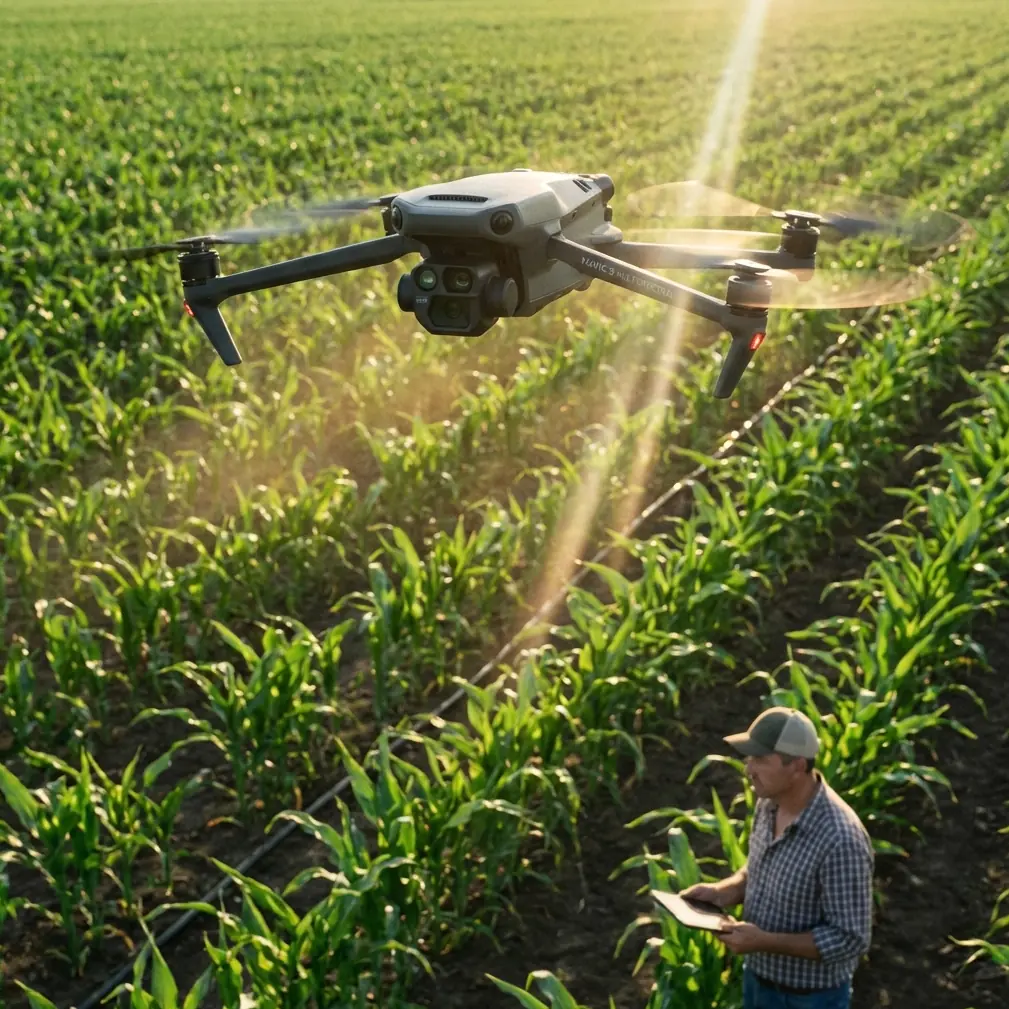
Mavic 4 Pro for Solar Farm Tracking in Dusty Conditions: A Field Workflow That Starts Before Takeoff
META: A practical expert tutorial on using Mavic 4 Pro for solar farm tracking in dusty environments, with mission-planning lessons drawn from DJI GS Pro orthomosaic workflow and real field operations.
Dust changes everything.
It softens contrast, reduces visual confidence, coats touchscreens, and turns a straightforward tracking job into a test of planning discipline. If you’re using a Mavic 4 Pro to document solar farm progress, inspect panel rows, or create repeatable visual records across a large site, the aircraft matters—but the workflow matters more. That is where most crews either preserve data quality or lose it before the props even spin.
One of the smartest lessons comes from an older DJI GS Pro orthomosaic workflow document, not from glossy marketing material. Buried in that field guidance are two details that remain highly relevant for Mavic 4 Pro operators today: first, the controller’s small form factor makes a larger display setup preferable for long outdoor sessions; second, the aircraft should be powered on before mission planning so the app can automatically match hardware parameters such as camera settings, route density, and ground resolution, while also letting the drone lock GPS and refresh the home point. Those are not abstract tips. On a dusty solar site, they directly affect whether your flight is efficient, repeatable, and safe to execute.
This article is built around those operational truths.
Why solar farm tracking is harder than it looks
A utility-scale solar site appears visually simple from the air: geometric rows, access roads, inverter pads, perimeter fencing, and maybe a substation tie-in. In practice, it is a punishing environment for aerial work. Dust hangs over grading areas. Repetitive panel geometry can confuse your visual orientation. Heat shimmer affects image clarity, especially late in the day. And if your brief includes both progress tracking and cinematic stakeholder footage, you’re balancing structured flight with flexible camera work.
The Mavic 4 Pro is well suited to this kind of mixed assignment because it can move from planned documentation to responsive tracking in one session. Obstacle awareness, intelligent subject tracking, and advanced color profiles such as D-Log are useful here, but none of them rescue a bad field setup. If your mission parameters are wrong, if your screen visibility is poor, or if your return point was never properly refreshed, the aircraft’s intelligence gets spent compensating for preventable mistakes.
That is why I tell crews to treat dusty solar farm flights as mapping jobs first and camera jobs second—even when the deliverable is mostly video.
The first decision is not flight mode. It’s screen strategy.
The GS Pro reference makes a point that many crews learn the hard way: a compact DJI controller often defaults to phone-based operation, and for extended outdoor fieldwork a larger display is the better choice. The original guidance specifically recommends using a third-party iPad mount and a sun hood, noting that an iPad Mini setup is better suited to long sessions in the field.
That recommendation has aged well.
On a solar farm, the operational significance is obvious. You are not glancing at a screen for a two-minute orbit around a roof. You are checking row alignment, verifying route overlap, reviewing contrast in dusty conditions, watching warning prompts, and confirming whether your tracking path is staying clear of cable trays, site vehicles, temporary fencing, and stacked materials. A larger display reduces interface friction. A hood reduces glare. Together they lower decision fatigue.
This is especially valuable when you’re switching between two very different jobs:
- Repeatable corridor or area coverage for progress records
- Dynamic tracking shots of maintenance vehicles, cleaning rigs, or inspection teams moving through the site
The wrong screen setup slows everything down. In bright dust haze, a phone can become a liability.
Power on before you plan, not after
The second key reference detail is even more important. The GS Pro workflow states that before planning a flight task, the drone should be powered on. The reason is practical: the app can then automatically identify the correct hardware parameters, including the camera, route density, and ground sampling resolution. Just as importantly, the aircraft can complete GPS positioning and refresh the return-to-home point during planning.
This is not just a software convenience. It changes the quality of your mission.
If you’re documenting a solar farm over multiple visits, consistency is the whole job. You want the same area framing, similar coverage density, and reliable geospatial repeatability. When the aircraft is on and connected during setup, your planning environment is grounded in the actual platform you’re flying, not an assumed configuration. That helps reduce mismatches in overlap, altitude assumptions, and image spacing.
On dusty construction-adjacent sites, refreshed GPS and home point accuracy matter for another reason: staging areas move. Site trailers relocate. Access roads change. Equipment piles come and go. If you parked on the south edge last month and the north laydown yard this week, your launch context has changed. You do not want an outdated home point logic sitting in the background while you focus on imagery.
With the Mavic 4 Pro, I recommend this sequence every time:
- Set up your larger screen and glare protection
- Power on the aircraft before touching mission settings
- Wait for full GPS confidence and verify home point refresh
- Confirm the actual camera profile and capture mode you intend to use
- Only then define or review the route
It sounds basic. It saves missions.
A practical workflow for dusty solar farm tracking
Here is the field workflow I use when the assignment is “track progress and capture motion” rather than “pure map product only.”
1. Start with a structured area pass
The GS Pro source describes a mapping mode that can automatically generate route tasks inside a defined area so the drone flies and captures the mission automatically. That logic is still the right foundation for solar farm work. Even if your final output is a progress reel or client update package, begin with a disciplined area capture.
Why? Because autonomous area coverage gives you a dependable baseline. It captures row patterns, equipment staging, trench progress, access road status, and panel installation extent in a way that can be compared visit to visit. It also lets you spot anomalies before you shift into creative tracking.
If there is one habit worth stealing from mapping teams, it is this: use the first battery for certainty.
2. Then move into tracking mode for operational context
Once you have the baseline pass, use the Mavic 4 Pro’s subject tracking and ActiveTrack-style behavior for the footage that explains site activity. On solar farms, that might mean following:
- a panel washing vehicle moving down service lanes
- an inspection buggy tracing inverter blocks
- a maintenance crew walking a row during troubleshooting
- a logistics vehicle delivering replacement components
Tracking footage adds operational meaning to a site record. It shows scale, access, workflow, and temporal activity that static overheads cannot.
Dust complicates this. Contrast drops. Vehicle edges blur. That is where obstacle avoidance and predictive tracking behavior are useful, particularly around temporary poles, fencing, and material stacks. You still need conservative path choices. Automated sensing is a support layer, not permission to fly carelessly.
The wildlife moment that proves why sensors matter
On one dusty perimeter run, we were tracking a utility cart along the outer service road near a drainage strip bordering the site. Visibility was decent but washed out by airborne grit kicked up from grading. The shot was simple: low lateral track, slow pace, keep the vehicle framed against the panel rows.
Halfway through the run, a pheasant burst out of the scrub and cut across the route at rotor height. Not a dramatic movie scene. Just the kind of sudden wildlife movement that happens on large edge-of-town infrastructure sites. The aircraft’s sensing and braking behavior bought time, and the route correction prevented a bad decision from becoming an incident.
That’s the operational value of modern obstacle awareness on civilian energy sites. It is not just about trees or buildings. It is about handling unpredictable movement in environments that look open until something living proves otherwise.
If your work takes you near habitat edges, drainage channels, or undeveloped boundaries, assume wildlife can appear without warning. The Mavic 4 Pro’s sensing suite is useful there—but only if you are flying with enough buffer for it to work.
Camera choices that hold up in dust
Dusty conditions flatten scenes. White glare off panels can clip highlights while the ground below falls dull and lifeless. If your client wants editorial flexibility later, D-Log is the sensible choice. It gives you more room to shape contrast and recover subtle tonal differences between panel surfaces, racking, graded soil, and vehicle tracks.
For straightforward reporting deliverables, standard profiles may be faster. But for mixed-use outputs—construction updates, stakeholder presentations, internal review clips—D-Log gives you a stronger archive.
A few practical notes:
- Keep shutter choices realistic for the amount of dust and movement on site
- Do not chase overly low altitudes just for dramatic parallax if the air is unstable
- Let the geometry of the rows create motion in frame; solar farms already provide strong leading lines
QuickShots and Hyperlapse can be useful, but selectively. A Hyperlapse over a buildout zone can illustrate installation progress or changing traffic patterns. A prebuilt QuickShot may work near completed blocks for presentation footage. They are supplements, not the backbone of a field documentation mission.
Repeatability beats novelty
The reference document describes testing the workflow over a suburban construction site. That context matters because it reminds us this methodology was built for real work zones, not idealized landscapes. Solar farms share the same core need: repeatable flight paths over changing ground conditions.
For progress tracking, repeatability creates value in three ways:
- Comparability: the same route reveals change more clearly over time
- Coverage confidence: you are less likely to miss a section during a long field day
- Processing consistency: if you later build orthomosaic or timeline products, stable capture geometry helps
This is why the old GS Pro advice still punches above its weight. Turning on the aircraft before mission setup and using a more field-friendly display arrangement are not glamorous tips. They are the things that make repeated capture sustainable across weeks or months.
A sample field sequence for Mavic 4 Pro operators
If I were handing a solar EPC team a one-page briefing for Mavic 4 Pro use in dusty conditions, it would read something like this:
Before launch
- Fit a larger display if possible, ideally with a hood
- Power on the aircraft first
- Wait for GPS stabilization and confirm home point refresh
- Verify mission parameters based on the actual camera and capture mode
Battery one
- Fly the planned area coverage pass
- Focus on complete, even documentation
- Use this pass to identify traffic lanes, dust plumes, temporary obstacles, and active crews
Battery two
- Capture targeted tracking sequences of site activity
- Use obstacle sensing conservatively near service roads, fence lines, and laydown areas
- Maintain extra spacing where dust reduces visual clarity
Battery three, if needed
- Record polished stakeholder clips: elevated reveals, lateral traverses, selected Hyperlapse, controlled orbit work
- Capture supplemental stills for reporting packages
This order matters. Structure first. Context second. Style third.
When to ask for help with workflow design
A lot of teams are comfortable flying but less confident about building a repeatable site documentation system. Those are different skills. If you need a practical workflow for large solar assets, mission templates, or a field-ready display setup that actually works in harsh daylight, you can message our UAV workflow desk here.
The point is not to make the flight more complicated. It is to remove avoidable friction so your Mavic 4 Pro can do what it is supposed to do: produce dependable, clean, decision-useful data on sites where dust, glare, and repetition wear people down.
The big takeaway
The most useful insight from the reference material is not tied to one legacy app. It is a field principle: planning quality depends on matching your mission to the real aircraft, real screen conditions, and real GPS state before you ever leave the ground.
For Mavic 4 Pro solar farm tracking, that principle still holds.
Use a display setup built for long outdoor work. Power on before planning so the system can pull the right hardware context. Let GPS settle and refresh your return point. Start with autonomous area coverage. Then use tracking, obstacle awareness, D-Log, and selective automated moves to add operational meaning.
That is how you get footage and records that stay useful after the dust settles.
Ready for your own Mavic 4 Pro? Contact our team for expert consultation.