
Mavic 4 Pro Tracking Guide for Coastal Highway Workflows
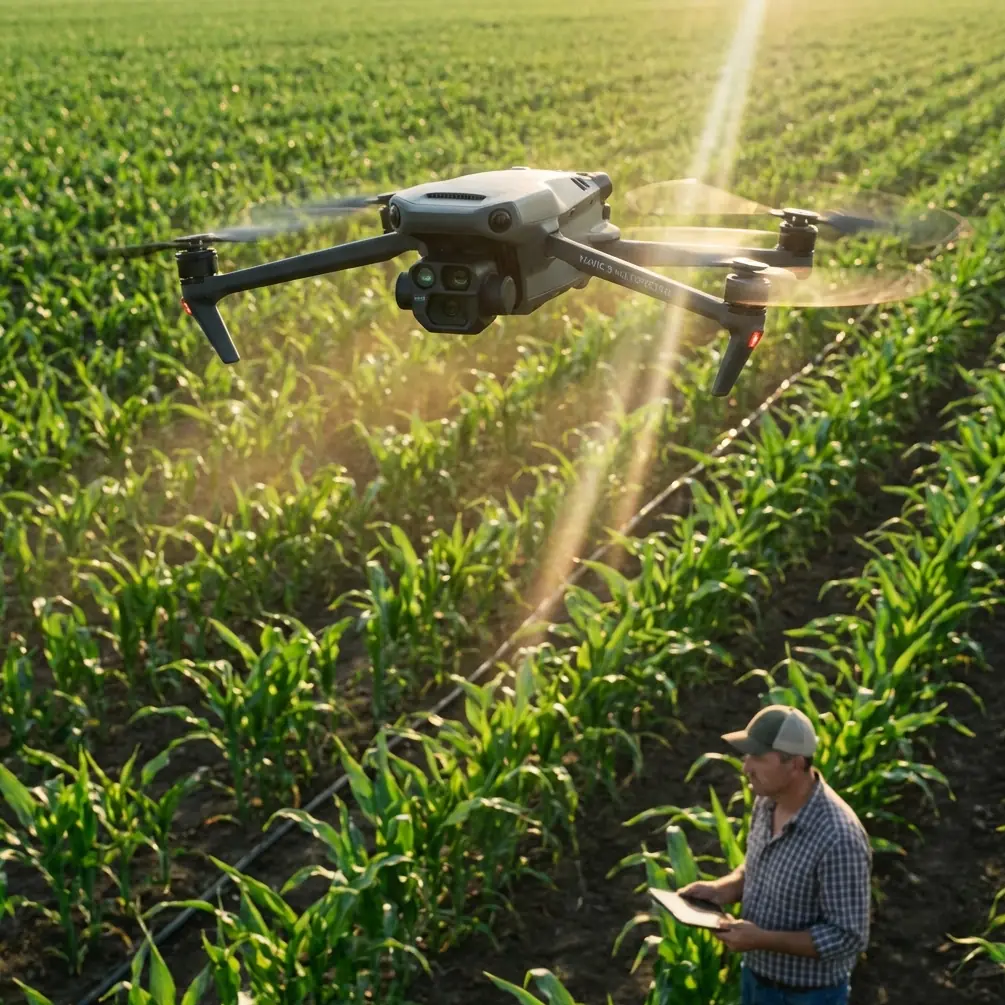
Mavic 4 Pro Tracking Guide for Coastal Highway Workflows
META: A practical expert guide to using Mavic 4 Pro for coastal highway tracking, with power-line inspection lessons, thermal workflow insights, route planning strategy, and safer data capture methods.
Coastal highway tracking sounds simple until you actually fly it.
You are dealing with reflective surfaces, sea wind, shifting light, fast-moving vehicles, long linear corridors, and often nearby utility infrastructure running parallel to the road. That combination punishes weak planning. It also exposes the difference between a drone that merely captures pretty footage and one that can support repeatable field operations.
For operators looking at the Mavic 4 Pro, the most useful way to think about it is not as a camera drone first, but as a corridor-work platform. That matters for coastal highway documentation, progress tracking, training flights, and adjacent infrastructure checks. The strongest clues come from how professional UAV powerline workflows are structured: what they inspect, how they flag anomalies, how they integrate into networks, and how they support pilots after deployment.
That framework tells us a lot about how to build a serious Mavic 4 Pro tracking routine.
Why coastal highway tracking is harder than most creators expect
A highway near the coast is a difficult subject because it stretches every flight variable at once.
The route is long and narrow. Wind direction can change across cliffs, bridges, and open shoreline. Vehicles create visual clutter. Guardrails, signs, and power assets can interrupt a clean tracking line. Salt haze can flatten contrast. Midday heat can also distort the scene, especially over asphalt.
This is where the Mavic 4 Pro has an edge over weaker consumer platforms. It is better suited to structured tracking workflows, especially when you combine obstacle awareness, ActiveTrack-style subject following, and pre-plincipled route design rather than improvising in the air. Some competing models can follow a vehicle or capture a scenic reveal, but they often start to break down when the mission needs to be repeated with consistency over a corridor.
That distinction is huge for survey support, contractor progress updates, environmental observation, and transportation documentation. One cinematic pass is easy. Returning next week and reproducing the same line with usable consistency is the real test.
Borrow the right lesson from utility inspection
The reference material behind this article comes from a drone power-industry line inspection solution. At first glance, that seems far removed from coastal highways. It is not.
Powerline teams focus on linear assets. They inspect conductors, insulators, clamps, fittings, and overhead cables. That tells us something operationally important: the mission design is built around following a route while still preserving enough image quality and positional discipline to identify small defects.
For coastal highway work, the principle transfers directly.
Your “asset” may be pavement condition, lane expansion work, slope stabilization, bridge approaches, drainage behavior, or roadside utility crossings. The flight should be built to do two things at once:
- Maintain a stable corridor track.
- Preserve the visual detail needed to review problem points later.
That is why the Mavic 4 Pro’s tracking value is not just about keeping a car in frame. It is about reducing the amount of manual stick correction you need while staying aware of roadside poles, barriers, vegetation, and changing terrain. Competitor drones may offer tracking modes, but not all of them remain dependable when the route is visually busy and physically constrained.
Utility operators learned long ago that a corridor mission fails when the aircraft spends too much effort reacting at the last second. Good corridor flying starts before takeoff.
Start with route planning, not the camera mode
One of the most practical details in the source material is the emphasis on flight task planning. The provider describes planning one or more routes based on terrain, environmental conditions, and aircraft performance so the drone can complete the mission efficiently and safely.
That is exactly how Mavic 4 Pro operators should approach coastal highways.
Before selecting QuickShots, Hyperlapse, or a tracking preset, define the route in segments:
Segment 1: Open shoreline straightaway
This is where you can safely run longer tracking passes. Wind may be strongest here, but visual obstacles are usually simpler. Use this segment to capture the main corridor line and establish continuity.
Segment 2: Elevated or constrained road section
Think bridges, cut slopes, retaining walls, poles, or signage. This is where obstacle avoidance matters more than pure speed. Reduce ambition. Shorter passes are usually cleaner and safer.
Segment 3: Interchanges or work zones
These are poor candidates for blind tracking confidence. Use manual oversight and tighter framing. The point is to document changing geometry and activity, not chase dramatic movement.
Segment 4: Repeatable observation points
If the client or team needs progress comparisons, create fixed launch references and repeatable altitudes. Consistency beats flair.
The source’s planning-first philosophy is one reason industrial UAV programs get better data than casual operators. The Mavic 4 Pro becomes far more useful when you treat each highway section as a distinct mission environment rather than one continuous cinematic run.
Thermal thinking improves even visible-light missions
Another valuable detail from the source is its thermal inspection logic. The referenced utility workflow focuses on checking conductors, insulators, clamps, and fittings, then generating alarms when a node exceeds a temperature threshold. It also highlights the ability to detect cracks and missing elements that are not obvious to the naked eye.
Even if your Mavic 4 Pro flight is not thermal, this is the mindset to adopt.
Do not just track the highway. Track for anomalies.
On a coastal route, that can mean:
- unusual heat shimmer zones over fresh asphalt
- drainage paths after weather events
- erosion patterns near the shoulder
- exposed roadside equipment
- damaged barriers or hardware
- maintenance areas that blend into the landscape from ground level
The operational significance is simple: a good tracking mission does more than produce a smooth clip. It creates reviewable evidence. The source material’s “over-temperature threshold alarm” idea is a reminder that professionals define exception conditions before they fly. For Mavic 4 Pro operators, that means knowing what counts as a point of interest and planning enough image discipline to capture it.
This is also where D-Log-style capture can help. Flat color profiles preserve more flexibility for review when glare, haze, and high-contrast coastline light would otherwise crush detail. For pure social content, standard profiles are fine. For repeat inspections or engineering support, more grading latitude is often worth it.
Best-practice Mavic 4 Pro setup for coastal tracking
The Mavic 4 Pro will perform best when the aircraft is set up around the route’s constraints rather than your favorite camera habit.
Use tracking as assistance, not autopilot
ActiveTrack-style tools are excellent for maintaining subject continuity on moving traffic or lead vehicles, but coastal highways are full of visual interruptions. A truck entering frame, a sign gantry, or a sharp bend can confuse less disciplined workflows.
The best operators use tracking to reduce workload, not replace judgment.
Let obstacle avoidance protect the plan
Obstacle avoidance matters more on roads than many pilots realize. Not because the road itself is difficult, but because the edge environment is unpredictable. Utility poles, overhead lines, embankment vegetation, and bridge structures can all intrude into an otherwise simple move.
Compared with less capable drones that may force more manual interruption, the Mavic 4 Pro is better suited to staying composed through changing roadside geometry. That means fewer broken takes and a lower chance of abandoning a useful pass.
Keep lateral separation conservative
On coastal roads, operators often get tempted to fly close to the edge for drama. That is usually the wrong move for project documentation. A little more standoff distance gives the tracking system room to work, improves safety margins, and often produces cleaner geometry.
Build one hero pass and one evidence pass
This is a habit borrowed from industrial work. First, capture the visually strong corridor movement. Then fly a second pass designed for review: steadier speed, clearer side visibility, less aggressive angle, more consistent altitude.
The first sells the route internally. The second actually supports decisions.
Networking and workflow matter more than people admit
A drone mission becomes genuinely useful when the data moves cleanly into the wider system.
The reference material specifically mentions support for standard frequency bands, TCP/IP, ONVIF, and an SDK. That matters because it shows the solution was designed to connect into command centers, smart networks, and broader software ecosystems rather than living as isolated footage on a memory card.
For Mavic 4 Pro users working coastal highways, the lesson is obvious: think beyond flying.
If your workflow feeds a project management dashboard, infrastructure archive, client review process, or remote operations center, the aircraft is only one piece of the chain. The value comes from how quickly clips, stills, route notes, and anomaly observations get turned into action.
Operational significance:
- TCP/IP and ONVIF-style interoperability signal the importance of structured data flow, especially when multiple stakeholders need access.
- SDK thinking points to customization. Teams with recurring highway tracking needs often benefit from tailored workflows, naming conventions, route logic, or integration layers.
That is one area where many off-the-shelf creator workflows fall short. They end at export. Professional corridor workflows begin there.
If you are building a repeatable setup for infrastructure or long-route monitoring and want to discuss how to structure that pipeline around Mavic operations, you can message our field workflow desk on WhatsApp.
Training is not a side issue
The source also mentions a free AOPA-China training slot for one pilot and three years of no-cost ground station software version upgrades.
Those are not throwaway support perks. They reveal how serious drone programs maintain performance over time.
A trained operator is faster at:
- judging corridor risk
- recognizing when tracking should be disengaged
- adapting to terrain and wind shifts
- capturing repeatable, audit-friendly footage
And software updates over a three-year period matter because route tools, stability behavior, mapping logic, and compatibility expectations do not stand still. A coastal highway tracking workflow that works today can become more efficient, more stable, or easier to integrate after updates. Operators who ignore software maturity often leave performance on the table.
For Mavic 4 Pro users, this is a useful benchmark when comparing platforms. The aircraft is only as dependable as the ecosystem around it: pilot competence, mission planning discipline, and software continuity.
A practical coastal highway flight recipe
Here is the workflow I recommend for Mavic 4 Pro operators documenting a coastal corridor.
1. Define the mission output first
Are you tracking construction progress, checking environmental exposure, documenting traffic-adjacent works, or creating a route overview? Each one changes altitude, angle, and pass length.
2. Review parallel infrastructure
Many coastal highways run near overhead lines or utility crossings. Borrow from powerline inspection logic and identify poles, fittings, spans, and constrained crossings before takeoff.
3. Split the road into manageable route blocks
Do not fly one giant improvised mission. Create shorter route units based on terrain and obstacle density.
4. Select one primary track behavior
If you are following a lead vehicle, use tracking conservatively. If the road itself is the subject, prioritize framing consistency over dynamic pursuit.
5. Capture one anomaly-focused pass
Use slower, more deliberate movement to identify issues a ground team might miss, similar to how thermal inspection teams look for non-obvious faults.
6. Log observations immediately
Industrial teams do not trust memory after a long field day. Record segment IDs, wind conditions, unusual structures, and any suspect points.
7. Standardize repeat visits
Same launch zone, similar altitude, similar lens logic, similar pass direction whenever practical. That is how corridor data becomes comparable.
Where the Mavic 4 Pro really stands out
The strongest case for the Mavic 4 Pro in coastal highway tracking is not one flashy feature. It is the combination.
You get a platform that can support subject tracking, obstacle-aware route execution, flexible visual capture, and structured repeat work better than drones that are tuned mainly for casual aerial content. That makes it especially suitable for operators who sit between creative production and field documentation.
Competitors may match one or two parts of the puzzle. Some are good at tracking. Some are good at image quality. Some are decent for occasional inspections. But corridor work exposes weaknesses fast. The moment you need repeatability, hazard awareness, anomaly capture, and a workflow that feeds into a larger operational process, the better platform becomes obvious.
That is the right lens for evaluating the Mavic 4 Pro.
Not “Can it follow a car?”
A lot of drones can.
The real question is this: can it support a disciplined coastal highway workflow that stays safe, captures decision-ready data, and holds up across repeated missions?
That is where the Mavic 4 Pro starts to justify serious attention.
Ready for your own Mavic 4 Pro? Contact our team for expert consultation.