
Mavic 4 Pro Tracking Tips for Coastal Highways
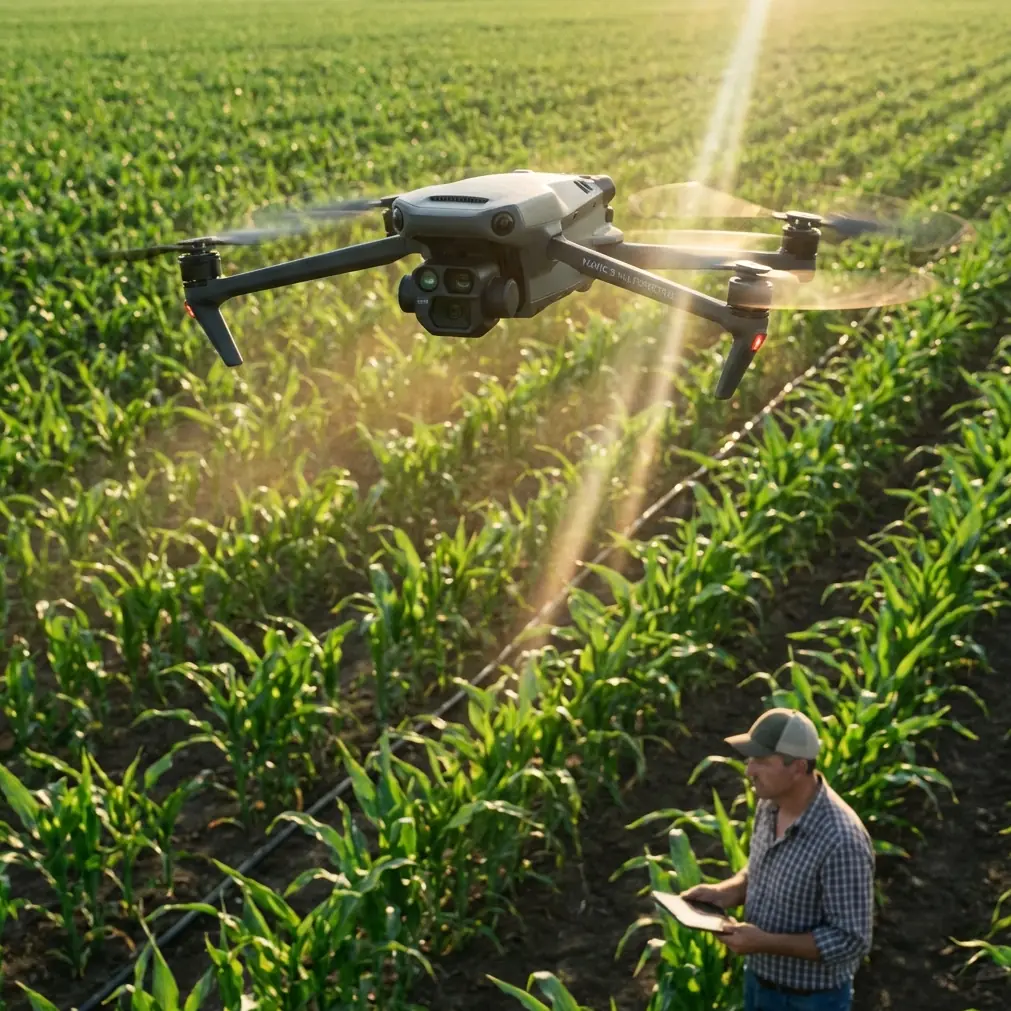
Mavic 4 Pro Tracking Tips for Coastal Highways: A Mapping Case Study That Starts Before Takeoff
META: A field-based Mavic 4 Pro case study for coastal highway work, covering GS Pro-style orthomosaic planning, safe camera settings, overlap choices, flight speed, and pre-flight sensor cleaning.
When people talk about the Mavic 4 Pro, they usually jump straight to image quality, tracking modes, or how well it handles moving subjects. For coastal highway work, that misses the point.
The real question is whether the aircraft can produce repeatable, clean, survey-grade visual coverage in a place where wind, glare, salt residue, and long linear corridors all stack friction into the mission. On one recent highway tracking workflow, the most useful lessons had nothing to do with cinematic tricks. They came from mission design choices that look small on the screen and become decisive in the air.
This is where the Mavic 4 Pro becomes interesting. Not as a toy for smooth reveal shots, but as a compact platform that can document a coastal road corridor efficiently while still giving the operator enough control to avoid the classic mistakes that waste batteries, compromise image consistency, or create unnecessary risk at the end of the route.
The assignment: a coastal highway corridor, not a postcard
Highway tracking along the coast creates a strange mix of demands. You need enough coverage to monitor road edges, drainage changes, slope conditions, and adjacent surface movement. At the same time, the corridor is narrow, irregular, and often bordered by reflective water, barriers, utility elements, and gusty crosswinds.
That makes a simple rectangular mission a poor fit.
A more practical approach is to build the flight area as an irregular polygon and shape it around the actual road footprint and surrounding zones that matter to the client. That planning concept comes directly from a proven GS Pro-style orthomosaic workflow: define the route using map points, then drag the polygon edges until the mission matches the real area. For coastal highways, this matters because it cuts dead air. You spend less time flying empty sea frontage or irrelevant inland patches and more time collecting usable corridor data.
On a long road assignment, those saved minutes turn into reserve battery margin, and reserve battery margin is what gives you safer decisions later in the mission.
The setting that changes everything: don’t stop to shoot
One of the biggest operational errors in mapping-style highway work is leaving the aircraft in a stop-and-capture photo mode. It sounds safe in theory. It usually isn’t efficient in practice.
The tested guidance from the source material is blunt: avoid the default waypoint hover-and-shoot behavior. In that mode, the drone repeatedly goes through deceleration, hover, capture, and acceleration for every image. That consumes more power and drags down productivity. For a coastal corridor where you may need to cover a large linear distance in a short weather window, that penalty adds up fast.
The more effective choice is time-interval shooting while flying at a steady pace.
There is a useful hard number behind this. In field testing, even under overcast conditions, photos remained clear and usable when the aircraft flew at a constant 15 m/s at above 120 meters altitude. That single data point matters more than many feature lists because it answers a real operational concern: do you actually need to stop the aircraft for each exposure to preserve image quality? In this tested scenario, no.
For Mavic 4 Pro users tracking highways, that means a properly planned continuous-pass mission is not just faster. It can also be fully defensible from a data quality standpoint when the altitude and motion profile are set intelligently.
Why this matters more on the coast
Wind on the coastline rarely behaves like wind over an open field. It shifts around embankments, cuts across the carriageway, and catches the aircraft when it transitions between exposed and sheltered segments. A mission profile that constantly brakes and accelerates is more vulnerable to those disturbances than one that holds a consistent line and speed.
That is one reason the continuous capture method works so well for corridor jobs. It simplifies the aircraft’s behavior. Fewer abrupt speed changes mean fewer chances for drift, less wasted battery, and a cleaner flight rhythm overall.
The Mavic 4 Pro’s obstacle avoidance and tracking intelligence are helpful here, but they should be treated as support systems, not a substitute for a stable mapping plan. Before launch, I always add one unglamorous step that has more value than any menu setting: clean the forward, rear, downward, and side vision sensors, along with the main lens. On a coastal highway, fine salt film can build up faster than many crews expect. If those sensors are smeared, obstacle avoidance reliability and position confidence can degrade at the exact moment you need them most near signage, barriers, or elevated roadside features.
It takes less than a minute. It is also one of the easiest ways to protect the Mavic 4 Pro’s safety stack before the aircraft ever leaves the ground.
Camera orientation is not a cosmetic choice
Another planning detail that deserves more attention is camera orientation relative to the main flight line.
The source workflow recommends setting the camera orientation parallel to the main route rather than perpendicular. In the original discussion, this distinction was partly about how different airframe designs behave in crosswind. Some aircraft with lower landing gear geometry can accidentally capture their own structure during lateral flight in stronger side winds. The note also says that Mavic airframes are less affected by this particular issue.
That does not make the setting irrelevant for Mavic 4 Pro operators. For coastal highways, parallel orientation still has a practical advantage: it keeps the mission logic aligned with the corridor itself. Your image sequence, aircraft heading, and route geometry remain more coherent. That usually makes the captured dataset easier to review and troubleshoot later, especially when you are comparing repeated flights over the same road segment over time.
If your job is “tracking highways,” consistency is the hidden currency. The cleaner your geometry from mission to mission, the easier it is to spot actual change instead of artifacts created by different capture behavior.
Overlap settings: why a road job may deserve more than the minimum
For standard orthomosaic work, the source states that 60% frontlap and sidelap is generally enough. Yet in the tested setup, the operator pushed the mission to 80% overlap on the main flight line and 66% between adjacent lines to improve output quality.
That is not overkill in a coastal corridor environment.
Roads are full of repeating textures: lane markings, barriers, drainage channels, asphalt transitions, and shoulder edges. Add moving shadows, changing cloud cover, and reflective zones near water, and image matching can become less forgiving than it looks. A more generous overlap setting gives the processing stage more common points to work with. If the assignment includes change detection, surface condition review, or regular progress monitoring, that extra redundancy is often worth the added flight time.
This is where Mavic 4 Pro users need discipline. Higher overlap improves resilience, but it also expands mission duration. You are trading efficiency for confidence. On a narrow highway strip, that trade is often justified because the total area is limited even if the route is long. The corridor shape keeps the mission focused while the overlap protects output quality.
Altitude is really a resolution decision
The source material explains altitude in practical terms: as flight height increases, the resulting resolution becomes coarser, and the exact relationship depends on camera resolution and focal length. It also notes a maximum flight height limit of 200 meters for safety reasons.
That framing is useful because too many operators choose altitude emotionally. They go low because low feels detailed. But a coastal highway mission is not just about seeing more. It is about seeing enough, consistently, across the whole route without multiplying battery swaps and processing volume for no reason.
A better way to think about the Mavic 4 Pro is this: choose altitude according to the deliverable, not the aircraft’s capability. If the client needs lane-level surface review, shoulder encroachment tracking, or drainage edge monitoring, fly low enough to support those tasks. If the mission is more about corridor progression and broad condition mapping, a higher altitude may produce a smarter balance between area coverage and clarity.
The tested point above 120 meters with clear usable imagery at 15 m/s gives crews a useful benchmark. It does not mean every job should be flown there. It means the Mavic 4 Pro has room to prioritize efficiency without automatically sacrificing output.
Let the software calculate speed and time, but verify the logic
The source notes that flight speed and estimated mission time are not directly set by the operator in this workflow. The app calculates them from overlap, altitude, camera parameters, and area size.
That automation is valuable, especially for newer crews. It reduces the chance of building a route that looks neat on the tablet and fails in the air. But experienced operators should still sanity-check the result. On coastal highway jobs, software does not know your actual wind loading, launch constraints, roadside obstacles, or signal quality at the far end of the corridor.
If the estimate looks technically possible but operationally tight, split the mission. That is usually the better decision. A road can be divided into logical sections with overlap between blocks, and the final stitched deliverable will benefit from the cleaner execution.
The same caution applies to the end-of-mission action.
The return setting most crews overlook
One of the sharpest warnings in the source concerns the default “hover at mission end” behavior. The reason is simple: if the aircraft finishes at the edge of the survey area and then waits there for a manual return, the pilot may be forced to recover it under weak connection conditions. If signal has already dropped, the aircraft may need to trigger failsafe return on its own.
That is avoidable risk.
For a coastal highway route, where the mission may finish far down the corridor or near a terrain bend, relying on a hover-and-manually-retrieve workflow is hard to defend. The smarter setup is one that gives the aircraft a predictable autonomous conclusion instead of leaving the pilot to improvise recovery at the least convenient moment.
This matters for the Mavic 4 Pro because compact aircraft invite casual habits. They are easy to deploy, easy to trust, and therefore easy to underestimate. But corridor missions punish loose end-of-flight planning more than short scenic flights ever do.
What about tracking features like ActiveTrack?
Yes, the Mavic 4 Pro’s tracking suite can be useful around highway documentation, especially for supplementary visual passes after the mapping segment is complete. ActiveTrack can help follow maintenance vehicles or document movement patterns in a controlled civilian context. QuickShots and Hyperlapse can support progress reporting if the client wants a more visual summary. D-Log may be useful when the brief calls for grading flexibility in mixed coastal light.
But none of those features should sit at the center of the primary capture plan if the job is orthographic or repeatable corridor analysis. The backbone of the mission is still route geometry, overlap discipline, clean sensors, steady image capture, and a safe return profile.
That is the difference between flying a capable camera drone and running a dependable aerial data workflow.
The practical Mavic 4 Pro checklist I’d use for this job
For a coastal highway mission, my own sequence would look like this:
- Clean the main lens and all vision sensors before power-up, especially if the aircraft has been near sea spray.
- Build the target area as an irregular polygon that hugs the corridor instead of forcing a broad rectangle.
- Confirm the camera model and mission parameters are correctly matched.
- Set camera orientation parallel to the main route for cleaner corridor logic.
- Use interval shooting rather than hover-at-each-point capture.
- Choose altitude based on output needs, with awareness that tested results showed usable image sharpness above 120 meters at 15 m/s.
- Start with strong overlap if repeatability and stitching confidence matter; the source’s 80% front overlap and 66% adjacent-line repeat is a serious reference point.
- Avoid an end-of-mission hover plan if recovery may occur near weak-signal road segments.
That stack of decisions is not flashy. It is effective.
If you are building a similar workflow and want to compare planning logic for your route, I’d suggest sending the corridor outline and target deliverable through this field planning contact before the next flight day.
The larger takeaway
The Mavic 4 Pro is easy to market as a do-everything platform. For coastal highway tracking, its value shows up in narrower ways. It is the aircraft’s ability to support a disciplined mapping-style workflow, maintain image usability at speed, operate efficiently without stop-and-shoot waste, and finish the mission safely when the route geometry gets awkward.
That is what turns a capable drone into a reliable tool.
And in this kind of work, reliability is what clients remember.
Ready for your own Mavic 4 Pro? Contact our team for expert consultation.