
Mavic 4 Pro: Track Forests Across Mountains
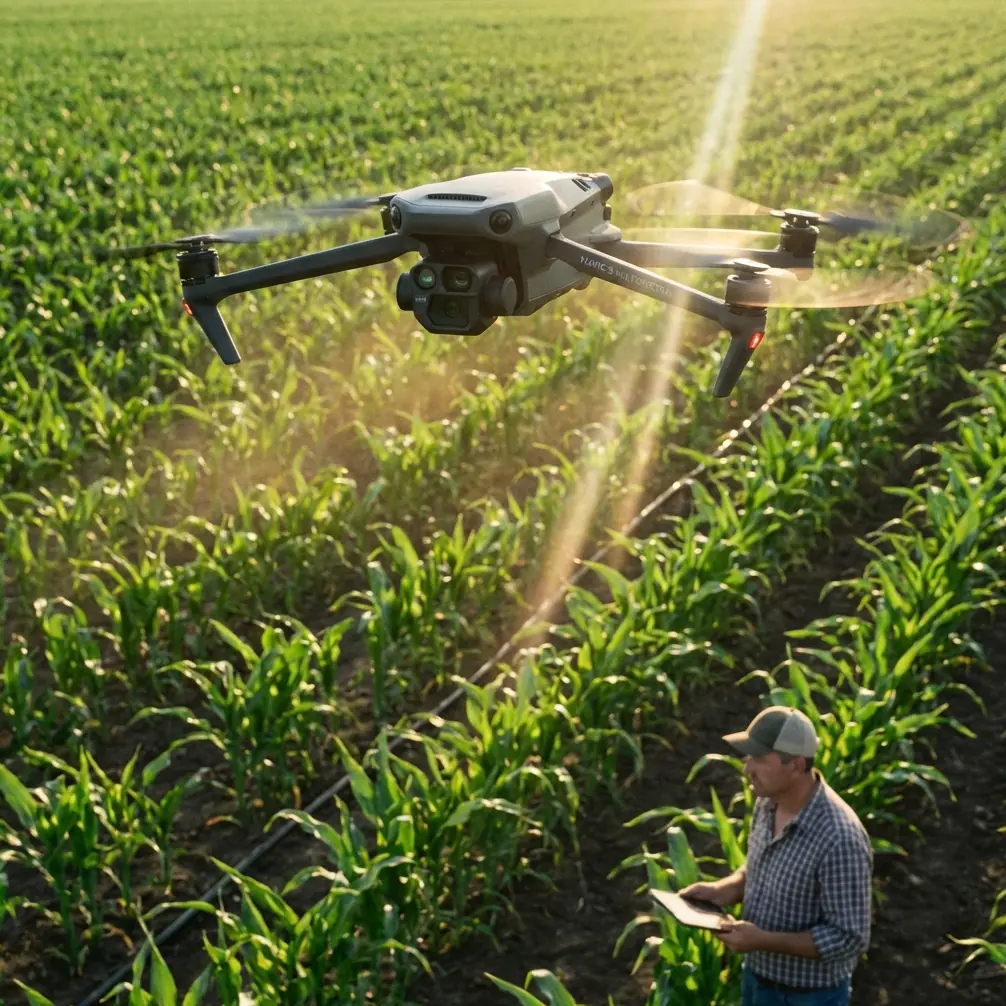
Mavic 4 Pro: Track Forests Across Mountains
META: Discover how the Mavic 4 Pro handles forest tracking in mountain terrain with ActiveTrack, obstacle avoidance, and D-Log for cinematic results.
By Chris Park — Creator
TL;DR
- ActiveTrack 6.0 locks onto subjects moving through dense forest canopy, even when partially obscured by trees and foliage
- Omnidirectional obstacle avoidance with upgraded sensing systems prevents collisions in unpredictable mountain terrain
- D-Log color profile captures the full dynamic range of shadowed forest floors and sunlit canopy in a single exposure
- Antenna positioning is the single most overlooked factor determining whether you maintain signal at 20 km max range or lose connection behind the first ridge
The Problem: Mountains Break Drone Connections and Forest Canopy Hides Your Subject
Tracking wildlife, hikers, or mountain bikers through forested mountain terrain is one of the hardest tasks you can throw at any drone. Trees block GPS signals. Ridgelines cut radio links. Shadows destroy exposure. Branches appear from nowhere. Most consumer drones simply cannot handle this environment—they lose the subject within seconds, clip a tree, or drop signal the moment they fly behind a slope.
This guide breaks down exactly how the Mavic 4 Pro solves each of these problems and shares the antenna positioning techniques that separate clean, uninterrupted forest tracking shots from footage ruined by signal dropouts.
Why Mountain Forest Tracking Demands a Different Approach
Standard open-air drone flying is forgiving. You have clear lines of sight, consistent GPS lock, and uniform lighting. Mountain forests flip every one of those advantages upside down.
The Three Core Challenges
- Signal obstruction: Rock faces, dense tree cover, and elevation changes place physical barriers between your controller and the drone
- Subject occlusion: Trees, branches, and terrain constantly block the camera's view of the subject you're tracking
- Extreme dynamic range: Sunlight filtering through canopy creates a lighting environment that can swing 12+ stops between highlight and shadow within a single frame
The Mavic 4 Pro was built with a sensor and software stack that directly addresses each of these challenges. But hardware alone isn't enough. How you position yourself, configure settings, and plan your flight path matters just as much.
Antenna Positioning: The Range Secret Nobody Talks About
Here's the advice that will save your footage before you even take off.
The DJI RC 2 controller uses directional antennas. Signal strength is strongest when the flat face of the antennas points directly at the drone. Most pilots hold the controller with antennas tilted backward—this is the single fastest way to lose connection in mountainous terrain.
The Correct Technique
- Angle the antennas so their flat surfaces face the drone's position, not the sky
- When the drone is at your altitude or below, point antennas straight forward
- When the drone is high above, tilt antennas slightly back, no more than 45 degrees
- Never let the antennas cross each other—this creates destructive interference
- Stand on the highest accessible point on your side of the valley to minimize terrain blocking the signal path
Pro Tip: Before launching into a forest tracking sequence, fly the drone to the farthest planned point of your route and check signal strength on the controller display. If you're below three bars at your maximum planned distance, reposition yourself to higher ground. Five minutes of scouting your own controller position will prevent a signal-lost emergency during your best take.
In mountain environments, maintaining line of sight between the controller antennas and the drone matters more than raw transmission power. The Mavic 4 Pro supports O4 transmission with a maximum range of 20 km in open conditions, but a single granite ridge between you and the aircraft can reduce effective range to under 1 km.
ActiveTrack 6.0: Locking Onto Subjects Through the Trees
The Mavic 4 Pro's ActiveTrack 6.0 system uses a combination of visual recognition and predictive algorithms to follow a subject even when trees temporarily block the view.
How It Works in Forest Conditions
- The system builds a 3D model of the subject during initial lock-on
- When the subject disappears behind a tree, the drone predicts trajectory based on speed, direction, and terrain
- Upon reacquisition, the system re-locks within 0.3 seconds without requiring pilot intervention
- Subject tracking operates in three modes: Trace (follow behind), Parallel (fly alongside), and Spotlight (keep framed while you fly manually)
For mountain forest work, Parallel mode produces the most cinematic results. The drone flies alongside the subject at a consistent offset distance, weaving through gaps in the canopy coverage while maintaining frame composition.
ActiveTrack Settings for Forest Tracking
| Setting | Recommended Value | Reason |
|---|---|---|
| Tracking Mode | Parallel | Reduces head-on collision risk with trees |
| Follow Distance | 8-12 m | Allows obstacle avoidance system reaction time |
| Follow Height | 3-5 m above subject | Clears most mid-canopy branches |
| Speed Limit | 28 km/h | Matches trail running or mountain biking pace |
| Obstacle Avoidance | Bypass (not Brake) | Drone navigates around obstacles instead of stopping |
Obstacle Avoidance: Navigating Dense Terrain at Speed
The Mavic 4 Pro features omnidirectional obstacle sensing across all directions using a combination of wide-angle vision sensors, infrared, and time-of-flight sensors. In forest environments, this system becomes your primary safety net.
Performance Specs in Context
| Specification | Mavic 4 Pro | Previous Gen (Mavic 3 Pro) |
|---|---|---|
| Sensing Directions | Omnidirectional (360°) | Omnidirectional |
| Max Sensing Range | 50 m forward | 44 m forward |
| Min Obstacle Detection | 0.5 m | 0.5 m |
| APAS Mode | 5.0 (Advanced) | 5.0 |
| Effective Speed for Avoidance | Up to 54 km/h | Up to 46 km/h |
| Night Sensing | Enhanced with auxiliary LED | Limited |
The upgraded forward sensing range of 50 m gives the flight computer more time to calculate bypass routes when tracking a subject through trees at speed. At 28 km/h tracking speed, the drone has roughly 6.4 seconds of look-ahead time—enough to plan a smooth, cinematic path around obstacles rather than making jarring last-second corrections.
Expert Insight: Set the obstacle avoidance behavior to Bypass rather than Brake when tracking through forests. The Brake setting causes the drone to stop dead when it detects an obstacle, which breaks your tracking shot and often loses the subject entirely. Bypass mode instructs the APAS system to find a path around the obstacle while maintaining pursuit—the results look intentional and fluid on camera.
Camera Settings: Capturing the Full Forest Dynamic Range
Mountain forests present some of the most challenging lighting in all of outdoor cinematography. The Mavic 4 Pro's 1-inch Hasselblad CMOS sensor has the latitude to handle it, but only with the right settings.
Recommended Configuration for Forest Tracking
- Color Profile: D-Log — captures 14+ stops of dynamic range, preserving shadow detail under canopy and highlight detail in sun-exposed clearings
- Resolution: 4K at 60fps — gives you speed-ramping flexibility in post-production
- Shutter Speed: 1/120s (double your frame rate for natural motion blur)
- ISO: 100-400 — stay in the native range to minimize noise in shadow areas
- White Balance: 5600K manual — prevents the auto system from shifting between green-filtered shade and direct sunlight
QuickShots and Hyperlapse for Establishing Shots
Before and after your tracking sequences, use QuickShots and Hyperlapse modes to capture establishing shots that contextualize the mountain environment.
- Dronie: Pull away and up from a forest clearing to reveal the surrounding peaks
- Rocket: Straight vertical ascent through a gap in the canopy—dramatic reveal of the landscape above the tree line
- Hyperlapse (Free mode): Set a 30-minute timelapse of cloud shadows moving across the forest—compresses to a 10-second clip that sets the scene perfectly in your edit
Common Mistakes to Avoid
- Flying below the canopy in GPS mode: GPS accuracy drops significantly under dense tree cover. Switch to Sport mode or Manual for more responsive controls when navigating tight spaces beneath the trees
- Ignoring wind at ridge lines: Calm conditions at your launch site can mask 40+ km/h gusts at exposed ridgelines. Always check wind data at summit altitude, not ground level
- Setting follow distance too short: Anything under 6 m in forested terrain leaves insufficient reaction time for obstacle avoidance. The system needs physical space to work
- Recording in Normal color profile: You lose recoverable shadow and highlight data permanently. D-Log requires color grading in post, but the footage quality difference in dappled forest light is enormous
- Forgetting to calibrate the compass: Mountain terrain contains iron-rich rock that throws off magnetometer readings. Calibrate before every session at your actual launch location, not in the parking lot
- Tracking directly into the sun through gaps in trees: The auto-exposure system hunts aggressively when direct sunlight flickers through branches. Lock exposure manually before starting your tracking run
Frequently Asked Questions
Can ActiveTrack follow a subject under full forest canopy without losing lock?
ActiveTrack 6.0 maintains subject tracking through brief occlusions lasting 2-4 seconds—typical of a subject passing behind individual trees or small clusters. Extended occlusion beyond 5 seconds (such as a subject entering a dense conifer stand) will trigger a "Subject Lost" alert. The system will hover and scan for the subject for 10 seconds before requiring manual reacquisition. For heavily canopied routes, fly the drone at a higher altitude offset so it maintains a top-down angle with fewer obstructions between lens and subject.
What is the best altitude for tracking through mountain forests?
The optimal altitude depends on canopy density. For deciduous forests with gaps, fly 5-8 m above the subject to maintain line-of-sight through natural openings. For dense conifer forests, fly 10-15 m above the subject to stay above the canopy entirely and use a downward gimbal angle of 30-45 degrees. This sacrifices the immersive "through-the-trees" perspective but guarantees continuous tracking without signal or visual interruption.
How does D-Log compare to HLG for forest shooting on the Mavic 4 Pro?
D-Log offers the widest dynamic range and maximum flexibility in post-production color grading—ideal if you're editing in DaVinci Resolve or Premiere Pro and want full control over the final look. HLG (Hybrid Log-Gamma) provides a usable image straight out of camera with extended dynamic range, requiring less post-processing. For serious forest tracking work where shadow-to-highlight transitions are extreme, D-Log is the superior choice. HLG works well for quick-turnaround projects where you need footage that looks good immediately without grading.
The Mavic 4 Pro transforms mountain forest tracking from a frustrating gamble into a repeatable, reliable workflow. Its combination of intelligent tracking, aggressive obstacle avoidance, and a sensor that thrives in high-contrast environments makes it the right tool for one of drone cinematography's hardest challenges.
Ready for your own Mavic 4 Pro? Contact our team for expert consultation.