
Mavic 4 Pro Tracking Tips for Remote Fields: Altitude
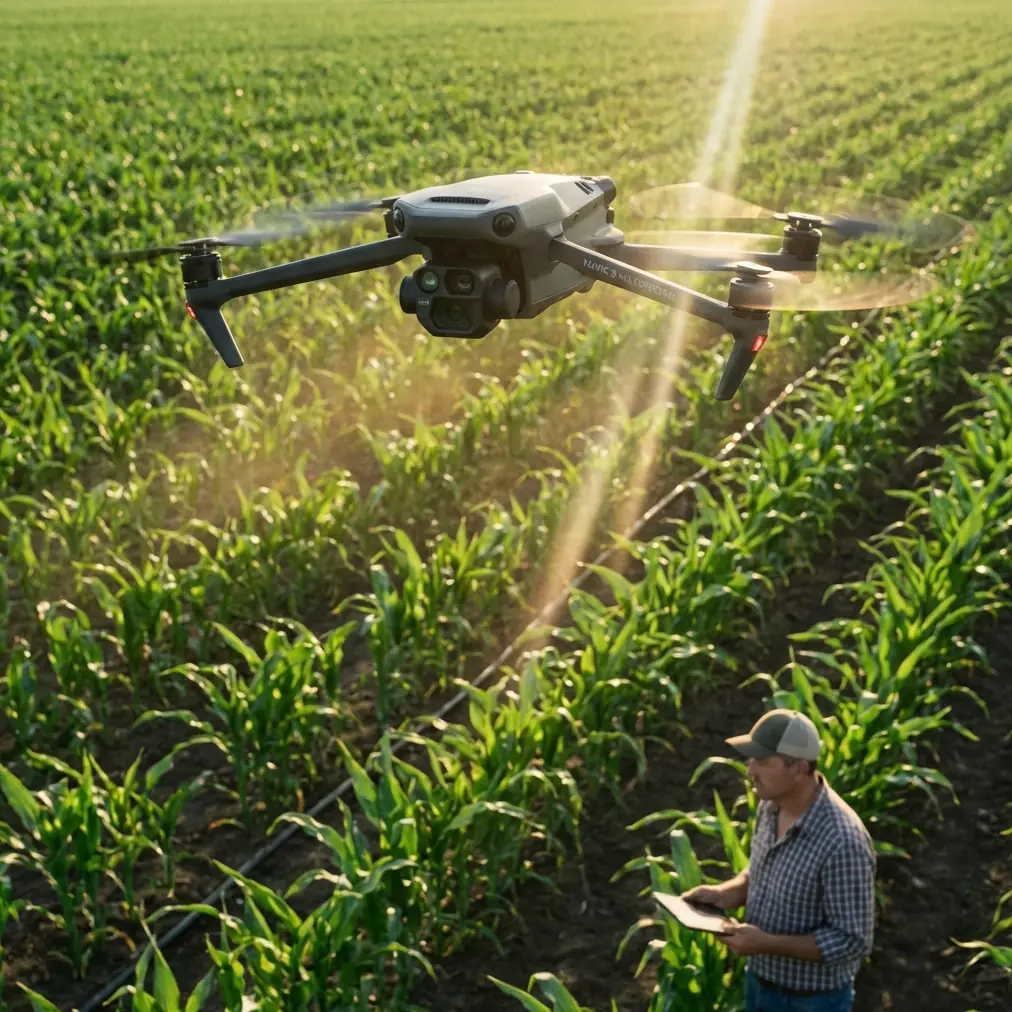
Mavic 4 Pro Tracking Tips for Remote Fields: Altitude, ActiveTrack, and Safe Coverage
META: Practical Mavic 4 Pro field tracking tutorial covering flight altitude, obstacle avoidance, ActiveTrack strategy, D-Log workflow, and safe remote-area operations.
Remote field work sounds simple until you actually launch.
Wide open land can trick pilots into thinking every flight is easy. In practice, fields create their own problems: repeating textures that confuse tracking, tree lines that appear late in the frame, wind that builds above crop height, and long distances that punish weak planning. If your goal with the Mavic 4 Pro is to track movement across remote farmland, ranch land, orchards, or broad inspection corridors, the best results come from setup discipline rather than fancy stick work.
There is another reason to think carefully about how we use unmanned systems. Recent reporting from the BBC described a Ukraine operation in which President Volodymyr Zelensky said territory had been captured using only robots and drones. That story was about warfare, which is not our subject here. But it does underline one point that civilian operators should pay attention to: unmanned systems are no longer experimental toys. They are being trusted for serious tasks where human presence is reduced. In commercial field operations, that same underlying lesson matters for a very different reason. A drone like the Mavic 4 Pro becomes most valuable when it lets you document, inspect, and monitor remote ground efficiently while minimizing unnecessary exposure, wasted travel, and missed data.
So this tutorial stays firmly on the civilian side: tracking fields in remote areas, with a focus on clean footage, reliable subject lock, and safe altitude choices.
Start with the mission, not the mode
A lot of pilots begin with QuickShots, ActiveTrack, or Hyperlapse because those features are visible in the app and easy to get excited about. In remote field work, the order should be reversed.
Ask three questions before takeoff:
- What exactly needs to be tracked?
- How much context around that subject do you need?
- Is the final deliverable analysis, presentation footage, or repeatable documentation?
Those answers change everything.
If you are following a farm vehicle, irrigation line inspection path, livestock movement edge, or a worker moving along a marked route, your tracking altitude and camera angle should support readability first. Pretty footage is secondary. If the footage is for stakeholder review or comparison flights later, consistency beats drama every time.
The most useful altitude range for field tracking
For most remote field tracking jobs with the Mavic 4 Pro, the sweet spot is often 20 to 40 meters above ground level.
That is the practical insight many pilots skip.
Below 20 meters, movement looks dynamic, but coverage narrows fast. Obstacle risk rises, especially near poles, wires, tree edges, uneven terrain, and irrigation hardware. Tracking can become twitchy because the subject fills too much of the frame and perspective shifts aggressively.
Above 40 meters, you gain safety and broader context, but you start giving up detail. Smaller subjects become less distinct against repetitive crop patterns or dirt tracks. If your purpose is operational monitoring, that loss matters.
A useful rule of thumb:
- 20 to 25 meters: best for a single moving subject when you need strong visual separation and moderate environmental detail.
- 25 to 35 meters: ideal general range for most field tracking, especially vehicles, route documentation, and edge-of-field surveys.
- 35 to 40 meters: better when terrain is uneven, wind is manageable, and you need extra reaction time for obstacle avoidance.
Why this range works operationally: it gives the Mavic 4 Pro enough vertical buffer to smooth out tracking while still preserving subject clarity. In open fields, altitude is not just about safety. It is about giving the tracking system time and space to make better decisions.
Open land is not obstacle-free
Field pilots get complacent because the center of a field feels empty. The problem is usually not the center. It is the transitions.
The real hazards in remote field tracking are:
- shelterbelts and tree lines
- utility poles at access roads
- irrigation structures
- uneven rises in ground elevation
- isolated sheds or tanks
- birds near water or crop edges
- dust or haze reducing visual contrast
This is where obstacle avoidance earns its keep. On the Mavic 4 Pro, obstacle sensing is not a substitute for route planning, but it can buy you critical margin when a tracking run drifts toward the field boundary or when a subject changes course unexpectedly.
Operationally, obstacle avoidance matters most when tracking across mixed edges rather than the center of open ground. If your subject is moving parallel to a tree line, increase altitude slightly and widen your framing. That gives the aircraft more reaction room and reduces abrupt side corrections.
How to use ActiveTrack without fighting it
ActiveTrack is useful in fields because the environment is visually simple, but that simplicity cuts both ways. Crops, dirt roads, and repetitive textures can make subjects blend into the background if lighting is flat.
To get better results:
1. Lock onto shape, not just motion
Choose the subject when it is clearly separated from the background. A vehicle entering a bare track from a grassy edge is easier to identify than one already centered in a uniform brown strip.
2. Avoid top-down extremes at the start
If you begin with too steep a downward angle, the subject can flatten into the texture of the field. Start with a moderate gimbal tilt that shows both subject and route. Once the track is stable, you can refine.
3. Keep speed changes gradual
Tracking systems tend to perform better when the target moves predictably. Sudden acceleration, sharp turns, or low passes near field infrastructure can break continuity.
4. Use altitude as stabilization
If ActiveTrack seems nervous, the answer is often not to cancel the mode. It is to climb 5 to 10 meters. That small altitude increase can smooth pathing and improve obstacle margin without sacrificing the shot.
This is one of the operational links many users miss: altitude is not just a cinematic variable. It directly affects tracking reliability.
The best camera approach for field evidence and polished footage
Remote field flights usually serve one of two outputs: reviewable work footage or polished visual content. The Mavic 4 Pro can do both, but your settings should reflect the job.
If your priority is analysis, a clean standard profile may be the easiest choice because it reduces post-processing time. If your priority is flexible grading under changing light, D-Log is the smarter path. Field environments are notorious for bright sky and darker ground contrast, especially early and late in the day. D-Log preserves more room to recover highlight detail and maintain consistent land tones across multiple flights.
That matters if you are comparing conditions over time. A color profile is not just an aesthetic decision. It affects whether repeat flights look usable side by side.
For presentation clips, use D-Log and pair it with deliberate route repetition. For straightforward records, simplify and prioritize clarity.
QuickShots and Hyperlapse are useful—just not where most people use them
QuickShots are often treated as social-media tools, but in remote field operations they can be useful as short establishing clips before a detailed tracking pass. A brief automated reveal can show the shape of the field, the access path, or the relation between subject and surrounding terrain. Then you switch into your main tracking run.
Hyperlapse has a different value. It can show slow environmental change across a field edge, access road, staging area, or work zone over time. That is especially useful when your audience needs to understand pattern and movement rather than a single event.
The key is not to confuse these modes with your core data-gathering flight. They support the story. They do not replace the tracking mission.
A practical field workflow that works
Here is a reliable sequence for Mavic 4 Pro field tracking in remote areas:
Pre-flight
- Check wind at surface and at expected operating altitude.
- Inspect map and live view for poles, lines, trees, and elevation changes.
- Decide your primary subject and backup route.
- Set return behavior conservatively for the environment.
First pass
- Launch and climb to around 30 meters.
- Hover briefly and watch the subject path.
- Confirm visual separation between subject and ground texture.
- Test obstacle awareness near likely boundary zones, not by pushing limits, but by observing spacing.
Tracking pass
- Start with ActiveTrack only after the subject is cleanly framed.
- Keep gimbal angle moderate.
- Maintain a speed and distance that do not force hard corrections.
- If the subject approaches a field edge, climb slightly before the aircraft needs it.
Coverage pass
- After your main track, capture a broader manual run at 35 to 40 meters for context.
- Use this pass to document surrounding conditions, access points, and layout.
Creative pass
- If needed, add one QuickShot or short Hyperlapse for presentation value.
- Keep these separate from your primary operational files.
Review before leaving
- Check that the subject stayed readable.
- Confirm no key route segment was clipped by framing or abrupt auto-corrections.
- Re-fly immediately if the track was lost near repetitive terrain.
That last point matters more in remote work than many realize. A failed flight in town is inconvenient. A failed flight after a long drive into the field is expensive in time, daylight, and logistics.
Lighting changes the way tracking behaves
Fields can look bright to your eyes while still producing weak subject contrast on camera.
Midday overhead light often flattens texture. Early and late light creates beautiful separation but introduces long shadows that can visually merge with moving subjects. If you are tracking a vehicle, person, or equipment path, side light usually gives the cleanest result because it preserves shape without destroying detail.
This affects both ActiveTrack and your manual review later. The drone may technically follow the subject, yet the footage can still be less useful if the target lacks visual definition against the surface.
When possible, do a short test run and review the clip before committing to the full route.
Why remote field flying deserves more discipline now
The BBC report about an operation conducted with robots and drones highlighted a broader shift: unmanned systems are increasingly trusted to carry out serious tasks without direct human presence. Again, our focus here is civilian use only. But the operational lesson transfers cleanly. As drones take on more responsibility in agriculture, inspections, logistics support, and training, expectations rise. People no longer judge these aircraft as novelty tools. They judge them by reliability, repeatability, and the quality of decisions they support.
For Mavic 4 Pro pilots, that means a field tracking flight should be built like a professional workflow, not improvised as a scenic lap around open land.
If you want help planning a remote field setup or comparing tracking workflows, you can message the flight team here.
Final advice: fly higher than your instincts, lower than your ego
That is the balance.
Newer pilots often fly too low because the footage feels exciting. Experienced pilots sometimes fly too high because they want extra safety margin and broad context. For most remote field tracking on the Mavic 4 Pro, the best results come from that middle operating band around 20 to 40 meters, with about 30 meters as the default starting point.
At that height, ActiveTrack has room to breathe. Obstacle avoidance has more time to help. Subject tracking stays readable. And your footage becomes useful for more than one purpose, whether that is field monitoring, route documentation, visual reporting, or repeat comparison.
The Mavic 4 Pro is at its best when you treat automation as support, not as the pilot. Use altitude intelligently, set up your subject before asking the aircraft to follow it, and capture one broad contextual pass after every main track. That simple discipline will improve your results more than any flashy preset.
Ready for your own Mavic 4 Pro? Contact our team for expert consultation.