
Mavic 4 Pro for Windy Construction Site Tracking
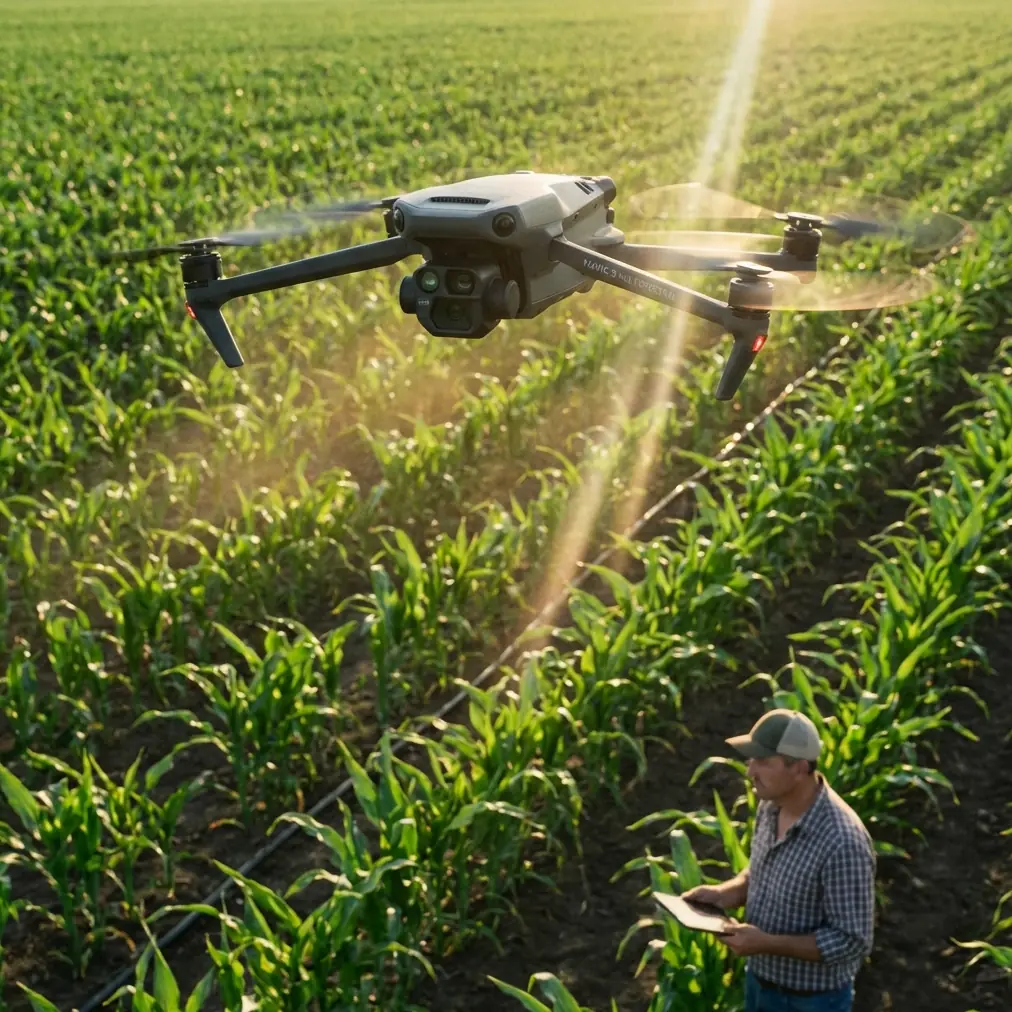
Mavic 4 Pro for Windy Construction Site Tracking: What Actually Matters in the Field
META: A field-focused look at using Mavic 4 Pro for windy construction site tracking, with practical insights on hover stability, mobile ground control habits, obstacle avoidance, subject tracking, and pre-flight safety checks.
Wind changes everything on a construction site.
A drone that feels effortless over an open field can become much harder to trust when it is flying above half-finished structures, scaffolding, concrete dust, moving machinery, and irregular gusts bouncing off new steel and glass. If you are planning to use the Mavic 4 Pro to document site progress, follow equipment movement, or capture recurring photo sets for stakeholders, the real question is not whether the aircraft is advanced. It is whether the whole operating workflow remains dependable when the environment is working against you.
That is where the most useful lessons often come from: not from marketing language, but from control-system thinking. One reference point that stands out here is a hexacopter design project focused on three priorities: fixed-point hovering with high precision, propeller fault diagnosis with rapid control adjustment, and a ground-station workflow that streams onboard data and camera imagery to both PC and mobile devices. Even though that project was not written specifically for the Mavic 4 Pro, its design logic maps surprisingly well onto what serious construction-site pilots should care about.
The takeaway is simple. For windy site tracking, image quality matters, but stability, fault awareness, and operator interface matter more.
The problem with windy construction sites is not only wind
Pilots often describe wind as a single variable. On active job sites, it is not. Wind becomes turbulence. It curls around columns, accelerates down unfinished corridors, ricochets off facade panels, and forms unpredictable pockets near cranes and roof edges. A drone may hold position confidently for ten seconds, then drift or tilt abruptly as it crosses an invisible airflow boundary.
For construction documentation, those disturbances affect more than flight comfort. They affect repeatability.
If you are running weekly progress captures, you need the aircraft to hover in nearly identical positions so the framing stays consistent from one visit to the next. If you are tracking moving vehicles or following a site supervisor for a walk-through, subject tracking has to stay coherent even when the aircraft is constantly making micro-corrections. If you are using D-Log for post-production latitude, unstable movement can still ruin a shot long before color work begins.
This is why the reference document’s emphasis on “fixed-point hovering” is so relevant. It specifically called for completing the control software between March 1 and March 20 to achieve precise hovering, then integrating video functions between March 21 and April 9 to enable object tracking. That sequence matters operationally. Stable flight first, tracking second. Not the other way around.
For Mavic 4 Pro users on windy construction sites, that same priority order is the right one. Before you rely on ActiveTrack, QuickShots, or Hyperlapse, you need to know how the aircraft behaves when asked to hold a position near partially enclosed structures and changing wind corridors.
Why hover precision is the foundation of site reporting
Construction progress work is often underestimated. People assume it is just a matter of flying up and recording a few clips. In practice, the best site reporting depends on consistency.
You may be asked to capture:
- a repeated top-down grid of excavation zones
- facade progression from a fixed angle
- crane swing clearances from a safe observation position
- material staging areas over time
- contractor walk-through video that links visual progress with narration
Each of those jobs depends on reliable station-keeping. If the drone drifts while you are trying to match a previous shot, small framing errors become big reporting problems. A steel beam that seems aligned in one week’s image may appear offset in the next simply because the aircraft was not in the same place.
This is one reason the Mavic 4 Pro’s obstacle avoidance and positioning intelligence should be treated as part of a documentation system, not as convenience features. On a construction site, obstacle awareness helps you maintain a clean flight path around vertical hazards, but the larger benefit is confidence. When the pilot trusts the aircraft to manage spacing and hold its line, more attention can go toward framing, telemetry, and site changes that actually matter to the client.
Still, obstacle avoidance is not magic. Dust, low-contrast surfaces, temporary netting, and reflective building materials can complicate sensing. That is why the flight starts before takeoff.
The pre-flight cleaning step most site pilots skip
If I were briefing a new Mavic 4 Pro operator for windy construction work, I would insist on one habit before every launch: clean the vision sensors and camera surfaces.
Not casually. Deliberately.
Construction sites are dirty places. Fine concrete dust, insulation fibers, dried mud spray, and oily residue from transport can build up faster than many pilots realize. On aircraft that rely on obstacle sensing and visual positioning, that contamination does not just soften image quality. It can compromise the reliability of safety features.
A proper pre-flight wipe of obstacle sensing windows, camera glass, and any exposed optical surfaces takes less than a minute. But it directly supports systems that you may be depending on for low-speed navigation near structures, stable braking behavior, and consistent environmental awareness. In a windy setting, where the aircraft may already be compensating hard, degraded optical input is an unnecessary risk.
This is the kind of small discipline that separates cinematic hobby flying from professional site operations.
Mobile control logic matters more than many pilots admit
One of the strongest details in the reference material is its focus on the operator interface. It describes a control setup with a remote controller, a PC-based ground station showing live onboard data and camera imagery, and a mobile ground station on iOS or Android that also displays aircraft data, video, and control inputs in a more intuitive format.
That design choice reflects a mature understanding of field use. Pilots do not just need a flying camera. They need situational awareness.
For a Mavic 4 Pro operator on a construction site, the practical lesson is this: do not think only in terms of what the aircraft can capture. Think in terms of what information you can interpret, quickly, while conditions are changing.
A good mobile interface matters because windy site work often forces fast adjustments:
- changing altitude to escape turbulence near structures
- switching from a tracking move to a safer manual observation angle
- verifying telemetry after a sudden gust event
- checking live image detail to confirm whether a pass needs repeating
- reviewing obstacle warnings without losing the subject
The reference project even set aside April 15 to April 20 specifically to design the mobile interface on iOS or Android. That is not a trivial schedule note. It shows that once hover control and video integration were in place, the next operational priority was giving the pilot a better way to manage the aircraft in the field.
That sequence makes sense for Mavic 4 Pro workflows too. The smartest drone features are only useful if the pilot can read the aircraft’s condition and make decisions without friction.
Subject tracking in wind: where ActiveTrack helps and where judgment takes over
Construction sites are dynamic. Vehicles move. Workers conduct guided inspections. Project managers want a smooth aerial follow during a narrated update. This is the use case where ActiveTrack sounds ideal.
And often, it is.
When the target path is predictable and the airspace is open enough, subject tracking reduces workload and creates cleaner motion than many manual operators can achieve under pressure. It is particularly useful when you are following a site lead walking the perimeter, or when you are documenting the movement of non-sensitive equipment along a defined route for progress reporting.
But wind changes the equation.
In gusty air, the aircraft is already busy maintaining safe flight geometry. Add tracking demands, partial obstacles, and changing subject speed, and the system may need more pilot supervision than expected. That does not make ActiveTrack ineffective. It just means it should be used as an assistive layer, not an excuse to disengage.
This is where the reference document’s staged development model is worth remembering again. First hover. Then video integration. Then object tracking. That order recognizes a hard truth: tracking performance is built on top of flight stability, not separate from it.
For windy site operations, a sensible approach is:
- establish the cleanest available air corridor
- confirm stable hover performance in that zone
- run short tracking segments rather than one long automated pass
- review footage immediately on the ground station or controller display
- repeat only when the aircraft’s behavior remains predictable
That workflow usually produces better construction footage than forcing a complex autonomous move through turbulent air.
Portability is not a luxury on active sites
Buried in the reference timeline is another practical detail: May 1 to May 10 was dedicated to making the full system easier to carry into the field. On paper, that may sound secondary. On a real job site, it is not.
Portability affects safety and output.
Construction documentation often means walking uneven ground, climbing access points, coordinating with site personnel, and relocating several times in one session. A more portable setup reduces setup friction and encourages better launch-point selection. That matters in wind because your takeoff and recovery zone can determine the entire quality of the mission.
With a compact platform like the Mavic 4 Pro, portability becomes a strategic advantage. It allows the operator to move away from turbulent edges, choose clearer sight lines, and reset quickly when site activity changes. A drone that is easy to reposition is easier to operate well.
The best pilots use that flexibility. They do not stubbornly fly from the first spot they reached.
Image style still matters, but only after operational control
Yes, clients care about polished visuals. D-Log can give you more room in grading. Hyperlapse can reveal the tempo of a build in ways still images never will. QuickShots may help on simpler promotional passes around completed sections of a project.
But on active, windy construction sites, those are second-order tools.
The primary deliverable is trustworthy visual information. Is the slab pour progressing? Has steel erection reached the expected level? Is the facade installation matching schedule? Are haul roads and staging areas visible and clearly documented?
The Mavic 4 Pro becomes valuable here not because it can produce dramatic footage, but because it can bridge documentation and presentation. You can collect repeatable frames for progress comparison, then switch into higher-production visuals when conditions allow.
That balance matters for photographers too. Speaking as someone with a photographer’s bias, it is easy to chase the beautiful shot and forget the operational shot. On construction sites, the operational shot usually pays for the day.
A practical field workflow for windy site tracking
If I were setting up a Mavic 4 Pro routine for this exact scenario, it would look like this:
Start with a lens and sensor cleaning check. Dust on optical surfaces undermines both footage and obstacle awareness.
Then assess the site as a wind map, not a flat space. Identify where structures are channeling or breaking airflow.
Lift into a conservative hover first. Watch how the aircraft holds position before committing to any tracking move.
Use the controller and live telemetry intentionally. If your team needs a second set of eyes on workflow planning or field setup, it can help to message an experienced drone team here: https://wa.me/85255379740 for practical coordination input.
Next, capture the repeatable documentation shots while the battery is freshest and your concentration is highest.
Only after that should you move into ActiveTrack, QuickShots, or Hyperlapse passes, and only in airspace that has already proven manageable.
Finally, review a few critical clips on-site before packing up. Wind problems are easier to solve immediately than after leaving the project.
The bigger lesson for Mavic 4 Pro users
The most useful insight from the reference material is not about one specific airframe. It is about priorities.
A serious UAV system was designed around precise hovering, fault awareness, mobile and desktop situational visibility, object tracking, communication integration, and portability. That stack of priorities mirrors what matters on windy construction sites today.
For Mavic 4 Pro operators, the message is clear: do not evaluate the aircraft only by headline features. Evaluate it by how well it supports a disciplined field method. Stable hover performance. Clean optical systems. Clear operator interface. Careful use of tracking. Portable deployment. Repeatable results.
That is what turns a capable drone into a dependable construction tool.
Ready for your own Mavic 4 Pro? Contact our team for expert consultation.