
Mavic 4 Pro Field Report: Tracking Construction Sites
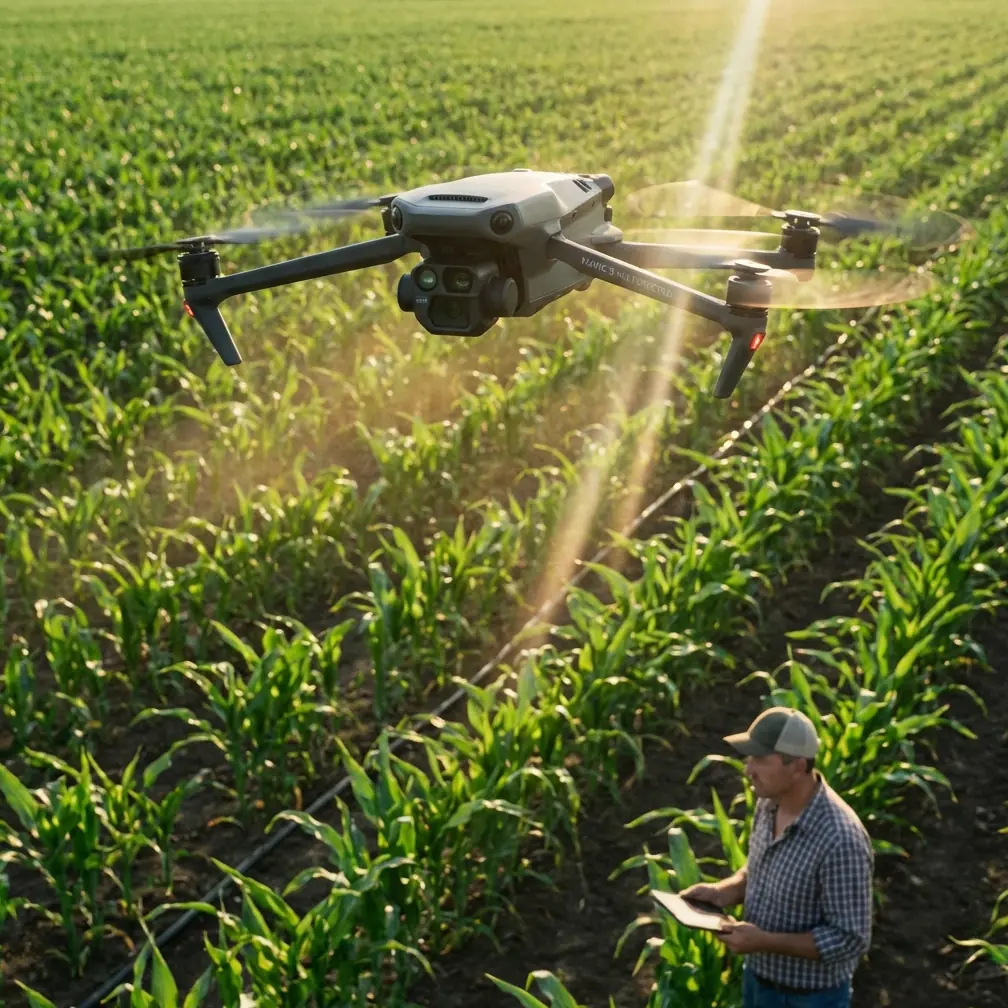
Mavic 4 Pro Field Report: Tracking Construction Sites in Urban Conditions
META: A practical field report on using the Mavic 4 Pro for urban construction site tracking, with antenna positioning tips, obstacle avoidance workflow, ActiveTrack insights, and D-Log capture advice.
I spend a lot of time photographing places that are half-finished.
Steel frames rising above a city block. Tower cranes moving through morning haze. Concrete pours that look ordinary at ground level and suddenly make sense from 80 meters up. Construction sites are visually dense, operationally messy, and usually surrounded by the exact things that make drone work harder: reflective glass, tight airspace awareness, signal clutter, unpredictable dust, and constant movement.
That is why the Mavic 4 Pro is interesting in this niche. Not because it promises perfection, but because the feature set lines up unusually well with what urban site documentation actually demands. When you are tracking progress on a city project, you are not chasing cinematic drama for its own sake. You need repeatability, safe navigation, stable subject tracking, and footage that still gives the editor room to match shots across multiple site visits.
This field report is built around that real assignment: recurring urban construction tracking with the Mavic 4 Pro, viewed through the lens of a working photographer.
What urban construction tracking really asks from a drone
A construction site in an urban environment creates conflicting priorities.
You want broad establishing shots, but nearby buildings can narrow your safe route options. You want dynamic movement, but cranes, cables, temporary structures, and changing site geometry can punish lazy flight planning. You want to track machinery or progress activity, but the job is documentation first and spectacle second.
That changes how I evaluate a drone.
For this kind of work, obstacle avoidance is not a box-tick feature. It directly affects whether I can maintain a smooth, deliberate flight path along a site perimeter while preserving attention for framing and situational awareness. In an urban project corridor, one side may be open sky while the other is bordered by facades, scaffolding, signage, and rooftop equipment. A strong obstacle sensing system gives me a larger margin for controlled movement when I am flying lateral reveals, oblique passes, or repeating the same route week after week.
Just as important is subject tracking. The useful version of tracking on a construction site is not “follow anything that moves.” It is being able to hold visual attention on a truck, excavator, lift, or a designated work zone while the aircraft manages part of the framing burden. That is where features associated with ActiveTrack matter operationally. If I can keep a moving subject in frame while adjusting altitude and preserving separation from surrounding structures, I can create footage that is both informative and publishable for stakeholders.
Why ActiveTrack matters more on sites than in open landscapes
In open terrain, subject tracking is often a convenience. On a city construction project, it can become a documentation advantage.
Suppose the site manager wants a short weekly clip that shows materials entering from a particular gate, crossing the site, and arriving at the staging zone. Flying that manually every time is possible, but manual tracking becomes inconsistent when shadows shift, traffic patterns change, or you need to monitor multiple hazards at once. ActiveTrack helps standardize the result. The operational significance is repeatability. That matters more than flash.
The same goes for capturing repetitive machinery movement. If you are documenting excavation, facade installation, or concrete pump setup across several site visits, tracking tools can help maintain a coherent visual language from one session to the next. Clients may not know the name of the feature, but they notice the difference when each progress report feels measured instead of improvised.
Of course, no tracking mode is a substitute for judgment. Construction sites are living environments. New barriers appear overnight. Crane positions change. Temporary fencing moves. ActiveTrack is a support tool, not permission to relax. I use it when the route is already understood, the airspace is clear, and the visual target is isolated enough to avoid ambiguous lock-ons.
Obstacle avoidance is less about bravery than consistency
Urban construction drone work punishes overconfidence.
The value of obstacle avoidance on the Mavic 4 Pro is not that it lets you squeeze through gaps you should never attempt. Its real value is consistency in constrained environments. When I run a perimeter orbit around a building under construction, I am often balancing composition against a cluster of variables: parapet height, crane boom location, reflective windows on neighboring towers, and wind behavior around corners. Obstacle sensing adds another layer of protection while I focus on maintaining a usable angle and preserving smooth camera motion.
That becomes especially relevant for recurring site logs. If you want a monthly or biweekly visual archive, the best shot is often the one you can reproduce reliably. A well-managed automated or semi-automated move, supported by obstacle awareness, produces cleaner comparisons over time than a “hero” pass flown differently on each visit.
This is one reason QuickShots and Hyperlapse features deserve a more serious look in construction work than they usually get. On paper they sound like social-media tools. In practice, they can support structured site storytelling when used carefully.
QuickShots and Hyperlapse are not just for flashy edits
Most construction clients need three layers of visual output.
First, the evidence layer: straightforward stills and video showing project status.
Second, the communications layer: polished clips for investors, tenants, partners, or public-facing updates.
Third, the planning layer: visual references the team can review internally.
QuickShots can help with that second layer if you choose movements that describe the site instead of decorating it. A controlled reveal over perimeter barriers, a slow pullback showing crane placement relative to adjacent streets, or a measured orbit around the structural core can communicate site scale in seconds. The key is restraint. Fast, dramatic moves rarely age well in project reporting.
Hyperlapse has a different role. On urban sites, it can condense a repeating process into something immediately legible: traffic patterns around the site, shifting shadows on a facade installation zone, or the cadence of crane-assisted material flow over a work period. For stakeholders who do not visit the site in person, a properly planned Hyperlapse can explain logistics faster than a written summary.
The trick is to fly with purpose. If the motion path does not answer a project question, it probably belongs in the outtakes.
D-Log is where site footage starts to become usable over the long term
Construction tracking is not a one-day media assignment. It is an archive in progress.
That is why D-Log matters. Not because every clip needs a heavy grade, but because urban sites are full of punishing contrast. You may have bright concrete, reflective cladding, dark excavation pits, shaded understructure, and a pale sky all in the same frame. Capturing in D-Log gives more flexibility to manage those extremes and maintain visual consistency across different weather and shoot dates.
Operationally, this becomes significant when comparing progress month to month. If one visit is shot under hard midday sun and the next under overcast conditions, a flatter capture profile gives your editor a better chance of matching footage into a coherent timeline. That consistency is more valuable to construction stakeholders than an overcooked look straight out of camera.
I also find D-Log useful when the final deliverables include both marketing pieces and analytical edits. You can build a clean, restrained grade for progress reporting and still retain enough latitude to produce a more polished short film for project communications.
My antenna positioning rule for maximum range in city work
Here is the simplest advice I give every new urban pilot using a Mavic-series aircraft: stop aiming the tips of the antennas at the drone.
For maximum range and a cleaner signal, the broad sides of the antenna pattern should face the aircraft, not the narrow ends. In practical terms, that means positioning the controller antennas so the flat faces are oriented toward the drone’s direction of travel. When the aircraft changes position, your body and controller stance should change with it.
This matters even more in urban construction environments because signal conditions are rarely clean. You are dealing with building reflections, steel density, passing vehicles, rooftop equipment, and plenty of electromagnetic noise. A pilot who understands antenna geometry often gets a more stable link than one who simply stands still and hopes the system sorts it out.
A few field habits help:
- Keep your torso turned toward the aircraft rather than flying off your shoulder.
- Avoid standing directly beside vehicles, site offices, or metal barriers when possible.
- If you lose signal quality near a building face, adjust your orientation before changing the mission.
- Maintain line of sight and remember that elevation is not the same thing as a clear signal path.
That last point catches people. A drone can be high and still be in a poor radio position if a structure sits between the controller and the aircraft. On a city site, sometimes stepping a few meters sideways improves the link more than climbing.
If you need help setting up a practical workflow for recurring site documentation, I usually recommend starting with a pre-flight communications checklist and then adapting it to the site team’s reporting schedule. For direct coordination, this is the simplest way to reach out: message here for site workflow planning.
A repeatable field workflow for construction progress capture
When I arrive on site, I do not launch immediately.
I start by walking the perimeter or reviewing it from the agreed safe access point. Construction environments change fast, and assumptions from the previous visit are often wrong. I look for new crane positions, temporary hoists, mast climbers, material stacks, netting, and any fresh reflective surfaces that may affect both navigation and image quality.
Then I build the flight in layers:
1. Establish the fixed record
These are the repeatable angles. Wide shots from the same compass points. Similar altitude bands. Matching lens choices if possible. This is the footage that makes timeline comparisons useful.
2. Capture the operational movement
This is where ActiveTrack can help. I use it for predictable, isolated movement: a vehicle route, a machinery cycle, or a controlled pass around a work zone. The goal is not novelty. It is to show motion in context.
3. Gather the communication visuals
Once the documentation layer is secure, I use selected QuickShots, measured reveals, or a Hyperlapse path if the site conditions support it. These shots help the project speak to people outside the jobsite fence.
4. Protect post-production options
If the light is difficult, I default toward D-Log for key sequences. On sites with heavy glare and deep shadow, that decision pays off later.
This structure keeps the flight disciplined. Too many site shoots collapse into improvised cinematic wandering, and the result is footage that looks expensive but answers very little.
Where the Mavic 4 Pro fits best
The Mavic 4 Pro makes the most sense for construction tracking when the operator values mobility but still needs credible imaging and intelligent flight support. Urban sites often involve limited setup space, narrow launch options, and the need to move quickly between vantage points. A portable aircraft with mature obstacle avoidance, dependable subject tracking options like ActiveTrack, and flexible capture modes can cover a surprising amount of professional ground.
The catch is that the pilot has to work like a documentarian, not a gadget collector.
Use obstacle avoidance to preserve margin, not to justify tighter risks. Use tracking to repeat useful visual stories. Use QuickShots and Hyperlapse to explain the site, not distract from it. Use D-Log when consistency across time matters more than instant punch. And if you want the strongest possible signal in an urban environment, position the antennas correctly and keep your body aligned with the aircraft.
That sounds basic. It is. Basic habits are what make recurring drone site coverage reliable.
For construction teams, developers, and visual contractors, that reliability is the entire point. A single beautiful shot can impress. A disciplined archive of accurate, clear, repeatable aerial coverage can actually support decisions.
Ready for your own Mavic 4 Pro? Contact our team for expert consultation.