
Tracking Construction Sites in Complex Terrain with Mavic 4
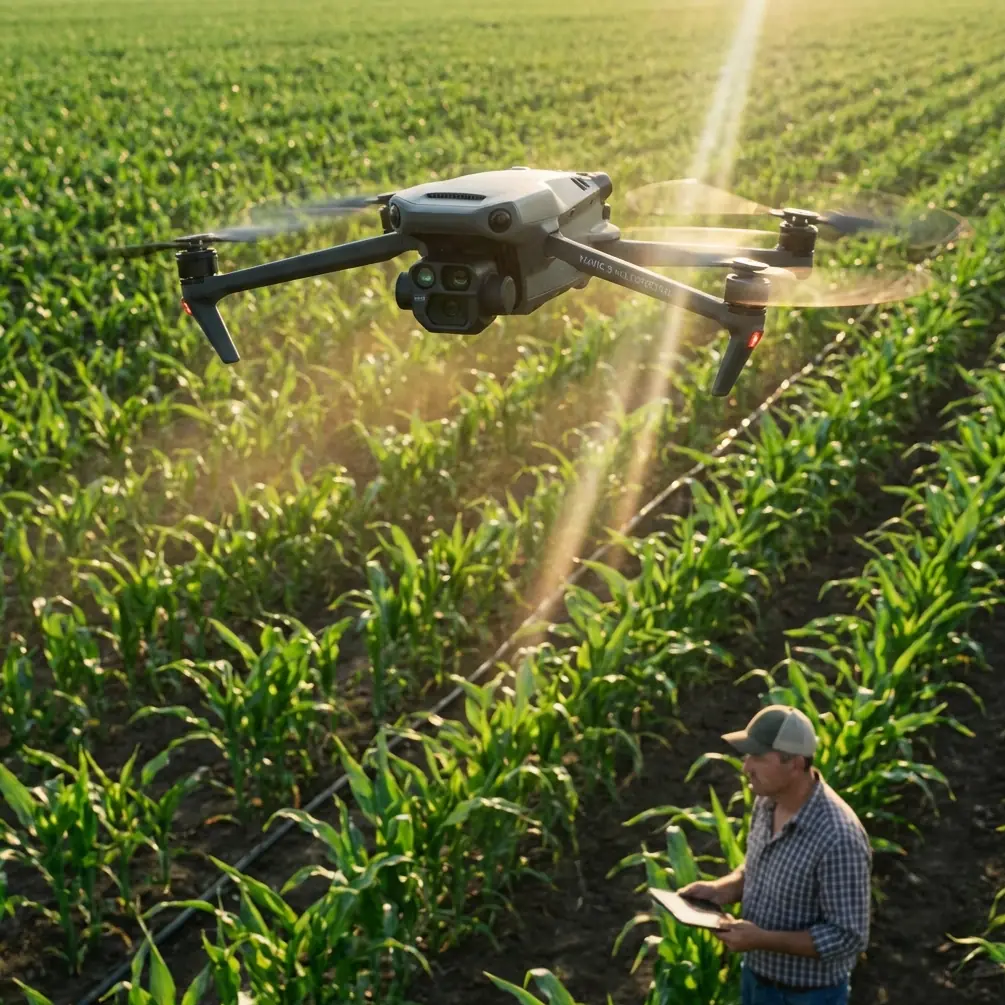
Tracking Construction Sites in Complex Terrain with Mavic 4 Pro: A Practical Field Tutorial
META: Learn how to use Mavic 4 Pro for construction site tracking in uneven, obstacle-heavy terrain, with practical steps on pre-flight cleaning, obstacle avoidance, ActiveTrack, D-Log, Hyperlapse, and repeatable site documentation.
Construction sites rarely give you a clean flying environment. Berms shift. Crane positions change. Stockpiles grow, disappear, and come back in a different corner of the site. Add steep grades, retaining walls, scaffolding, concrete cores, and temporary haul roads, and you get the kind of terrain that exposes weak aerial workflows fast.
That is exactly where a Mavic 4 Pro-style workflow earns its keep.
If your job is to document progress, compare weekly changes, support stakeholder reporting, or create a visual record for project management, the aircraft is only half the story. The other half is consistency: same route logic, same camera discipline, same safety checks, and clean sensor performance before every takeoff. On a construction site with uneven elevation and lots of vertical structures, that last point matters more than many pilots realize.
This tutorial is built around one goal: tracking construction progress in complex terrain without turning each flight into improvisation.
Start with the one pre-flight step people skip: clean the vision system
Before batteries, before SD card checks, before deciding whether today is a waypoint pass or a manual orbit, clean the aircraft.
Not casually. Deliberately.
Use a blower and a clean microfiber cloth to remove dust, cement fines, moisture spots, and oily fingerprints from the vision sensors and camera glass. Construction sites are brutal on optics. Fine dust hangs in the air, settles into seams, and can degrade the performance of obstacle sensing and visual positioning. If you are relying on obstacle avoidance near cranes, partially enclosed structures, slope edges, or material stacks, dirty sensors reduce the margin you think you have.
This is not cosmetic maintenance. It is a flight safety step.
The same goes for the main camera and any auxiliary lenses you use for inspection-style visual capture. A smudge on the lens can flatten contrast and make repeated progress photos harder to compare from one week to the next. When you are trying to show whether drainage grading changed by a meter or whether a scaffold lift extended another level, image clarity is operationally significant.
My rule on dusty sites is simple: clean before first launch, inspect again after each battery if the aircraft has landed near loose aggregate or active earthmoving.
Build the mission around repeatability, not cinematic instinct
The biggest mistake in construction tracking is flying by feel. It produces nice footage on day one and weak records by week four. If your audience is a superintendent, owner’s rep, engineer, or project controls team, repeatability beats flair.
The Mavic 4 Pro is best used here as a repeatable documentation platform with selective cinematic output layered on top. Think in three capture blocks:
- Overview pass
- Sector-by-sector progress pass
- Context visuals for reporting
That structure lets you produce material that is useful for both measurement-oriented review and executive-facing updates.
1. Overview pass
Start high enough to read the full site layout. On complex terrain, “high enough” does not mean a single universal altitude. It means high enough above the tallest relevant obstacle along your route while preserving enough visual detail to show current work zones.
The point of the overview pass is to answer three questions quickly:
- What changed since the last flight?
- Where is active work concentrated?
- Are there new access, safety, or staging constraints that affect the next passes?
Use a slow, stable line or broad arc rather than an aggressive reveal. If the site sits across a slope or stepped excavation, compose with the terrain in mind so elevation differences read clearly. Flat-looking footage can hide meaningful grade work.
Use obstacle avoidance as a margin tool, not a substitute for route planning
Obstacle avoidance is one of the most valuable capabilities on a site with changing geometry. It helps when a new scaffold appears, a crane jib sits in a different orientation, or temporary fencing creates a tighter corridor than last week. But it should support your plan, not define it.
This is especially true in construction because the obstacle environment is dynamic. An aircraft can react to what its sensors detect, but that does not mean every route remains smart simply because sensing is available.
Operationally, obstacle avoidance matters most in three situations:
- Low-to-mid altitude lateral passes near structures or stockpiles
- Orbiting partially completed buildings where protrusions change weekly
- Backing or diagonal moves during manual framing adjustments
If your vision system is clean, the aircraft has a better chance of maintaining reliable awareness around these features. That circles back to the pre-flight cleaning step. On dusty jobsites, sensor condition directly affects how much trust you can place in automated safety features.
For tracking work, I prefer to keep obstacle avoidance enabled during exploratory and low-altitude contextual shots, then use conservative route design even when I know the aircraft can sense around me. Terrain, rebar, netting, and thin site elements do not always present equally well to onboard systems.
ActiveTrack and subject tracking: useful on sites, but only when the subject tells a project story
Subject tracking gets overused in industrial environments. Following a truck just because the aircraft can do it is not documentation. Following a haul route to show how earthmoving circulation has changed since the previous phase can be.
That is the difference.
ActiveTrack can be helpful when you want to illustrate movement patterns that are relevant to progress reporting, such as:
- haul trucks using a newly cut access road
- a tracked excavator working from the latest bench
- material delivery routes through a constrained laydown area
In complex terrain, subject tracking saves workload because the pilot can devote more attention to altitude awareness, surrounding obstacles, and framing context instead of hand-flying every correction. The value is not novelty. The value is consistency under workload.
Still, keep these clips short and purposeful. Use them to explain site logic, not to fill airtime.
A good practice is to pair one tracking clip with one static or slow-moving comparison angle from the same area. The tracking shot shows activity. The static shot shows measurable progress.
QuickShots and Hyperlapse can serve project reporting if you use them surgically
Construction teams often need more than a folder of overhead stills. They need visuals that help non-technical viewers understand scale, sequence, and momentum. That is where automated creative modes can be worth using.
QuickShots
QuickShots are not just for polished social clips. On a construction site, a short automated movement can establish spatial relationships quickly. For example, a controlled pullback from a retaining wall tie-in or a rise above a newly formed slab can show how one feature sits within the broader phase of work.
The trick is restraint. Use QuickShots where the automation adds clarity. Skip them where site clutter would make the move visually noisy or where obstacles tighten your margins.
Hyperlapse
Hyperlapse is more useful than many site teams expect. A well-chosen Hyperlapse sequence can compress an hour of concrete placement logistics, crane-assisted material movement, or weather-driven site transitions into something a project manager can actually review in a minute.
Its strength is temporal context. If you are trying to show how a zone evolves over a working window, Hyperlapse can reveal patterns still photos miss.
On difficult terrain, set up Hyperlapse from a position with clean sightlines and minimal foreground interference. The goal is to emphasize site transformation, not visual drama.
Camera setup: choose D-Log when your reporting pipeline can support it
If your output goes straight from drone to messaging app with no editing, you may not need a flatter color profile. But if the footage is destined for weekly reports, investor updates, marketing documentation, or archive-quality project records, D-Log deserves consideration.
Why? Because construction sites are contrast-heavy environments. Bright sky, reflective metal, dark excavation faces, and partially shaded structures all live in the same frame. D-Log gives you more flexibility to preserve highlight and shadow detail in post.
That operationally matters when reviewing progress in mixed lighting. You do not want the bright concrete deck to look fine while the lower retaining works vanish into blocked shadows. A flatter profile can help maintain usable detail across the frame.
That said, only shoot D-Log if your team has a reliable color workflow. If nobody is grading the footage, standard capture may produce more immediately usable results.
A practical split is this:
- D-Log for planned weekly documentation and edited reports
- Standard color for same-day distribution and quick stakeholder review
Fly the site in zones, not as one continuous improvisation
Complex terrain creates visual overload. The easiest way to maintain quality is to divide the project into zones and assign each zone a capture purpose.
Example structure:
- Zone A: site-wide context and access roads
- Zone B: cut/fill or grading progress
- Zone C: structural core or vertical construction
- Zone D: utilities, drainage, or retaining systems
- Zone E: laydown, logistics, and circulation patterns
This approach helps you avoid overshooting visually obvious areas while neglecting less dramatic but critical work.
It also improves week-to-week comparison. If your framing in Zone C always includes the same stair core corner and adjacent slab edge, you create a stable visual benchmark. On a steep or irregular site, those benchmarks are more valuable than generic top-downs.
Manual flight still matters more than automation on uneven sites
Even with strong assisted features, manual judgment is what keeps documentation useful. Terrain can fool distance perception. A route that seemed generous last week can tighten after a stockpile grows or a section of scaffold extends outward.
When flying manually over complex construction terrain:
- keep lateral speed conservative near vertical surfaces
- avoid descending while moving backward around changing structures
- reassess wind at different site elevations, not just launch point level
- maintain visual awareness of temporary equipment that may not be in the same place tomorrow
This is where experienced pilots separate clean documentation from near misses.
Create a reporting package, not just footage
The flight is not finished when the aircraft lands. To make the Mavic 4 Pro workflow genuinely useful for construction tracking, organize the output in a way that a site team can act on.
A practical package includes:
- one wide site overview
- matched-angle progress photos from fixed reference positions
- two to four short clips showing active zones
- one contextual movement clip using ActiveTrack, QuickShots, or manual follow logic
- optional Hyperlapse for schedule storytelling
- clear date and zone labeling
If your team needs a tighter field workflow or wants help building a repeatable shot list, it can be easier to coordinate directly through this project flight planning chat.
The point is not volume. It is traceability. You want someone comparing Week 12 to Week 16 to know exactly what they are looking at.
A sample field routine for weekly construction tracking
Here is a simple repeatable sequence that works well:
Before launch
- Clean camera glass and obstacle sensing surfaces
- Check props, battery seating, SD space, and home point
- Review changes in crane position, scaffolding, haul routes, and exclusion areas
Flight 1: Site overview
- Capture broad establishing pass
- Record topographical relationships across the full site
Flight 2: Zone documentation
- Fly each zone with matching angles from prior sessions
- Capture stills and short clips rather than one long wandering take
Flight 3: Activity and narrative
- Use ActiveTrack selectively on a relevant moving subject
- Capture one QuickShot or manual reveal for context
- Add Hyperlapse only if site activity or weather pattern makes the time compression meaningful
After landing
- Recheck lens and sensors for dust accumulation
- Tag files by zone and date
- Note any route deviations caused by new obstacles or terrain changes
That last note matters. If your angle changed because a stockpile blocked the previous line, future comparisons need that context.
The real advantage on construction sites
For this kind of work, the Mavic 4 Pro is not just about image quality or intelligent features in isolation. Its value comes from how those features combine in a tough operating environment.
Obstacle avoidance helps protect the mission in cluttered airspace. ActiveTrack can reduce pilot workload when movement itself is part of the story. QuickShots and Hyperlapse can turn routine documentation into something stakeholders will actually watch. D-Log can preserve detail in difficult lighting. And the smallest habit in the workflow—cleaning the vision system before takeoff—can influence the reliability of everything that follows.
On complex terrain, success is rarely about pulling off one dramatic shot. It is about leaving the site with a record that is clear, comparable, and safe to collect week after week.
Ready for your own Mavic 4 Pro? Contact our team for expert consultation.