
Mavic 4 Pro for Windy Coastline Tracking
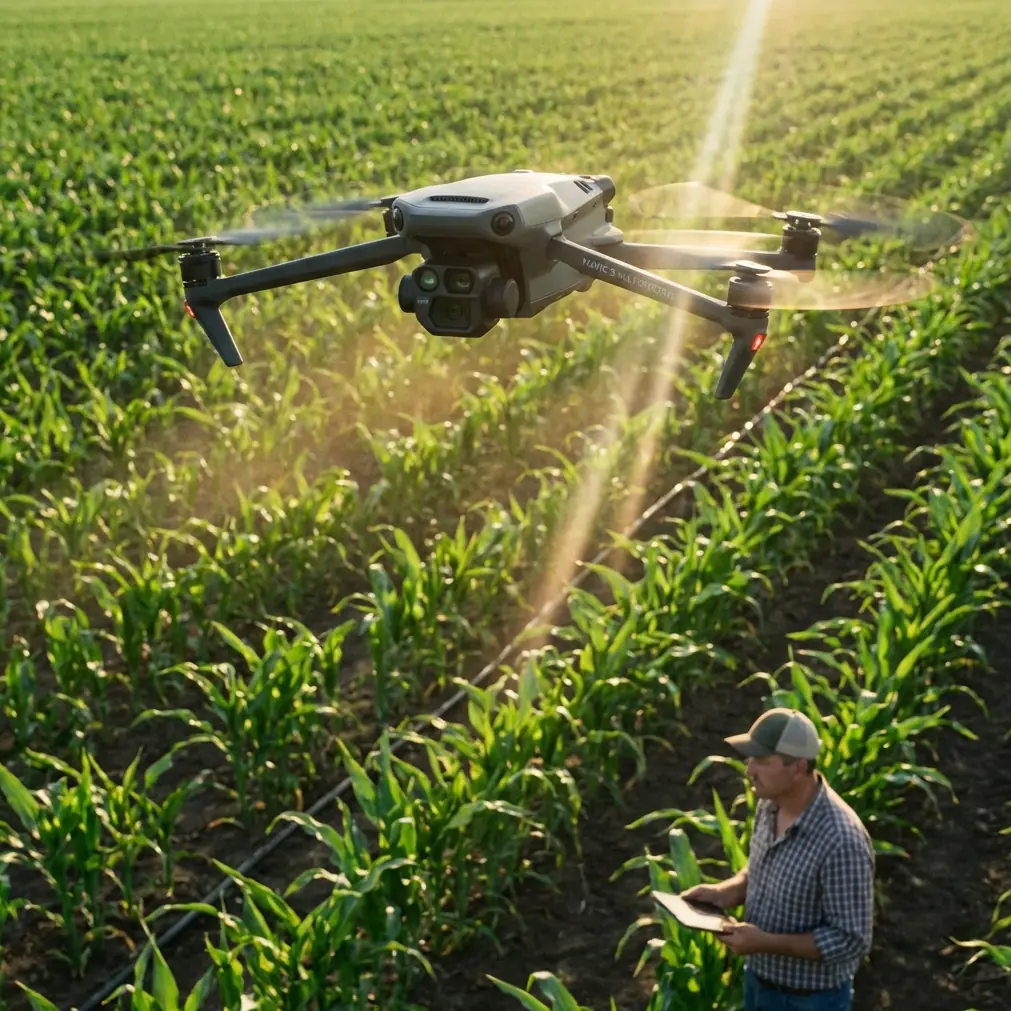
Mavic 4 Pro for Windy Coastline Tracking: What Emergency Mapping Teaches Us
META: Learn how to use Mavic 4 Pro for coastline tracking in windy conditions, with field-tested lessons drawn from emergency UAV mapping workflows, live data relay logic, and high-resolution survey priorities.
Coastline work looks cinematic from the outside. In practice, it is disciplined flying over unstable air, reflective water, shifting edges, and terrain that can turn from accessible to cut off in a matter of minutes.
That is exactly why the most useful way to think about the Mavic 4 Pro is not as a leisure camera drone with some smart modes added on top. For shoreline monitoring, erosion checks, flood-edge observation, and site documentation, it should be treated as a compact response platform. The clearest reference point for that mindset comes from emergency mapping doctrine: get airborne quickly, capture high-resolution information immediately, and push usable situational data to decision-makers without delay.
One emergency mapping reference describes the core value of UAVs in blunt terms: fast response, high-resolution image capture, mobility, and the ability to provide geographic information products for dispatch and command. That logic transfers almost perfectly to coastline tracking. The shoreline is not static. Tidal edges move. Wind reshapes surface texture. Floodwater and runoff alter boundaries. If your aircraft can launch quickly and deliver clean, repeatable visual records, you are not just collecting footage. You are building operational awareness.
Why coastline tracking borrows so much from disaster-response flying
The strongest lesson from emergency survey practice is that speed only matters when it produces useful data.
In flood-response operations, fixed-wing systems such as the iFly U3 were used to reach affected areas quickly, look down over terrain, reservoirs, embankments, and dangerous sections of levees, then relay live information back to support decision-making. The operational significance is obvious. When roads are blocked or access is poor, the aircraft becomes the first practical set of eyes over the scene.
A coastline mission often has the same constraint pattern, just in a less dramatic form. Mudflats become inaccessible. Clifftop routes are broken by weather. Marsh edges are soft underfoot. Long beaches expose operators to crosswinds with very few sheltered positions. The drone’s real advantage is not that it flies over pretty water. It bypasses the access problem and captures evidence from a consistent altitude and angle.
Another detail from the emergency material matters here: a platform with a control radius of 20 kilometers, 90 minutes of endurance, and resistance to level-6 wind was valued because it could continue observing changing conditions rather than just grabbing a few stills and leaving. Even though a Mavic 4 Pro is a different class of aircraft, the principle remains the same. For coastline work in wind, your mission design should prioritize continuity over spectacle. Long enough flights to document the full edge. Stable enough capture to compare one pass against the next. Safe enough routing to come home with the dataset intact.
The Mavic 4 Pro approach: compact aircraft, serious workflow
If you are using the Mavic 4 Pro to track coastlines, forget the idea that one intelligent mode will solve the whole job. The best results come from combining manual planning with the aircraft’s automation where it genuinely helps.
For this kind of work, I break the mission into three layers:
- A wide establishing pass for shoreline context
- A structured repeatable pass for comparison over time
- A targeted detail pass for problem areas such as dune cuts, tidal channels, seawalls, or debris accumulation
The emergency mapping references repeatedly emphasize rapid acquisition of high-resolution image data and turning it into information products. That is the right benchmark. Your footage should answer a question. Has the waterline advanced? Is the bank undercut? Is storm damage spreading? Has a drainage outlet changed the sediment pattern? If you cannot extract a clear answer later, the flight may have been visually impressive but operationally weak.
Wind changes everything on the coast
Windy shoreline environments punish sloppy setup.
Air over land and air over water do not behave the same way. Add cliffs, dunes, harbor structures, or rocky outcrops and you get turbulence that can upset yaw, push lateral drift, and interrupt smooth tracking. This is where obstacle avoidance and subject tracking need realistic expectations.
Obstacle avoidance is useful near structures, especially along piers, coastal paths, breakwaters, and cliff-adjacent launches. But it is not a substitute for route design. In stronger coastal winds, automated corrections can create small path inconsistencies that matter if you are trying to compare one pass with another. For documentation work, I often prefer a conservative flight line with generous clearance rather than squeezing the aircraft close to terrain and trusting the sensors to sort it out.
ActiveTrack and subject tracking can help when you are following a moving boat in a training, inspection, or survey context, or when documenting a vehicle moving parallel to the coast. For the shoreline itself, though, the coast is not a “subject” in the way the software understands it. The better use case is to track your own movement reference, then combine that with deliberate framing. In plain terms: use the smart features where they reduce workload, not where they introduce ambiguity.
Antenna positioning advice for maximum range
This is the point many pilots neglect, especially on breezy open coasts where there is a false sense that nothing can block the link.
For maximum range and the strongest transmission margin, do not point the antenna tips directly at the drone. Position the controller antennas so that the broad side of the antenna faces the aircraft. Think of it as presenting the strongest signal surface, not aiming the ends like laser pointers. On a coastline, this matters more than people expect because signal quality can drop when the drone moves low along a cliff edge, skims beyond a dune ridge, or transitions over reflective water.
A few practical habits help:
- Stand where you maintain direct line of sight above the beach profile or seawall.
- Avoid launching from behind parked vehicles, metal railings, or concrete structures that can interfere with the link.
- If the route runs parallel to the shore, rotate your body and controller gradually so the antenna orientation stays optimal through the pass.
- Gain a little altitude early if the route includes uneven bluffs or coastal vegetation that could shadow the signal path.
This is not just about flying farther. It is about preserving a stable live view and command link while the aircraft is working in a windy environment that already demands extra control margin.
Live information beats perfect information delivered late
One of the strongest ideas in the emergency mapping material is the value of real-time transmission. In one workflow, image data was sent from the drone to a ground control station, then onward through a command vehicle and satellite link so a remote command center could see the live situation on a large screen. The exact hardware chain is less important than the operational lesson: data becomes more valuable when it reaches the right people while they can still act on it.
For civilian coastline operations, that could mean environmental teams, site managers, port staff, engineers, insurers, or planners. If you are documenting erosion after heavy weather, monitoring flood-edge encroachment, or checking a vulnerable seawall, the live feed lets others decide whether they need closer imagery, a lower angle, or a revisit over a specific section.
That is where the Mavic 4 Pro’s compact workflow shines. You can launch fast, capture the edge condition, and share immediate visuals from the field rather than waiting until the full media dump is reviewed back at the office.
How to capture coastline data that people can actually use
A lot of pilots come home with beautiful clips and weak records. Shoreline tracking needs consistency.
1. Start with a reference altitude
Choose an altitude you can safely repeat on future visits. It should be high enough to smooth out small control inputs in wind but low enough to reveal edge detail. Repeatability matters more than chasing dramatic perspective.
2. Use one camera profile for continuity
If your end goal includes analysis or regular reporting, consistency beats experimentation. D-Log can be useful when the contrast between bright water and darker land is extreme, especially around sunrise or late afternoon. But if the footage is mainly for rapid operational review, a simpler profile may speed delivery. The key is to pick one workflow and stick with it across sessions.
3. Separate cinematic modes from survey passes
QuickShots and Hyperlapse are not useless here. They are just easy to misuse. A Hyperlapse can show tidal movement or traffic patterns around a harbor over time, and a QuickShot-style reveal can help stakeholders understand the layout of a site. But neither should replace the straight, controlled passes that create your baseline record.
4. Mark trigger points
Use recognizable features such as a groyne, jetty, drainage outfall, rock stack, or stair access as your start and end references. This is the simplest way to create comparable datasets over weeks or months.
5. Plan for the return leg before launch
On a windy coast, the outbound segment can feel easy because you are being carried along. The return is where weak planning shows up. Keep reserve battery for a headwind recovery, not just nominal flight time.
What flood and earthquake mapping reveal about shoreline missions
The emergency references cover both flood and post-earthquake scenarios, and that is useful because the two cases highlight different strengths.
Flood operations emphasized quick arrival, live overhead awareness, and the ability to map water extent and define warning boundaries. For coastlines, that directly maps to storm surge observation, temporary inundation, and visual boundary tracking along estuaries or low-lying edges.
Post-earthquake workflows leaned on high-resolution image capture and rapid 3D model generation from oblique imagery. That has clear civilian shoreline value too. Cliff instability, dune collapse, damaged promenades, retaining wall failures, and harbor-side structural movement all benefit from oblique coverage that can be turned into a model for engineering review. The lesson is not that every Mavic 4 Pro user should build a full 3D deliverable after every flight. The lesson is that angled imagery often reveals surface deformation and structural relationships that a simple top-down pass misses.
One reference specifically notes that high-resolution imagery from a multirotor platform was used to quickly generate 3D models that gave commanders timely and intuitive disaster information. Operationally, that matters because decisions improve when visuals are both accurate and immediately understandable. The same is true for a coastal asset manager looking at a failing revetment. A model or carefully flown oblique sequence can communicate risk faster than a stack of disconnected stills.
A practical windy-coast tutorial flow for Mavic 4 Pro pilots
Here is a field-ready sequence I recommend.
Pre-flight
- Check wind direction, gust spread, tide state, and sun angle.
- Pick a launch site with clear line of sight and clean antenna orientation.
- Identify no-fly obstacles: masts, cables, cliff projections, birds, and surf spray zones.
- Set your return strategy around the headwind leg.
First pass: context
Fly a broad, steady route that captures the entire target section. This creates your overview and helps confirm where the problem areas are.
Second pass: repeatable record
Fly at a fixed altitude and speed. Keep framing disciplined. This is your comparison set for future missions.
Third pass: problem details
Move in for oblique views of erosion cuts, wall cracks, channel edges, or debris fields. If needed, use obstacle avoidance conservatively around built infrastructure.
Optional smart capture
Use Hyperlapse for visible environmental change over a fixed interval, or ActiveTrack when documenting a support vehicle or boat moving through the area as part of an inspection workflow.
Post-flight review
Before leaving the site, verify that the footage actually shows the shoreline edge clearly. Water glare and wind-induced yaw corrections can ruin an otherwise good mission.
If you need a second opinion on setup or route design for this kind of coastal work, you can message a UAV specialist here.
The bigger takeaway
The emergency mapping material never treats the drone as a toy or as a camera platform first. It treats the aircraft as a way to shorten the time between an event and a usable picture of reality.
That is the right lens for Mavic 4 Pro coastline tracking in wind.
The drone’s value is not just in image quality. It is in how quickly you can reach an exposed shoreline, hold a stable workflow despite coastal turbulence, maintain a strong transmission link through proper antenna positioning, and return with footage that can support environmental monitoring, infrastructure review, or flood-edge assessment. High-resolution capture matters. Fast deployment matters. Live relay matters. Repeatability matters more than almost anything.
Treat your coastline mission with the same discipline seen in emergency survey operations, and the Mavic 4 Pro becomes much more than a compact aerial camera. It becomes a reliable observation tool for places that are always changing and rarely easy to read from the ground.
Ready for your own Mavic 4 Pro? Contact our team for expert consultation.