
Mavic 4 Pro in Remote Power Line Survey Work
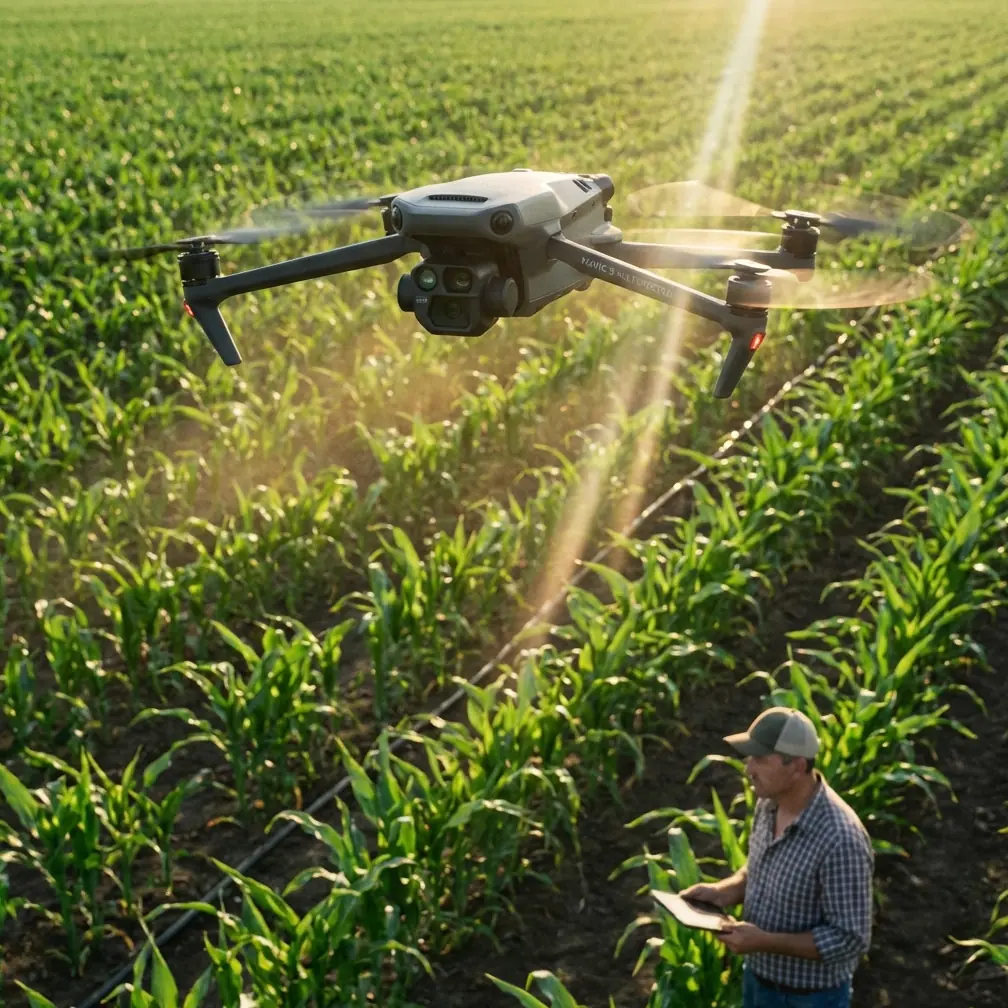
Mavic 4 Pro in Remote Power Line Survey Work: A Field Report on Range Discipline, Altitude Planning, and Data Quality
META: Field-tested insights on using Mavic 4 Pro for remote power line surveying, with practical guidance on altitude margins, control distance, antenna positioning, and photogrammetry-grade planning.
Remote power line survey work punishes vague planning.
On paper, the mission sounds simple: reach a corridor, capture the line environment, document poles and surrounding terrain, and return with imagery good enough to support inspection notes or mapping outputs. In the field, the weak points show up fast. Range assumptions break down. Terrain steals signal. A ridgeline that looked harmless on satellite imagery suddenly matters. Battery timing gets distorted by long climbs. And if your image set lacks structure, the office team inherits a stitching problem instead of a usable survey dataset.
That is exactly why older low-altitude photogrammetry workflows still deserve attention when thinking about the Mavic 4 Pro for remote power line work. One AVIAN operating reference lays out several hard planning numbers that remain surprisingly relevant today: aircraft distance from the control station should stay under 5 km, practical stick-control distance under 1 km, operating altitude should be at least 50 meters above the highest elevation in the survey area, and a typical aircraft should be budgeted around climb at 30 meters per minute, forward travel at 1 kilometer per minute, and descent at 100 meters per minute, all within a sub-1-hour endurance framework. Those figures were written for another platform, but the operational logic carries over directly to Mavic 4 Pro mission design.
The lesson is not that the Mavic 4 Pro should be flown like an older fixed-wing survey aircraft. It should not. The lesson is that disciplined geometry, conservative link management, and realistic time budgeting still decide whether a remote utility flight produces dependable results.
Why the AVIAN Numbers Matter to a Mavic 4 Pro Operator
When crews move into remote power infrastructure corridors, they often focus first on battery count, obstacle avoidance, and camera specs. Those matter. But the AVIAN workflow points toward something deeper: remote survey success is usually set before takeoff by the relationship between terrain, control position, line of sight, and desired map accuracy.
Take the altitude rule. The source specifies flying 50 meters above the highest elevation value inside the operating zone. That is not a random safety margin. For power line surveying, especially in broken terrain, this buffer helps preserve clean sightlines, steadier image overlap, and more predictable obstacle clearance over ridges, tree belts, and tower approach zones. With a Mavic 4 Pro, obstacle avoidance is valuable, but avoidance systems are not a substitute for mission geometry. If your route repeatedly drops behind terrain or approaches structures at awkward relative heights, you are asking the aircraft to solve a planning problem in real time.
A second number deserves equal respect: aircraft distance from the control station under 5 km, with remote-stick operability under 1 km as a practical handling boundary in the original workflow. For a modern DJI platform, people will immediately object that the transmission system can exceed that in ideal conditions. True. But remote utility work is rarely ideal. Power corridors bend. Valleys absorb signal. Metal structures, vegetation, and changing aircraft orientation affect the link. If you build your plan around brochure range, you tend to choose poor staging points. If you build it around conservative control geometry, you choose better ones.
That is where Mavic 4 Pro becomes more than a camera drone. It becomes a field instrument. And field instruments reward disciplined setup.
Antenna Positioning Advice That Actually Extends Usable Range
If I had to give one piece of advice to a crew preparing a remote line survey with the Mavic 4 Pro, it would be this: do not stand wherever the vehicle happens to stop. Pick your control station as carefully as you pick your takeoff point.
The AVIAN reference treats distance to the control station as a controlled variable. That is the right mindset. Maximum usable range starts with antenna geometry, not hope.
A few field principles matter:
1. Elevate the control position when possible
Even a modest rise can dramatically improve link stability. A control station with clear visibility into the survey corridor beats a lower site that is technically closer but partially screened by terrain or vegetation. For line surveys, a small hill shoulder or access road turnout with a clean view along the corridor often performs better than a valley-floor launch point.
2. Keep the broad face of the antenna oriented toward the aircraft
Pilots often point the antenna tips at the drone. That is usually the wrong shape for the signal pattern. Think in terms of presenting the active face of the transmission pattern toward the aircraft’s path rather than “aiming like a flashlight.” If you are working a long corridor, rotate your body and controller as the aircraft progresses instead of locking into one posture.
3. Avoid parking beside conductive clutter
Utility trucks, guardrails, chain-link fencing, and even temporary metal equipment can affect your near-field setup. Step away from the vehicle. Give the controller a cleaner transmission environment. This small habit often improves consistency more than people expect.
4. Plan for corridor bends
Power lines do not always run straight. If the route turns around a ridge or swings behind a wooded shoulder, do not wait for the signal graph to tell you the obvious. Leapfrog the control station before the geometry gets ugly. The source document’s under-5-km control-station distance is a reminder that control location is not static; it is part of the mission design.
For teams trying to build a repeatable field process around this, I usually recommend documenting control-station choice in the same notes used for airspace and battery planning. If your crew needs a second opinion on staging logic or corridor segmentation, this is the kind of issue worth discussing before you leave the roadhead: message a UAV workflow specialist here.
Time Budgeting: The Hidden Failure Point in Mountain Utility Missions
Battery endurance gets discussed constantly. Time structure does not.
The AVIAN operating guide gives a simple but useful planning model: 30 meters per minute climb, 1 kilometer per minute travel, and 100 meters per minute descent, all under a less-than-1-hour endurance envelope for that aircraft class. Again, Mavic 4 Pro is a different machine, but the discipline behind the estimate is what matters. Remote operators should stop treating the flight timer as the mission plan.
Here is the operational significance.
Suppose your launch site sits well below the ridgeline that carries the power line. If the mission requires gaining altitude to maintain that 50-meter-above-highest-ground margin, your outbound segment is not just distance. It is distance plus climb cost. On return, headwinds may erase the “easy” recovery you assumed. If you have multiple tower spans to document with pauses, re-angles, or orbit-like visual passes, the corridor length on the map tells only half the story.
This is where Mavic 4 Pro’s intelligent flight tools can help if used with discipline. Subject tracking and ActiveTrack may support certain corridor-following visual tasks around a structure approach, but for survey documentation they should be treated as situational tools, not mission logic. Obstacle avoidance can reduce pilot workload near trees or irregular terrain edges, yet it should not be allowed to generate inconsistent path behavior in a dataset that needs clean overlap. Hyperlapse and QuickShots belong to communication and presentation work, not core survey capture. They are useful when you need stakeholder visuals of access conditions or route context, but they should be separate from the mapping flight.
In other words, use the Mavic 4 Pro’s smart features to support the mission, not to improvise one.
East-West Flight Preference and Why Corridor Direction Still Matters
One small line in the source is easy to miss: general flight direction is east-west.
That kind of directional preference usually reflects image consistency, light management, and block organization. For remote power line surveying, it is a useful reminder that route direction affects more than pilot convenience. Sun angle can shape conductor visibility, tower shadow behavior, glare off insulators, and terrain texture in the imagery. If your corridor can be flown in either direction, the “best” choice is the one that preserves detail where the office actually needs to interpret conditions.
With Mavic 4 Pro, this matters even more when you are capturing footage intended for both technical review and client-facing reporting. If you need color flexibility for later grading or better highlight control in harsh conditions, D-Log can be valuable. But flat footage is not a cure for poor directional planning. Bad glare remains bad survey material.
Accuracy Expectations: What the DSG Values Really Say
The AVIAN document includes reference accuracy values tied to map scales:
- 1:500 DSG ≤ 5 cm
- 1:1000 DSG around 8–10 cm
- 1:2000 DSG around 15–20 cm
These numbers are not a promise of what any single drone will achieve by default. They are a reminder that survey quality starts with a target output and works backward. For remote power line work, that distinction is critical.
If the mission is primarily corridor context, vegetation encroachment review, access path documentation, or broad terrain referencing, the tolerance may be forgiving. If the deliverable supports more exact engineering interpretation, then altitude, overlap, speed consistency, and control strategy need to be designed around the intended output scale.
Mavic 4 Pro users sometimes fall into an awkward middle ground: flying like inspectors but expecting mapper-grade reconstruction. The AVIAN reference cuts through that confusion. Accuracy is a planning decision first. The aircraft only executes it.
Navigation Point Spacing and Segmenting Long Corridor Jobs
The source also specifies adjacent navigation points greater than 1 km apart. On a fixed-wing platform, that reflects route construction logic. For a Mavic 4 Pro operator, the exact number is less important than the principle: long linear jobs should be broken into deliberate, manageable segments.
Power line routes are ideal candidates for mission fragmentation. Instead of flying a psychologically “continuous” job, divide the corridor by terrain breaks, control-station opportunities, battery reserves, and communication risk. This improves three things at once:
- Signal reliability
- Data organization
- Decision quality in the field
It also gives you natural review points. After each segment, verify tower coverage, image overlap, and any problem spans before committing to the next section. A remote line survey becomes far more resilient when each leg can stand on its own.
A Practical Mavic 4 Pro Field Workflow for Remote Power Lines
Here is the workflow I would use, shaped by the AVIAN reference and adapted for a modern multirotor:
Pre-field corridor study
Identify the highest terrain inside each planned segment. Build in at least the 50-meter vertical margin above that point. Note potential signal shadows and bends.
Control-station selection
Choose elevated, visually open positions that keep the aircraft comfortably inside conservative link geometry. Do not let road convenience dictate station quality.
Segment design
Break the route into short mission blocks rather than one heroic flight. Use terrain and line bends as natural division points.
Time reserve planning
Estimate not just horizontal distance but climb, station-keeping, reorientation, and return penalty. The AVIAN planning logic—climb and descent rates matter—is still the right mentality.
Capture discipline
Use obstacle avoidance as protection, not path design. Use D-Log when lighting demands grading latitude. Keep cinematic modes separate from technical image collection.
Review before relocation
Check coverage while still on site. Remote return trips to fix a missing pole span are expensive in time, access coordination, and weather risk.
The Real Value of Mavic 4 Pro in This Role
For remote power line surveying, the Mavic 4 Pro’s biggest strength is not any single headline feature. It is the fact that a compact aircraft can handle inspection-style observation, structured visual documentation, and terrain-aware corridor work in one field package. But that flexibility only pays off when the operator brings survey discipline to the mission.
That is why the old-school numbers from the AVIAN low-altitude photogrammetry process still matter. Under 5 km from the control station. Stick-distance conservatism. At least 50 meters above the highest elevation in the task area. Realistic climb, cruise, and descent assumptions. Those are not relics. They are reminders that remote aerial work succeeds when the aircraft is treated as part of a system that includes geography, radio geometry, and data intent.
If you are surveying power lines in remote terrain with a Mavic 4 Pro, the most professional move is often the least glamorous one: stand in the right place, fly the right height, break the job into clean segments, and never confuse theoretical range with usable range.
That is how you come back with data the office can trust.
Ready for your own Mavic 4 Pro? Contact our team for expert consultation.