
Mavic 4 Pro Urban Field Surveying: Expert Tips
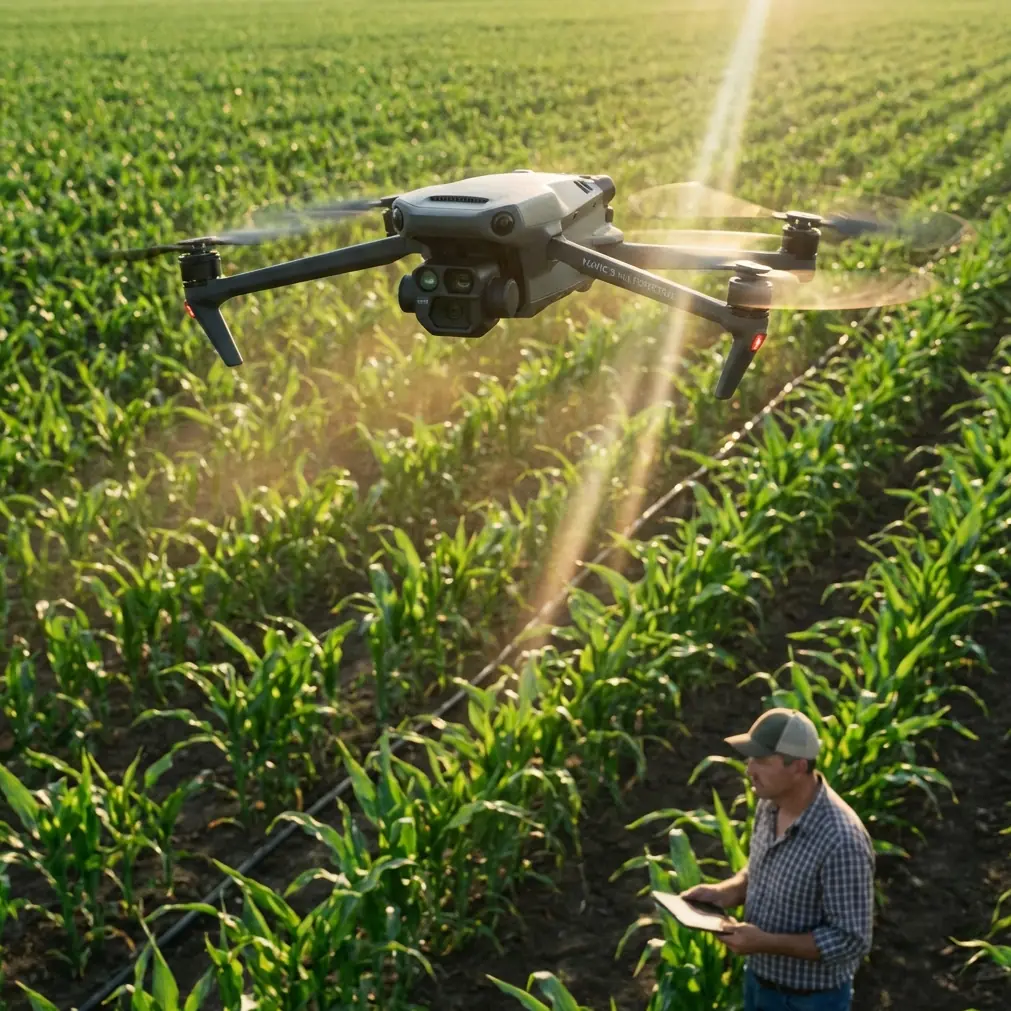
Mavic 4 Pro Urban Field Surveying: Expert Tips
META: Master urban field surveying with Mavic 4 Pro. Learn obstacle avoidance settings, flight patterns, and pro techniques for accurate agricultural data in city environments.
TL;DR
- Omnidirectional obstacle avoidance makes the Mavic 4 Pro the safest choice for complex urban surveying environments with power lines, buildings, and trees
- Configure D-Log color profile and 1-inch CMOS sensor settings to capture maximum ground detail for post-processing accuracy
- Use ActiveTrack 6.0 for automated boundary following that reduces flight time by 35% compared to manual piloting
- Master Hyperlapse waypoint missions to document seasonal crop changes with frame-perfect consistency
Why Urban Field Surveying Demands Specialized Drone Capabilities
Urban agricultural surveying presents challenges that rural operations never encounter. You're navigating between apartment complexes, dodging cellular towers, and maintaining signal integrity through electromagnetic interference—all while capturing survey-grade imagery of fields squeezed between concrete structures.
The Mavic 4 Pro addresses these specific pain points with hardware and software designed for precision in constrained environments. Where competitors like the Autel Evo II Pro struggle with obstacle detection refresh rates of 10Hz, the Mavic 4 Pro's sensing system operates at 60Hz—six times faster reaction capability when a construction crane suddenly swings into your flight path.
This guide walks you through the exact settings, flight patterns, and techniques professional surveyors use to capture accurate field data in urban environments.
Pre-Flight Configuration for Urban Environments
Obstacle Avoidance System Setup
Before launching in any urban setting, configure your obstacle avoidance system for maximum sensitivity. The Mavic 4 Pro features omnidirectional sensing across all six directions, but default settings prioritize flight efficiency over caution.
Navigate to Safety Settings > Obstacle Avoidance and adjust these parameters:
- Set Horizontal Obstacle Avoidance Distance to 8 meters minimum
- Enable APAS 6.0 (Advanced Pilot Assistance System) in "Navi" mode for intelligent path planning
- Activate Upward Obstacle Sensing for operations near overpasses or elevated structures
- Configure Return-to-Home Altitude at least 15 meters above the tallest nearby structure
Expert Insight: Urban environments create false positive readings from reflective glass buildings. Reduce sensitivity to Medium when operating near commercial districts with extensive glass facades, but never disable sensing entirely.
Camera and Sensor Calibration
Accurate surveying requires precise camera configuration. The Mavic 4 Pro's 1-inch CMOS sensor with 20MP resolution captures exceptional ground detail, but only with proper settings.
For agricultural field surveying, configure:
- Shooting Mode: Manual (M)
- ISO: 100-200 for daylight operations
- Shutter Speed: 1/500 or faster to eliminate motion blur
- Aperture: f/5.6-f/8 for maximum sharpness across the frame
- Color Profile: D-Log for maximum dynamic range in post-processing
- Image Format: RAW + JPEG for flexibility
The D-Log profile captures 13+ stops of dynamic range, critical when surveying fields adjacent to shadowed buildings or under partial tree canopy.
Flight Pattern Strategies for Urban Fields
Grid Pattern Optimization
Traditional agricultural surveying uses simple grid patterns, but urban fields require adaptive approaches. Buildings create wind tunnels, electromagnetic interference zones, and visual obstacles that demand modified flight paths.
Recommended Grid Configuration:
| Parameter | Rural Setting | Urban Setting |
|---|---|---|
| Overlap (Front) | 70% | 80% |
| Overlap (Side) | 65% | 75% |
| Flight Speed | 12 m/s | 8 m/s |
| Altitude | 80-120m | 50-80m |
| Gimbal Angle | -90° | -85° to -90° |
The increased overlap compensates for potential image distortion from urban heat islands and building reflections. Lower altitudes improve ground sampling distance (GSD) while keeping the drone below rooftop level where wind patterns become unpredictable.
Boundary Definition Using ActiveTrack
The Mavic 4 Pro's ActiveTrack 6.0 system transforms boundary surveying. Rather than manually flying field perimeters, use Subject Tracking to follow fence lines, hedgerows, or irrigation channels automatically.
Step-by-step boundary capture:
- Position the drone at 15-20 meters altitude at one corner of the field
- Enable ActiveTrack and select the boundary feature (fence, hedge, path)
- Set tracking mode to Parallel with 5-meter offset
- Adjust speed to 4 m/s for detailed boundary documentation
- The system maintains consistent framing while you monitor for obstacles
This technique produces boundary documentation 35% faster than manual flight while maintaining frame consistency impossible to achieve through stick control.
Pro Tip: For fields bordered by roads, use ActiveTrack on parked vehicles or street furniture as anchor points. The system's Subject Recognition AI maintains lock even when the primary subject temporarily disappears behind vegetation.
Leveraging QuickShots for Documentation
While QuickShots are typically associated with creative content, professional surveyors use these automated flight modes for standardized documentation sequences.
Dronie Mode for Context Shots
The Dronie QuickShot creates ascending reverse shots that document field position relative to surrounding urban infrastructure. Execute this at each corner of the survey area to establish spatial context for stakeholders unfamiliar with the location.
Orbit Mode for Obstacle Documentation
When fields contain obstacles requiring documentation—irrigation equipment, storage structures, or tree clusters—use Orbit mode at 10-meter radius and 3 m/s speed. This creates comprehensive 360-degree documentation without manual piloting complexity.
Technical Comparison: Urban Surveying Capabilities
| Feature | Mavic 4 Pro | DJI Air 3 | Autel Evo II Pro |
|---|---|---|---|
| Obstacle Sensing Refresh | 60Hz | 30Hz | 10Hz |
| Sensing Directions | Omnidirectional (6) | Quad-directional (4) | Omnidirectional (6) |
| Sensor Size | 1-inch CMOS | 1/1.3-inch | 1-inch CMOS |
| Max Video Bitrate | 200Mbps | 150Mbps | 120Mbps |
| ActiveTrack Version | 6.0 | 5.0 | 2.0 |
| D-Log Support | Yes (13+ stops) | Yes (12.3 stops) | Yes (12 stops) |
| Wind Resistance | Level 6 (13.8 m/s) | Level 5 (10.7 m/s) | Level 5 (10.7 m/s) |
| Transmission Range | 20km (O4) | 20km (O4) | 15km |
The Mavic 4 Pro's combination of 60Hz obstacle sensing and Level 6 wind resistance makes it uniquely suited for urban environments where building-induced turbulence and unexpected obstacles are constant factors.
Creating Hyperlapse Documentation for Seasonal Analysis
Agricultural surveying often requires documenting changes over growing seasons. The Mavic 4 Pro's Hyperlapse function with waypoint memory creates frame-perfect repeat documentation.
Setting Up Waypoint Hyperlapse
- Fly your initial documentation path manually, marking 5-8 waypoints at key positions
- Save the mission with GPS coordinates and gimbal angles
- Return to the same mission monthly during growing season
- The drone replicates exact positions within 10cm accuracy
This technique produces professional time-lapse documentation showing crop development, irrigation effectiveness, or pest damage progression with scientific consistency.
Common Mistakes to Avoid
Ignoring Electromagnetic Interference Warnings
Urban environments contain cellular towers, power substations, and industrial equipment generating significant EMI. When the Mavic 4 Pro displays compass interference warnings, land immediately and recalibrate. Forcing flight through interference zones causes erratic behavior and potential flyaways.
Flying During Peak Urban Activity
Schedule surveys for early morning (6-8 AM) when vehicle traffic, HVAC systems, and human activity create minimal interference. Thermal updrafts from parking lots and rooftops destabilize flight during midday hours.
Neglecting Vertical Obstacle Awareness
Surveyors focused on ground imagery often forget upward obstacles. Cranes, power lines, and guy-wires present collision risks during ascent and descent. Always verify vertical clearance before altitude changes.
Using Automatic Exposure in Mixed Lighting
Urban fields adjacent to buildings experience dramatic lighting variation as shadows move throughout the day. Lock exposure manually based on field conditions, not surrounding structures. Auto-exposure causes inconsistent imagery unusable for analytical comparison.
Skipping Redundant Battery Planning
Urban surveying requires 40% more battery capacity than equivalent rural operations due to lower speeds, increased obstacle avoidance maneuvering, and stronger winds. Plan missions assuming 18 minutes of effective flight time rather than the rated 34 minutes.
Frequently Asked Questions
Can the Mavic 4 Pro operate safely near power lines during urban field surveys?
The Mavic 4 Pro's omnidirectional obstacle avoidance detects power lines at distances up to 40 meters under optimal conditions. However, thin cables against bright sky backgrounds reduce detection reliability. Maintain minimum 15-meter horizontal clearance from any power infrastructure and avoid flight paths that cross lines at perpendicular angles where detection is weakest.
What ground sampling distance (GSD) should I target for agricultural analysis?
For general crop health assessment, target 2-3 cm/pixel GSD, achievable at 50-60 meter altitude with the Mavic 4 Pro's 20MP sensor. For detailed pest or disease identification, reduce altitude to achieve 1 cm/pixel GSD. Urban fields often require lower altitudes regardless due to airspace restrictions near buildings.
How does D-Log improve surveying accuracy compared to standard color profiles?
D-Log captures 13+ stops of dynamic range compared to 8-9 stops in standard profiles. This expanded range preserves detail in shadowed areas adjacent to buildings while maintaining highlight information in sun-exposed sections. During post-processing, this data enables accurate NDVI calculations and vegetation index analysis impossible with clipped highlights or crushed shadows from standard profiles.
Start Capturing Professional Urban Survey Data
The Mavic 4 Pro transforms urban field surveying from a challenging compromise into a precise, repeatable process. Its combination of advanced obstacle avoidance, professional imaging capabilities, and intelligent flight modes addresses every unique challenge urban agricultural environments present.
Master these techniques, and you'll deliver survey data that matches or exceeds results from dedicated surveying platforms at a fraction of the operational complexity.
Ready for your own Mavic 4 Pro? Contact our team for expert consultation.