
Surveying Windy Coastlines With Mavic 4 Pro
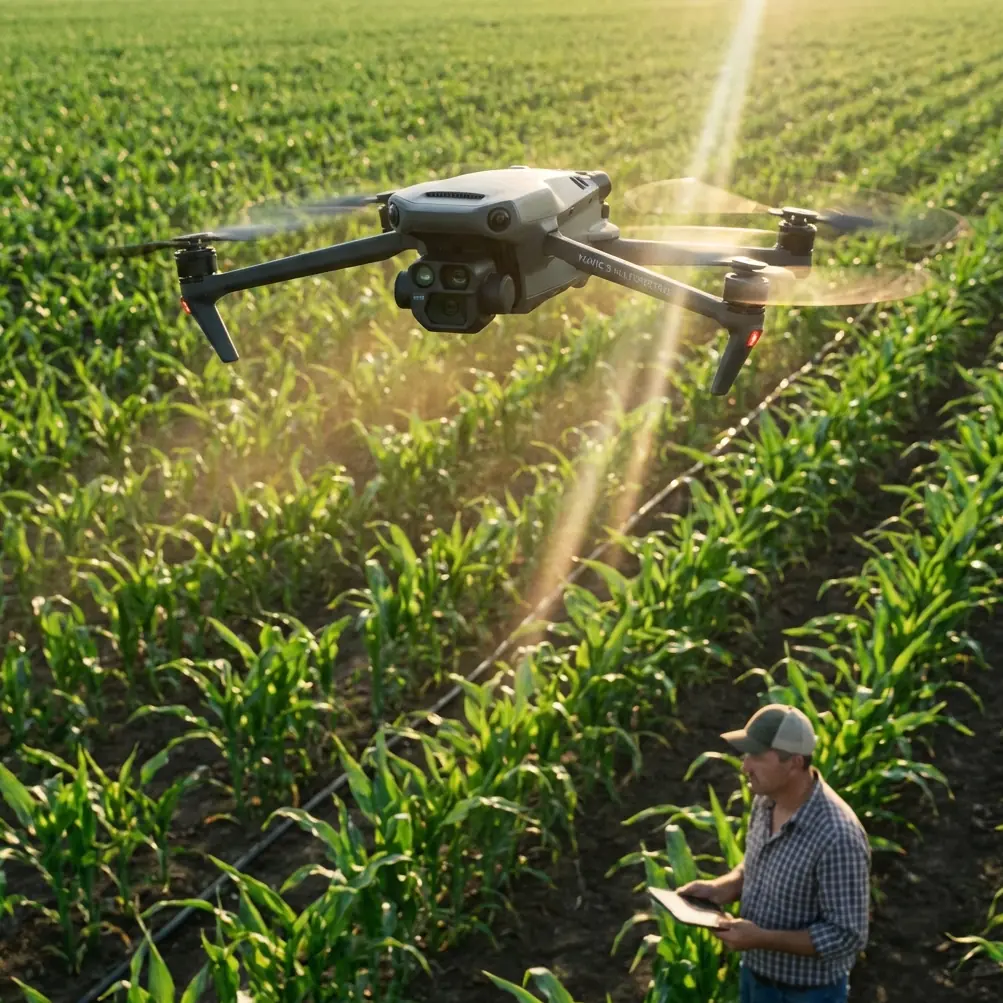
Surveying Windy Coastlines With Mavic 4 Pro: A Practical Workflow That Fixes Old Mapping Bottlenecks
META: Learn a practical Mavic 4 Pro workflow for surveying windy coastlines, with expert insight on photogrammetry, fine 3D reconstruction, centimeter-level mapping logic, and faster model processing.
I still remember one shoreline job where the aircraft wasn’t the biggest problem. Wind was annoying, yes. Salt haze was worse. But the real bottleneck showed up after landing.
We had hundreds of images from a coastal strip with rock edges, retaining walls, drainage outlets, low vegetation, and small man-made assets scattered across uneven terrain. The challenge was not simply “make a map.” It was producing something precise enough for planning, inspection, and GIS use without drowning the team in field revisits and slow post-processing.
That is where a modern aircraft like the Mavic 4 Pro changes the shape of the job. Not because a drone alone solves coastal surveying, but because it fits into a smarter capture-and-model workflow. If you understand how to pair stable aerial collection with disciplined photogrammetry, segmented model processing, and targeted close-range repair, you can get much closer to dependable survey output even in windy shoreline conditions.
This guide is built around that reality.
Why windy coastline work breaks weak workflows
Coastlines punish lazy data capture. They contain repeating textures, reflective surfaces, elevation changes, and abrupt transitions between natural and built structures. Wind adds motion in grasses and small shrubs. Waves alter visual consistency between overlapping frames. Even when the aircraft holds position well, the data itself can become messy.
On older projects, the failure usually happened in one of three places:
- too much dependence on a single nadir-only pass
- no plan for repairing missing ground-facing or low-elevation detail
- post-processing pipelines that bogged down once the model area became large
The reference material points to a useful correction. When model production becomes computationally heavy, the survey area can be divided into N smaller model blocks for processing. Each block is then finely meshed to quickly generate a TIN model, followed by automatic texture mapping to create a high-resolution true 3D representation. That sounds like back-end technical trivia. It isn’t.
Operationally, it means a long, windy coastline should not be treated as one giant uninterrupted model if your goal is speed and control. Breaking the coastal corridor into manageable sections reduces processing drag, makes quality checks easier, and limits the damage when one block needs partial recapture.
With the Mavic 4 Pro, this matters because the aircraft helps you gather strong image sets quickly, but the real win comes when the downstream workflow is designed to absorb that volume efficiently.
What the Mavic 4 Pro actually improves on a shoreline mission
For coastline surveying, I care less about flashy marketing features and more about whether the platform reduces rework.
A capable aircraft helps in five concrete ways:
1. Stable image capture in inconsistent air
Wind near cliffs, sea walls, and exposed beaches can shift fast. A drone that maintains composure during lateral passes gives you cleaner overlap and fewer blurred frames. That directly supports the kind of multi-image modeling described in the reference material, where accurate 3D output depends on observations from multiple viewing angles.
2. Obstacle avoidance near irregular coastal structures
Shoreline work often includes jetties, lamp posts, utility runs, small buildings, and vegetation close to the mission path. Obstacle avoidance is not a gimmick here. It helps preserve consistent flight paths when operating near uneven edges and built assets, which protects overlap quality.
3. Better low-altitude flexibility
The source document highlights ultra-low-altitude oblique photography as a path toward high-accuracy large-scale mapping. That is highly relevant to the Mavic 4 Pro. In practical terms, low oblique passes capture facades, revetments, embankments, and exposed surfaces that nadir imagery often misses.
4. Strong support for follow-up detail capture
On coastal projects, there is always some feature that needs a second look: a cracked seawall section, a drainage headwall, a deformed stair edge, a retaining structure with undercut geometry. Subject tracking and ActiveTrack are usually discussed for creative work, but the real professional advantage is controlled repositioning and repeatability when documenting a specific linear feature or structure edge.
5. Efficient visual documentation beyond the map
QuickShots and Hyperlapse are not survey outputs, but they can support stakeholder communication. On engineering or planning projects, a short contextual sequence often helps non-technical reviewers understand access conditions, erosion zones, and surrounding infrastructure. If I am already onsite, that extra layer of visual context can save later explanation.
A coastline survey workflow that makes sense with Mavic 4 Pro
Here is the method I would use when the brief is coastal survey in windy conditions and the expected deliverables may include orthomosaic, terrain interpretation, vector extraction, and 3D context.
Step 1: Split the coastline into logical processing blocks
Do not begin by thinking only about flight lines. Begin with output management.
The reference document explicitly recommends dividing the survey zone into N model sub-blocks to improve data processing speed. Along a coastline, that usually means dividing by:
- shoreline morphology
- built structure clusters
- access boundaries
- expected detail density
- wind exposure differences
A sandy open section, a rocky revetment zone, and a harbor edge should rarely be lumped into one processing bucket if precision and troubleshooting matter.
Why this helps:
- smaller blocks process faster
- local errors are easier to isolate
- you can recapture only the weak section
- mesh quality checks become more realistic
If the final output is intended for GIS, this block-based discipline also creates cleaner handoff stages.
Step 2: Fly a primary orthographic mission, but don’t stop there
The source material mentions high-precision aerial imagery with resolutions ranging from 2 cm to 20 cm. That number matters because it frames what the operation is trying to produce: image data detailed enough for serious mapping tasks, not just visual reference.
For a windy coastline, your first pass should establish consistent top-down coverage. This gives you the backbone for:
- orthophoto generation
- initial terrain interpretation
- control of shoreline extents
- baseline overlap for 3D reconstruction
But on its own, this is rarely enough. Sea walls, sloped embankments, steps, drainage structures, and vertical surfaces will remain weak if you rely only on nadir capture.
Step 3: Add oblique passes at low altitude for structural completeness
This is the part many teams skip, then regret in post.
The reference material puts real weight on oblique photography and on multi-angle observation for accurate 3D modeling. It also notes that these methods support centimeter-level vector mapping in large-scale tasks such as property registration, municipal planning, and completion surveys. That tells you something crucial: angular diversity is not decorative. It is part of the accuracy strategy.
For windy coastlines, I use oblique passes to recover:
- retaining wall faces
- rock armor geometry
- stair and ramp edges
- low structures hidden from nadir view
- transitions between ground and built elements
This is also where the Mavic 4 Pro earns its place. If the aircraft can hold a dependable line during lower-altitude oblique collection, you reduce the amount of manual repair needed later.
Step 4: Use close-range capture selectively, not everywhere
One of the smartest details in the source text is easy to miss. It describes a workflow that combines ultra-low-altitude oblique imagery with handheld close-range photography, supported by a small number of control points, to achieve high-accuracy vector mapping while significantly reducing field labor.
That hybrid idea is extremely practical for coastal surveying.
You do not need to force the drone to solve every detail. If a culvert mouth, damaged parapet, or undercut edge is partially hidden from aerial perspectives, step in with ground-based images. A few well-placed close shots can repair a weak reconstruction zone far more efficiently than endless reflights.
This matters because the same document also mentions repairing deformed building areas and carrying out fine reconstruction for targets from the ground up to 15 meters above ground level. That 15-meter figure is operationally useful. It suggests the workflow is especially strong for the band of detail most common in shoreline infrastructure: low-rise, accessible, highly visible structures where GIS-grade completeness matters.
On a windy coast, this means:
- let the drone handle corridor-scale geometry
- use ground images to patch low-elevation blind spots
- avoid wasting flight time trying to brute-force every angle from the air
Step 5: Build the model for measurement, not just for appearance
A model that looks good is not automatically useful.
The source text emphasizes a core advantage of multi-angle image modeling: the model aligns fully with the imagery and carries accurate 3D coordinate information. That is what turns a visual model into a working survey asset.
For Mavic 4 Pro operators, this should shape how you think in the field. Your job is not to collect pretty footage. Your job is to collect image relationships strong enough that the resulting mesh and textures support real coordinate trust.
That changes your choices:
- maintain overlap discipline even when wind tempts you to rush
- keep camera angles intentional
- capture transition zones between terrain types
- revisit low-confidence structures before leaving site
If the project may feed into municipal planning, inspection records, or coastal maintenance GIS, coordinate fidelity matters far more than cinematic smoothness.
Step 6: Export with downstream use in mind
The reference data mentions true 3D outputs compatible with common formats such as OBJ and OSGB, plus direct export of high-precision DEM and TDOM data in standard formats like .tif and .dem.
That is not just software trivia. It defines whether your Mavic 4 Pro data becomes usable across teams.
For a coastline job, the likely downstream needs include:
- GIS integration
- terrain surface review
- engineering planning overlays
- progress comparison over time
- stakeholder visualization
If your model exports cleanly into those environments, the drone mission has real operational value. If not, it stays trapped as a pretty 3D artifact.
When clients ask how to structure a capture plan around these outputs, I usually suggest they speak with someone who understands both aircraft operations and photogrammetry handoff; if that is your situation, this direct project chat is the fastest way to sort out workflow questions before you fly.
A real lesson from shoreline work: detail loss usually happens below the horizon line
The source document makes an unusually practical point about integrating aerial and ground imaging to compensate for missing detail at the street and ground level. In coastline work, the equivalent blind spot is the infrastructure band near the shoreline itself.
That includes:
- the front face of revetments
- lower sections of walls
- utility terminations
- steps and access points
- toe conditions at slope transitions
These are often the very features engineers and planners care about most. Yet they are also the easiest to miss if your mission is designed as a simple overhead survey.
This is why I like the Mavic 4 Pro for this type of work when the operator is disciplined. It gives you the agility to run mixed capture styles in one session. Broad overhead mapping. Controlled oblique passes. Targeted follow-up around problem structures. Documentation footage for non-technical review. One platform, multiple layers of value.
What about D-Log, QuickShots, and Hyperlapse on a survey job?
D-Log is not part of measurement accuracy, but it can help when you need cleaner tonal control for documentation, especially in harsh coastal lighting with bright water and dark rock or concrete. If you are producing stakeholder visuals alongside technical deliverables, that extra dynamic range can make inspection context easier to interpret.
QuickShots and Hyperlapse are not survey essentials, but they have a place. I have used time-lapse style sequences to show shoreline access limitations, tidal progression during a work window, and the relationship between a survey strip and adjacent infrastructure. Used carefully, these tools support communication. They should never replace rigorous mapping capture, but they can reduce confusion later.
The biggest shift: less field fatigue, fewer return visits
The strongest idea in the reference material is not a single software feature. It is the way the whole workflow reduces field burden while improving the usefulness of the final output.
A few details stand out:
- centimeter-level vector mapping is achievable when image capture is designed properly
- ground to 15 meters can be reconstructed in finer detail for GIS-ready results
- N-block processing speeds up model generation on larger jobs
- DEM, TDOM, OBJ, and OSGB outputs support practical downstream use
- multi-angle imagery improves coordinate-consistent modeling
That is why a Mavic 4 Pro shoreline workflow should be built around capture logic, not hype. The aircraft makes the job easier, but the real gain comes from pairing it with smart photogrammetric structure.
If I compare this to older coastal missions, the difference is simple. We used to accept that one weak area would trigger a half-day revisit. Now, with a better aerial platform and a block-based modeling mindset, you can isolate problems faster, patch them with targeted imagery, and move on.
That saves time. It also saves morale.
And on a windy shoreline, morale matters more than most manuals admit.
Ready for your own Mavic 4 Pro? Contact our team for expert consultation.