
Mavic 4 Pro Highway Mountain Flights: the Pre
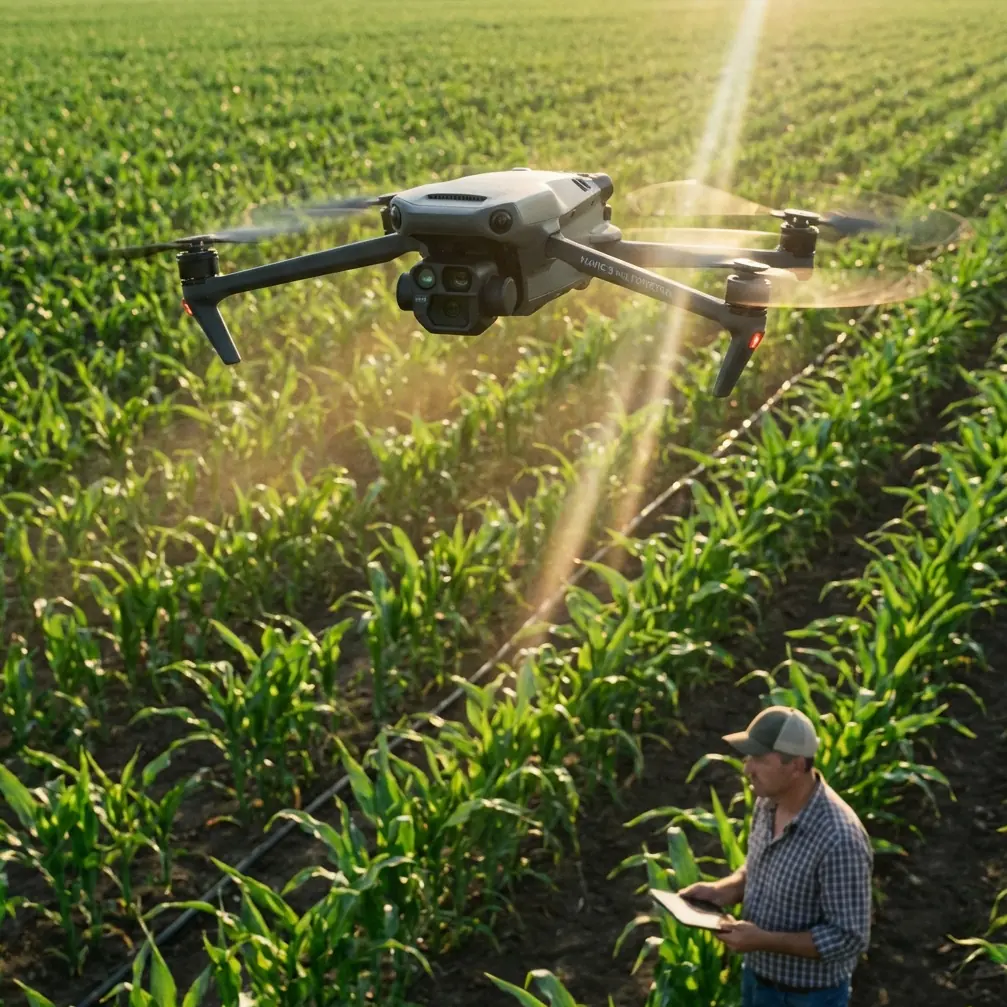
Mavic 4 Pro Highway Mountain Flights: the Pre-Flight Cleaning Step Most Pilots Skip
META: A practical Mavic 4 Pro how-to for mountain highway work, covering pre-flight sensor cleaning, obstacle avoidance reliability, ActiveTrack use, D-Log workflow, and safer planning in complex terrain.
Mountain highways punish sloppy drone habits.
You deal with wind curl off cut slopes, fast light changes as the sun slips behind ridgelines, concrete barriers that confuse depth perception, and dust that shows up exactly where you do not want it: on the aircraft’s vision system. If you are flying a Mavic 4 Pro around road corridors in elevated terrain for inspection support, progress documentation, environmental observation, or traffic-infrastructure surveying, the flight starts long before takeoff.
The first serious safety step is not opening the app. It is cleaning the aircraft properly.
That sounds minor until you remember what modern flight behavior depends on. Obstacle avoidance, subject tracking, return logic, precision hovering, and low-speed positioning all rely on sensors seeing the world clearly. In mountain highway environments, the drone is often flying near rock faces, signs, rails, bridge edges, retaining walls, and uneven terrain. A smear on a forward sensor or dust on a lower vision module is not just cosmetic. It can change how confidently the aircraft reads depth and motion.
For the Mavic 4 Pro, that matters even more because pilots tend to use advanced automated support features in exactly the places where terrain is least forgiving.
Why mountain highway missions expose weak pre-flight habits
Highway work in the mountains is rarely one single type of job. One day you are documenting drainage channels after rain. The next, you are checking slope netting, concrete joints, guardrail alignment, lane edge washout, or vegetation encroachment. Sometimes the request is simple: capture a corridor pass from one turnout to the next. Sometimes it is visual only. Sometimes the client wants color-grading flexibility and asks for a flatter image profile, which is where D-Log becomes useful.
What ties these jobs together is the corridor itself. Roads create narrow operating spaces. The mountain creates vertical complexity. Together they force the pilot to think in layers:
- the road line
- the terrain rise
- the obstacle field
- the wind pattern
- the visual path for the camera
- the emergency exit route if automation stops behaving the way you expected
That is why a pre-flight cleaning routine deserves to be treated as an operational procedure, not a housekeeping task.
The cleaning step that protects your obstacle avoidance system
Before every mountain highway sortie, inspect and clean the camera glass and all relevant sensing surfaces.
Not aggressively. Not with your shirt. And not after the battery is already in and you are eager to launch.
Use a clean microfiber cloth, a blower if needed, and remove grit before wiping. Fine dust from road shoulders and mountain lay-bys can leave micro-abrasive particles on the lens cover or sensor windows. If those particles are dragged across the surface, you can create the kind of faint marks that only become obvious later, especially when shooting toward low-angle sunlight.
The operational significance is straightforward:
1. Obstacle avoidance depends on clean inputs
A highway carved into a mountainside gives the aircraft many hard edges to interpret: barrier rails, signposts, cable structures, tree lines, rock outcrops, bridge undersides, and cut-slope textures. Dirty sensing surfaces can reduce confidence in obstacle detection and path planning. Even a small degradation matters when the drone is working laterally along a corridor instead of hovering over an open field.
2. ActiveTrack and subject tracking are only as reliable as the visual data
If you use ActiveTrack or another subject tracking mode to follow a maintenance vehicle or a moving survey target along a road section, the drone must maintain a stable understanding of both subject motion and surrounding hazards. Clean optics help reduce tracking hesitation and improve consistency when the background is busy.
That second point is often underestimated. Mountain highways are visually cluttered. The subject is not crossing a simple backdrop. It is moving through shadows, lane markings, barriers, and alternating contrast. Tracking features can be useful, but they are not magic. Start them with the cleanest possible visual system.
My recommended pre-flight sequence for Mavic 4 Pro corridor work
Here is the order I use when preparing for a mountain road mission.
Step 1: Choose a launch site with an exit path, not just a view
Do not launch from the most scenic shoulder unless it also gives you a clean climb-out and manual recovery route. You want space above and behind the takeoff point if you need to break off a planned run. In mountain corridors, attractive viewpoints are often poor emergency positions.
Step 2: Clean before powering up
Inspect:
- main camera glass
- any visible vision sensors
- downward sensing area
- airframe arms and body seams for dust buildup
- landing surfaces
If you have driven a rough access road to the launch point, assume the drone picked up dust in transport.
Step 3: Check sun angle and reflective surfaces
Guardrails, wet pavement, vehicle roofs, and glass noise barriers can create flare and contrast spikes. If you plan to shoot in D-Log for greater post-production flexibility, this matters because flatter profiles are helpful, but they still benefit from clean optics and predictable exposure.
Step 4: Test hover and braking response in a safe pocket
Before starting the actual corridor pass, do a short controlled hover and low-speed directional movement in open space. Watch for:
- any sensor warnings
- hesitation during braking
- drift
- inconsistent vertical hold near uneven ground
Mountain roads can create updrafts and side wash. Learn what the aircraft is dealing with before you move into the tighter section.
Step 5: Use automation selectively
QuickShots, Hyperlapse, and tracking tools can save time, but corridor environments are where pilots get lulled into false confidence. Use them where the geometry is simple and your sight lines are good. Switch back to manual control where road alignment, terrain rise, or roadside infrastructure becomes unpredictable.
When to trust obstacle avoidance — and when not to
Obstacle avoidance is one of the most useful tools in a modern aircraft, but the phrase creates false comfort. It is better to think of it as support, not protection.
In mountain highway work, obstacle avoidance helps most in three situations:
Moderate-speed lateral movement near visible roadside objects
If you are paralleling a road from offset distance and the aircraft has a clear view of barriers, poles, and slope edges, the system can reduce risk from minor control error.Short repositioning moves while framing a structure
Around bridge approaches, drainage entries, retaining walls, or cut slopes, obstacle sensing can add a layer of caution while you fine-tune composition.Recovering from temporary visual distraction
For example, when your attention shifts to exposure or map position for a second, obstacle sensing may catch what a human momentarily misses.
Where you should be careful:
- flying fast down a corridor with mixed lighting
- operating near fine cables or visually confusing structures
- skimming uneven terrain where depth changes quickly
- trusting the system after the sensors have not been cleaned
- assuming it will interpret every rock ledge or irregular slope face correctly
That last point is central. Natural terrain is messy. A machine sees patterns. Mountain terrain often breaks them.
Using ActiveTrack around moving road subjects without overcommitting
ActiveTrack is useful for civilian road work when you need a repeatable follow shot of a moving inspection vehicle, a maintenance convoy, or a support team progressing along a corridor. But mountain roads are not idealized tracking environments.
If you use ActiveTrack on the Mavic 4 Pro here, treat it like a temporary assistant. Start high enough and offset enough that the drone has room to resolve the subject cleanly. Avoid launching straight into a close side-follow near barriers and poles. Give the tracking system a clean opening sequence.
Operationally, two details matter:
- Background complexity: mountain roads constantly change the visual field, which can challenge subject identification.
- Obstacle field density: the more roadside hardware and terrain edges in frame, the more often you may need to interrupt automation.
A good rule is simple: if you would not hand-fly that line comfortably, do not hand it to tracking mode.
QuickShots and Hyperlapse: useful, but not for every pass
These features are often associated with creative flying, but they have practical value in documentation too.
QuickShots can help you gather establishing visuals of a road section, a bridge crossing, or a switchback segment. Hyperlapse can be effective for showing traffic flow patterns, cloud-shadow movement across a slope, or staged progress over a work zone. In mountain highway contexts, though, both need planning.
Do not run a prebuilt move just because it is available. Ask what the shot is proving.
If the purpose is inspection support, the safest and best footage is often the least flashy: a stable oblique pass, a repeatable altitude, a measured reveal of the road alignment. QuickShots and Hyperlapse become valuable only when they add decision-making value, such as showing terrain relationship, line-of-sight constraints, or time-based changes.
Why D-Log earns its place on these missions
Mountain highways create ugly contrast. You can have dark slope shadow on one side of frame and bright reflective road surface on the other. Add pale concrete and deep vegetation, and standard profiles start to feel cramped.
D-Log helps because it preserves more grading flexibility when the scene contains that wide tonal spread. For infrastructure documentation, this can improve the visibility of surface condition, drainage staining, patch boundaries, and edge detail after careful post work. It is not just a “cinematic” option. It can be a practical one.
But D-Log also exposes mistakes. Dirty lens surfaces, flare, and haze contamination become more frustrating in post when you are trying to recover detail. That brings us right back to the cleaning step. Pilots who want advanced image quality but skip pre-flight lens care are building avoidable problems into their footage.
A realistic mountain highway workflow
If I were setting up a Mavic 4 Pro mission for a highway segment in steep terrain, this is the structure I would use:
Mission objective
Pick one:
- corridor overview
- structure-specific inspection support
- slope/retaining feature review
- construction progress record
- environmental runoff observation
Do not mix all five in one battery unless the site is tiny.
Flight plan
Run three types of passes:
- high establishing pass to understand terrain and wind behavior
- medium-altitude corridor pass for spatial relationship
- slow detail passes on key assets
Automation policy
- obstacle avoidance on where conditions allow
- ActiveTrack only on spacious sections with clear fallback room
- QuickShots only for wide contextual visuals
- Hyperlapse only from stable, low-risk positions
Image policy
- D-Log for high-contrast scenes you plan to grade
- standard profile for quick turnaround records where consistency matters more than flexibility
Pre-flight non-negotiable
Clean optics and sensors every sortie
That last line should be written into your checklist.
The practical mindset that keeps these flights safe
The Mavic 4 Pro is capable, but mountain highway work rewards restraint. The better pilot is usually the one who leaves performance margin, creates room around the aircraft, and does the boring preparation every single time.
The pre-flight cleaning step belongs in that category. It supports obstacle avoidance. It helps subject tracking behave more predictably. It protects image quality for D-Log capture. It reduces the chance that a dusty launch site quietly undermines the smartest features on the aircraft.
And if you are coordinating jobs in this kind of terrain and want to compare setup ideas with someone who actually understands corridor flying, you can message our flight team here.
One final thought. Mountain highway operations often look easy from the final footage. Smooth reveal, clean follow, neat orbit, stable horizon. What the viewer never sees is the cloth, the inspection, the sensor check, the cautious hover test, and the decision to abandon an automated move because the slope and light did not feel right.
That invisible discipline is what makes the aircraft useful.
Ready for your own Mavic 4 Pro? Contact our team for expert consultation.