
Mavic 4 Pro for Coastal Work: A Practical Guide to Stable
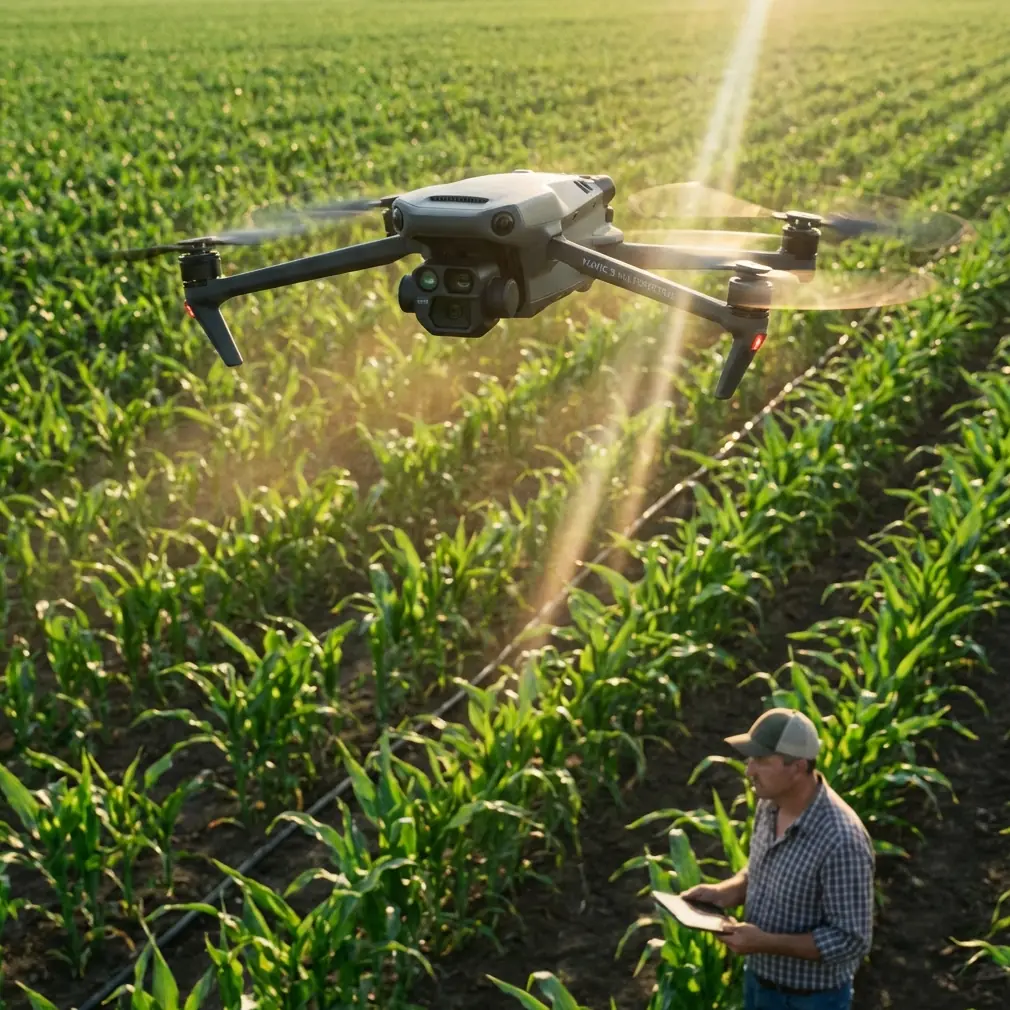
Mavic 4 Pro for Coastal Work: A Practical Guide to Stable Imaging When Conditions Shift
META: Learn how to use Mavic 4 Pro effectively for coastal imaging and shoreline operations, with expert guidance on wind, hovering stability, obstacle awareness, tracking, and photogrammetry-ready capture.
Coastlines are deceptive workplaces.
From the ground, a beach, seawall, estuary, or rocky edge can look open and forgiving. In the air, it is a moving system. Wind rebounds off cliffs. Salt haze softens contrast. Reflections confuse exposure. The weather can pivot in minutes, especially when sea breeze starts building after a calm launch window. If you are planning to use a Mavic 4 Pro for coastal documentation, site monitoring, environmental observation, or visual inspection support, that changing environment matters more than any feature list.
I approach this as a photographer first, but coastal flying quickly forces you to think like an operator. Pretty footage is easy to talk about. Repeatable results are harder. What makes a platform useful over shorelines is not just image quality. It is the combination of stable hover, reliable obstacle awareness, controlled subject tracking, and a camera workflow that still makes sense when the light goes flat and the wind picks up.
That is exactly why the Mavic 4 Pro belongs in a larger story about how civilian drones became practical in the first place.
Why a drone like Mavic 4 Pro is even possible
A lot of people treat modern camera drones as if they appeared fully formed. They did not. Two technical shifts changed everything, and both matter directly to how the Mavic 4 Pro performs over water and coastal terrain.
The first was the spread of brushless motors. Early on, they were too expensive for wide use and mostly lived in sectors like medical devices, home appliances, and electric vehicles. As manufacturing improved, costs fell sharply. That opened the door for broader use in model aircraft and, eventually, consumer multirotor drones. This was not a minor development. Multirotor technology now accounts for about 80% of civilian drones, and for coastal work the reason is obvious: it solves the hover problem.
Hover is not a glamorous word, but it is the foundation of useful shoreline flying.
A fixed-wing aircraft can cover distance efficiently, but if your task is documenting erosion along a seawall, examining rock armor placement, recording vegetation change in tidal zones, or framing a repeatable oblique photo point, you need to stop and hold position. You need time to compose, inspect, and re-check. Without hover, there is no practical coastal imaging workflow for a compact drone. There is only a fast pass and a missed opportunity.
The second shift was digital imaging. Once digital sensors replaced film, aerial photography stopped being slow, expensive, and awkward. That change led directly to drone photogrammetry and modern low-altitude imaging methods. This is operationally significant for Mavic 4 Pro users because coastal work often benefits from a mix of outputs: stills for inspection, video for contextual review, and structured image sets for mapping or change detection. If your mission depends on revisiting the same section of shoreline after storms or seasonal shifts, digital capture is not just convenient. It is what makes comparison possible at all.
Why coastal operators should care about airframe materials
There is another piece people overlook: materials.
Modern multirotor drones rely heavily on composite materials, especially carbon and glass-based components. Those materials became affordable to a broader market as production scaled up, and that had a direct effect on drone design. Composites offer a mix that coastal operators appreciate immediately: low weight with meaningful stiffness.
That balance matters over shorelines because coastal flying is rarely perfectly smooth. Even on a good day, there are micro-gusts, rising air near heated surfaces, and uneven airflow around buildings, dunes, piers, and bluffs. A lighter but rigid structure helps a drone respond precisely without feeling loose in the air. In practice, that means better stability for hovering shots, cleaner path holding during Hyperlapse runs, and more confidence when using ActiveTrack on moving boats in protected areas or survey vehicles along access roads.
The reference material notes that composite materials have become major raw materials for multirotor drone construction. For a Mavic 4 Pro user, that is not abstract industry history. It translates into a portable airframe that can still behave with discipline when the environment gets complicated.
A real coastal flight: when the weather turned mid-mission
A recent shoreline session made this clear.
The assignment was simple on paper: document a coastal management area with a mix of sand retention fencing, rock revetment, and a narrow access route behind the dune line. The light at launch was soft and even. I planned a sequence that combined overview passes, static hover frames for comparison against older site images, and a short tracking segment following a maintenance vehicle moving parallel to the waterline.
Ten minutes in, the weather changed.
The sea breeze strengthened first. Then a layer of thin cloud moved across the sun and flattened the scene. At the same time, the water surface became brighter than the land, which made exposure judgment trickier than it had been at takeoff. That is a classic coastal trap: the mission you planned in stable conditions becomes a test of control discipline and camera flexibility.
This is where the Mavic 4 Pro workflow matters.
Instead of pushing ahead at the same speed, I shortened the legs, lowered the altitude slightly to reduce exposure to higher gusts, and switched to more deliberate hover-based compositions. Obstacle avoidance became more relevant once I moved behind the dune line and near fencing, poles, and sparse vegetation. In open beach environments, people sometimes assume obstacle systems are unnecessary. That assumption fails the moment your route includes access structures, signage, retaining elements, or a sudden backward move while reframing. Coastal sites are often “open” only from a distance.
The drone held its position well enough to preserve repeatable framing while the wind varied. That is the practical value of multirotor maturity. Not theoretical stability. Usable stability.
How to set up a Mavic 4 Pro for coastal imaging
If your work involves coastlines, use a method, not just a launch point.
1. Start with the mission type, not the camera mode
Ask what the flight must produce:
- inspection stills
- shoreline change documentation
- progress photos for civil works
- environmental monitoring visuals
- marketing imagery for a coastal property or tourism site
- mapping support for low-altitude photogrammetry
This matters because hover-based image capture, cinematic motion, and mapping passes demand different decisions. Coastal conditions punish vague planning.
If the deliverable needs measurable consistency, build the mission around repeatable positions and overlapping frames. The reference material highlights that UAV photogrammetry emerged with digital sensors replacing film. That shift is why a compact aircraft can now support structured capture that supplements satellite-based remote sensing, especially when satellite timing, weather, or availability become limiting factors.
That point is especially relevant on coastlines. Satellite imagery is valuable for medium and small-scale monitoring, even for 1:10,000 topographic and thematic mapping updates, but shoreline projects often need fresher, lower-altitude, site-specific views. A Mavic 4 Pro can fill that gap when cloud cover, task timing, or local access make satellite data less useful for the moment.
2. Respect hover as a production tool
People get distracted by speed and movement features. Over the coast, hover is usually what saves the mission.
Use stable hover for:
- erosion markers
- seawall joints and cracks
- dune vegetation boundaries
- tide-influenced debris lines
- before-and-after comparisons after weather events
This is the hidden advantage inherited from the wider rise of multirotors. Since multirotor platforms dominate civilian UAV use, and the reference material pegs that category at about 80%, most practical coastal workflows are built around the assumption that the aircraft can stop, hold, and let the operator think.
With Mavic 4 Pro, use that capability intentionally. Pause. Reframe. Check edges of the frame for spray, glare, or contrast loss. Then capture the same subject with one safe redundancy angle.
3. Use D-Log when the coast gives you ugly light
Coastlines are full of harsh tonal splits. Wet sand reflects differently from dry sand. Water can clip highlights while the shore remains subdued. Cloud breaks can change the scene every minute.
D-Log is useful here because it preserves flexibility in difficult light transitions. I would not use it blindly for every casual flight, but for inspection support, environmental documentation, or any job where the weather may shift during the sortie, it gives you room to recover tonal detail later.
That was exactly the issue in the mid-flight weather change I described earlier. Once the sunlight dropped behind cloud and the ocean surface remained visually dominant, a flatter capture profile became the safer choice for keeping usable detail across the scene.
4. Let obstacle avoidance support you, not replace judgment
Obstacle avoidance is one of those features that sounds generic until you fly near shoreline infrastructure.
Useful examples include:
- boardwalk access points
- light poles
- breakwater edges
- moored structures
- utility lines near coastal roads
- drift fencing and monitoring stakes
A coastal site can be visually sparse but operationally cluttered. Obstacle avoidance helps during lateral tracking shots, reverse climbs, and low-altitude framing transitions. It is especially valuable when the wind is nudging the aircraft and your attention is split between framing, exposure, and airspace awareness.
Still, treat it as support. Salt haze, low contrast, and reflective surfaces can all complicate machine perception.
5. Use ActiveTrack and QuickShots selectively
For civilian coastal work, subject tracking can be genuinely useful. ActiveTrack works well for following inspection teams, maintenance vehicles, or boats operating in clearly legal and safe civilian contexts. The key is to avoid relying on it in visually ambiguous environments, such as highly reflective water with crossing backgrounds or moving bystanders in a public beach zone.
QuickShots can help when the output is a concise site overview for stakeholders who do not need a full technical briefing. A short orbital or pull-away clip can communicate shoreline context faster than ten static images. Just do not let automated movement override safety margins around people, structures, or gusty edges.
Hyperlapse is excellent for showing changing tide movement, cloud advance, or site activity over time. On coastlines, though, it works best when the air is settled and your flight path is conservative.
Where Mavic 4 Pro fits in the mapping conversation
There is a persistent misunderstanding that small camera drones and remote sensing live in separate worlds. They do not.
The reference material makes a useful distinction: satellite imagery remains a major data source for remote sensing monitoring and mapping, but it is constrained by revisit timing, weather, and supply channels. Coastal projects feel those constraints sharply. You may need imagery after a storm, during a narrow construction window, or before visible conditions change again. Waiting is not always an option.
This is where Mavic 4 Pro earns its place. Not as a replacement for satellite imagery, and not as a survey aircraft in every scenario, but as an agile low-altitude supplement. It can provide current visual evidence, targeted photogrammetry-grade image sets, and detailed contextual records of features that are too small or too time-sensitive for broader remote sensing alone.
If you are coordinating coastal documentation and need help planning a practical capture workflow, this is a good moment to message a drone specialist directly.
A field-tested coastal routine
For most coastal assignments, this is the pattern I trust:
- Launch with a short systems check and a conservative first leg.
- Capture your essential stills early, before conditions deteriorate.
- Use hover-based frames for key documentation points.
- Shift to tracking or cinematic passes only after the required evidence is secured.
- Watch for weather changes reflected first on the water surface.
- If the wind starts building, shorten your route and simplify your plan.
- Use D-Log when the tonal range becomes unstable.
- Keep obstacle avoidance active near structures, dunes, or shoreline access points.
- End with one final overview pass for context if battery and conditions allow.
Simple beats ambitious when the coast starts changing personality.
The bigger lesson
The Mavic 4 Pro is not just another compact drone to carry to the beach. Its usefulness comes from decades of enabling technologies finally working together at a small scale: lower-cost brushless motors, lightweight composites, digital sensors, and multirotor flight control refined enough to make hover dependable in real field conditions.
That history matters because it explains why the drone can do meaningful work now. It also explains why coastal operations are such a good test case. If a platform can maintain control, produce usable imagery, and adapt when the weather shifts over a shoreline, it is proving more than camera quality. It is proving operational maturity.
And on the coast, maturity is the difference between a nice flight and a productive one.
Ready for your own Mavic 4 Pro? Contact our team for expert consultation.