
Mavic 4 Pro Coastal Venue Scouting Guide
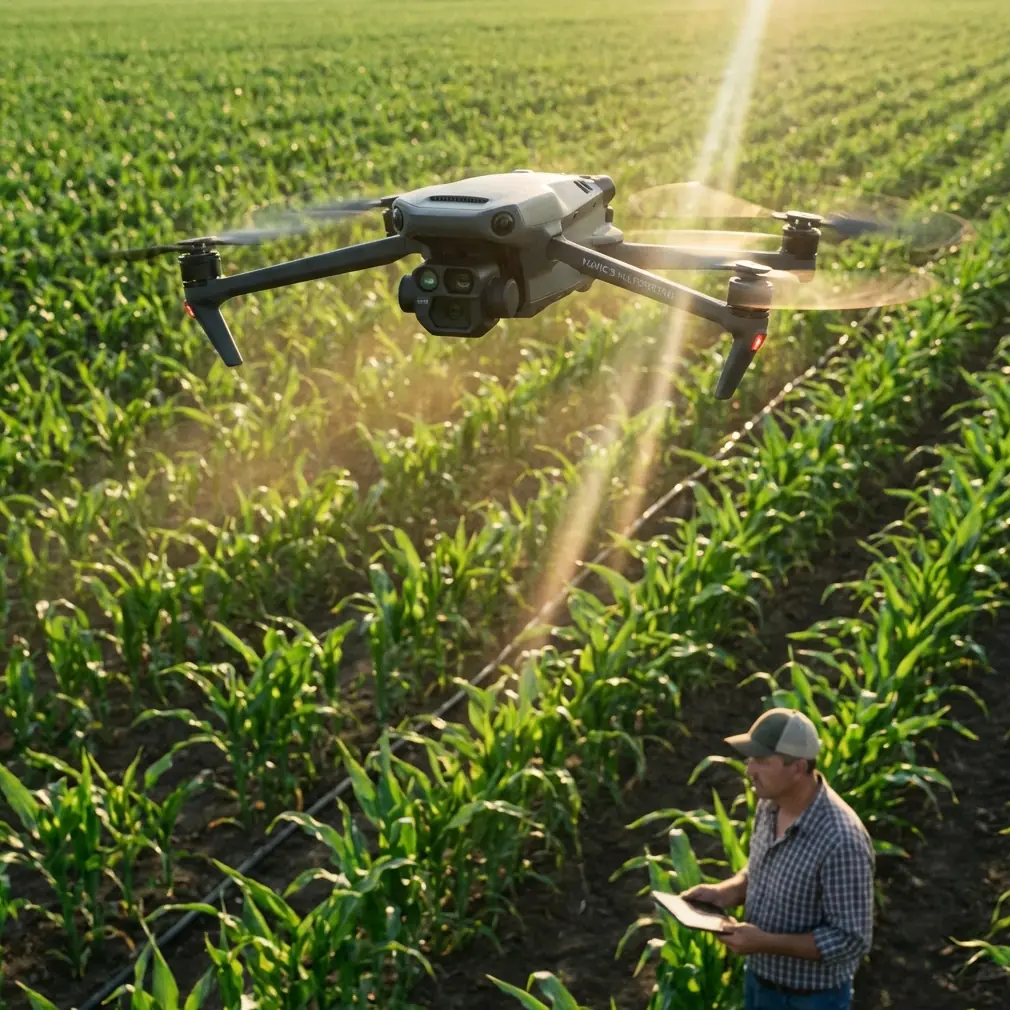
Mavic 4 Pro Coastal Venue Scouting Guide
META: Master coastal venue scouting with the Mavic 4 Pro. Learn expert flight techniques, antenna positioning tips, and camera settings for stunning results.
By Chris Park, Creator
TL;DR
- Antenna positioning is the single most critical factor for maintaining maximum range during coastal flights where signal interference runs high.
- The Mavic 4 Pro's omnidirectional obstacle avoidance system handles unpredictable coastal environments—wind gusts, sea stacks, cliff faces—with remarkable reliability.
- Shooting in D-Log color profile preserves highlight and shadow detail across high-contrast shoreline scenes that would otherwise clip in standard profiles.
- A structured scouting workflow using ActiveTrack, Hyperlapse, and QuickShots can cut your venue documentation time by 60% while delivering client-ready footage.
Why Coastal Venue Scouting Demands a Capable Drone
Coastal locations present a unique combination of challenges that expose the weaknesses of lesser aircraft. Salt air corrodes components. Sustained winds of 15–25 mph are standard, not exceptional. Electromagnetic interference from wet sand, saltwater, and nearby maritime infrastructure degrades control signals. And the dramatic dynamic range of a sunlit ocean against shadowed cliffs punishes cameras with small sensors.
The Mavic 4 Pro meets these challenges with a 1-inch Hasselblad CMOS sensor, omnidirectional obstacle avoidance, and a robust transmission system capable of maintaining a stable link at distances up to 20 km (line of sight, unobstructed). For creators scouting wedding venues, corporate retreat locations, or event spaces along the coast, this drone transforms a full day of manual scouting into a two-to-three-hour aerial survey that produces deliverables clients can review immediately.
This guide walks you through the complete coastal scouting workflow—from pre-flight antenna optimization to post-processing your D-Log footage.
Step 1: Antenna Positioning for Maximum Coastal Range
Here's the advice that will save your shoot before it even starts: your controller antenna orientation matters more than any other single variable for maintaining signal strength in coastal environments.
The Physics of Signal Loss at the Coast
Saltwater is highly conductive. When your drone flies over the ocean, the water surface absorbs and reflects radio waves in ways that dry land does not. Add the moisture-laden air typical of coastal environments, and you're looking at signal attenuation rates 30–40% higher than inland flights.
How to Position Your Antennas
Follow these rules every single time:
- Keep the flat faces of both antennas pointed directly at the drone. The signal radiates perpendicular to the antenna's flat surface, not from the tips.
- Tilt antennas slightly outward at a 45-degree angle when the drone is at varying altitudes—this creates a wider radiation pattern that accommodates altitude changes during scouting passes.
- Never point the antenna tips at the drone. This is the weakest point in the radiation pattern and will cause signal drops at precisely the worst moments.
- Position yourself on elevated ground whenever possible. Even standing on a 3-foot sea wall versus the beach itself can add meaningful range.
- Keep the controller away from your body. Holding it against your chest blocks the rear signal path. Hold it out in front of you at a slight angle.
Expert Insight: I've tested antenna positioning extensively along the Oregon and Northern California coasts. Proper orientation consistently adds 1.5–3 km of usable range compared to default positioning. On one shoot near Cannon Beach, correcting my antenna angle recovered a drone that had dropped to one bar of signal at only 800 meters out. After adjustment, full signal returned immediately.
Step 2: Pre-Flight Configuration for Coastal Conditions
Before your props spin, configure these settings to match the coastal environment:
Flight Settings
| Parameter | Recommended Setting | Reason |
|---|---|---|
| Max Altitude | 120 m (or local legal limit) | Captures full venue context with surrounding coastline |
| RTH Altitude | 80 m | Clears most coastal obstructions (trees, cliffs, structures) |
| Obstacle Avoidance Mode | Bypass | Allows the drone to navigate around objects rather than stopping cold |
| Wind Warning | Enabled | Coastal gusts are sudden and directional |
| Max Distance | Set to planned survey radius | Prevents unintended drift over open water |
Camera Settings
- Color Profile: D-Log for all scouting footage
- Resolution: 4K at 30fps for standard scouting; 4K at 60fps if you need slow-motion capability
- White Balance: Manual, set to 5600K for consistent coastal daylight
- ISO: 100 (base) to minimize noise in shadow recovery during post
- Shutter Speed: Use ND filters to maintain the 180-degree shutter rule (double your frame rate)
Step 3: The Scouting Flight Pattern
Systematic coverage beats improvised flying every time. Here's the pattern I use for coastal venue scouting:
Phase 1: Overview Orbit
Launch from a safe, flat surface away from sand (sand and drone motors are a catastrophic combination). Ascend to 100 meters and execute a full 360-degree orbit around the venue using the Mavic 4 Pro's QuickShots Point of Interest mode. This establishes context—where the venue sits relative to the shoreline, access roads, parking, and neighboring properties.
Set the orbit radius to approximately 150–200 meters for a mid-range perspective that captures the full property.
Phase 2: Detail Passes
Drop to 30–50 meters and fly linear passes across key areas of the venue:
- Ceremony locations (beach access points, clifftop clearings, garden areas)
- Reception spaces (patios, terraces, tent-ready lawns)
- Guest flow paths (walkways, stairs, shuttle drop-off zones)
- Sunset angle verification (critical for event planning—fly the western exposure and capture compass bearings)
Phase 3: Cinematic Hero Shots
This is where the Mavic 4 Pro's intelligent flight modes earn their keep.
- Use ActiveTrack to follow the coastline while maintaining a locked focal point on the venue. The drone's subject tracking algorithms handle this smoothly even when the venue partially disappears behind vegetation.
- Capture a Hyperlapse sequence along the beach approach. Set it to Free mode with waypoints that trace the guest arrival experience. A 30-second Hyperlapse compiled from hundreds of frames creates a dramatic time-compressed reveal of the venue.
- Execute a reveal shot using QuickShots' Dronie or Rocket mode, pulling away from or ascending above the main venue structure.
Pro Tip: For coastal Hyperlapse sequences, always set your interval to 3 seconds minimum. Wind micro-movements between frames create jitter at shorter intervals, and the Mavic 4 Pro's stabilization smooths out most vibration but can't fully compensate for wind-induced position shifts at 2-second intervals. The extra second gives the aircraft time to re-stabilize between captures.
Step 4: Managing Obstacle Avoidance in Complex Coastal Terrain
The Mavic 4 Pro's omnidirectional obstacle avoidance uses multiple vision sensors and typically performs well in bright coastal conditions. However, there are scenarios where you need to understand its limitations:
- Thin objects like power lines, guy-wires, and fishing line are difficult for any vision-based system to detect. Scout the area on foot before flying and mark these hazards in your mental map.
- Transparent or reflective surfaces—glass railings on coastal properties, for example—may not register as obstacles. Maintain manual control when flying near these features.
- Low-light cliff faces where shadows create false depth readings can trigger phantom avoidance maneuvers. If the drone suddenly halts during a cliff-side pass, it's likely responding to shadow contrast.
Keep obstacle avoidance in Bypass mode rather than Brake mode. Brake mode stops the drone dead when it detects an obstacle, which in gusty coastal wind can result in the aircraft hovering in a vulnerable position. Bypass mode routes around the obstacle and continues the mission.
Step 5: Post-Processing Your D-Log Coastal Footage
D-Log footage looks flat and desaturated straight out of the camera. That's by design—it preserves approximately 2 additional stops of dynamic range compared to the standard color profile.
For coastal venue scouting edits, apply a base correction LUT designed for the Mavic 4 Pro's D-Log, then adjust:
- Highlights: Pull down by 15–20% to recover sky and ocean surface detail
- Shadows: Lift by 10–15% to reveal cliff and vegetation texture
- Saturation: Boost selectively in blue and teal channels for ocean color
- Contrast: Add a gentle S-curve to taste
This workflow preserves the natural beauty of the coastline while ensuring client-facing footage looks polished rather than raw.
Technical Comparison: Mavic 4 Pro vs. Common Alternatives for Coastal Work
| Feature | Mavic 4 Pro | Competitor A (Sub-1-inch Sensor) | Competitor B (No Omnidirectional Avoidance) |
|---|---|---|---|
| Sensor Size | 1-inch Hasselblad CMOS | 1/1.3-inch CMOS | 1-inch CMOS |
| Obstacle Avoidance | Omnidirectional | Forward/Backward/Downward only | Forward/Backward only |
| Max Transmission Range | 20 km | 15 km | 12 km |
| Wind Resistance | Up to Level 6 (~25 mph) | Up to Level 5 (~22 mph) | Up to Level 5 (~22 mph) |
| D-Log Support | Yes (native) | Limited log profile | Yes |
| ActiveTrack Generation | Latest generation | Previous generation | Not available |
| Hyperlapse Modes | Free, Circle, Course Lock, Waypoint | Free, Circle | Free only |
| Weight | Portable, sub-250g class not applicable but highly portable | Similar | Heavier |
The Mavic 4 Pro's combination of sensor quality, intelligent flight modes, and robust obstacle avoidance makes it the strongest option for professional coastal scouting work where environmental conditions are inherently unpredictable.
Common Mistakes to Avoid
Flying without checking tide schedules. A launch site that's dry at low tide may be underwater two hours later. Always check local tide tables and plan your launch window with at least a 90-minute buffer before the next high tide.
Ignoring salt air exposure. After every coastal flight session, wipe down the entire aircraft with a slightly damp microfiber cloth, paying special attention to motor housings and gimbal mechanisms. Salt crystallization accelerates wear on moving parts dramatically.
Overflying open water without a return plan. Battery consumption increases by 15–25% in sustained coastal wind. Set your low-battery RTH threshold to 30% rather than the default 20% to ensure you have enough power to fight headwinds on the return trip.
Shooting in standard color profiles. The high-contrast nature of coastal light—bright sky, reflective water, dark cliffs—will clip highlights and crush shadows in standard profiles. D-Log is not optional for professional results in these conditions.
Neglecting airspace checks. Many coastal areas fall within restricted zones due to military installations, national parks, or wildlife sanctuaries. Use airspace authorization apps and secure any required waivers before your scouting day.
Frequently Asked Questions
Can the Mavic 4 Pro handle strong coastal winds safely?
Yes. The Mavic 4 Pro is rated for sustained winds up to approximately Level 6 on the Beaufort scale, which corresponds to around 25 mph. For coastal scouting, I recommend flying only when sustained winds are below 20 mph and gusts stay under 25 mph. The drone can physically handle more, but your footage quality degrades significantly above these thresholds due to micro-vibrations that even the 3-axis gimbal cannot fully eliminate.
Is D-Log really necessary, or can I get good coastal footage in normal mode?
For personal content, normal mode works fine. For professional venue scouting deliverables, D-Log is essential. Coastal scenes routinely exceed 12 stops of dynamic range—bright white sand, dark volcanic rock, reflective water, shadowed vegetation. D-Log captures this entire range and gives you control in post-production. Normal mode forces the camera to make compression decisions in-flight that you cannot reverse later.
How do I keep sand away from the drone during beach launches?
Use a portable launch pad (at minimum 50 cm diameter) placed on firm, damp sand rather than dry, loose sand. The rotor wash from the Mavic 4 Pro's propellers will kick up dry sand in a 3-meter radius within seconds. Launch quickly—power up, confirm GPS lock, and ascend to at least 5 meters immediately. On landing, catch the drone by hand if you're experienced with this technique, or land on the pad and immediately power down before sand settles back into the prop wash zone.
Ready for your own Mavic 4 Pro? Contact our team for expert consultation.