
Mavic 4 Pro for Dusty Field Scouting: What Actually Matters
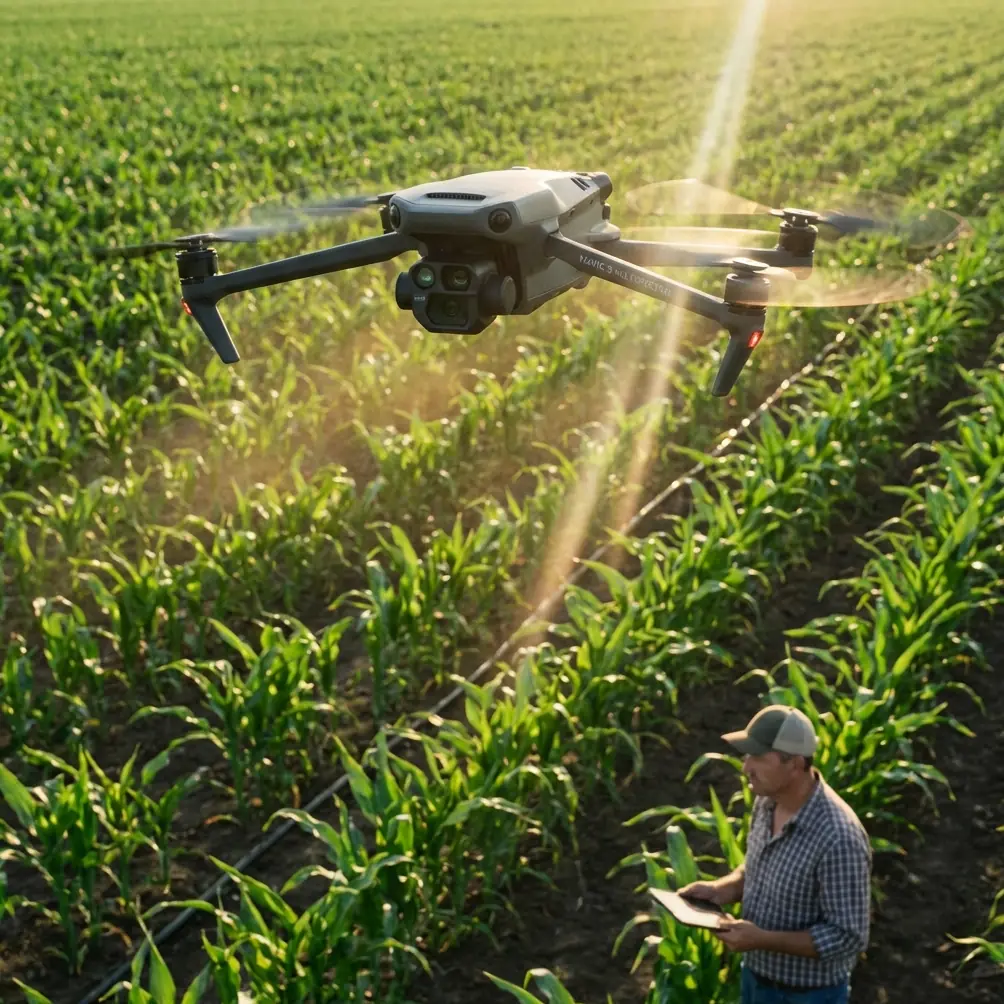
Mavic 4 Pro for Dusty Field Scouting: What Actually Matters in the Air and After the Flight
META: A practical expert guide to using Mavic 4 Pro for dusty field scouting, with real insight on flight data, parameter management, obstacle avoidance, ActiveTrack, D-Log, and battery discipline.
If you use a Mavic 4 Pro to scout fields, the glamorous specs usually matter less than the ugly details. Heat. Dust. Repeat launches. Wind shifts over open ground. Tiny control changes that make a big difference in how the aircraft behaves at low altitude near tree lines, irrigation rigs, fence posts, and uneven terrain.
That is where a more technical way of thinking becomes useful.
One of the smartest lessons from flight-control design is surprisingly simple: not all drone data should be handled the same way. In a hexacopter design paper from Harbin Institute of Technology, the flight controller used two kinds of storage side by side. EEPROM was chosen for small but important values that change often, such as PID parameters, because it supports byte-level immediate read and write over I2C. Flash, by contrast, was used for large volumes of flight records because it writes data much faster over SPI, with communication speeds reaching 4 Mbps versus 400 Kbps for EEPROM.
That may sound like engineering trivia until you spend a week scouting fields in dust.
Because in real operations, the difference between “critical settings” and “bulk records” is the difference between a drone that stays predictable and a drone that slowly drifts away from your expectations.
Why this matters for Mavic 4 Pro field work
The Mavic 4 Pro is often discussed in terms of image quality, obstacle avoidance, subject tracking, and automated modes like QuickShots or Hyperlapse. Those are all useful. But for field scouting, the deeper issue is consistency. You need the aircraft to behave the same way on the fifth battery as it did on the first, and you need reliable records of what happened if performance changes.
The Harbin design approach captures that perfectly:
- small, high-value control parameters should be easy to update quickly
- large flight logs should be stored efficiently and continuously
- the two jobs should not compete with each other
Operationally, this is a strong lens for how to use a Mavic 4 Pro in agricultural or land-management work.
When you tune your workflow, you are constantly making small adjustments: gimbal behavior, return altitude logic, obstacle avoidance preferences, exposure profile, tracking behavior, waypoint habits, controller customization, and how aggressively you let the aircraft move near crops, treelines, or utility structures. Those are your “important parameters.” They are few in number, but they heavily affect outcome.
Then there is the mountain of data created during each mission: attitude changes, command inputs, position history, image sets, timing, and environmental clues buried inside the flight record. That is your “bulk data.” It matters for post-flight review, repeatability, and diagnosing odd behavior after a dusty day.
If you treat those two categories with equal weight in the field, you get better results. If you don’t, you usually end up blaming the drone for what is really a workflow problem.
Start with a control setup you can repeat
For field scouting, I prefer a repeatable pre-flight configuration rather than endless tinkering at the launch point. Dusty environments tempt people to rush. They want to get airborne before another gust blows grit across the landing pad. That is exactly when sloppy setup creeps in.
Think like the flight-controller designer in that reference material. Preserve the handful of settings that truly shape behavior, and review them before every mission.
On a Mavic 4 Pro, that often includes:
- obstacle avoidance behavior for low-altitude passes
- ActiveTrack or subject tracking response if following a vehicle, worker, or piece of farm equipment
- camera profile choice, especially if shooting D-Log for later grading
- return-to-home altitude based on poles, isolated trees, or irrigation structures
- gimbal speed and smoothness if you need readable inspection footage rather than dramatic movement
- flight mode habits, especially if switching between manual framing and automated capture tools
The reason this matters is the same reason EEPROM was used for PID values in the reference design: a small parameter change can have a disproportionate effect on flight quality. The paper explicitly highlights that critical values are few in total and often edited one at a time. In practice, that describes a field operator perfectly. You are rarely rewriting your entire workflow. You are changing one behavior, one route, one camera assumption.
If that one change is wrong, the whole sortie feels wrong.
Dust changes the mission before takeoff
Field scouting in dusty conditions is not just about protecting motors and optics. Dust compresses your decision-making. You launch quicker. You recover quicker. You may skip a second calibration check. You may also avoid landing in the middle of a field, which means longer legs and more reliance on obstacle sensing during return.
This is where Mavic 4 Pro’s obstacle avoidance and tracking tools stop being convenience features and become workload reducers.
For example, if you are inspecting crop edges, drainage lines, or access roads, ActiveTrack can help maintain framing on a moving utility vehicle while you focus on spacing, altitude, and situational awareness. But don’t hand over judgment completely. Dust haze and low-contrast terrain can reduce visual clarity, and agricultural environments often contain wires, posts, and branches that look simple from ground level but create awkward geometry in the air.
My rule is straightforward: use tracking to reduce stick workload, not to replace piloting. The cleaner your route, the more useful ActiveTrack becomes. The messier the environment, the more conservative you should be.
QuickShots and Hyperlapse also have a role here, but not the social-media role people assume. In field documentation, these modes can create consistent visual references over time. A repeated Hyperlapse from the same edge of a property can reveal traffic patterns, dust movement, seasonal vegetation changes, or progress on land work. A simple automated orbit can document the condition of a pump station or storage area from a repeatable perspective. The value is not style. It is comparability.
Use D-Log only when the job justifies it
Photographers love flexibility. Operators love speed. Dusty field scouting forces you to choose.
D-Log can be excellent when the mission includes marketing imagery, site documentation that may be reused later, or scenes with harsh midday contrast between pale soil and darker vegetation. It gives you more room in post and can preserve detail that a baked-in profile might crush or clip.
But if the actual mission is operational scouting, not storytelling, D-Log may slow your review process unnecessarily. Teams often need quick interpretation: crop stress, standing water, access damage, fence condition, vehicle tracks, or work progress. In those cases, a more immediately usable profile can be the better choice.
The lesson matches the storage logic from the reference material. Don’t use the heavyweight solution for the lightweight task. Flash was selected there because large data writing benefits from speed and efficiency, while EEPROM handled targeted parameter storage. Same principle here. Save D-Log for scenes where its extra latitude will actually be used. For routine scouting, optimize for clarity and turnaround.
The overlooked power of flight records
The Harbin paper mentions using Flash to record attitude information, command information, and position information in real time, essentially creating a black-box function. That is one of the most relevant ideas any serious Mavic 4 Pro operator can borrow.
If you scout fields often, your flight records are not administrative leftovers. They are operational evidence.
They help you answer questions like:
- Did the aircraft drift more than usual in crosswind?
- Was obstacle avoidance slowing the route in one section?
- Did a battery swap change how aggressively I was flying?
- Was I consistently too low over one crop block?
- Did I miss a segment because of route planning or because I aborted early?
A black-box mindset changes how you improve. Instead of relying on memory, you can compare what the aircraft actually did. In field work, where many flights look similar, that is crucial. Memory merges missions together. Data separates them.
If you want help building a repeatable field workflow around those reviews, you can message a drone specialist here.
My field battery tip after too many dusty launches
Here is the habit that has saved me more trouble than any advanced camera setting: never judge your next battery only by percentage. Judge it by recovery temperature, dust exposure during the swap, and what kind of flying comes next.
In dusty fields, batteries often get changed under pressure. The aircraft lands hot, you pull the pack, another pack goes in, and the drone is back up before everyone loses the light. Efficient, yes. Smart, not always.
A battery that still reads healthy can behave differently if it went from a warm aircraft into a dusty handoff, then straight back into a high-load ascent. Add wind over open land and repeated acceleration runs, and your margin shrinks.
My process is simple:
- Land on a pad or case surface, not bare soil.
- Let the aircraft breathe for a short moment before the swap.
- Check the battery cavity visually for dust before inserting the next pack.
- Use the coolest, cleanest available pack for the longest or most demanding leg.
- Save the more heat-exposed pack for a shorter confirmation flight, not the biggest route.
That discipline matters because field scouting often encourages “just one more pass.” The aircraft may be ready. The battery may be less enthusiastic.
Build routes around visibility, not just coverage
Many pilots plan field missions as if coverage is the only objective. In practice, visibility quality is the limiting factor. Dust, sun angle, crop texture, and low-contrast surfaces can hide what you came to inspect.
So route the Mavic 4 Pro to protect visual interpretation:
- fly cross-angle passes when looking for texture changes in crops or soil
- avoid shooting directly into bright haze unless the shot serves a specific purpose
- use obstacle avoidance as a safety net, not as permission to run close to every object
- keep enough altitude to maintain context, then dip lower only where detail is required
- repeat key passes in a consistent direction if long-term comparison matters
This is another place where the “critical parameters versus mass data” concept applies. Your route design is not infinitely adjustable in the air. A few core choices determine whether the resulting imagery is useful. Get those right first. Then let the aircraft capture the volume.
A smarter mindset for Mavic 4 Pro operators
The most useful takeaway from the reference material is not the hardware itself. It is the design philosophy.
The cited system deliberately separated fast-changing critical settings from high-volume flight records. It recognized that both matter, but in different ways. It also quantified the tradeoff clearly: Flash communication at 4 Mbps can move large datasets efficiently, while EEPROM at 400 Kbps is far better suited to precise, byte-level updates for key control values.
For Mavic 4 Pro users scouting fields, that same discipline leads to better outcomes:
- protect and standardize the few settings that shape aircraft behavior
- capture and review the many records that explain what happened in flight
- resist the urge to overcomplicate routine missions
- use advanced features where they reduce workload or improve repeatability
- treat batteries and dust management as flight-quality issues, not housekeeping
That is how you get more from the aircraft without turning every mission into a technical experiment.
The Mavic 4 Pro can absolutely be a strong platform for civilian field scouting. But its real value shows up when you stop thinking only about camera features and start thinking like a systems operator. The airframe flies the route. The workflow determines whether the result is dependable.
Ready for your own Mavic 4 Pro? Contact our team for expert consultation.