
Mavic 4 Pro in Remote Fields: A Photographer’s Case Study
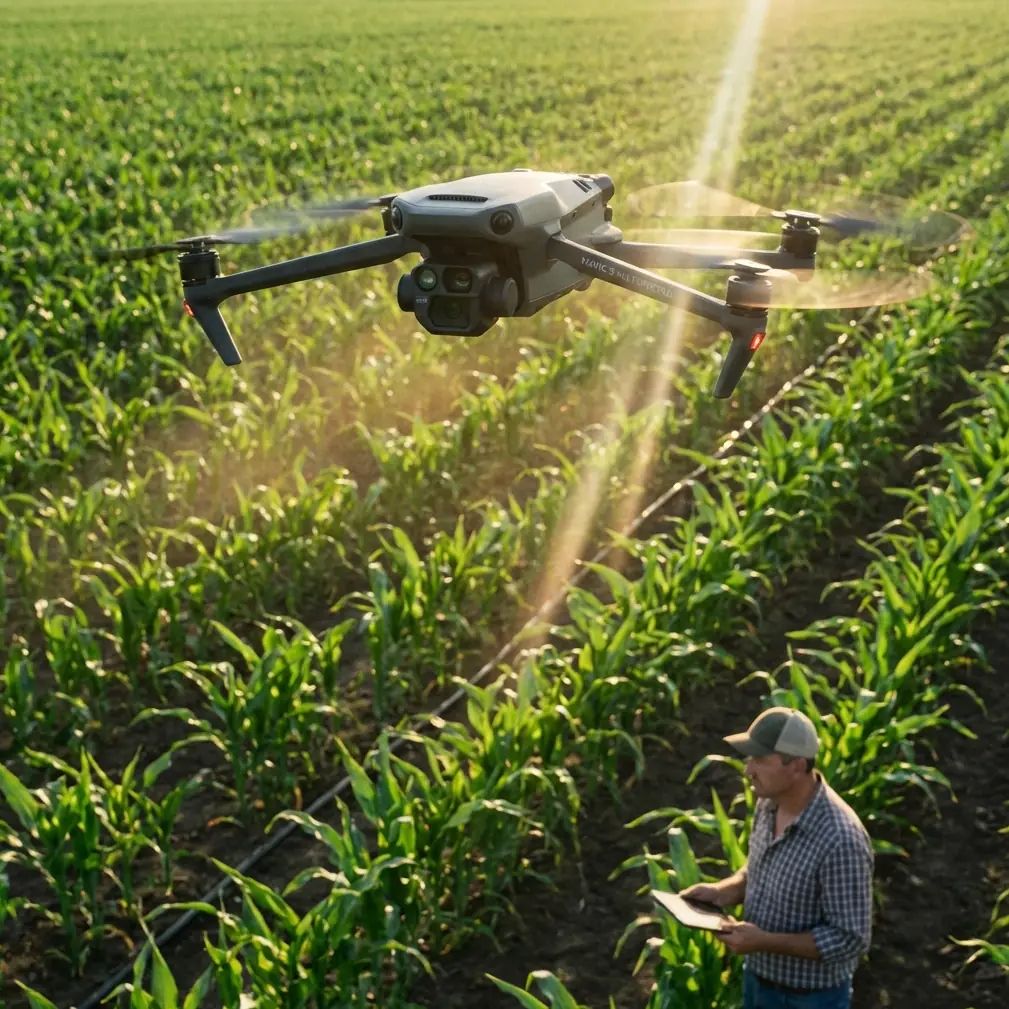
Mavic 4 Pro in Remote Fields: A Photographer’s Case Study on Flight Planning, Tracking, and Battery Discipline
META: A field-tested case study on using the Mavic 4 Pro for remote scouting, with practical insight on obstacle avoidance, ActiveTrack, D-Log workflow, Hyperlapse capture, and battery management in wide agricultural landscapes.
Remote field work exposes the difference between a drone that looks good on paper and one that actually earns space in your pack. The Mavic 4 Pro sits in that second category when the assignment is broad-acre scouting, visual documentation, and repeatable capture in places where walking the perimeter is slow and often pointless.
I’m writing this from the perspective of a photographer who regularly works where roads thin out, signal conditions change, and the light does not wait. In those environments, the appeal of the Mavic 4 Pro is not abstract. It comes down to a few practical questions. Can it move through a landscape with enough awareness to stay safe around tree lines, utility structures, and uneven terrain? Can it follow a moving subject cleanly enough to document farm vehicles or survey routes without constant stick correction? Can it produce footage flexible enough in post when the scene swings from reflective irrigation water to deep shadow under a windbreak?
That is where features such as obstacle avoidance, ActiveTrack, QuickShots, Hyperlapse, and D-Log stop being brochure language and start affecting the day’s outcome.
The assignment: remote field scouting with visual proof, not just pretty footage
A recent field day made that clear. The job was not cinematic for its own sake. The goal was to scout a remote agricultural property and return with a visual record that could help the landowner review access paths, crop edge condition, irrigation layout, and changes in the field boundary after recent weather. Still images mattered. Video mattered too, especially for showing continuity across long rows and uneven patches that a handful of photos can flatten or misrepresent.
This kind of work often lands in an awkward middle ground. It is not a full mapping mission with specialized survey hardware and rigid processing pipelines. It is also not a casual recreational flight. You need dependable imaging, stable subject acquisition, and enough flight efficiency to cover distance without getting greedy on battery.
The Mavic 4 Pro fits that middle ground well because it can shift from simple documentation to more interpretive visual work in the same session. One pass can be purely observational, high and slow, giving a top-down sense of spacing and field geometry. Another can be lower and more narrative, following a utility vehicle along a track to reveal how the ground is actually behaving under use.
Why obstacle avoidance matters more in fields than people assume
People often hear “field” and imagine empty airspace. In practice, remote farmland is full of traps for complacent pilots. Shelterbelts, isolated trees, power lines, irrigation rigs, sheds, fence posts, ridgelines, and the occasional sudden rise in terrain all complicate low-altitude work. Add changing sun angles and the visual simplicity of open land can become deceptive.
This is why obstacle avoidance is not just a convenience feature on the Mavic 4 Pro. In field scouting, it changes how aggressively and confidently you can work near meaningful edges. Tree lines are a good example. They often mark exactly the places you need to document: wind damage, moisture retention changes, animal intrusion points, and access corridors. Flying near them manually is possible, of course, but it increases mental load. With obstacle sensing in play, you are not absolved of responsibility, but you gain a buffer that helps preserve clean framing while reducing the risk of a rushed correction.
Operationally, that means more attention can stay on the image and less on micro-panics. It also helps when moving between open sections and more cluttered zones without constantly resetting your pace. For a solo operator in a remote environment, that matters.
ActiveTrack in real field use: better for utility movement than for spectacle
Subject tracking can sound like a lifestyle feature until you use it for practical field documentation. On this assignment, ActiveTrack was useful not for chasing dramatic action but for following predictable movement: a small farm vehicle along a dirt route, and later a walking inspection path near irrigation lines.
The significance is simple. When a drone can maintain a subject while you manage altitude, spacing, and scene awareness, the resulting footage becomes more readable. You are not fighting every turn. You are not constantly overcorrecting as the subject drifts off-center. The video becomes something a landowner or operations manager can actually review for context.
That’s the difference between aerial footage and operational footage.
In field scouting, smooth tracking also helps reveal scale. A vehicle moving through frame gives immediate proportion to row spacing, road condition, standing water, or crop edge variability. With ActiveTrack doing the heavy lifting, you can pay closer attention to what the background is telling you.
I would still avoid treating tracking as automatic truth. Tall vegetation, changing contrast, and partial obstructions can confuse any system. But in broad open terrain with deliberate movement, it is one of the Mavic 4 Pro’s most useful tools for non-survey commercial work.
D-Log is not just for filmmakers when the light is harsh
Midday field conditions are brutal on contrast. Reflective surfaces, pale soil, dry grass, dark equipment, and deep pockets of shade can coexist in one frame. If you are delivering imagery that may be reviewed later for land condition or operational planning, tonal flexibility is not a luxury.
This is where D-Log earns its place.
For field scouting, the value of D-Log is less about making footage “cinematic” and more about preserving decision-making detail. Highlights can hold together better around water and bright soil, while shadow information around equipment edges or tree bases remains more recoverable in post. If the assignment includes both documentation and branded storytelling, that flexibility becomes even more useful because one capture session can feed multiple outputs.
I generally think of D-Log in remote field work as insurance against uneven light. You still need proper exposure discipline, but the extra grading latitude helps when weather shifts or when a single pass moves across very different textures and reflectance levels.
A drone that records flexible footage saves time long after the batteries are packed away.
QuickShots and Hyperlapse are not fluff if used with intent
There is a tendency to dismiss automated creative modes in professional contexts. That misses the point. In a field assignment, QuickShots and Hyperlapse can produce repeatable visual summaries that are fast to capture and easy for non-pilots to understand.
QuickShots can be effective when you need a concise visual opener showing a homestead, pump station, field entrance, or isolated infrastructure in relation to the surrounding land. Used sparingly, they create orientation. That matters when your audience did not stand where you stood.
Hyperlapse is even more interesting in agriculture-adjacent work. Weather movement, irrigation patterns, shifting machine traffic, and changing light over a large block of land can be communicated far more clearly through a compressed sequence than through static images alone. A Hyperlapse captured from a stable vantage point can show how shadow advances across the field, where glare develops, or how activity concentrates around one section over time.
Those are not decorative uses. They are interpretive uses.
The battery lesson that remote operators learn the hard way
Here is the field tip I wish more pilots adopted early: stop thinking of battery percentages as equal units of confidence. They are not. In remote field work, battery management is not about squeezing the longest possible flight. It is about preserving your margin for the return leg, wind shift, and one unexpected pause while you reassess the route.
My rule in broad open terrain is simple. I mentally divide each battery into three jobs. The first portion is for transit and gaining the altitude or position that makes the mission efficient. The second portion is for the actual capture window. The final portion belongs to the return, plus contingency. That last portion is not available for “one more pass.”
This matters even more in fields because the landscape encourages overcommitment. Everything looks reachable. Then the headwind appears on the way back, or you realize the subject moved farther than expected, or you spend two extra minutes waiting for a cleaner tracking line around a stand of trees. Distance expands quietly out there.
The practical habit: rotate batteries before you feel compelled to. If one pack has become your “maybe enough” battery, it has already become your risk battery.
Another small discipline helps: use the freshest battery for the farthest leg of the mission, not for cleanup shots near home point. Save your lower-confidence pack for short, controlled captures around the launch area. That sequence sounds obvious, but many pilots do the opposite after a break or battery swap because they want to “use up” an older pack first. In remote field conditions, that is the wrong instinct.
I also log what each battery was asked to do. Not just how long it flew, but whether it handled long transits, heavy wind correction, repeated ascent, or hover-heavy work. Those notes build a far more useful picture of field performance than raw percentage snapshots.
A practical workflow for scouting with the Mavic 4 Pro
When I arrive at a remote field, I rarely launch immediately. The first ten minutes shape the whole session. I check wind against the most distant planned route, identify potential signal and line-of-sight problems, and note obstacles that matter at low altitude, not just on a map. The launch point is chosen for recovery convenience as much as for takeoff ease.
Then I build the session in layers:
1. High overview pass
A broad pass establishes field geometry, entry routes, water features, and boundaries. This is the “orientation layer.” It tells me what deserves lower-altitude attention later.
2. Mid-level observational work
This is where the Mavic 4 Pro becomes more than a simple flying camera. Obstacle avoidance helps when orbiting isolated structures or sliding along the edge of trees and field roads. Footage from this layer usually becomes the most useful review material for clients because it balances context and detail.
3. Tracking passes
If there is movement worth documenting, such as an inspection walk or vehicle route, ActiveTrack enters the workflow here. The point is not spectacle. It is continuity.
4. Creative support captures
QuickShots or a short Hyperlapse come last, once the functional material is secure. That order matters. The assignment is never at the mercy of optional footage.
5. D-Log capture where contrast is difficult
If the light is tricky, I bias the critical sequences toward D-Log so I can recover more in grading later.
This layered approach prevents a common remote-field failure: spending too much battery early on footage that looks impressive but adds little operational value.
What makes the Mavic 4 Pro a strong fit for this niche
The Mavic 4 Pro makes sense for remote scouting because it blends several capabilities that usually pull in different directions. It is compact enough to deploy without turning the job into a logistics exercise. It offers intelligent assistance features such as obstacle avoidance and subject tracking that reduce pilot workload when working alone. It supports creative modes like QuickShots and Hyperlapse that can make site communication more intuitive. And with D-Log in the toolkit, the footage has room to breathe in post even when field light gets ugly.
That combination is especially useful for photographers crossing into light agricultural or land-management work. You can deliver assets that feel polished without drifting away from practical utility.
If you are planning a similar setup for scouting fields in remote areas and want a second opinion on configuration or workflow, you can message our team directly here.
The real takeaway from the field
The Mavic 4 Pro is most convincing when you stop judging it as a spec sheet and start judging it as a field partner. In remote landscapes, every feature has to justify itself. Obstacle avoidance lowers workload near the places that matter. ActiveTrack turns moving ground activity into usable visual evidence. D-Log protects detail when contrast is punishing. QuickShots and Hyperlapse help explain land and time, not just decorate them. And battery discipline is what turns all of that capability into a completed mission instead of a stressful recovery.
For photographers, land managers, and visual operators working far from convenient roads and charging options, that is the equation that counts.
Ready for your own Mavic 4 Pro? Contact our team for expert consultation.