
Mavic 4 Pro: Master High-Altitude Field Scouting
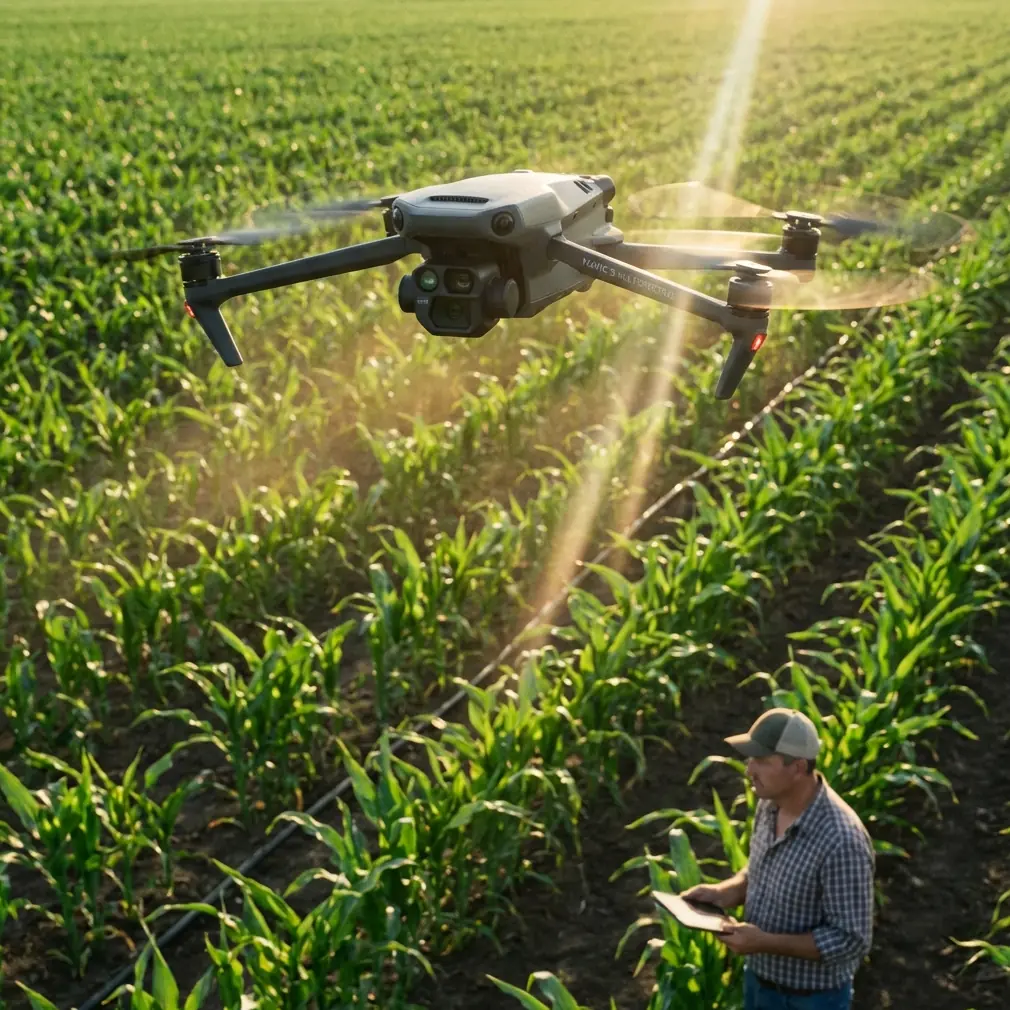
Mavic 4 Pro: Master High-Altitude Field Scouting
META: Learn how the Mavic 4 Pro transforms high-altitude field scouting with advanced obstacle avoidance and tracking. Expert tutorial by Chris Park.
TL;DR
- Pre-flight sensor cleaning is critical at high altitudes where dust and debris compromise obstacle avoidance accuracy
- The Mavic 4 Pro maintains stable flight performance up to 6,000 meters above sea level
- ActiveTrack 6.0 and enhanced subject tracking enable autonomous field mapping without constant pilot input
- D-Log color profile captures 12.8 stops of dynamic range for detailed crop analysis in challenging mountain light
High-altitude field scouting presents unique challenges that ground-level operations never encounter. The Mavic 4 Pro addresses these demands with a sensor suite and flight system engineered specifically for thin-air performance—but only if you prepare it correctly before each mission.
This tutorial walks you through the complete workflow for scouting agricultural fields, vineyards, and remote terrain at elevations above 2,500 meters. You'll learn the pre-flight protocols that prevent sensor failures, the camera settings that capture usable data, and the flight patterns that maximize coverage while preserving battery life in oxygen-depleted conditions.
Why High-Altitude Scouting Demands Different Preparation
Atmospheric pressure drops approximately 12% for every 1,000 meters of elevation gain. This reduction affects propeller efficiency, battery discharge rates, and most critically, the performance of optical sensors that power the Mavic 4 Pro's obstacle avoidance system.
At 3,500 meters, the air density is roughly 65% of sea-level conditions. The drone's motors must spin faster to generate equivalent lift, which increases power consumption by 15-20% compared to low-altitude flights. Planning for this reduced efficiency prevents mid-mission battery emergencies over difficult terrain.
The Pre-Flight Cleaning Protocol That Saves Missions
Before discussing flight techniques, we need to address the step most pilots skip: thorough sensor cleaning. The Mavic 4 Pro relies on omnidirectional obstacle sensing across eight directions, using a combination of vision sensors and infrared systems.
High-altitude environments present specific contamination risks:
- Fine glacial dust that accumulates during transport
- Pollen and agricultural particulates from target fields
- Condensation residue from rapid temperature changes
- Insect debris from previous flights at lower elevations
- Fingerprint oils that attract and hold dust particles
Expert Insight: I carry a dedicated sensor cleaning kit that includes a rocket blower, lens pen, and microfiber cloths specifically for the Mavic 4 Pro's 46 obstacle avoidance sensors. A single smudge on the forward vision sensors can trigger false obstacle warnings that interrupt automated flight paths. At high altitude, where you may be scouting remote areas with no easy recovery options, a false warning that forces an emergency landing can end your entire mission.
Step-by-Step Sensor Cleaning Process
Complete this sequence before every high-altitude deployment:
- Power off the drone completely and remove the battery
- Use a rocket blower to remove loose particles from all sensor surfaces
- Inspect each sensor under bright light for smudges or residue
- Clean vision sensors with a lens pen using circular motions from center outward
- Wipe infrared sensors with a dry microfiber cloth
- Check gimbal glass for dust that could affect image quality
- Verify propeller condition for chips or cracks that worsen at altitude
- Reinstall battery and perform a sensor calibration in the DJI Fly app
This process takes approximately 8 minutes but prevents the majority of high-altitude mission failures related to sensor performance.
Configuring Obstacle Avoidance for Mountain Terrain
The Mavic 4 Pro offers three obstacle avoidance modes: Bypass, Brake, and Off. For high-altitude field scouting, the optimal choice depends on your specific terrain and mission objectives.
Obstacle Avoidance Mode Comparison
| Mode | Best Use Case | Altitude Performance | Risk Level |
|---|---|---|---|
| Bypass | Open fields with scattered obstacles | Excellent up to 5,000m | Low |
| Brake | Dense vegetation or uncertain terrain | Good up to 4,500m | Very Low |
| Off | Expert pilots, clear flight paths | Unchanged | High |
| APAS 5.0 | Automated survey patterns | Excellent up to 5,500m | Low |
For agricultural scouting at high elevation, I recommend starting with Bypass mode enabled. This allows the drone to navigate around unexpected obstacles—irrigation equipment, power lines, or wildlife—while maintaining forward progress along your planned route.
Pro Tip: At elevations above 4,000 meters, switch to Brake mode when flying near cliff edges or steep terrain drops. The reduced air density can cause slight position drift during obstacle avoidance maneuvers, and Brake mode provides more conservative responses that keep the drone firmly within safe boundaries.
Leveraging Subject Tracking for Autonomous Field Mapping
The Mavic 4 Pro's ActiveTrack 6.0 system isn't just for following moving subjects. When scouting fields, you can use it to maintain consistent framing on terrain features while the drone executes pre-programmed flight paths.
Setting Up ActiveTrack for Terrain Features
Agricultural scouting often requires tracking specific field characteristics:
- Irrigation pivot points for coverage analysis
- Crop row patterns for health assessment
- Drainage features for water management planning
- Field boundaries for accurate acreage calculation
- Elevation changes for erosion monitoring
To configure ActiveTrack for stationary terrain features:
- Position the drone at your starting altitude with the target feature centered
- Draw a selection box around the feature in the DJI Fly app
- Select Spotlight mode rather than Trace or Parallel
- Set your desired flight path using waypoints
- The gimbal will automatically maintain focus on your selected feature throughout the flight
This technique produces footage where the camera smoothly tracks your point of interest while the drone follows an efficient survey pattern. The result is both usable mapping data and compelling visual documentation.
QuickShots and Hyperlapse for Rapid Site Documentation
When time constraints limit your scouting window, the Mavic 4 Pro's automated flight modes accelerate documentation without sacrificing quality.
QuickShots for Field Overview
The Dronie and Circle QuickShots provide immediate context for field conditions:
- Dronie: Captures a 4K pullback shot that reveals field scale and surrounding terrain
- Circle: Orbits a central point to document 360-degree field conditions
- Helix: Combines ascending spiral with orbit for dramatic elevation reveals
- Rocket: Vertical ascent that shows field layout from directly above
At high altitude, extend the default QuickShot distances by 20% to compensate for the wider field of view needed to capture equivalent ground coverage.
Hyperlapse for Time-Compressed Analysis
The Hyperlapse function transforms hours of field activity into seconds of viewable footage. For agricultural scouting, this reveals patterns invisible in real-time observation:
- Irrigation system cycling across large fields
- Shadow movement indicating terrain undulation
- Wildlife activity patterns affecting crop areas
- Cloud shadow progression for light analysis
Configure Hyperlapse with these high-altitude settings:
| Parameter | Recommended Setting | Reason |
|---|---|---|
| Interval | 3 seconds | Balances detail with battery life |
| Duration | 15-20 minutes | Captures meaningful pattern changes |
| Resolution | 4K | Maintains detail for crop analysis |
| Flight Mode | Waypoint | Ensures consistent positioning |
Mastering D-Log for High-Altitude Light Conditions
Mountain light presents extreme dynamic range challenges. Bright snow or rock faces adjacent to shadowed valleys can exceed 14 stops of brightness difference—beyond what standard color profiles capture.
The Mavic 4 Pro's D-Log M profile preserves maximum highlight and shadow detail for post-processing flexibility. This matters enormously for agricultural analysis where subtle color variations indicate crop health, moisture stress, or pest damage.
D-Log Configuration for Field Scouting
Apply these settings before high-altitude missions:
- Color Profile: D-Log M
- ISO: 100-400 (avoid higher values that increase noise)
- Shutter Speed: 1/focal length x 2 minimum (1/100 for standard lens)
- White Balance: Manual, set to 5600K for consistent color
- Exposure Compensation: -0.3 to -0.7 stops to protect highlights
Expert Insight: I always shoot D-Log for scouting missions even when clients request "ready-to-use" footage. The 12.8 stops of dynamic range captured in D-Log reveals crop stress patterns that disappear in standard color profiles. A quick LUT application in post-production delivers client-ready footage while preserving the analytical value of the raw data.
Common Mistakes to Avoid
Skipping sensor calibration after transport: Altitude changes during travel can shift sensor alignment. Always run IMU and compass calibration at your launch site, not at home before departure.
Using default battery warnings: The standard 30% low battery warning leaves insufficient margin at high altitude. Increase this to 40% for elevations above 3,000 meters and 45% above 4,500 meters.
Ignoring wind gradient effects: Wind speed typically increases with altitude. A calm launch site may have 15-20 km/h winds at your planned survey altitude. Check conditions at multiple heights before committing to extended flight paths.
Forgetting to warm batteries: Lithium polymer batteries lose capacity in cold conditions common at high elevation. Keep batteries above 20°C until immediately before flight. The Mavic 4 Pro's self-heating function helps, but pre-warming reduces the power consumed for thermal management.
Relying solely on automated obstacle avoidance: While the Mavic 4 Pro's sensing system is exceptional, thin air can cause slight response delays. Maintain visual line of sight and be prepared to intervene manually near obstacles.
Frequently Asked Questions
How does the Mavic 4 Pro perform above its rated altitude ceiling?
The official maximum service ceiling is 6,000 meters above sea level. Beyond this altitude, reduced air density compromises both lift generation and cooling efficiency. The motors must work harder, generating more heat while receiving less convective cooling from the thin air. Flights above the rated ceiling risk motor overheating, reduced control responsiveness, and potential component damage. For scouting at extreme elevations, consider the DJI Matrice series designed for high-altitude industrial applications.
Can I use all QuickShots modes at high altitude?
Most QuickShots function normally up to 5,000 meters, but some modes require modification. The Boomerang mode, which involves rapid direction changes, may exhibit slight position drift in thin air. The Asteroid mode works well but benefits from a 10% increase in starting altitude to achieve equivalent visual impact. Always test automated modes at a safe height before executing them near terrain or obstacles.
What's the best time of day for high-altitude field scouting?
Early morning, within two hours of sunrise, offers the most stable atmospheric conditions. Thermal activity increases throughout the day as the sun heats terrain unevenly, creating turbulence that affects both flight stability and image sharpness. Morning light also provides lower contrast ratios that are easier to expose correctly, and cooler temperatures extend battery performance by 10-15% compared to midday flights.
High-altitude field scouting with the Mavic 4 Pro rewards thorough preparation and systematic technique. The sensor cleaning protocol, obstacle avoidance configuration, and camera settings outlined in this tutorial address the specific challenges of thin-air operations while maximizing the drone's considerable capabilities.
Ready for your own Mavic 4 Pro? Contact our team for expert consultation.