
Mavic 4 Pro Scouting Tips for Dusty Construction Sites
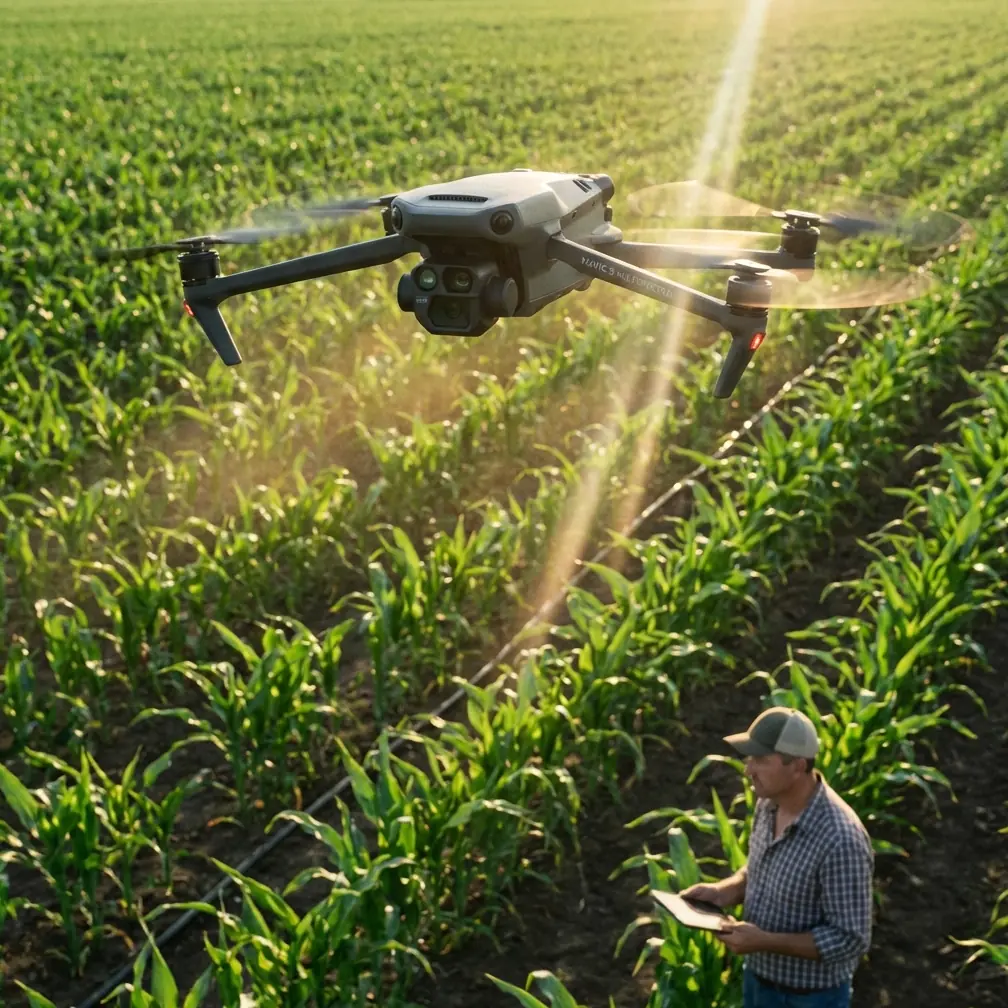
Mavic 4 Pro Scouting Tips for Dusty Construction Sites: Why Panoramic Workflow Matters More Than Specs Alone
META: A technical review of how Mavic 4 Pro fits dusty construction site scouting, with practical advice on panoramic capture, fisheye-style coverage logic, stitching speed, obstacle sensing care, and post-production workflow.
Construction site scouting is rarely about getting a pretty aerial shot. It is about turning a messy, active, dust-heavy environment into something decision-makers can read quickly. On that front, the most useful way to think about a Mavic 4 Pro is not as a flying camera first, but as the front end of a panorama and virtual-walkthrough workflow.
That shift matters.
A dusty site changes how you fly, how you clean, how you trust your safety systems, and how you deliver the final result. If your goal is to document staging areas, perimeter progress, access roads, facade status, stockpile placement, or industrial yard layout, then the real value is not just flight performance. It is how efficiently the aircraft helps you build a believable 360-degree record that clients can inspect without standing in the dust themselves.
The overlooked question: what are you actually delivering?
Most construction clients do not need a cinematic reel. They need orientation.
The reference material behind panoramic aerial production makes this very clear. Aerial panoramas are created by combining direct aerial imagery from a remote-sensing drone with stitching software in post. That sounds basic, but operationally it changes the mission. Instead of treating each frame as a standalone image, you treat every flight as data acquisition for a navigable scene.
That is a better fit for site scouting.
A stitched panorama can show the full relationship between crane pads, temporary offices, excavated areas, haul routes, and neighboring structures in one environment. The source material also points out a practical benchmark: quality panoramic software can merge a high-grade 360° or even 720° spherical or cylindrical panorama in around 2 to 5 minutes. For a construction workflow, that time window is not trivial. It means same-day visual reporting is realistic even when you are covering multiple locations.
With Mavic 4 Pro, the promise is not just airborne convenience. It is the speed at which you can move from raw capture to a usable site-briefing asset.
Why dusty construction sites expose weak workflows fast
Dust punishes assumptions.
On a clean demo field, obstacle avoidance and subject tracking may feel automatic. On a live construction site, fine dust, residue, and airborne grit can interfere with visibility and confidence. That is why my first operational recommendation is not a camera setting. It is a pre-flight cleaning step.
Before takeoff, inspect and gently clean the vision sensors and camera glass. If your Mavic 4 Pro is relying on obstacle avoidance to thread around material stacks, fencing, scaffolding edges, or partially finished structures, contaminated sensors can reduce reliability exactly when you need them most. The same applies to any forward-facing tracking mode such as ActiveTrack. A drone cannot track confidently through haze, dust film, or smeared optics the way a pilot imagines it should.
This is not glamorous advice, but it is the kind that prevents bad site habits.
Dust also affects the quality of your panorama base images. When you plan to stitch a scene into a 360-degree deliverable, consistency matters more than hero shots. A minor smear on the lens might pass unnoticed in a single clip. In a stitched panorama, that defect can repeat or become obvious across the viewing sphere.
So yes, clean before every sortie. Especially here.
The panorama lesson construction pilots should borrow
The reference material emphasizes fisheye optics because a lens reaching around 180 degrees can capture a very wide scene from close range, and only a few shots may be needed to build a full 360-degree panorama. Even though a Mavic 4 Pro workflow may not literally mirror an old DSLR-plus-fisheye-plus-panorama-head setup, the principle still applies: wider scene coverage with fewer capture positions lowers field time and stitching complexity.
That principle is gold on a construction site.
You want fewer hover points, fewer interruptions, less battery waste, and less time sitting above dust plumes from trucks or earthmoving activity. If your aerial survey for visual scouting can be captured in a compact sequence, you reduce exposure to environmental contamination and moving-site unpredictability.
The source also notes another benefit of fisheye-style imaging logic: long depth of field. For construction documentation, that translates into useful scene readability from foreground barriers to distant structures. A panoramic site record should not only be immersive. It should preserve enough visual coherence that a superintendent can understand near-to-far relationships without guessing.
This is where the Mavic 4 Pro earns its keep if flown with discipline. Wide environmental awareness is more valuable than dramatic compression or shallow depth effects in this use case.
What makes a good Mavic 4 Pro scouting flight on an active site
A productive technical review should talk less about abstract capability and more about repeatable outcomes. For dusty construction site scouting, I would structure a Mavic 4 Pro mission in four phases.
1. Sensor check and cleaning
As mentioned, wipe down the camera cover and obstacle sensing surfaces with appropriate tools before powering up. Dust on safety hardware is not a cosmetic issue. It affects obstacle avoidance confidence near cranes, skeletal steel, containers, and temporary fencing.
2. Establish your panorama anchor points
Pick a small number of hover positions that explain the site. Usually these are:
- one higher context point showing the full footprint
- one mid-altitude point aligned with the main work face
- one lower but safe point emphasizing access and logistics flow
The reference material stresses that only a handful of source images can be enough for a full panoramic result when coverage is efficient. That is operationally significant. It encourages precision over overshooting.
3. Capture both overview and continuity
This is where many pilots get lazy. They collect a panorama, then a few dramatic obliques, and call it done. On a construction site, continuity frames matter. If you intend to use stitching or present a virtual-tour style output, consistent overlap and stable exposure are more useful than dramatic camera movement.
QuickShots and Hyperlapse can still have a place, but they should support context, not replace it. A Hyperlapse sequence can reveal traffic rhythm, crane activity patterns, or material handling flow over time. A restrained QuickShot can help orient a client before they enter the interactive panorama environment. Neither should become the main record.
4. Post-process with deliverable intent
The source document highlights software features such as batch stitching, automatic image information recognition, and automatic brightness blending. Those functions matter because construction sites often produce uneven tonal conditions: reflective cladding, deep shadows under slab edges, pale dust, and sunlit aggregates all in one frame. Good blending reduces the visual seams that make a stitched site record feel amateur.
If you are shooting in D-Log for better tonal flexibility, be careful not to overgrade. Construction clients usually want visual truth. Preserve enough latitude to manage contrast, but do not turn a site update into a stylized film.
Where Mavic 4 Pro helps most: remote presence
One of the strongest ideas in the reference is that panoramic aerial output lets a viewer experience the site without physically being there. For construction scouting, this is the real operational win.
A project manager in another city can inspect haul-road condition. A design consultant can review sightlines around a facade. A facilities team can understand industrial park adjacency. A stakeholder can verify progress without entering a hazardous or dusty work zone.
The original material lists practical panorama use cases like real estate developments, tourism sites, hotels, campuses, and industrial parks. Construction sits naturally among them because it shares the same need: spatial understanding at a distance. In fact, industrial park and campus logic maps especially well to large site development, where the relationship between buildings, circulation, and open areas matters as much as any individual photograph.
A well-captured Mavic 4 Pro panorama becomes more than marketing media. It becomes a navigable site document.
Obstacle avoidance is helpful, but site discipline matters more
Readers often want a simple yes-or-no answer on obstacle avoidance. Here is the honest version: yes, advanced sensing is valuable on construction sites, but it is not permission to relax.
Steel members, netting, cables, partial facades, rebar clusters, and airborne dust create a visually messy environment. Even with strong sensing, I would avoid depending on automatic systems in tight proximity to unfinished structures. Use obstacle avoidance as a layer, not as your primary strategy.
ActiveTrack and subject tracking can also be useful, especially when documenting moving equipment pathways from a safe offset. But dusty conditions, repetitive textures, and overlapping machinery can confuse tracking logic. If the shot has operational importance, monitor manually and be ready to abandon automation.
That is another reason panoramic capture is so effective for this niche. It places less emphasis on dynamic automation and more on deliberate, stable image acquisition.
The best output is often a virtual walkthrough, not a highlight reel
The source material discusses software used not just for stitching, but for building three-dimensional virtual roaming experiences. That is particularly relevant to Mavic 4 Pro site scouting.
When a client receives:
- a stitched 360-degree overview,
- a linked set of vantage points,
- and a few supporting motion clips,
they can inspect the site in a way that standard image galleries do not allow. They can pan around, examine edges, compare relationships, and revisit details without requesting a return flight for every question.
A static set of stills tells them what you chose to show. A panoramic walkthrough lets them explore what they need to understand.
That difference has direct operational significance. Fewer clarification calls. Better remote coordination. Better historical visual records.
A practical note on communication and handoff
If you are building this kind of workflow around Mavic 4 Pro, your service discussion with a project team should focus on output structure, not drone mystique. Clarify whether they need periodic panoramic checkpoints, a stitched 360 record after each major phase, or a mixed package that combines overview panoramas with D-Log footage for later editing.
If you need to discuss a site-specific panorama capture setup or deliverable structure, you can reach out here via project planning chat.
That kind of early alignment saves time in the field and keeps your flights purposeful.
My verdict as a photographer working technical jobs
For dusty construction site scouting, the Mavic 4 Pro makes the most sense when paired with a disciplined panoramic workflow. The drone itself is only half the system. The rest is cleaning, capture planning, overlap control, and fast post-production.
The reference material gives us two especially useful reminders.
First, panoramic aerial imagery is fundamentally a stitched product built from drone-captured source images. That means your success depends on sequence quality, not isolated frames.
Second, mature panorama tools can assemble high-quality 360° or 720° outputs in as little as 2 to 5 minutes, while also supporting brightness blending and automated processing features. On a real project, that speed turns aerial scouting into a practical reporting instrument rather than a creative luxury.
Add one more lesson from the source: wide-angle, near-180-degree coverage logic reduces the number of images needed and helps preserve broad scene awareness with strong depth representation. That is exactly what construction clients need when they are trying to understand a complex site quickly.
If I were deploying a Mavic 4 Pro for this kind of work, I would care less about flashy autonomous tricks and more about three questions:
Can I trust my sensors after cleaning them in dust? Can I capture a coherent panorama with minimal airborne time? Can I hand over a virtual site view that reduces the need for physical attendance?
When the answer is yes, the aircraft stops being a gadget and becomes part of a serious documentation system.
Ready for your own Mavic 4 Pro? Contact our team for expert consultation.