
Mavic 4 Pro for Mountain Vineyard Monitoring
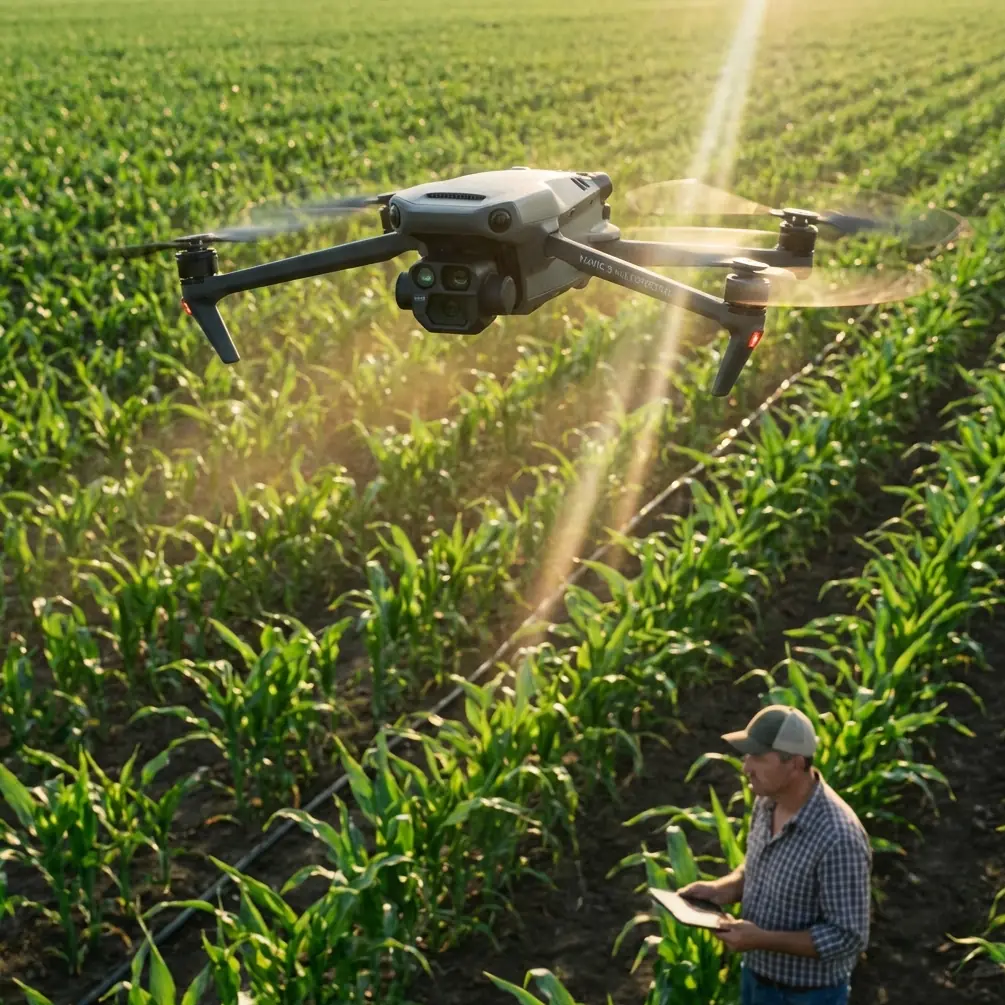
Mavic 4 Pro for Mountain Vineyard Monitoring: The Flight Height That Actually Works
META: A field-focused look at using Mavic 4 Pro for mountain vineyard monitoring, with practical insight on flight altitude, obstacle avoidance, tracking, imaging workflow, and why vision-based control matters on steep terrain.
Mountain vineyards look beautiful from the ground. They are harder to monitor from the air than most people expect.
I’ve shot vineyards on flat estates, coastal hills, and steep inland slopes where rows bend with the terrain and every flight path feels slightly wrong until you adapt it. For a reader considering the Mavic 4 Pro for this kind of work, the real question is not whether the aircraft can capture impressive footage. It can. The more useful question is this: how do you fly it in a mountain vineyard so the data and visuals are consistent, safe, and actually usable?
That is where flight altitude becomes the hinge point.
In steep vineyard terrain, altitude is not just a number on a controller screen. It determines whether your imagery reveals canopy variation or hides it, whether subject tracking stays smooth or drifts, and whether obstacle avoidance is helping you or constantly interrupting the mission. With the Mavic 4 Pro, especially if you plan to use features like ActiveTrack, QuickShots, Hyperlapse, D-Log, and automated obstacle sensing, the best results come from understanding how the aircraft’s vision system interacts with uneven terrain.
The reference material behind this discussion might seem academic at first glance, but it points to something very practical. One cited study examined optic-flow-based control on a 46 g quadrotor in GPS-denied environments. Another explored vision-based state estimation and trajectory control for high-speed quadrotor flight. Those details matter here because mountain vineyards often create the same operational challenge in a civilian workflow: the drone must interpret the world visually while moving through a space where elevation, row geometry, shadows, and obstacles change quickly. Even when GNSS is available, visual awareness is what keeps the flight stable and the footage useful close to slopes and trellis lines.
The mountain vineyard problem most pilots discover too late
On a mountain site, vineyards rarely sit on broad, uniform shelves. Rows may step down a slope, terraces may narrow, and access roads can cut across the block at awkward angles. Trees, poles, netting, utility lines, and changing wind all compound the issue.
If you fly too high, the vineyard becomes a graphic pattern. That can be attractive, but it often reduces operational value. You lose the subtle canopy differences that reveal irrigation inconsistency, storm stress, patchy vigor, or missed work in specific rows. If you fly too low, the terrain starts dictating the mission. The drone may overreact to nearby obstacles, tracking features can become less reliable when rows repeat visually, and your footage can feel jumpy because the background changes too fast.
The Mavic 4 Pro’s appeal in this scenario is not just image quality. It is the balance between mobility and intelligent flight support. In a mountain vineyard, that balance matters more than pure camera specification. You need an aircraft that can move from one block to another quickly, hold a stable line over changing elevation, and interpret near-field obstacles without making the mission painfully slow.
The altitude range I’d use first
For general monitoring of vineyard condition in mountain terrain, I would start most flights around 30 to 50 meters above canopy level, not simply above takeoff point.
That distinction matters.
Above takeoff point is a poor reference in steep terrain because the ground may drop or rise dramatically within a short horizontal distance. Above canopy level is the operational reference that keeps image scale more consistent and makes later review much more meaningful.
Here’s why that 30 to 50 meter band works so often:
- At roughly 30 meters above canopy, you can still read row structure clearly and catch localized irregularities.
- Closer to 40 meters, you usually gain a stronger balance between coverage efficiency and visual detail.
- Around 50 meters, you begin to smooth out terrain transitions and can produce cleaner tracking or hyperlapse motion, especially when the block has complex topography.
For cinematic passes intended to show the relationship between vineyard rows and mountains, I often go lower in short segments, but not as a baseline monitoring altitude. For repeatable inspection-style work, consistency beats drama.
If the vineyard is heavily terraced, the smarter move is often to divide the mission by terrace band rather than forcing one long flight at a single relative altitude. The Mavic 4 Pro may be capable of handling dynamic terrain visually, but a pilot who structures the route around the site will always get better results than one who expects automation to solve a poor plan.
Why vision matters more than pilots think
The academic references in the source material point repeatedly toward vision-based control and trajectory management. That is not abstract theory when you’re flying over mountain vines.
The optic-flow work on a 46 g quadrotor is especially revealing because optic flow is fundamentally about how motion across the visual field helps the aircraft judge movement and proximity. Scale the principle up to a professional prosumer platform like the Mavic 4 Pro, and the implication is clear: visual processing becomes extremely valuable when terrain is uneven, when GPS quality fluctuates near ridges, or when repeating vineyard patterns can confuse your sense of motion.
Operationally, this means three things for a mountain vineyard mission:
1. Keep the aircraft high enough for the vision system to “read” the scene cleanly
Flying too close to rows can flood the visual field with repetitive lines and fast-moving texture. That may look exciting in a short reveal shot, but for monitoring it can make tracking and route consistency less predictable.
2. Terrain contrast affects confidence
Early morning and late afternoon light may be beautiful, yet long shadows across rows can create very high contrast. In some sections that helps obstacle separation; in others it complicates visual interpretation. Mid-morning often gives the cleanest monitoring results if your goal is to compare canopy condition between blocks.
3. Fast flight is not always productive flight
The source reference mentioning vision-based state estimation for high-speed quadrotor flight highlights a key point: higher speed requires stronger state awareness. In a mountain vineyard, speed amplifies every terrain change. If you are gathering visual evidence for management decisions, flying slightly slower usually improves the quality of both footage and observations.
Obstacle avoidance in real vineyard geometry
Obstacle avoidance sounds simple until you fly next to vineyards built into a slope.
Rows create regular spacing. Trellis posts repeat. Side vegetation spills into flight paths. Access lanes narrow near retaining walls or buildings. Mountain vineyards also tend to have more “edge complexity” than flat sites because the cultivated area interfaces more directly with woodland, rock faces, and service roads.
This is where the Mavic 4 Pro’s obstacle avoidance is useful, but only if you stop expecting it to think like a viticulturist.
The system helps reduce collision risk. It does not know which route gives the cleanest visual comparison of Block A versus Block B. In practice, I use obstacle sensing as a safety layer while still building routes that respect the vineyard’s architecture. I avoid running long automated lines too close to trellis edges. I also give the aircraft more lateral breathing room on slopes because apparent spacing can shrink quickly as the terrain rises into the flight path.
A good rule for mountain vineyards: if a route looks elegant on the map but forces the drone to skim every changing edge, it is probably the wrong route.
ActiveTrack and subject tracking: useful, but define the subject properly
The reader scenario here mentions subject tracking, and it is worth being precise. In a vineyard setting, “subject” does not always mean a person or vehicle. It can mean a tractor line during operations, a worker team moving through rows, or a vehicle climbing a service road while you document workflow.
ActiveTrack can be effective in these situations, but mountain terrain changes the background constantly. The drone’s tracking system must separate the subject from rows, shadows, posts, and sometimes a bright sky beyond the ridge. The higher you fly within that practical 30 to 50 meter canopy-relative range, the easier it often is for the system to maintain a stable relationship with the subject while preserving context.
Too low, and the scene becomes visually noisy. Too high, and the subject can lose operational importance.
For vineyard management storytelling, I often prefer a medium-height tracking pass where the vehicle or worker occupies only part of the frame and the rows explain the rest. This gives a more useful record than a tight tracking shot that could have been captured almost anywhere.
QuickShots and Hyperlapse are not just for style
A lot of pilots dismiss QuickShots and Hyperlapse as decorative tools. In vineyards, that is too narrow a view.
QuickShots can standardize short visual summaries of a block. If used consistently from the same launch point and altitude band, they can create a simple visual archive of seasonal change. Hyperlapse is even more interesting in mountain vineyards because shifting light across slopes tells a real operational story. You can see fog lift, sunlight move across terraces, and work activity unfold relative to terrain exposure.
That said, automation only helps when the setup is disciplined. Pick repeatable viewpoints. Keep your altitude relative to canopy, not home point. Record the same time window if you plan to compare over weeks.
The Mavic 4 Pro becomes more valuable when these smart modes support documentation rather than replacing judgment.
Why D-Log matters for monitoring, not just grading
D-Log is often discussed in purely cinematic terms. For vineyard monitoring, it has another advantage: it preserves a broader tonal range in scenes with harsh mountain contrast.
That matters when one section of vineyard is in sunlight and another is under the shadow of a ridge or cloud bank. A flatter capture profile gives you more flexibility to recover detail in both bright and dark regions during review. If you are comparing canopy condition visually, crushed shadows and clipped highlights can hide useful information.
I’m not suggesting every vineyard manager needs a full post-production workflow. But if the goal is to create dependable records over time, using D-Log on key flights can make your archive more informative later. It is especially helpful after heat events, storm passages, or at ripening stages when subtle color variation becomes significant.
A practical mountain vineyard workflow with Mavic 4 Pro
If I were building a simple repeatable routine for this scenario, it would look like this:
Start with a broad pass at about 45 meters above canopy to understand the whole block. Then step down to around 35 meters for detailed row-level review in sections that look irregular. Use a slower lateral movement on steepest slopes so the aircraft’s visual system and your own eyes can read the changing geometry. Reserve lower cinematic passes for end-of-mission storytelling, not primary assessment.
If workers or vehicles are active, use ActiveTrack selectively where the route is open and the terrain transition is not abrupt. For comparison flights across the season, save one QuickShot or one short Hyperlapse from the same anchor point every time.
And if you are planning a more tailored workflow for your site conditions, this is the kind of scenario where a direct setup discussion helps more than generic advice. A practical starting point is to message a drone specialist here with a map screenshot, slope profile, and the average row spacing.
The deeper lesson from the research references
The source material may come from broader multirotor design and control literature rather than a Mavic-specific field note, but the connection is strong. Vision-based control, trajectory tracking, and stable response to complex environments are not academic side topics. They are exactly what separates a frustrating flight from a productive one in mountain agriculture.
One cited line of work focused on trajectory tracking control. Another on system identification and simulation of quadrotor control. In the field, that translates into something simple: the aircraft behaves best when the pilot gives it a predictable job. Consistent altitude, measured speed, clean route design, and realistic expectations of obstacle sensing produce better outputs than trying to force the drone into a heroic all-in-one mission.
For mountain vineyard monitoring, the Mavic 4 Pro is at its best when used as a disciplined observation platform. Not a toy. Not a flying tripod. A mobile visual system that benefits from the same thinking the research community has emphasized for years: stable state estimation, controlled trajectories, and strong visual awareness.
That is why altitude is the first decision I would get right.
Not because it sounds technical, but because almost everything else depends on it. Fly too high and you lose the vineyard. Fly too low and you lose the mission. Stay in that canopy-relative middle band, adapt section by section, and the Mavic 4 Pro becomes far more useful on mountain vines than most first-time operators expect.
Ready for your own Mavic 4 Pro? Contact our team for expert consultation.