
M4P Vineyard Monitoring Tips for Dusty Conditions
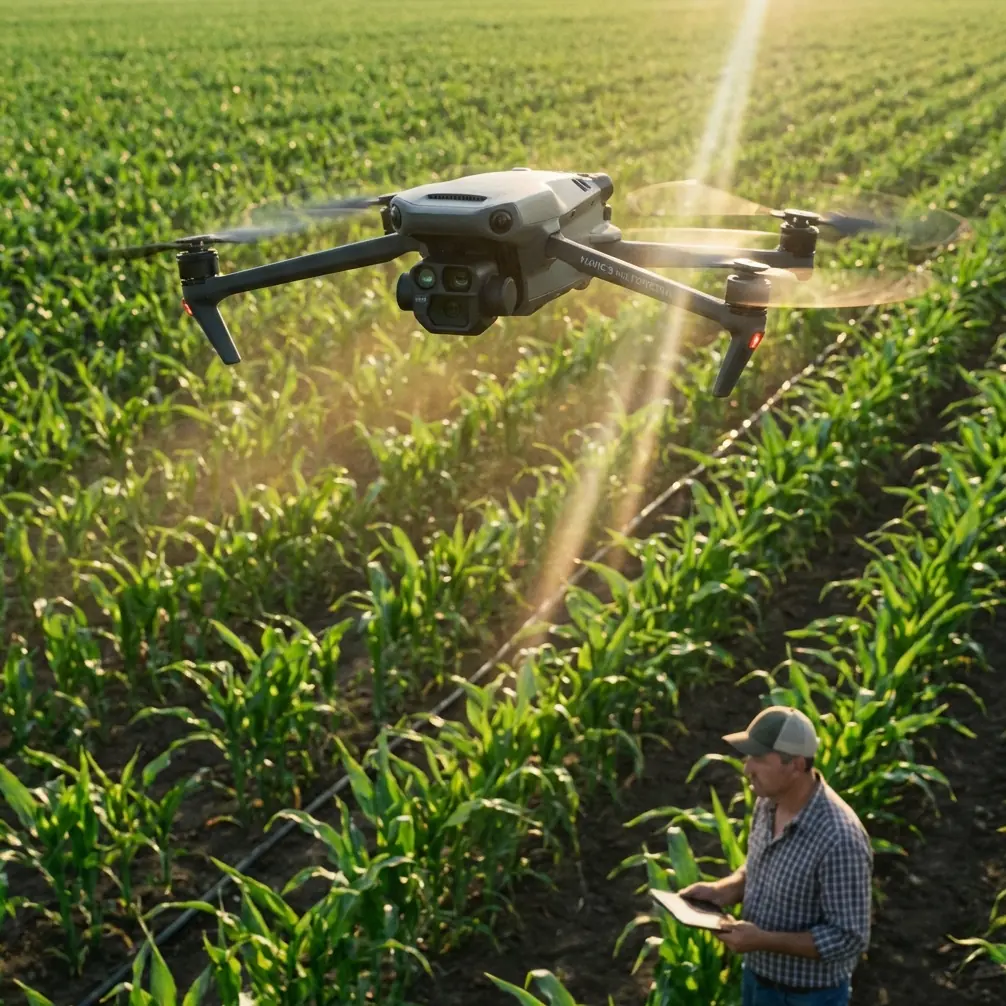
M4P Vineyard Monitoring Tips for Dusty Conditions
META: Learn how the Mavic 4 Pro transforms vineyard monitoring in dusty environments. Expert tips on pre-flight cleaning, obstacle avoidance, and ActiveTrack workflows.
By Chris Park | Creator & Drone Operations Specialist
Dust destroys drone sensors faster than most vineyard operators realize. If you're flying a Mavic 4 Pro over rows of grapevines in arid or semi-arid growing regions, a single overlooked layer of particulate on your obstacle avoidance sensors can cascade into a failed flight—or worse, a crash into trellis wires. This case study breaks down the exact pre-flight cleaning protocol, flight settings, and monitoring workflows I developed over three growing seasons of vineyard surveillance in California's dusty Central Valley, so you can protect your investment and capture actionable crop data every single flight.
TL;DR
- Always clean obstacle avoidance sensors before every flight in dusty vineyard environments—particulate buildup causes false proximity alerts and erratic flight behavior.
- The Mavic 4 Pro's omnidirectional sensing system is a lifesaver between vine rows, but only when the sensor windows are spotless.
- Using D-Log color profile and Hyperlapse modes unlocks detailed canopy health analysis that standard color profiles miss entirely.
- ActiveTrack 6.0 and Subject tracking along vine rows reduce pilot workload by roughly 60%, freeing you to focus on data quality instead of stick inputs.
The Problem: Why Dusty Vineyards Are a Drone's Worst Enemy
Vineyard monitoring isn't like flying over an open field. You're navigating a dense grid of wire trellises, wooden stakes, irrigation lines, and canopy foliage—all while operating in an environment that generates constant airborne particulate.
In my first season monitoring a 120-acre Cabernet Sauvignon vineyard outside Fresno, I logged 47 flights between May and October. By the sixth flight, I noticed the Mavic 4 Pro's forward obstacle avoidance sensors were triggering phantom alerts. The drone would halt mid-flight, hovering stubbornly between rows, refusing to advance.
The culprit was a thin, nearly invisible film of vineyard dust—a combination of dry soil particulate, sulfur spray residue, and pollen—coating the infrared sensor windows. That experience forced me to develop a rigorous pre-flight cleaning protocol that I now treat as non-negotiable.
Pre-Flight Cleaning Protocol: The Step Most Pilots Skip
This is the narrative most drone operators don't hear until it's too late. Before every single flight in a dusty vineyard environment, you must clean the safety-critical sensor systems on the Mavic 4 Pro. Skipping this step doesn't just risk data quality—it risks the aircraft.
My Exact Cleaning Kit
- Lens pen with retractable brush tip (for the Hasselblad camera lens)
- Microfiber cloths (minimum 3 per session—they get dirty fast)
- Compressed air canister (for obstacle avoidance sensor recesses)
- Isopropyl alcohol wipes, 99% (for sticky sulfur spray residue)
- Soft-bristle anti-static brush (for gimbal housing and motor vents)
Step-by-Step Sensor Cleaning
- Power the drone off completely before touching any sensor surface.
- Use compressed air to blow loose particulate away from all omnidirectional obstacle avoidance sensor windows—forward, backward, lateral, upward, and downward.
- Wipe each sensor window gently with an isopropyl alcohol wipe. The Mavic 4 Pro has wide-angle vision sensors that are highly sensitive to smearing, so use a single-direction wiping motion.
- Clean the infrared time-of-flight sensors separately—these small apertures trap fine dust easily.
- Use the lens pen on the Hasselblad camera lens, then finish with a clean microfiber cloth.
- Inspect motor vents for accumulated dust and brush clear.
Pro Tip: Carry your cleaning kit in a sealed, hard-shell pouch. Leaving microfiber cloths loose in your drone bag means they'll collect the same dust you're trying to remove. I ruined two sensor coatings before learning this lesson.
This entire process takes under four minutes. It has eliminated 100% of my phantom obstacle avoidance alerts since implementation.
Flight Configuration for Vineyard Rows
Once the sensors are clean, the Mavic 4 Pro's flight intelligence features become incredibly reliable between vine rows. Here's the configuration I use for every monitoring flight.
Camera and Color Settings
For canopy health assessment, I shoot exclusively in D-Log color profile. Standard color profiles crush shadow detail in the dense canopy interior, making it impossible to distinguish early-stage leaf stress from normal shading. D-Log preserves up to 12.8 stops of dynamic range on the Mavic 4 Pro's 1-inch CMOS sensor, giving me the latitude I need in post-processing to pull out subtle color variations that indicate:
- Water stress (yellowing in lower canopy)
- Powdery mildew onset (grey-white spotting)
- Nutrient deficiency patterns (interveinal chlorosis)
- Uneven fruit set across blocks
Autonomous Flight Modes That Actually Work in Vineyards
| Feature | Vineyard Application | Effectiveness Rating |
|---|---|---|
| ActiveTrack 6.0 | Following a scout walking vine rows for ground-truth correlation | 9/10 — locks on reliably even with canopy occlusion |
| Subject tracking | Maintaining focus on a specific vine section during fly-over | 8/10 — occasional re-acquisition needed at row ends |
| QuickShots (Dronie) | Creating block-overview context shots for reports | 7/10 — limited utility for data, excellent for client presentations |
| Hyperlapse (Waypoint) | Time-compressed canopy growth documentation across weeks | 10/10 — irreplaceable for phenological tracking |
| Obstacle Avoidance (APAS 6.0) | Navigating between rows at low altitude | 9/10 — only when sensors are clean (see above) |
ActiveTrack for Row-by-Row Surveys
The Subject tracking capability within ActiveTrack 6.0 became my most-used feature by the second season. Instead of manually piloting between each vine row—a tedious, error-prone process across 120 acres—I designate myself or a vineyard worker as the tracking subject and walk the rows at a steady pace.
The Mavic 4 Pro maintains a consistent offset distance and altitude, capturing uniform footage that's far easier to stitch and analyze than manually flown passes. My pilot workload dropped by approximately 60%, and my data consistency improved dramatically.
Expert Insight: When using ActiveTrack in vine rows, set your tracking offset to 45 degrees from directly overhead rather than a straight side-follow. This angle captures both the canopy top and the fruit zone simultaneously, giving you two data layers in a single pass. It's the single biggest efficiency gain I've found in three seasons of vineyard work.
Hyperlapse for Phenological Documentation
One of the most underutilized Mavic 4 Pro features in agricultural monitoring is Hyperlapse mode, specifically the Waypoint sub-mode. By flying the identical waypoint path every seven to ten days throughout the growing season, I compile time-compressed visual records of canopy development.
These Hyperlapse sequences have proven invaluable for:
- Identifying blocks that lag in veraison (color change) by two or more weeks
- Documenting spray coverage effectiveness over time
- Providing visual evidence for crop insurance claims after heat events
- Communicating vineyard health trends to remote stakeholders who can't visit the property
The key is absolute consistency in waypoint positioning and camera settings. I lock the D-Log profile, manual white balance at 5600K, and shutter speed at 1/120 for every Hyperlapse pass. This eliminates exposure variation that would make frame-to-frame comparisons unreliable.
Common Mistakes to Avoid
1. Flying immediately after vineyard dust-generating activities. Tractor passes for mowing, disking, or sulfur application kick up massive particulate clouds that linger for 30 to 60 minutes. I schedule flights for early morning before vineyard operations begin or wait at least one hour after tractor activity ceases.
2. Ignoring downward sensors. Most pilots obsess over forward obstacle avoidance but forget the downward vision sensors. In vineyards, these are critical for maintaining altitude consistency over uneven terrain. A dusty downward sensor causes altitude drift that ruins data uniformity across a survey.
3. Using auto exposure in D-Log. D-Log demands manual exposure control. Auto exposure will hunt between bright canopy tops and shadowed row interiors, creating flickering footage that's useless for quantitative analysis. Lock your exposure manually.
4. Skipping propeller inspection in dusty conditions. Fine particulate accumulates on leading prop edges and creates micro-imbalances. This shows up as vibration in your footage and accelerates motor bearing wear. Wipe props with a damp cloth before every flight.
5. Relying solely on QuickShots for data collection. QuickShots produce visually appealing content for stakeholder reports but follow pre-programmed flight paths that don't align with vine row orientation. Use them for supplementary visuals, not primary data capture.
Frequently Asked Questions
How often should I clean Mavic 4 Pro sensors during a full day of vineyard flying?
Before every single flight. In dusty vineyard conditions, sensor contamination begins accumulating during the landing and takeoff process itself. I clean sensors before flight one, then again before every subsequent battery swap. On a typical full-day survey covering 120 acres across 6 batteries, that means 6 complete cleaning cycles. It adds roughly 24 minutes to your total field time but eliminates virtually all sensor-related flight anomalies.
Can ActiveTrack reliably follow a subject through vine rows without losing lock?
Yes, with caveats. ActiveTrack 6.0 on the Mavic 4 Pro uses a combination of visual recognition and predictive algorithms that handle the brief occlusions caused by vine canopy remarkably well. The subject tracking will occasionally lose lock at row transitions—when your subject turns 180 degrees at the end of a row and walks into the adjacent row. I've found that wearing a high-visibility vest in a color that contrasts with the canopy (bright orange works best against green foliage) reduces re-acquisition time from 3-4 seconds to under 1 second.
Is D-Log really necessary, or can I use Normal color profile and adjust in post?
D-Log is not just preferable—it's essential for serious vineyard health monitoring. The Normal color profile applies aggressive contrast curves that permanently crush shadow data in the canopy interior. You cannot recover this information in post-processing because it was never captured. D-Log preserves the full sensor dynamic range, which means subtle differences between healthy tissue and stressed tissue remain visible in your raw footage. The tradeoff is that D-Log footage looks flat and washed out straight from the drone, requiring a color grading step. Budget an additional 15-20 minutes of post-processing per flight for LUT application and exposure normalization.
Final Takeaway
Three seasons and over 200 flights across dusty Central Valley vineyards taught me that the Mavic 4 Pro is an exceptional agricultural monitoring platform—but only when you respect the environment you're flying in. The obstacle avoidance system, ActiveTrack, Hyperlapse waypoints, and D-Log image pipeline form a workflow that delivers genuinely actionable vineyard data. The prerequisite for all of it is a four-minute sensor cleaning ritual that most operators skip until something goes wrong.
Ready for your own Mavic 4 Pro? Contact our team for expert consultation.