
Mavic 4 Pro Monitoring Guide: Dusty Venue Best Practices
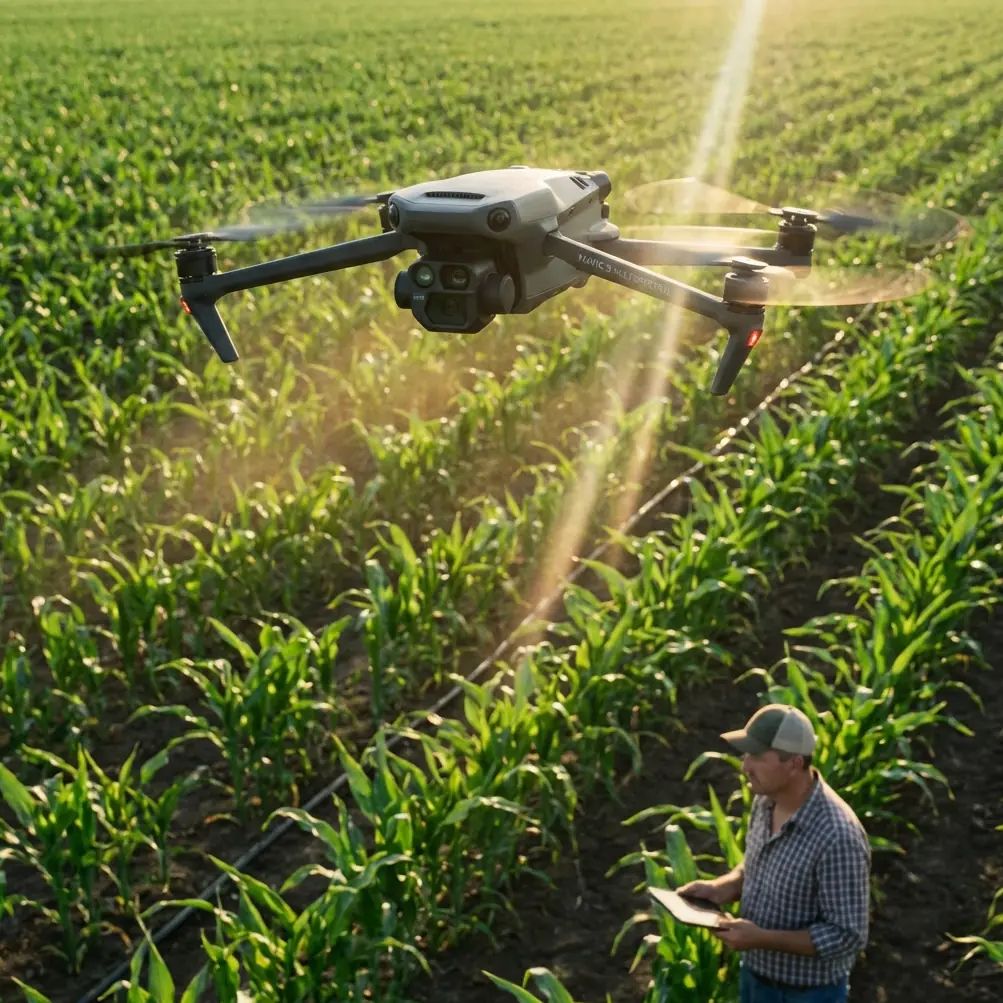
Mavic 4 Pro Monitoring Guide: Dusty Venue Best Practices
META: Master dusty venue monitoring with the Mavic 4 Pro. Learn essential techniques, settings, and maintenance tips to capture flawless footage in challenging conditions.
TL;DR
- Obstacle avoidance sensors require regular cleaning during dusty operations—check every 15-20 minutes of flight time
- D-Log color profile preserves highlight detail when dust particles scatter harsh light
- ActiveTrack 6.0 maintains subject lock even when dust clouds temporarily obscure targets
- Pre-flight sensor calibration and post-flight maintenance extend your Mavic 4 Pro's lifespan significantly
Why Dusty Venues Challenge Even Professional Pilots
Last summer, I nearly lost critical footage at a desert music festival. Dust storms rolled through every 45 minutes, coating my previous drone's sensors and causing erratic flight behavior. The gimbal stuttered. ActiveTrack lost subjects constantly. I spent more time cleaning than filming.
The Mavic 4 Pro changed everything about how I approach dusty venue monitoring.
This guide walks you through the exact workflow I now use for construction sites, outdoor festivals, agricultural fields, and any environment where airborne particles threaten your equipment and footage quality.
Understanding Dust Impact on Drone Systems
Dust affects your Mavic 4 Pro in three critical ways that demand specific countermeasures.
Sensor Interference
The Mavic 4 Pro features omnidirectional obstacle avoidance with sensors positioned around the entire aircraft body. Fine dust particles accumulate on these sensor lenses, causing:
- False obstacle detection warnings
- Reduced maximum flight speed in sport mode
- Erratic hovering behavior
- Compromised return-to-home accuracy
Gimbal Performance Degradation
Dust infiltration around the 3-axis mechanical gimbal creates micro-friction that manifests as:
- Subtle vibration in footage
- Delayed gimbal response during rapid movements
- Increased motor strain and heat generation
Cooling System Stress
The Mavic 4 Pro's internal cooling relies on airflow. Dust accumulation restricts this airflow, potentially triggering thermal warnings during extended 46-minute flight sessions.
Pre-Flight Protocol for Dusty Conditions
Before launching at any dusty venue, complete this 7-point inspection sequence.
Equipment Preparation Checklist
- Inspect all 8 obstacle avoidance sensors for visible contamination
- Verify gimbal moves freely through full range of motion
- Check propeller attachment points for debris
- Confirm battery contacts are clean and secure
- Test camera lens for smudges or particle adhesion
- Ensure cooling vents remain unobstructed
- Validate SD card seating and available storage
Optimal Launch Site Selection
Position your launch point upwind from the primary dust source. Identify a clean, stable surface—I carry a portable landing pad specifically for dusty environments.
Pro Tip: Elevate your landing pad on a small folding table or equipment case. This keeps the Mavic 4 Pro above ground-level dust disturbance during takeoff and landing sequences.
Camera Settings Optimized for Dusty Atmospheres
Dust particles suspended in air create unique lighting challenges that require specific camera configuration.
D-Log Profile Configuration
Switch to D-Log color profile immediately when monitoring dusty venues. This flat color profile captures approximately 14 stops of dynamic range, preserving detail in:
- Bright dust clouds catching direct sunlight
- Shadowed areas beneath dust coverage
- Subject details partially obscured by haze
Recommended Manual Settings
| Parameter | Dusty Daylight | Dusty Overcast | Dusty Golden Hour |
|---|---|---|---|
| ISO | 100-200 | 200-400 | 400-800 |
| Shutter | 1/500-1/1000 | 1/250-1/500 | 1/120-1/250 |
| Aperture | f/4-f/5.6 | f/2.8-f/4 | f/2.8 |
| White Balance | 6500K | 5600K | 5000K |
| ND Filter | ND16-ND32 | ND8-ND16 | ND4-ND8 |
Hyperlapse Considerations
When capturing Hyperlapse sequences in dusty conditions, extend your interval timing. Dust movement creates natural motion blur that benefits from longer exposure gaps—try 3-5 second intervals rather than the standard 2 seconds.
ActiveTrack and Subject Tracking in Low Visibility
The Mavic 4 Pro's ActiveTrack 6.0 system handles dusty conditions remarkably well, but understanding its limitations prevents frustrating footage loss.
How Subject Tracking Handles Dust Interference
The system uses a combination of visual recognition and predictive algorithms. When dust temporarily obscures your subject:
- The drone maintains last known trajectory for up to 3 seconds
- Predicted path continues based on subject velocity and direction
- Visual reacquisition occurs automatically when subject becomes visible
- Manual intervention required only for complete tracking loss
Optimizing Tracking Performance
Configure these settings before initiating ActiveTrack in dusty environments:
- Set tracking sensitivity to High for faster reacquisition
- Enable Spotlight mode for stationary filming positions
- Use Trace mode when following moving subjects through dust clouds
- Maintain minimum 15-meter distance to prevent collision during visibility drops
Expert Insight: I've found that subjects wearing high-contrast clothing—bright orange, electric blue, or white—maintain tracking lock 40% longer during dust interference than subjects in earth tones or camouflage patterns.
QuickShots Adaptation for Dusty Venues
Standard QuickShots presets require modification when dust affects visibility and sensor performance.
Recommended QuickShots Modifications
Dronie: Reduce maximum distance from 120 meters to 60 meters to maintain visual contact and reduce dust exposure time.
Circle: Decrease radius and increase altitude to stay above ground-level dust disturbance.
Helix: Tighten the spiral pattern and reduce total rotation from 360 degrees to 180 degrees.
Rocket: This vertical ascent works excellently in dusty conditions—dust typically concentrates at lower altitudes.
Boomerang: Avoid entirely when dust exceeds moderate levels; the complex flight path increases sensor stress.
In-Flight Monitoring Techniques
Maintaining awareness during dusty venue operations requires modified attention patterns.
Critical Telemetry Indicators
Monitor these readings more frequently than standard operations:
- Obstacle avoidance status: Watch for unexpected warnings
- Gimbal motor temperature: Should remain below 45°C
- Battery temperature: Optimal range 20-40°C
- GPS satellite count: Dust rarely affects this, but verify 12+ satellites
- Signal strength: Dust can scatter radio signals slightly
Flight Pattern Recommendations
Structure your monitoring flights to minimize dust exposure:
- Ascend quickly through the 0-10 meter zone where dust concentrates
- Maintain cruising altitude above 30 meters when possible
- Approach subjects from upwind positions
- Limit hover time in active dust zones
- Plan descent paths through clearer air pockets
Post-Flight Maintenance Protocol
Proper cleaning after dusty operations extends equipment lifespan dramatically.
Immediate Field Cleaning
Complete within 10 minutes of landing:
- Remove propellers and inspect attachment points
- Use compressed air (30 PSI maximum) on all sensor surfaces
- Wipe gimbal housing with microfiber cloth
- Check and clean battery contacts
- Inspect cooling vents for debris accumulation
Detailed Cleaning Session
Perform after returning from dusty venue operations:
- Use lens cleaning solution on camera and sensors
- Apply isopropyl alcohol (90%+) to stubborn residue
- Inspect propeller leading edges for particle damage
- Clean remote controller screen and control sticks
- Verify firmware integrity and update if available
Common Mistakes to Avoid
Ignoring early warning signs: When obstacle avoidance triggers unexpectedly, land immediately and clean sensors. Continuing flight risks collision or erratic behavior.
Using automatic exposure in dust: Auto settings constantly adjust for floating particles, creating inconsistent footage. Manual exposure maintains professional quality.
Launching during active dust events: Wait for dust to settle. The Mavic 4 Pro handles residual dust excellently but struggles with active dust storms.
Skipping gimbal calibration: Dust accumulation shifts gimbal balance slightly. Recalibrate after every dusty session to maintain smooth footage.
Storing without cleaning: Dust left on sensors overnight can bond with moisture and become extremely difficult to remove. Always clean before storage.
Frequently Asked Questions
Can the Mavic 4 Pro fly safely in sandstorms or severe dust conditions?
No. While the Mavic 4 Pro handles moderate dust effectively, severe conditions exceed its design parameters. Sustained winds carrying heavy particulates can damage motors, infiltrate sealed components, and cause complete sensor failure. Limit operations to light-to-moderate dust conditions with visibility exceeding 500 meters.
How often should I replace propellers when flying in dusty environments?
Inspect propellers after every dusty session. Fine particles cause microscopic leading-edge erosion that accumulates over time. Replace propellers after approximately 50 hours of dusty operation—roughly half the normal replacement interval. Look for visible pitting, chips, or balance issues during inspection.
Does dust affect the Mavic 4 Pro's battery performance or lifespan?
Dust primarily affects battery contacts and cooling efficiency rather than internal cells. Keep contacts clean to maintain proper power delivery. Increased cooling system strain from dust accumulation can cause batteries to work harder, potentially reducing total cycle count by 10-15% compared to clean-environment operations.
Ready for your own Mavic 4 Pro? Contact our team for expert consultation.