
Mavic 4 Pro for Urban Solar Farm Monitoring
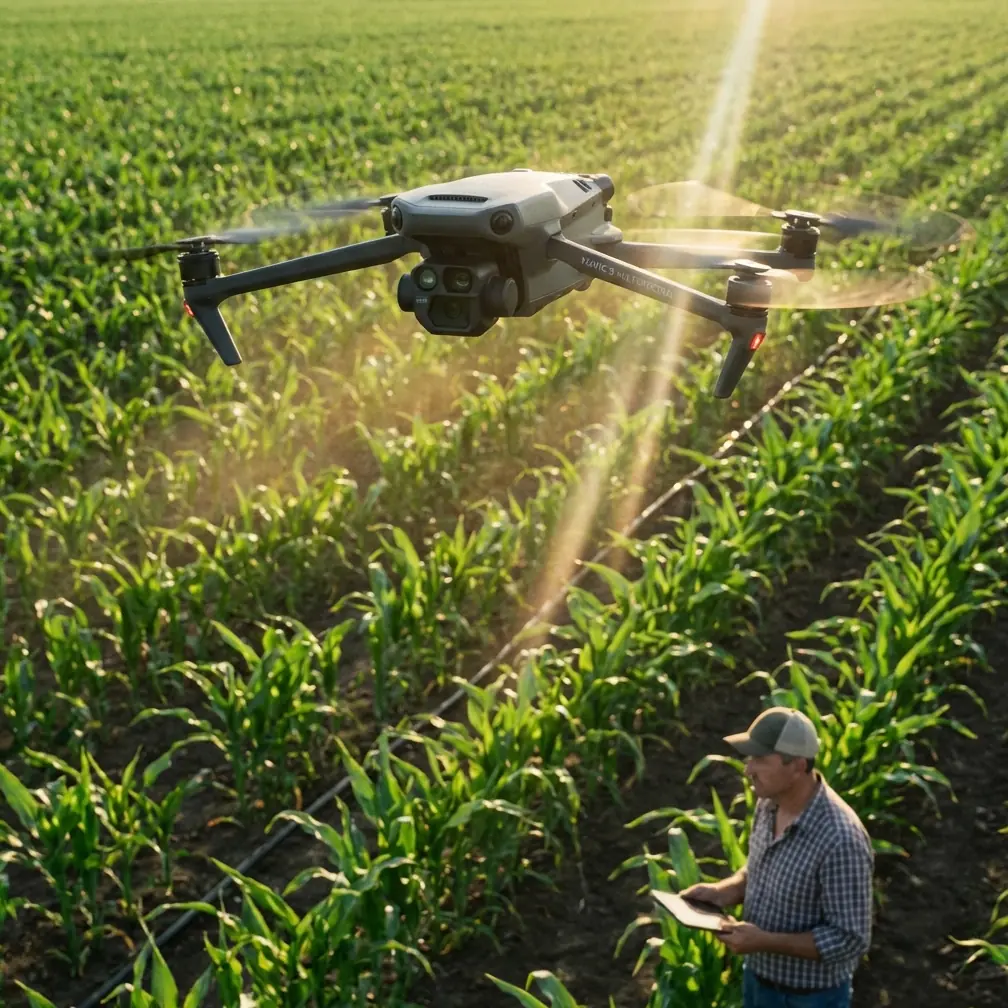
Mavic 4 Pro for Urban Solar Farm Monitoring: A Practical Field Guide
META: Learn how to use the Mavic 4 Pro for urban solar farm inspections, from obstacle avoidance and ActiveTrack workflows to D-Log capture, Hyperlapse mapping support, and safer close-quarters operations.
Urban solar sites ask more from a drone than an open-field survey ever will. Rooftop arrays, tight perimeter clearances, HVAC clutter, reflective glass, utility poles, and intermittent GPS conditions all turn a routine inspection into a precision job. That is exactly where the Mavic 4 Pro earns attention.
I approach this as a photographer who has spent years balancing image quality with the realities of working around structures, not in empty skies. For solar farm monitoring in urban settings, the aircraft is not just a flying camera. It is a tool for evidence collection, repeatable documentation, and risk reduction. The Mavic 4 Pro stands out because it combines serious imaging flexibility with the kind of obstacle awareness and tracking intelligence that matter when your flight path is boxed in by buildings and infrastructure.
This guide is built for operators who need useful output, not vague feature hype. If your goal is to monitor panel condition, identify soiling patterns, document string-level anomalies visually, and produce footage that a site manager can actually act on, here is how to make the Mavic 4 Pro work harder.
Why Urban Solar Monitoring Is Different
A utility-scale site in a rural area usually gives you room. Urban solar does not. You may be flying over commercial rooftops, parking canopies, industrial yards, or compact ground installations surrounded by roads and buildings. That creates three recurring problems.
- Visual clutter makes manual flying slower and more fatiguing.
- Obstacles compress your margin for error during low-altitude inspection passes.
- Lighting becomes inconsistent because shadows move across arrays and adjacent structures bounce glare into the lens.
The Mavic 4 Pro’s value starts with how it addresses those constraints together. Obstacle avoidance is not just a spec-sheet talking point here. In urban work, it is operational protection. When you are tracking along rows of panels near parapet walls or moving laterally past rooftop mechanical units, a capable sensing system reduces the chance that one moment of attention drift turns into an incident report.
That matters more than it may seem. Solar inspections often require slow, deliberate movement to check cracked glass, delamination, debris accumulation, hot-spot indicators visible in surface behavior, and shading from new construction or vegetation. You are not racing through a cinematic shot. You are gathering proof. Strong obstacle avoidance lets you concentrate more on framing, panel condition, and route consistency.
Where the Mavic 4 Pro Pulls Ahead
A lot of drones can capture decent footage in good conditions. The reason many professionals gravitate toward a model like the Mavic 4 Pro is that it performs well when the environment is hostile to clean data collection.
Compared with lighter consumer-oriented aircraft, the Mavic 4 Pro is better suited to mixed inspection and documentation tasks because it does not force you to choose between automation and image control. That blend is where it excels against competitors that may offer solid autonomy but less flexible professional imaging, or strong cameras without equally reassuring close-range obstacle handling.
For urban solar work, two capabilities deserve extra attention: ActiveTrack and D-Log.
ActiveTrack has obvious value for moving subjects, but its significance in inspection work is often misunderstood. You are not using it to chase a cyclist through a park. You can use subject tracking logic to maintain cleaner, more stable relationship framing around fixed infrastructure, access roads, service vehicles, or perimeter patrol routes during broader site documentation. When a site manager wants visual context showing how arrays sit relative to nearby obstructions, fencing, rooftop access points, or neighboring structures, consistent tracked framing saves time and reduces pilot workload.
D-Log, meanwhile, is not only for filmmakers chasing a stylized grade. It has practical monitoring value. Urban solar scenes often contain brutal contrast: bright panel surfaces, white rooftops, dark membrane sections, metal ducting, and deep shadows cast by adjacent buildings. A flatter capture profile preserves more highlight and shadow information for later review. That can make a real difference when you need to distinguish subtle panel surface issues or verify whether a suspicious area is actual damage or just a reflection artifact. In plain terms, D-Log gives you more room to recover useful detail when the lighting is messy.
If you need to coordinate inspection workflows or compare deployment options with your team, it helps to keep a direct line open for field questions, and I recommend sharing a simple ops contact like inspection planning chat within your crew documentation.
How to Set Up the Mavic 4 Pro for Solar Farm Monitoring
The biggest mistake I see is treating an inspection mission like a casual aerial shoot. Urban solar work needs structure before takeoff.
Start with the site itself. Break the mission into zones rather than trying to cover everything in one uninterrupted flight. On a rooftop installation, that might mean separating the array field, inverter area, roof edge perimeter, and access route documentation. On an urban ground site, you might divide by row blocks, canopy sections, or adjacent hazard areas.
Then configure the Mavic 4 Pro around the output you actually need.
- For condition documentation, prioritize stable, slow passes with obstacle avoidance fully considered.
- For broader reporting visuals, use QuickShots selectively for short establishing clips that show site layout without spending extra flight time hand-flying ornamental moves.
- For time-based change monitoring, Hyperlapse can be more useful than many operators realize.
Hyperlapse is often filed away as a creative feature, but for solar operations it can support visual storytelling around shadow progression, maintenance activity, and surrounding-site interaction. In an urban environment, a controlled Hyperlapse sequence can reveal how nearby buildings cast moving shadows across panels during critical daylight windows. That is not artistic fluff. It can support conversations about underperformance patterns, future development risks, or scheduling for cleaning and service access.
Before your first pass, I recommend three capture modes:
- A standard profile for quick client-facing stills and video.
- D-Log for high-contrast sections requiring careful post-review.
- High-resolution stills for panel-level evidence collection.
The operational significance is simple: one mode communicates quickly, one preserves maximum grading flexibility, and one gives you forensic-style documentation. You need all three in serious solar workflows.
Flight Technique That Produces Better Inspection Data
The Mavic 4 Pro is capable, but the aircraft will not compensate for a sloppy pattern. Urban solar monitoring works best when you fly with consistency.
First, hold altitude discipline. It is tempting to dip and climb around obstacles on the fly, but that creates uneven image perspectives that make before-and-after comparisons harder. Plan your route so each row or section is documented from repeatable heights and angles. If you are monitoring panel cleanliness over time, inconsistent capture geometry weakens your baseline.
Second, use lateral movement more than dramatic forward approaches. On rooftop arrays especially, side-to-side passes often reveal surface irregularities, pooling issues, debris lines, and frame alignment more clearly than straight-on hero shots.
Third, let the obstacle avoidance system support you, not replace you. This is one area where the Mavic 4 Pro has an advantage over less capable alternatives. In urban environments with parapets, antennas, conduit runs, and rooftop units, active sensing helps preserve safe spacing. But the real win is cognitive. It frees more mental bandwidth for looking at the panels, not just the drone.
That distinction separates inspection operators from hobby flyers. Your job is not to prove you can thread a gap manually. Your job is to return with usable evidence and an intact aircraft.
Using ActiveTrack Without Misusing It
ActiveTrack deserves more nuance than it usually gets. For solar sites, its best use is not flashy autonomous movement. It is consistency.
If you need to document maintenance crews working around arrays, inspect perimeter vehicle routes, or create repeatable context footage showing access constraints, ActiveTrack can maintain cleaner subject framing while you supervise the wider environment. That reduces abrupt manual corrections and produces steadier reference footage for reports.
This is one place where the Mavic 4 Pro can outperform competing models that either hesitate in cluttered environments or produce tracking that feels more consumer-entertainment oriented than work oriented. In urban solar monitoring, the tracking system has to coexist with obstacles, not just a clear backdrop. A drone that tracks well only in easy airspace is less useful than one that remains composed when the environment gets complicated.
Use it conservatively. Fixed-speed, short-duration tracked clips are usually more valuable than long autonomous runs. You want control and repeatability, not surprises.
When QuickShots Actually Help
QuickShots are easy to dismiss in professional workflows, but that is too simplistic. The feature is useful when it replaces time-consuming manual setup for recurring overview shots.
For example, if your inspection package always includes a short establishing shot of the rooftop relationship to surrounding buildings, a carefully chosen automated move can capture that quickly and consistently. In a high-tempo inspection day with multiple urban sites, saving even a few minutes per deployment adds up.
The key is discipline. Use QuickShots for context, not diagnosis. They help explain where the installation sits, how access is structured, and what nearby obstructions may influence performance. They do not replace close visual inspection passes.
Image Quality and Why It Matters More Than Marketing Suggests
With solar monitoring, image quality is not just about looking polished. It determines whether a review session answers questions or creates new ones.
The Mavic 4 Pro’s imaging strength matters because urban arrays produce difficult visual surfaces. Solar panels reflect, dark surfaces absorb light, metal frames create bright edges, and rooftop surroundings generate conflicting color and contrast cues. A strong camera system with robust dynamic range handling improves your odds of extracting useful information from that mess.
This is where D-Log becomes genuinely practical. On bright days, panel surfaces can clip quickly while surrounding roof materials drop into shadow. If you shoot only in a contrast-heavy standard profile, subtle texture or damage indicators may disappear. A log workflow gives you headroom. For operators delivering inspection imagery to engineers, property managers, or EPC teams, that headroom can be the difference between “possible issue” and “confirmed issue.”
As a photographer, I also care about color separation because it affects interpretation. Dirt accumulation, moisture traces, edge discoloration, and panel surface contamination can all be easier to assess when the image is not crushed or over-processed in-camera.
A Simple Workflow for Repeat Urban Inspections
If you are building a repeatable monitoring routine, keep it lean.
Begin with an establishing pass to document the full site context. Then move into systematic row or section coverage at a fixed height. Capture stills of any suspect zones immediately rather than planning to come back later. Follow with a second pass focused on edge conditions: parapets, conduit crossings, combiner areas, inverter housings, and any sections affected by partial shading.
Finish with one context sequence, either a short QuickShot or a measured Hyperlapse, if the site benefits from it. That can help explain environmental factors that static inspection images miss.
The Mavic 4 Pro fits this workflow well because it handles both ends of the job. It is precise enough for close visual work and versatile enough for polished reporting assets. Some competing drones are perfectly adequate for broad overview footage but less confidence-inspiring near rooftop obstacles. Others can inspect capably but do not deliver the same level of refined image control for report-ready outputs. The Mavic 4 Pro sits in the productive middle where technical capture and communication quality overlap.
What This Means for Real Operators
For urban solar farm monitoring, the question is not whether the Mavic 4 Pro can fly. Plenty of aircraft can fly. The better question is whether it helps you work faster, safer, and with fewer compromises in a difficult environment.
Here, the answer is yes, especially because the combination of obstacle avoidance and D-Log solves two different field problems at once. One protects the mission in physically constrained spaces. The other protects the image data in visually constrained scenes. Add ActiveTrack for structured context capture and Hyperlapse for time-based environmental analysis, and the aircraft becomes more than a camera platform.
It becomes a practical inspection tool for dense urban energy infrastructure.
That is why the Mavic 4 Pro deserves serious consideration in this niche. Not because it promises cinematic magic, but because it reduces friction where urban solar monitoring is usually hardest: around obstacles, under harsh light, and inside workflows where every flight has to produce actionable material.
Ready for your own Mavic 4 Pro? Contact our team for expert consultation.