
Monitoring power lines with Mavic 4 Pro in extreme temperatu
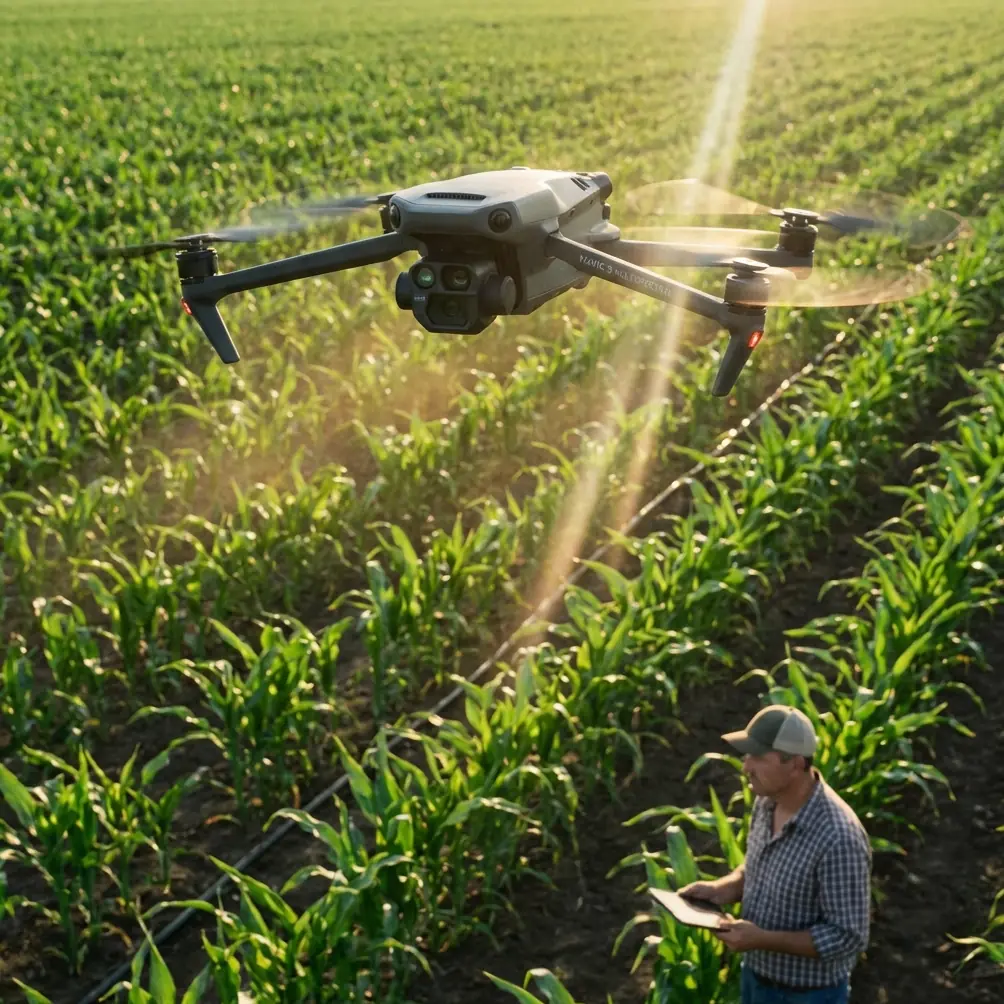
Monitoring power lines with Mavic 4 Pro in extreme temperatures: a field report
META: A field-tested look at using Mavic 4 Pro for power line monitoring in harsh heat and cold, with practical workflow lessons drawn from legacy UAV integration rules that still matter in the field.
I took the Mavic 4 Pro out for a power line inspection run on a day that couldn’t decide whether it wanted to freeze the batteries or cook the airframe. That kind of weather exposes weak habits fast. It also makes a useful point: when people talk about a drone’s camera, tracking, or obstacle sensing, they often skip the less glamorous truth that inspection reliability comes from integration discipline. In transmission work, a missed connection or a bad sensor handshake matters just as much as sharp footage.
That lesson isn’t new. Older autopilot documentation around APM-era systems was blunt about it. GPS only worked properly when protocol, port, and baud rate were aligned. External compasses could not simply be added without considering bus conflicts. Telemetry required full-duplex MAVLink support rather than “whatever radio is nearby.” The hardware has changed. The principle has not.
For anyone using a Mavic 4 Pro to monitor power lines in extreme temperatures, that’s the real story.
Why harsh-weather utility work punishes sloppy setup
Power line inspection sounds visually simple from the outside: fly the route, capture conductor condition, look for insulator damage, spot vegetation encroachment, review at the office. In reality, temperature swings change how every part of the operation behaves.
Cold affects battery response and can slow down the confidence you feel in the aircraft during the first minutes of flight. Heat can soften margins in hovering efficiency and force more deliberate pacing around exposed infrastructure. Wind often compounds both. Over terrain corridors, you are also dealing with repeating structures, reflective metal, and narrow approach windows near towers and crossarms.
That’s where the Mavic 4 Pro earns its keep. Obstacle avoidance is not just a marketing line in this environment. It becomes part of your margin stack when you’re tracking along a line with uneven terrain beneath you and hardware geometry in front of you. Subject tracking and ActiveTrack, while usually discussed in creative contexts, can also sharpen repeatability when you’re documenting the same asset line after line and need consistent framing of poles, insulators, and conductor attachments. QuickShots and Hyperlapse are not my primary tools for defect review, but they can help create broader situational records of a corridor before or after close inspection passes.
Still, all of that depends on one basic question: do you trust your system state?
The old APM rules still explain modern field success
One reason I keep old autopilot manuals around is that they teach clean operational thinking. A few details from those references are especially relevant to modern utility drone work.
The first is GPS discipline. The APM reference specified support for MTK and UBX output GPS units through the ATMEGA2560’s serial port 1, with a default baud rate of 38400. That sounds dated, but the operational significance is current: positioning systems only become dependable when the aircraft and the sensor are speaking the same language at the expected speed. In that older setup, a mismatched GPS protocol or baud rate meant the system might physically connect yet fail to provide stable navigation performance.
For a Mavic 4 Pro operator inspecting power lines, the takeaway is straightforward. Don’t judge navigation health by “it powered on.” Judge it by lock quality, behavior stability, and consistency before committing to a close pass near energized structures. In the legacy reference, the controller would only confirm successful positioning after finding more than 5 satellites, and the blue LED behavior changed from blinking to solid once position was established. Different aircraft present that information differently today, but the decision logic is identical: wait for a trustworthy navigation state before working close to infrastructure.
The second detail is the compass warning. The APM material stated that an external compass used the I2C bus, and because it shared that same bus with the internal compass, both could not remain active without causing a conflict. On newer APM 2.8.0 hardware, resolving that meant removing the mag jumper cap. Again, ancient hardware, current lesson. Position and heading are not independent conveniences. They are fused references that define whether your aircraft holds course predictably along a line or drifts, yaws, and creates unnecessary correction workload in turbulent air.
That matters even more around steel structures and long conductors, where magnetic and environmental influences can complicate heading confidence. On a Mavic 4 Pro, you’re not manually clipping jumpers to disable an internal compass, but you are still living with the same operational truth: heading integrity is foundational. If the aircraft’s orientation behavior seems off during preflight or the first hover check, power line work is the wrong place to “see if it clears up.”
A wildlife moment that proved the value of sensor confidence
During one inspection run along a semi-rural corridor, the line dipped across a brushy drainage area before climbing toward a steel support tower. I was moving laterally to inspect attachment hardware with the Mavic 4 Pro while keeping enough offset to preserve a safe visual relationship with the conductors. That’s when a large bird burst out of the scrub line below and cut diagonally upward across the aircraft’s projected path.
This was not dramatic in a cinematic sense. No heroic stick movement. No near-disaster. The value was precisely that the aircraft did not turn it into one.
The sensing system recognized the obstacle envelope fast enough that I had a clean moment to pause the approach and reassess. In utility work, that matters because inspections are often flown in environments shared with birds, especially near towers and rights-of-way where perching and nesting activity is common. When people evaluate obstacle avoidance, they often imagine static branches or a wall. In the field, dynamic obstacles are more revealing. The Mavic 4 Pro’s sensor awareness gave me room to react without making an abrupt correction toward the line.
That’s the kind of event that changes how you rate an aircraft. Not because it looked impressive, but because it preserved your inspection geometry and your concentration.
Image discipline beats pure resolution talk
Thermal stress on the day also changed how I approached the visual workflow. In very bright conditions, power hardware can trick you into accepting “good enough” monitoring footage that later turns out to have weak tonal separation in shadows around insulators and connection points. This is where D-Log starts making practical sense outside a colorist’s world.
For utility operators, D-Log is useful because it protects detail across reflective metal, dark hardware cavities, and bright sky backgrounds in the same frame. If the mission is to review possible cracking, corrosion signatures, heat-related discoloration clues, or hardware looseness, preserving that information matters more than getting a punchy image straight out of the card. I’ll still shoot straightforward reference clips where needed, but when conditions are visually harsh, a flatter capture profile can keep an inspection from becoming a second trip.
That doesn’t mean every pass should turn into a cinema exercise. It means inspection imagery should be treated as evidence, not content.
Tracking features are more useful here than many pilots admit
I’ve met plenty of pilots who dismiss ActiveTrack and subject tracking in infrastructure work because they associate those modes with athletes, vehicles, or scenic movement. That misses a practical use case. On repeated utility routes, tracking logic can support consistent relative framing against a linear asset environment, especially when the aircraft needs to maintain a stable visual relationship while the pilot focuses on terrain, wind, and spacing.
Used carefully, these features can reduce the amount of micro-correction needed in a long line segment. Less correction means smoother footage, but more importantly it means more attention available for anomaly detection. Utility flying is mentally expensive. Anything that preserves attention without surrendering control deserves a second look.
I would not hand over the whole mission to automation. Not near conductors, not in crosswinds, not when temperatures are pressuring battery behavior. But selective use of subject-aware flight features can tighten the workflow.
Telemetry discipline still separates hobby habits from utility practice
Another useful reminder from the APM reference was its stance on telemetry. It specified that data communications required a full-duplex MAVLink-compatible link, and specifically noted that ordinary radios would not work. It also referenced a 57600 baud setting when using 3DR telemetry with Mission Planner.
That old requirement captures something inspection teams still overlook: telemetry is not just about “having a link.” It is about having the right kind of link for the job. Clean bidirectional communication affects route management, live monitoring, parameter confidence, and post-mission traceability. Even if the Mavic 4 Pro ecosystem abstracts much of this compared with the APM days, the field standard remains the same. Consumer-grade assumptions create commercial-grade problems.
For utility teams working in remote corridors or weather-exposed inspection windows, communication reliability is part of risk management. If your organization is building or refining that workflow, I usually tell crews to compare field notes before comparing footage. If you want to discuss practical setup logic for inspections like this, you can message the flight operations desk here.
A note on overlays, power data, and decision-making
The APM material also talked about OSD integration, including the need to use a MAVLink-compatible OSD and, on that board revision, connect through the MUX interface with a board-level solder bridge. On paper, that’s just wiring trivia. In practice, it points to a broader truth: the best inspection flights surface the right information at the right time.
In older systems, OSD and current sensors were often the fastest way to understand aircraft state. The manual even mentioned current sensors being useful not only for showing voltage and current on a ground station or display, but also for low-voltage failsafe behavior. That idea is still alive in modern operations. For extreme-temperature power line work, power awareness is not optional. The battery is not simply fuel; it is a constraint generator. Every route segment, orbit, and hover check should respect it.
The Mavic 4 Pro gives a much more polished flight experience than an APM-era craft ever could, but polished interfaces can make crews less explicit about battery decision points. In the cold, I watch initial power behavior closely and avoid believing the first minutes too easily. In heat, I leave more reserve than a casual flight would require. The aircraft can be capable while the mission remains unforgiving.
What actually made the mission successful
Not one feature. A stack of them.
The Mavic 4 Pro’s obstacle sensing helped preserve safe spacing when the environment shifted unexpectedly. D-Log protected inspection detail in difficult light. Tracking tools reduced workload during long corridor segments. Stable navigation and heading confidence kept the aircraft predictable near structures. Battery awareness shaped the route instead of being an afterthought.
And behind all of that sat a much older lesson from the APM world: reliable flight operations begin with compatible systems and verified states. The manual’s details were specific—GPS on serial port 1 at 38400, full-duplex MAVLink telemetry at 57600, shared I2C compass conflicts, more than five satellites before a true position lock—but the larger message is what still matters. Field performance depends on respecting the logic under the interface.
That is why the Mavic 4 Pro works so well for power line monitoring when temperatures are hostile. Not because it removes the need for discipline, but because it rewards disciplined crews with more margin, clearer data, and fewer surprises.
When the weather is sharp enough to expose every weak assumption, that’s exactly what you want in the air.
Ready for your own Mavic 4 Pro? Contact our team for expert consultation.