
Mavic 4 Pro for Urban Field Monitoring: A Practical How
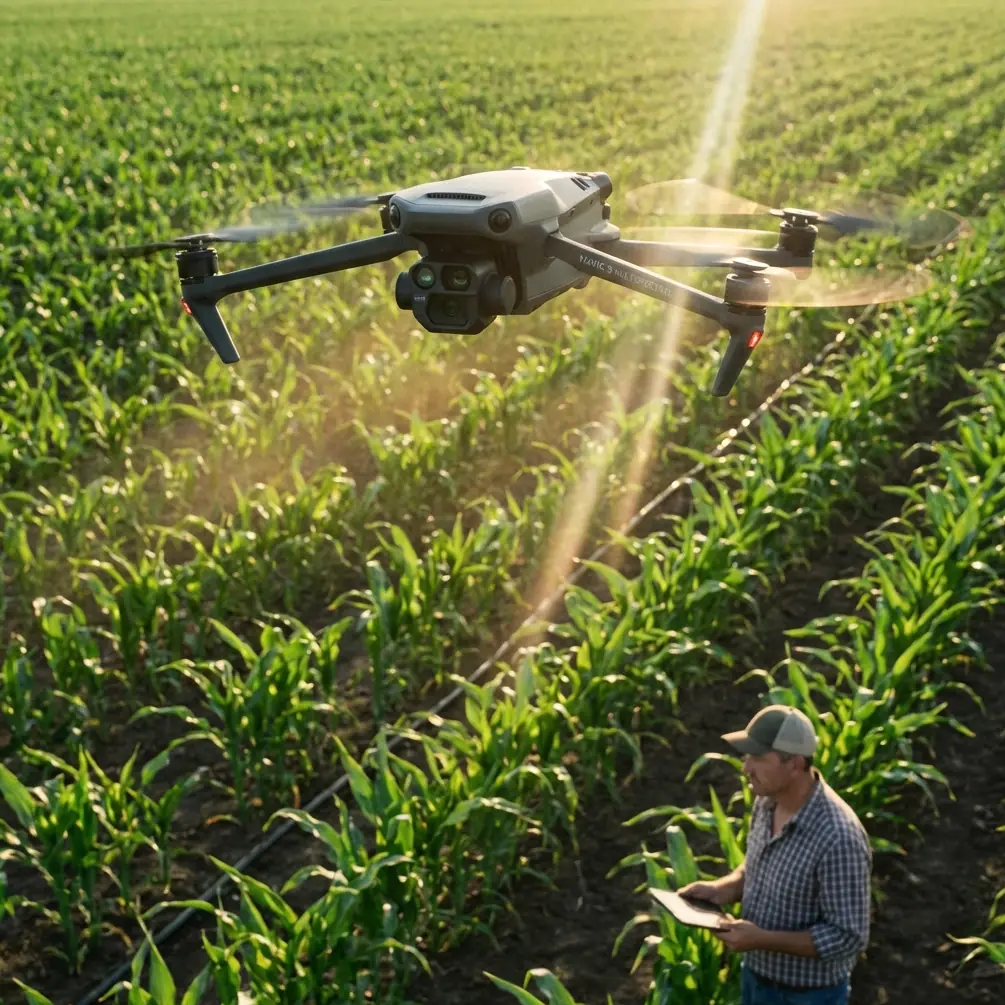
Mavic 4 Pro for Urban Field Monitoring: A Practical How-To From Pre-Flight Cleaning to Reliable Capture
META: Learn how to use the Mavic 4 Pro for urban field monitoring with safer obstacle sensing, cleaner pre-flight routines, stronger tracking, and better D-Log footage.
Urban field monitoring asks more from a drone than open-country flying. You are often working above irregular lots, edge roads, utility lines, fences, tree rows, rooftops, parked vehicles, and the kind of visual clutter that can confuse both pilots and aircraft systems. That makes the Mavic 4 Pro an interesting tool not because it is simply powerful, but because its real value shows up in the details: obstacle avoidance that needs a clean view to work properly, subject tracking that can help with repeatable passes, QuickShots and Hyperlapse modes that can document change over time, and D-Log capture that gives you more control when the light is harsh and reflective.
If your job is monitoring fields in an urban environment, the workflow matters as much as the aircraft. A good flight starts before takeoff, and one of the most overlooked steps is also one of the simplest: cleaning the sensors and camera surfaces that feed the drone’s safety and imaging systems.
Why the pre-flight cleaning step matters more in urban fields
Pilots tend to think of cleaning as cosmetic. On a drone used for city-edge field monitoring, it is a safety procedure.
The Mavic 4 Pro relies on obstacle avoidance sensors to interpret nearby structures and avoid bad routing decisions. Dust, dried water spots, pollen, fingerprint oils, and fine grit can interfere with that process. In an open rural field, a slightly compromised sensor might still leave you with plenty of margin. In an urban field bordered by lamp posts, retaining walls, chain-link fencing, signs, and low branches, the same contamination can reduce confidence at exactly the wrong moment.
This is especially relevant if you are flying early in the morning. Dew residue can dry into faint streaks on forward and downward sensing surfaces. Those marks may be nearly invisible until sunlight hits them at an angle. Then you wonder why the aircraft hesitates, brakes unexpectedly, or behaves cautiously near a familiar route.
Before every mission, inspect and clean:
- The main camera glass
- The obstacle sensing windows
- The downward vision area
- Any exposed surfaces near tracking sensors
Use a proper lens cloth and a blower, not the corner of a shirt or a dusty rag from the truck. That sounds minor. It is not. If you depend on obstacle avoidance and ActiveTrack to work near structures, a clean sensor suite is part of flight readiness, not housekeeping.
Step 1: Define the purpose of the mission before you pick a flight mode
Urban field monitoring can mean several very different jobs. You might be checking irrigation patterns on a sports complex edge lot, documenting drainage after construction runoff, following vegetation growth around a utility corridor, or comparing visible plant stress from one week to the next. The Mavic 4 Pro becomes more useful when you tie each mission to a specific output.
Ask three questions before launch:
- Are you trying to inspect a condition right now?
- Are you trying to create a repeatable visual record over time?
- Are you trying to present findings to non-pilots later?
If the answer is immediate inspection, you will likely want slower manual passes with obstacle avoidance active and careful framing. If the answer is trend comparison, Hyperlapse or repeatable waypoint-style thinking becomes more valuable. If the answer is reporting to clients, managers, or city stakeholders, QuickShots and polished D-Log footage can help you communicate more clearly than a batch of random clips ever will.
The aircraft is only half the system. The mission design is the other half.
Step 2: Build a safer urban launch routine
Urban fields are deceptive. They look open from the ground, then turn complex the moment the drone climbs and reveals nearby vertical hazards. Start with a launch point that gives the Mavic 4 Pro room to stabilize away from parked cars, pedestrians, loose debris, and metal clutter.
A practical routine looks like this:
- Clean the camera and sensing surfaces first
- Confirm propeller condition and motor arms
- Check your map for power lines, traffic flow, and reflective surfaces
- Wait a few seconds after takeoff to watch hover stability
- Test a short forward and lateral movement before the main run
That hover pause tells you a lot. If the aircraft drifts, over-corrects, or behaves oddly, you catch it before sending it into a tighter corridor along a fence line or building edge.
Obstacle avoidance is most helpful when you give it room to work. It is not a substitute for route planning. In urban field jobs, smart pilots stay conservative around thin branches, wires, and narrow protrusions that are harder for any visual system to interpret consistently.
Step 3: Use ActiveTrack and subject tracking strategically, not casually
Many pilots hear “subject tracking” and think cyclists, vehicles, or people. For urban field monitoring, ActiveTrack can be useful in a different way. It can help maintain visual consistency when following a boundary feature, a maintenance vehicle, or a moving inspection target along the edge of a field.
For example, if a grounds crew vehicle is checking a drainage line, tracking that vehicle can create a continuous visual record of the corridor around it. That produces context, not just a cinematic clip. You are documenting relationship: standing water near pavement, turf wear near pedestrian cut-through points, or encroaching vegetation near a service path.
The catch is that tracking modes work best when the target is visually distinct and the environment is not too chaotic. Urban fields often include visual noise: shadows from high-rises, intermittent tree cover, bright roof reflections, and crossing pathways. That means you should test ActiveTrack on a short segment first before relying on it for the whole mission.
This is another reason the pre-flight cleaning step matters operationally. Tracking performance depends on clear visual input. Dirty optics do not just soften image quality. They can reduce reliability when the aircraft tries to identify and hold a subject.
Step 4: Use QuickShots with discipline
QuickShots are often dismissed by serious operators as social media fluff. That is a mistake. In the right hands, they can create standardized, repeatable visual summaries of a site.
An orbit, pull-away, or reveal can be useful when you need to show how a field sits relative to roads, buildings, retention areas, and other urban infrastructure. A single well-planned automated move can communicate layout faster than a minute of improvised stick input.
The trick is to use QuickShots for structure, not novelty.
Suppose you monitor the same field every two weeks. Running one consistent elevated reveal from the same starting point helps you compare changes in color, usage patterns, standing water, edge erosion, or construction encroachment. It becomes a visual benchmark. That is operationally valuable.
Just remember that automated moves should still be treated like active piloting in urban space. Check clearance overhead and laterally. Watch for poles, cranes, temporary signage, and trees that may have grown into the route since the last visit.
Step 5: Hyperlapse is not just creative mode; it is a change-detection tool
Hyperlapse has obvious visual appeal, but for field monitoring it can also compress time in a way that makes urban influence easier to read. You can show how shadows move across a lot, how traffic patterns affect adjacent access points, or how crews interact with a site during a maintenance window.
That matters because urban fields rarely exist in isolation. Their condition is shaped by nearby buildings, runoff channels, parking pressure, and pedestrian use. A Hyperlapse sequence can reveal those relationships in a way that still frames cannot.
A good use case is drainage observation after rain. Fly a controlled sequence over a known problem zone and compare the result against previous sessions. You may not be producing a survey product, but you are creating a visual record that makes timing and pattern changes easier to explain later.
Again, consistency is everything. Use the same launch point when possible. Fly at similar times of day if your goal is comparison. Keep altitude and framing disciplined. The Mavic 4 Pro gives you the tools, but repeatability is what turns footage into evidence.
Step 6: Capture in D-Log when lighting is difficult
Urban fields tend to produce ugly light. Bright concrete paths, white rooftops, reflective vehicles, dark tree lines, and shadow bands from nearby structures all sit in the same frame. That is where D-Log can earn its place in your workflow.
If you are delivering footage to a client, facilities team, or planning group, D-Log gives you more room to manage highlights and shadow detail in post. That can be the difference between a washed-out access road and a usable frame that still preserves the field edge and surrounding infrastructure.
This is not about making the footage look dramatic. It is about maintaining information across a difficult scene.
For operational users, that means:
- Better control of high-contrast scenes
- More latitude when matching footage across multiple flights
- Cleaner final exports for reports and presentations
If you do not want a bigger post-production workload for every mission, reserve D-Log for the flights where mixed urban lighting is severe or where the footage will be used beyond simple reference review.
Step 7: Fly for repeatability, not just coverage
A common mistake in field monitoring is gathering too much footage with no method behind it. The result is a hard drive full of clips that look impressive and answer very little.
The better approach with a Mavic 4 Pro is to establish a repeatable monitoring template:
- One high establishing pass
- One low edge inspection pass
- One targeted tracking or manual follow segment
- One standardized QuickShot
- One short Hyperlapse if temporal change matters
That five-part structure creates a consistent record. Over time, it becomes much easier to compare site conditions, identify new risk points, and communicate trends to people who were not there during the flight.
If you manage several sites, keep a simple field log. Note wind, time of day, lighting, recent weather, and anything unusual about nearby activity. Even a few lines of notes can explain why one mission’s obstacle avoidance behavior or tracking reliability differed from the previous one.
A practical example for urban field work
Imagine a rectangular grass field behind a mixed-use building, bordered by a service road on one side and mature trees on the other. There is a drainage swale near the back edge, occasional maintenance traffic, and heavy afternoon shadow from the adjacent structure.
A smart Mavic 4 Pro workflow would look like this:
First, clean the camera and obstacle sensing surfaces. If there is pollen in the air or residue from a previous dawn mission, remove it before powering up.
Second, launch from a clear corner away from vehicle movement and confirm stable hover. Watch how the aircraft reacts to the visual complexity around the building edge.
Third, make a slow perimeter pass using obstacle avoidance as an added layer of protection, not as the primary safety plan. Note low branches, signage, and any thin features the system may not handle perfectly.
Fourth, capture a repeatable reveal or pull-back QuickShot that shows the field in relation to the road, building, and drainage feature.
Fifth, if a grounds vehicle or inspection lead is moving the route, use ActiveTrack on a short, open segment to document the corridor with consistent framing.
Sixth, record a Hyperlapse if you need to show how shadow progression or site usage changes over 20 or 30 minutes.
Seventh, switch to D-Log if the contrast between bright pavement and shaded turf is clipping details you need to preserve.
That is not cinematic flying for its own sake. That is using the aircraft as a documentation platform.
What separates reliable operators from casual pilots
With a drone like the Mavic 4 Pro, the biggest difference is rarely technical knowledge alone. It is operational discipline.
Reliable operators do the small things every time. They clean sensors before launch. They test hover before committing to the route. They treat obstacle avoidance as a support system, not permission to get sloppy. They use tracking modes with clear intent. They capture the same useful angles repeatedly instead of chasing random footage.
That mindset matters even more in urban field monitoring because the environment punishes inconsistency. One dirty sensor window, one rushed launch, or one overconfident automated move can turn a straightforward inspection into a problem.
If you want to refine your workflow or compare notes with other pilots working similar sites, send your questions here: message us directly.
The real strength of the Mavic 4 Pro in this role
The Mavic 4 Pro fits urban field monitoring well when you use its features as parts of a system. Obstacle avoidance helps manage complexity. ActiveTrack can improve consistency during moving inspections. QuickShots can standardize site summaries. Hyperlapse can reveal temporal patterns. D-Log helps preserve information in ugly, high-contrast urban light.
But the hidden factor is still the simplest one: pre-flight cleaning. If the sensors and optics are not clear, every smart feature downstream becomes less trustworthy.
That is the kind of detail experienced drone operators learn to respect. The aircraft may be advanced, but dependable results still come from disciplined preparation and repeatable technique.
Ready for your own Mavic 4 Pro? Contact our team for expert consultation.