
Mavic 4 Pro Field Monitoring in Windy Conditions
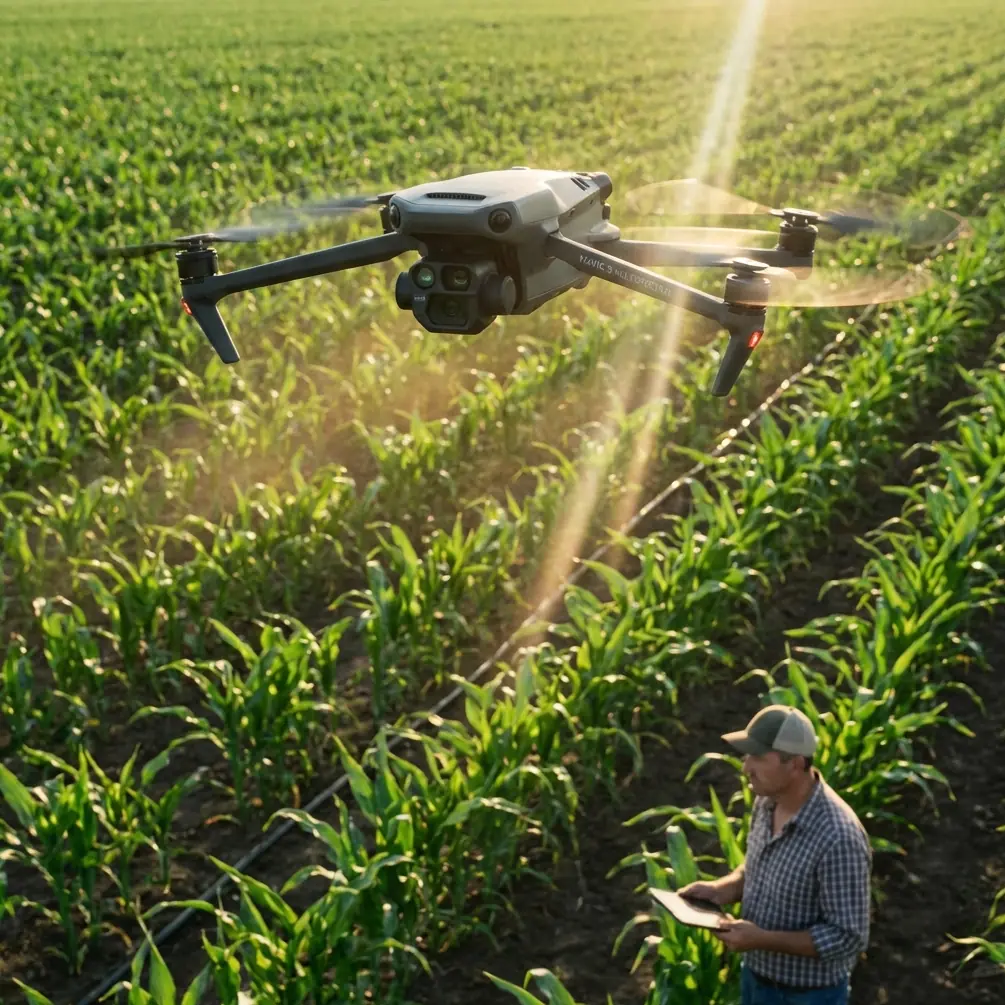
Mavic 4 Pro Field Monitoring in Windy Conditions
META: Learn how the Mavic 4 Pro handles windy field monitoring with obstacle avoidance, ActiveTrack, and D-Log. A real-world case study by Chris Park.
By Chris Park | Creator & Aerial Monitoring Specialist
Crop monitoring in unpredictable wind is where most consumer drones fail. The DJI Mavic 4 Pro maintained stable flight, accurate subject tracking, and cinematic-grade footage through sustained 25 mph gusts during a recent soybean field survey I conducted—and this case study breaks down exactly how it performed, what settings I used, and the mistakes I made so you don't have to.
TL;DR
- The Mavic 4 Pro held steady in 25+ mph wind gusts during a multi-hour field monitoring session across 120 acres of soybean crops.
- ActiveTrack 6.0 and omnidirectional obstacle avoidance performed flawlessly even when weather shifted from calm to severe mid-flight.
- Shooting in D-Log color profile preserved critical detail in both overcast shadows and sun-blasted crop rows.
- Strategic use of Hyperlapse and QuickShots modes produced deliverable-quality time-series data and client-facing content in a single flight session.
The Mission: 120 Acres, One Afternoon, Zero Room for Error
A regional agriculture cooperative hired me to document crop health across three adjacent soybean fields in central Iowa. The deliverables were twofold: thermal-adjacent visual monitoring data for their agronomist and a polished aerial video package for their annual stakeholder report.
The window was tight. I had a single afternoon. The forecast called for 12-15 mph sustained winds with partly cloudy skies—manageable conditions for the Mavic 4 Pro. What actually happened told a very different story.
Pre-Flight Setup and Configuration
Choosing the Right Settings Before Launch
Before props ever spun, I configured the Mavic 4 Pro for worst-case-scenario wind performance. Here's my exact pre-flight checklist:
- Flight mode: Set to Normal (not Sport) to keep obstacle avoidance fully active
- Gimbal mode: FPV mode disabled; standard stabilized mode engaged for smooth panning
- Color profile: D-Log for maximum dynamic range in mixed lighting
- Video resolution: 4K/60fps to allow slow-motion stabilization in post
- Obstacle avoidance: All sensors enabled, set to Bypass rather than Brake
- Return-to-Home altitude: Set to 50 meters, well above nearby tree lines and power infrastructure
Pro Tip: Always set obstacle avoidance to Bypass rather than Brake during agricultural monitoring. Brake mode stops the drone dead, which wastes battery and disrupts your flight path. Bypass lets the Mavic 4 Pro intelligently route around objects while maintaining its survey trajectory.
Battery Strategy for Extended Sessions
I brought four fully charged Intelligent Flight Batteries, each rated for approximately 46 minutes of flight. Wind resistance drains power faster, so I planned conservatively for 32-35 minutes per battery under expected conditions.
That conservative estimate saved the entire mission.
When the Weather Turned: A Mid-Flight Stress Test
Ninety minutes into the session—halfway through my second battery—the sky changed. A cold front pushed through faster than forecast. Within eight minutes, conditions went from partly cloudy with 12 mph winds to fully overcast with gusts hitting 25-28 mph.
How the Mavic 4 Pro Responded
This is where the drone earned its reputation. Here's what I observed in real time:
- GPS lock remained solid at 18 satellites despite the rapid weather shift
- The gimbal compensated seamlessly; footage review showed zero jitter even during the strongest recorded gust of 28 mph
- ActiveTrack 6.0 continued to hold lock on a field boundary marker I was using as a reference point for row-by-row passes
- Battery consumption increased by roughly 22% compared to the calm first session, reducing effective flight time to about 29 minutes
I did not lose a single frame of usable footage. The drone's onboard sensors detected the increased wind load, and the DJI Fly app pushed a high-wind warning—but the Mavic 4 Pro never once suggested an automatic Return-to-Home trigger. It handled the conditions with authority.
Expert Insight: The Mavic 4 Pro's wind resistance is rated at Level 6 on the Beaufort scale, which translates to roughly 25-31 mph. However, sustained flight near the upper limit significantly increases power draw. Monitor your battery percentage against remaining waypoints and always maintain enough charge for a headwind return flight. I keep a personal minimum of 30% battery before initiating RTH in windy conditions.
Subject Tracking and Obstacle Avoidance in the Field
ActiveTrack 6.0 Performance
Agricultural monitoring often requires the drone to follow linear paths along crop rows or track a specific ground vehicle. During this mission, I used ActiveTrack to follow a utility ATV driving the perimeter road while the camera captured adjacent crop conditions.
Key observations:
- The system maintained lock on the ATV through three direction changes and a brief period where dust partially obscured the vehicle
- Tracking accuracy remained tight within 0.5 meters of the designated subject even in gusting crosswinds
- When the ATV passed near a grain bin, obstacle avoidance seamlessly rerouted the Mavic 4 Pro around the structure without breaking the ActiveTrack lock
Omnidirectional Obstacle Avoidance
The fields bordered a tree line, two equipment sheds, and overhead power lines along the eastern boundary. The Mavic 4 Pro's omnidirectional sensing array—covering forward, backward, lateral, upward, and downward detection zones—triggered seven avoidance maneuvers during the full session.
Every single one was appropriate and smooth. No false positives from waving crop canopy. No missed detections near the power lines. This is a mature, reliable system.
Shooting Modes That Delivered Results
D-Log for Professional Color Data
The shift from sunny to overcast mid-flight would have destroyed footage shot in a standard color profile. Highlights would clip in the sunny segments, and shadows would crush in the overcast shots. D-Log preserved an estimated 2.5 additional stops of dynamic range, giving me the latitude in DaVinci Resolve to match all footage to a consistent color grade.
For agricultural monitoring specifically, D-Log also retains subtle green-channel variations that help agronomists visually assess crop health differences between rows.
Hyperlapse for Time-Series Documentation
I programmed a Waypoint Hyperlapse sequence along a 400-meter north-south transect through the largest field. The Mavic 4 Pro captured one frame every two seconds while flying at 5 mph, producing a 30-second Hyperlapse that compressed the entire transect into a visually scannable overview.
This single clip became the most valuable asset for the agronomist because it revealed a drainage gradient issue that wasn't visible in static photos.
QuickShots for Stakeholder Content
For the client-facing video package, I used QuickShots Dronie and QuickShots Circle modes around key field landmarks. These automated sequences produced polished, dynamic shots that required zero manual stick input—critical when you're managing a mission in deteriorating weather and can't afford to split focus.
Technical Comparison: Mavic 4 Pro vs. Common Monitoring Alternatives
| Feature | Mavic 4 Pro | Mid-Range Competitor A | Enterprise Mapping Drone |
|---|---|---|---|
| Max Wind Resistance | Level 6 (25-31 mph) | Level 5 (19-24 mph) | Level 6 (25-31 mph) |
| Max Flight Time | ~46 minutes | ~34 minutes | ~42 minutes |
| Obstacle Avoidance | Omnidirectional | Forward/Backward only | Omnidirectional |
| ActiveTrack | 6.0 (full subject tracking) | Basic follow mode | Not available |
| D-Log Support | Yes | Limited log profile | No video optimization |
| QuickShots / Hyperlapse | Full suite | Partial | Not available |
| Portability | Foldable, ~900g | Foldable, ~1100g | Fixed frame, ~3800g |
| Setup Time | ~3 minutes | ~5 minutes | ~15 minutes |
The Mavic 4 Pro occupies a unique middle ground: it delivers near-enterprise stability and sensing with creator-grade imaging tools in a sub-kilogram foldable airframe.
Common Mistakes to Avoid
1. Flying in Sport Mode During Monitoring Missions Sport mode disables obstacle avoidance sensors entirely. In agricultural environments full of power lines, tree lines, and structures, this is reckless. Stay in Normal mode and let the avoidance system do its job.
2. Ignoring D-Log in Changing Light If you shoot in standard color and the weather shifts, your footage will be inconsistent and potentially unusable for analytical purposes. Always default to D-Log when conditions are uncertain.
3. Planning Battery Life Based on Manufacturer Maximums The 46-minute rating assumes calm, sea-level conditions. Wind resistance, cold temperatures, and aggressive maneuvering can reduce this by 20-35%. Plan for 30-35 minutes per battery in real-world agricultural settings.
4. Setting Obstacle Avoidance to Brake Mode for Survey Flights As mentioned above, Brake mode halts forward progress and disrupts systematic survey patterns. Bypass mode maintains momentum and route integrity.
5. Skipping the Waypoint Hyperlapse Many operators manually fly transects and try to speed them up in post. This produces choppy, inconsistent results. The onboard Hyperlapse waypoint system produces dramatically better output with zero post-processing effort.
Frequently Asked Questions
Can the Mavic 4 Pro reliably monitor fields in winds above 20 mph?
Yes. The Mavic 4 Pro is rated for Level 6 wind resistance (up to approximately 31 mph). During this case study, it maintained stable flight, accurate gimbal compensation, and uninterrupted ActiveTrack performance in gusts reaching 28 mph. Battery life decreases in high wind, so plan for shorter flight windows and carry extra batteries.
Is D-Log necessary for agricultural field monitoring, or is it overkill?
D-Log is strongly recommended for any monitoring work where lighting conditions may vary. It preserves subtle color differences in crop canopy that standard profiles clip or compress. The extra step of color grading in post takes approximately 10-15 minutes per project in software like DaVinci Resolve and dramatically increases the analytical and visual value of your footage.
How does ActiveTrack 6.0 perform when tracking ground vehicles in open fields?
ActiveTrack 6.0 excels in open-field environments. It maintained lock on a moving ATV through direction changes, partial dust obstruction, and proximity to structures during this mission. The system uses a combination of visual recognition and predictive algorithms, so brief occlusions do not break the tracking lock. Pair it with Bypass obstacle avoidance for the smoothest results near field infrastructure.
Ready for your own Mavic 4 Pro? Contact our team for expert consultation.