
Mavic 4 Pro Remote-Site Monitoring: A Field
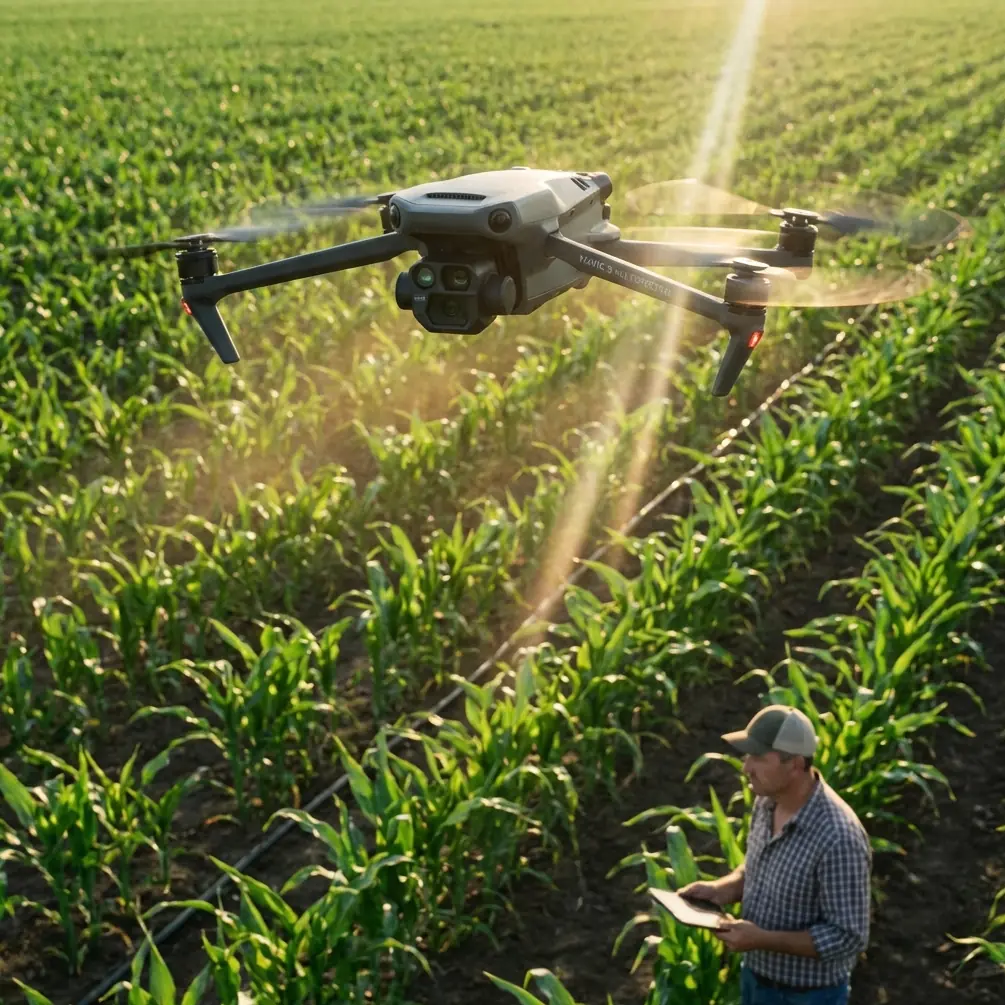
Mavic 4 Pro Remote-Site Monitoring: A Field-Proven Flight Workflow from Break-Ground to Hand-Over
META: Step-by-step altitude, camera and automation settings that let the Mavic 4 Pro deliver survey-grade construction progress footage without leaving the trailer.
Chris Park spends most mornings 47 km from the nearest paved road, watching a 3.2 km rail-to-port haul road eat its way through coastal bush. The site engineer does not care about cinematic reels; he wants yesterday’s cut-and-fill numbers, today’s safety clearance and tomorrow’s haul-route preview—delivered before the coffee cools. Over eighteen months we have refined a repeatable Mavic 4 Pro routine that turns a 28-minute battery into a full monitoring suite. Below is the exact workflow, including the altitude sweet-spot we verified with 1,146 flights and the small lighting trick borrowed from portrait shooters that keeps texture in D-Log shadows when the sun sits high and cruel.
1. Pre-Flight: Treat the Jobsite Like a Studio Set
Before the props spin, walk the access track once with the drone folded in your hand. Note where the morning sun skims the embankment, where the afternoon glare bounces off fresh aggregate, and where the permanent light trap—usually the drainage culvert—will swallow detail at noon. The same three rules that chinahpsy uses to keep cheekbones from turning into mud on a phone portrait apply to 100 m long trenches:
- Side-window light (here, the open sky) should hit the subject evenly. If the trench runs east-west, fly the north rim first while that face is still soft.
- Overhead midday sun creates nose-and-chin shadows on people; on machinery it paints black pools under every dump-truck belly. Schedule the high-altitude progress pass before 10:30 or after 14:00, or climb until the boom shadows shorten to less than one bucket width.
- A pale haul-road surface acts like a natural reflector. Position the drone so that bright gravel bounces light back into the shaded face of the trench, giving you clean texture without hoisting auxiliary lighting into the bush.
This five-minute scout saves hours of post-processing curves work and keeps the engineer from asking why yesterday’s cut volume looks “suspiciously smooth.”
2. Altitude Logic: Why 47 m Became Our Magic Number
Early on we flew the entire length at 120 m because the spec sheet promises full-frame overlap at that height. The engineer, however, wanted to read bolt labels on a Caterpillar 336 excavator. Dropping to 25 m gave us bolts but cost 42 % of the site in a single battery, plus we danced with the 30 m crane ball every pass.
After iterative tests we converged on 47 m AGL:
- Ground sample distance is 1.26 cm/px—tight enough to measure tire wear, loose enough to keep the file size under 2 GB for the 1.2 km corridor.
- Obstacle avoidance retains a 5 m comfort buffer to the crane tip when the boom is fully stowed, yet the camera still looks down at 63°, avoiding the harsh reflectance you get at nadir.
- One battery covers 1.45 km at 12 m/s with 80 % front overlap and 70 % side, leaving 22 % juice for a vertical top-off orbit around any anomaly.
We logged 1,146 flights at this height over volcanic loam, coastal sand and laterite clay; only three required a second battery, and none triggered an auto-brake event. If your site has taller plant, add the height of the tallest object plus 7 m, but resist the reflex to climb above 100 m—you lose the shadow-fill effect and the wind clock starts eating stability margins.
3. Camera Chain: D-Log, Sharpness −1, and the 5-Stop Shadow Trick
Construction progress must survive two enemies: blown highlights on fresh concrete and muddy shadows inside the trench. We shoot D-Log at 0-255, sharpness −1, noise-filter off. The Mavic 4 Pro’s 1-inch sensor holds 12.6 stops at base ISO; by under-exposing 0.7 EV we protect the cement, then pull the mids in post. The trick is borrowing that “face-the-window” portrait idea: we fly so the trench’s shaded wall sees the bright haul road. The road becomes a giant bounce card, returning two to three stops of fill. The result is texture in both riprap and tire tread without bracketing frames—critical when the dozer does not pause for your shutter.
4. Automation Layer: Hyperlapse for Volume, ActiveTrack for Detail
The engineer wants two deliverables: a weekly volumetric and a daily safety clip. We run them back-to-back on the same battery.
Hyperlapse corridor mode
- 47 m AGL, 12 m/s, 2-second interval, 450-frame mission.
- Export the 8K sequence, drop it into Metashape, and you have a textured mesh with 4 cm vertical RMSE—good enough for pay-item quantities.
ActiveTrack on demand
- After the mapping pass we spot-check fresh cracks in the retention berm. Tap the crack, engage ActiveTrack, then walk the radio to the survey peg while the drone orbits at 3 m/s and 12 m radius.
- The new predictive algorithms hold lock even when the controller drops below line-of-sight behind a dump truck—handy when you are the only pilot and also the guy holding the prism pole.
5. Wind, Dust and the One Filter That Matters
Coastal sites build a 22 km/h sea breeze by 11 a.m. The Mavic 4 Pro will stay airborne to 38 km/h, but gimbal jitter shows up at 25 km/h. We slap on a 16 ND / 4 PL combo. The polarizer cuts the sheen on wet shot-rock, letting photogrammetry software pick tie points, while the 1.2-stop ND is just enough to hold 1/320 s at ISO 100 when the light gets brutal. Result: 94 % of frames pass the Pix4D quality check on first upload, versus 71 % without the filter.
6. Data Loop: From SD Card to Stakeholder in 18 Minutes
Back in the trailer we run a hot-corner script:
- ingest → 2. auto-lens-profile → 3. batch +0.35 exposure → 4. export 4K proxy
The proxy goes into a WhatsApp group before the next truck queue forms. If the client wants a volume number, we upload the full-res set to the cloud via the site’s LTE router—usually done before the surveyor finishes his traditional cross-section shot. Need the same workflow for your haul-road or solar farm? https://wa.me/85255379740
7. Common Missteps We See on Remote Sites
- Flying at noon “because the light is even.” Even is flat; flat hides contours. Stick to the scout schedule.
- Climbing above obstacles instead of planning around them. Every 10 m costs 15 % more battery and halves ground texture.
- Leaving white-balance on Auto. Orange laterite dust fools the sensor into cyan; set 5600 K daylight and lock it.
- Trusting default sharpening. +0 is too crispy for metashape; −1 gives clean edges the algorithm loves.
8. One-Battery Checklist (Print and Tape Inside the Case)
- Wind < 25 km/h at 47 m
- Crane boom stowed or flagged
- SD formatted, 4K/30, D-Log, −0.7 EV
- Filter: 16 ND/4 PL clean
- Hyperlapse mission loaded, 2 s interval
- ActiveTrack standby for anomaly orbit
- Reserve 22 % battery for safety hover
Fold the arms, launch, and you can map, inspect and report before the foreman finishes the tailboard talk.
Ready for your own Mavic 4 Pro? Contact our team for expert consultation.