
Mavic 4 Pro Coastline Monitoring in Wind
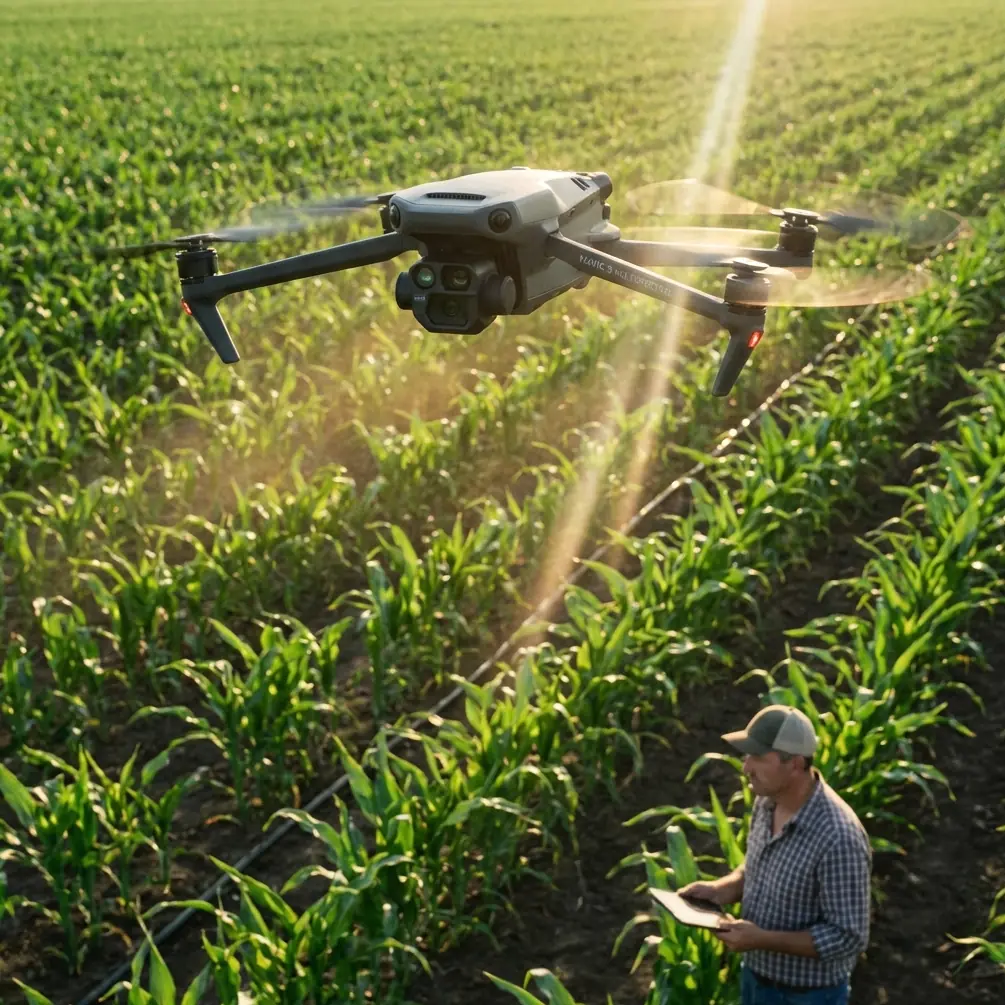
Mavic 4 Pro Coastline Monitoring in Wind: A Practical Flight Workflow That Holds Up When Conditions Shift
META: Learn a field-tested Mavic 4 Pro tutorial for coastline monitoring in windy conditions, including camera setup, obstacle avoidance, ActiveTrack use, D-Log capture, and mid-flight weather adjustments.
Coastline work looks easy on paper. Wide open space, clear lines of sight, dramatic terrain. In reality, it can be one of the more demanding environments for a compact aerial platform. Wind direction changes around headlands. Salt haze softens contrast. Light bounces off water, wet rock, and sand in ways that can confuse exposure and situational awareness at the same time.
That is exactly why the Mavic 4 Pro is an interesting tool for this job.
Not because it makes rough coastal flying effortless. It does not. What it does offer is a combination that matters in real operations: obstacle awareness, stable automated subject tracking, fast route adaptation, and enough camera flexibility to record footage that remains usable after the weather changes halfway through a mission.
If your goal is monitoring coastlines in windy conditions, the Mavic 4 Pro rewards a methodical setup. The difference between a useful flight and a frustrating one usually comes down to preflight choices made before the props ever spin.
Why coastlines expose weak flight habits
Coastal missions punish lazy assumptions. The launch point may feel calm while the cliff edge takes the full force of onshore wind. A beach section can be easy to map, then a few hundred meters later the aircraft is dealing with turbulent air rolling over dunes, sea walls, or jagged rock.
The Mavic 4 Pro’s obstacle avoidance matters more here than many pilots first assume. People often associate obstacle sensing with urban flying or wooded locations. Along a coast, the danger is different. It is not always a single obvious object. It might be an unexpected rock outcrop during a lateral tracking pass, a navigation marker near a harbor mouth, or a sudden drift toward a cliff face when a gust hits the aircraft broadside.
This is where a modern sensing system stops being a convenience feature and becomes an operational buffer. In practical terms, it gives you more margin when the aircraft is fighting variable wind and you are simultaneously watching wave sets, beach erosion lines, or human activity near the shoreline.
The same applies to subject tracking. On a calm day, manually following a vehicle on a service road or a patrol team walking the beach is straightforward. Add wind and shifting light and the workload climbs fast. ActiveTrack lets the pilot shift attention toward route safety and airspace management while the aircraft handles much of the framing burden. That is not a substitute for pilot skill. It is workload management, and on a complex coast that matters.
A preflight setup that actually fits shoreline work
Before launch, decide what kind of monitoring flight you are performing. The Mavic 4 Pro can capture cinematic shoreline footage, but that is not the same as inspection or observation. Your settings should follow the mission.
For general coastline monitoring, I recommend building around three priorities:
- predictable aircraft behavior
- maximum image recoverability
- quick adjustment when weather turns
That usually means avoiding flashy presets and starting from a conservative baseline.
Set your return-to-home altitude with the terrain in mind, not just the launch site. A coastline with bluffs, towers, or elevated walkways can make a low default value risky. A safe buffer matters even more when the wind changes and you need the aircraft to come back on its own path without cutting across terrain.
For imaging, D-Log is worth using when the sky is unstable or when bright water reflections are likely to push highlights too hard. Coastlines often present a brutal dynamic range problem: white foam, dark wet rock, and a bright sky in one frame. A flatter profile preserves more flexibility later. If the weather changes mid-flight, and it often does, D-Log gives you a better chance of matching clips captured under different light.
That is one of the operationally significant details many recreational pilots overlook. Color profiles are not just for “cinematic” work. In monitoring, they help maintain continuity across changing conditions so your footage remains comparable from one pass to the next.
If you plan to create a repeatable visual record over time, that consistency becomes more important than punchy straight-out-of-camera color.
The launch: start inland, not at the edge
When monitoring a windy coastline, I prefer launching slightly inland whenever terrain allows it. The reason is simple. Wind at the literal edge can be messier than it feels a short distance back. By launching inland, climbing to a safe working altitude, and then transitioning toward the coast, you reduce the chance of fighting rotor turbulence immediately after takeoff.
This also gives the Mavic 4 Pro’s systems a cleaner start for obstacle awareness and positioning. You want the aircraft settled before beginning low lateral passes along cliffs, sea defenses, or marina edges.
Once airborne, do not rush into a dramatic reveal shot. First, test the wind. Fly one leg parallel to shore and watch ground speed, aircraft attitude, and control response. Then reverse direction on the same line. The difference tells you more than a weather app can. A compact drone can feel perfectly comfortable going outbound with a tailwind and then suddenly look much less efficient on the return.
That first two-way check is your real mission briefing.
How I structure a coastline monitoring pass
For practical shoreline work, I split the flight into layers.
The first layer is a high reconnaissance pass. This is where the Mavic 4 Pro’s stable overview capability shines. Fly high enough to read the coastline shape, identify surf action, look for people, boats, vehicles, and any temporary obstacles. Keep movements slow and deliberate.
The second layer is a medium-altitude documentation pass. This is often the most useful footage. You are low enough to assess erosion lines, access points, tidal pooling, debris accumulation, or infrastructure exposure, but still high enough to maintain strong situational awareness.
The third layer is selective low-altitude detail capture. This is where pilots get into trouble if they skip the first two layers. The coast is not the place to improvise low just because the aircraft has obstacle avoidance. That feature helps, but it is not permission to fly casually into cluttered, windy terrain.
If the job includes moving targets, beach patrols, inspection teams, or shoreline vehicles, ActiveTrack can be extremely effective in the second layer. The advantage is not merely smoother framing. It is that the aircraft can maintain a more coherent visual relationship with the subject while you focus on wind drift, route clearance, and battery reserve.
That is a concrete operational gain. In gusty coastal air, dividing your attention too many ways is how missions degrade.
When the weather changes halfway through
This is the moment that separates a polished flight from a scramble.
Let’s say you launch under broken sun, moderate wind, and decent visibility. Ten minutes later, a darker cloud band moves over the water. The contrast drops. Wind shifts 20 to 30 degrees. Gusts become less predictable near a rocky point. The sea surface goes from reflective to dull, and your exposure balance changes with it.
This is where the Mavic 4 Pro’s value shows up in a very unglamorous way: it gives you options without forcing a rushed landing.
First, reduce speed. Coastal pilots often make the wrong move here and try to “finish quickly.” Fast flight in unstable wind usually means rougher footage, less precise obstacle margin, and higher pilot workload.
Second, simplify the mission. Drop nonessential creative shots. If you were planning Hyperlapse or QuickShots, this is the moment to become selective. Those modes can be useful for showing tidal movement, coastal traffic patterns, or changing weather over a fixed area, but they only help if conditions support reliable execution. In unstable wind, your priority is documentation and safe recovery, not squeezing every feature into one battery.
Third, check whether your current exposure strategy still holds. If you started in D-Log, you have room to manage the change in post. If you did not, avoid overreacting with constant setting changes every few seconds. Make one clean adjustment and continue.
Fourth, change your route before the wind does it for you. If a headland or structure is creating turbulence on one side, reposition and work from the cleaner direction. The aircraft may be capable of holding line, but fighting ugly air wastes energy and compresses your margin.
On one type of shoreline mission, this often means abandoning a close cliffside lateral and moving to a slightly farther offshore angle or a higher pass. The footage may look less dramatic, but it will be more stable, safer, and more useful.
Using QuickShots and Hyperlapse without turning the mission into a demo reel
Both features have real value for coastal monitoring if used with intent.
QuickShots can help produce short, repeatable context clips that show the relationship between a fixed structure and the surrounding coastline. Used carefully, they create visual references that are easier to compare across multiple visits.
Hyperlapse is more specialized, but it can be excellent for showing a tide line advancing, fog moving in, or the way weather pushes across an exposed section of coast. The key is restraint. Set it up only after you already have the mission-critical footage secured.
This is where many flights go sideways. Pilots burn time and battery on visually clever moves before they have captured the core material. Coastline monitoring should run in the opposite order: record the evidence first, add visual context second.
Obstacle avoidance is not a permit to get reckless
The Mavic 4 Pro’s obstacle avoidance is one of the reasons it suits shoreline work, but it needs to be understood properly.
On a coast, there are several categories of hazard: fixed hard objects, thin objects, moving objects, and terrain-induced wind. Sensing systems help most with the first category and, depending on conditions, some of the second. They do nothing to remove the effects of rotor wash recirculation near surfaces or the strange behavior of gusts around cliffs and sea walls.
So use obstacle avoidance as a support layer. Not a strategy.
A smart coastline pilot still plans wide turns, avoids descending near rising terrain unless necessary, and keeps enough lateral separation that a sudden push does not collapse the safety margin. The drone is helping you manage risk. It is not erasing it.
A practical camera workflow for usable coastal footage
If the mission is documentation rather than pure storytelling, consistency beats drama.
I like to work with a simple sequence:
- wide establishing pass
- medium shoreline tracking pass
- detail clips of priority areas
- one controlled subject-tracking segment if relevant
- one optional environmental time-based clip
That sequence keeps the archive coherent. It also helps when reviewing footage later. You can quickly locate overview material, compare recurring problem areas, and isolate change over time.
Again, D-Log earns its place here. If the weather changed mid-flight, a flatter image profile will usually save more information in highlights and shadow detail. That matters when you need to look closely at wet rock edges, vegetation lines, or man-made structures against bright water.
If you coordinate flights with a field team, send them a concise route note before launch and a recovery update after landing. If you need an easy mobile handoff channel in the field, I have seen crews use a simple line like message the operations lead here to keep shoreline observers and the pilot aligned without cluttering radio traffic.
What the Mavic 4 Pro does well in this role
For coastline monitoring in wind, the Mavic 4 Pro stands out less because of any single headline feature and more because several systems support the same mission profile.
Obstacle avoidance helps preserve margin when terrain and gusts complicate low-to-medium altitude passes.
ActiveTrack reduces workload when following moving shoreline subjects, allowing the pilot to focus on route integrity and wind response.
D-Log improves continuity when light changes over water, cloud, and reflective surfaces during the same sortie.
QuickShots and Hyperlapse can document environmental context when used after the primary monitoring task is complete.
Put together, those features support a disciplined operational style. That is the real point. The aircraft is at its best when the pilot uses automation selectively and keeps the mission structure tighter than the scenery tries to tempt them into.
The takeaway for windy coastline missions
The coast always looks simple from the map view. The air says otherwise.
A well-run Mavic 4 Pro flight in this environment is not about pushing low and fast for dramatic footage. It is about building a sequence that survives changing weather, preserves image quality, and keeps enough safety margin to come home clean when the wind shifts halfway through the job.
If you approach it that way, the aircraft’s core strengths start to matter in practical terms. Obstacle avoidance buys breathing room. ActiveTrack keeps moving subjects manageable. D-Log protects footage when the light breaks down. And smart use of QuickShots or Hyperlapse adds context without derailing the mission.
That is how the Mavic 4 Pro becomes genuinely useful on the coast: not as a showpiece, but as a disciplined monitoring platform that still performs when the conditions stop cooperating.
Ready for your own Mavic 4 Pro? Contact our team for expert consultation.