
Monitoring Coastlines with Mavic 4 Pro | Guide
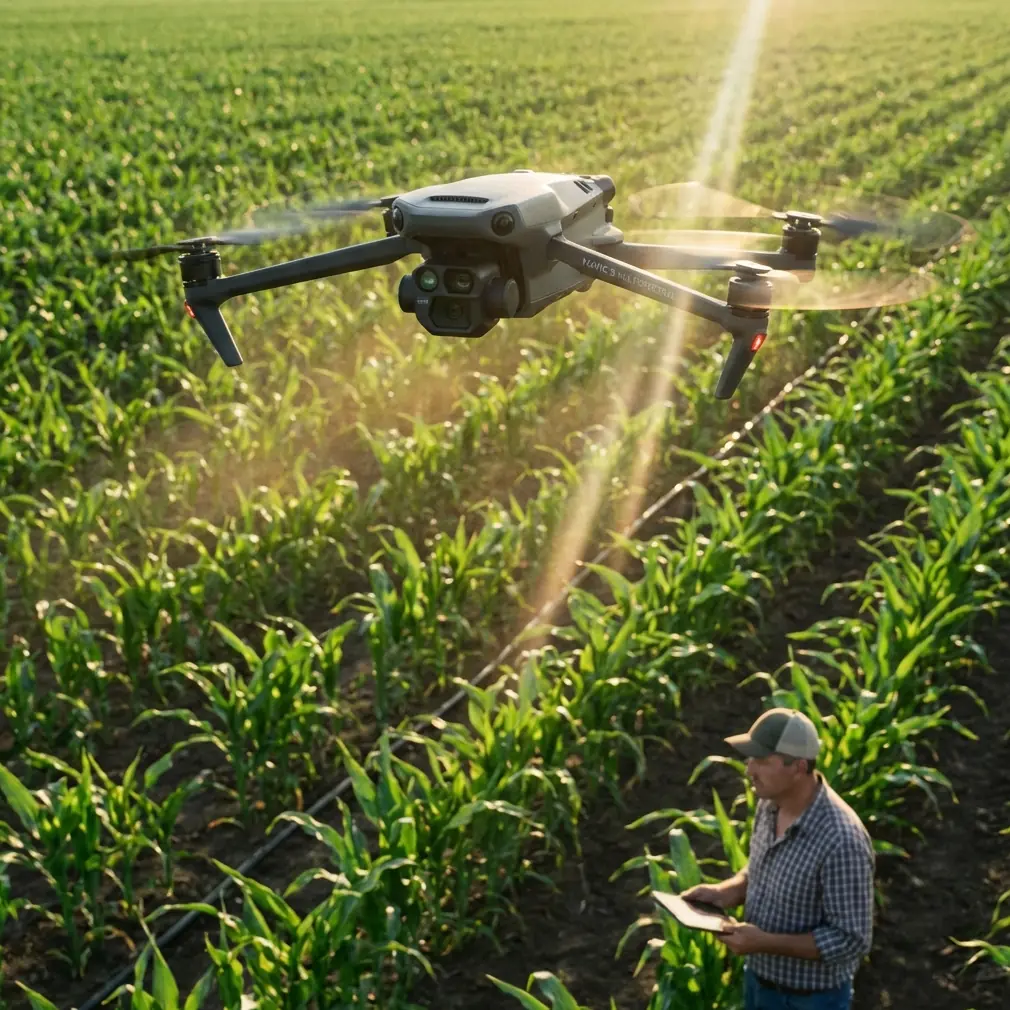
Monitoring Coastlines with Mavic 4 Pro | Guide
META: Learn how to monitor urban coastlines with the DJI Mavic 4 Pro. Expert tutorial covering obstacle avoidance, ActiveTrack, and D-Log workflows.
By Chris Park | Creator & Aerial Cinematography Specialist
Urban coastline monitoring is one of the most demanding applications for any drone pilot. Salt spray, unpredictable winds, cluttered airspace near buildings, and the constant challenge of tracking dynamic shoreline changes—these variables punish weak equipment and poor planning. This guide walks you through exactly how I use the DJI Mavic 4 Pro to execute professional coastal surveillance flights in dense urban environments, from pre-flight configuration to final post-processing in D-Log.
TL;DR
- The Mavic 4 Pro's omnidirectional obstacle avoidance makes it the safest option for flying near seawalls, piers, and urban structures along coastlines.
- ActiveTrack 6.0 and Subject tracking let you autonomously follow erosion lines, tidal patterns, and watercraft without manual stick input.
- D-Log color profile preserves maximum dynamic range for capturing the extreme contrast between ocean reflections and shadowed infrastructure.
- Hyperlapse and QuickShots modes produce publication-ready timelapse content of tidal cycles with minimal post-production.
Why Urban Coastlines Are the Hardest Monitoring Environment
I spent three years monitoring a 12-kilometer stretch of urbanized shoreline along the Southern California coast before switching to the Mavic 4 Pro. My previous setup—a combination of older DJI platforms and manual flight paths—resulted in at least one close call per month. Concrete piers, steel lamp posts, overhead power cables near boardwalks, and sudden gusts funneling between beachfront buildings created a gauntlet of hazards.
The core problem wasn't skill. It was that no single drone combined the sensor intelligence, image quality, and automated flight modes needed to handle this environment reliably. The Mavic 4 Pro changed that equation entirely.
The Three Core Challenges
- Obstacle density: Urban coastlines pack natural terrain (cliffs, rocks, vegetation) and man-made structures (jetties, buildings, signage) into narrow flight corridors.
- Lighting extremes: Water surfaces create specular highlights that can blow out 12+ stops of dynamic range, while shadowed underpasses and seawalls fall into near-darkness.
- Repeatability: Effective monitoring requires flying identical paths weekly or monthly to detect change—demanding precise GPS waypoints and consistent camera settings.
Step 1: Pre-Flight Configuration for Coastal Environments
Before the Mavic 4 Pro leaves the ground, spend 10–15 minutes on environment-specific configuration. Skipping this step is the single biggest mistake I see new coastal pilots make.
Obstacle Avoidance Settings
The Mavic 4 Pro features an omnidirectional obstacle sensing system with 360-degree coverage using wide-angle vision sensors and ToF infrared modules. For urban coastline work, configure the following:
- Set obstacle avoidance behavior to "Bypass" rather than "Brake." This allows the drone to intelligently reroute around unexpected obstacles (a flag pole, a crane arm) rather than stopping dead and losing your monitoring transect.
- Adjust the minimum safe distance to 3 meters for structured environments. The default is often too conservative for the tight corridors between buildings and shoreline.
- Enable APAS 6.0 (Advanced Pilot Assistance System) for all automated flight modes, including waypoint missions and ActiveTrack sequences.
Pro Tip: In windy coastal conditions exceeding 15 km/h, increase the minimum safe distance to 5 meters. Wind gusts can push the aircraft laterally into structures faster than the avoidance system can compensate at tighter margins.
Camera and Exposure Preparation
Set the camera to D-Log color profile before takeoff. This is non-negotiable for coastal monitoring. The Mavic 4 Pro's Hasselblad camera system captures footage in 10-bit color depth, and D-Log preserves the widest dynamic range available—critical when your frame contains both blazing ocean glare and deep shadow under a pier.
Recommended baseline settings for urban coastal conditions:
- ISO: 100 (native, lowest noise floor)
- Shutter Speed: 1/60 for video at 30fps (double the frame rate)
- Aperture: f/5.6–f/8 for maximum sharpness across the frame
- White Balance: 5600K (locked, not auto—auto WB shifts with water reflections and ruins color consistency between flights)
- ND Filter: ND16 or ND32 depending on time of day
Step 2: Flight Execution with ActiveTrack and Subject Tracking
This is where the Mavic 4 Pro separates itself from every drone I've previously used for this work.
Automated Shoreline Transects
For repeatable monitoring, I build waypoint missions in DJI Fly that follow the coastline at a fixed altitude of 40 meters AGL and a consistent speed of 5 m/s. The Mavic 4 Pro stores these missions, allowing me to re-fly the identical path month after month with sub-meter GPS accuracy.
Dynamic Subject Tracking
When I need to investigate a specific area—a new crack in a seawall, unusual sediment accumulation, or a stormwater outfall—I switch to ActiveTrack 6.0. The Subject tracking capability on the Mavic 4 Pro uses deep learning algorithms to lock onto complex, irregular shapes.
Here's what makes this transformative for coastal work:
- Lock onto a section of shoreline erosion and orbit it automatically while the camera maintains framing.
- Track moving watercraft near the coast to document wake patterns affecting shore structures.
- Follow a walking inspector on the ground along a seawall, maintaining a fixed offset angle for consistent documentation footage.
The obstacle avoidance system works simultaneously with ActiveTrack, which is essential. In my previous workflow, I had to choose between automated tracking and active collision prevention. With the Mavic 4 Pro, both run concurrently without performance degradation.
Expert Insight: When using ActiveTrack along a seawall, position the drone on the water side of the structure, not the land side. This gives the obstacle avoidance system a clear escape path over open water if an unexpected obstacle appears. I learned this after nearly losing a drone into a parking garage overhang during a tracking sequence.
Step 3: Capturing Timelapse Data with Hyperlapse and QuickShots
Coastal monitoring often requires documenting slow processes—tidal cycles, sediment transport, seasonal vegetation changes. The Mavic 4 Pro's built-in Hyperlapse mode handles this with zero additional software.
Hyperlapse Configuration for Tidal Documentation
- Mode: Waypoint Hyperlapse (fly between two points over a set duration)
- Interval: 3 seconds between frames for a 6-hour tidal cycle
- Total frames: ~7,200 producing roughly 4 minutes of footage at 30fps
- Stabilization: RockSteady + EIS enabled for wind compensation during long exposures
QuickShots for Rapid Site Assessment
QuickShots modes—Dronie, Helix, Rocket, and Boomerang—are underutilized in professional monitoring. I use Helix to quickly generate an orbital reveal of a problem site, giving stakeholders an intuitive visual overview without requiring me to manually choreograph the flight.
Technical Comparison: Mavic 4 Pro vs. Common Monitoring Alternatives
| Feature | Mavic 4 Pro | Mavic 3 Pro | Air 3 | Phantom 4 RTK |
|---|---|---|---|---|
| Obstacle Sensing | Omnidirectional, 360° | Omnidirectional | Forward/Backward/Downward | Forward/Backward |
| ActiveTrack Version | 6.0 | 5.0 | 5.0 | Not available |
| Max Flight Time | Up to 46 min | Up to 43 min | Up to 46 min | Up to 30 min |
| Video Color Depth | 10-bit D-Log | 10-bit D-Log | 10-bit | 8-bit |
| Sensor Size | 4/3 CMOS Hasselblad | 4/3 CMOS | 1/1.3" CMOS | 1" CMOS |
| Hyperlapse Modes | 4 modes | 4 modes | 3 modes | Not available |
| Wind Resistance | Level 6 (up to 38 km/h) | Level 6 | Level 5 | Level 5 |
| QuickShots | Yes, full suite | Yes | Yes | No |
Common Mistakes to Avoid
1. Flying with Auto White Balance over water. Water reflects sky color unpredictably. Auto WB creates inconsistent color between frames, destroying your ability to compare monitoring data across flights. Lock it manually at 5600K for daylight.
2. Ignoring compass calibration near urban structures. Steel-reinforced concrete buildings, metal piers, and underground utilities generate magnetic interference. Calibrate the compass at the actual launch point, not in the parking lot 50 meters away.
3. Setting obstacle avoidance to "Off" for tighter shots. I've seen experienced pilots disable obstacle avoidance to fly closer to structures. The Mavic 4 Pro's Bypass mode achieves tight proximity without disabling the safety net. Use it.
4. Shooting in standard color profiles instead of D-Log. Coastal scenes have extreme dynamic range. Standard profiles bake in contrast that clips highlights on water and crushes shadows under structures. D-Log gives you 2–3 additional stops of recoverable detail.
5. Neglecting to clean sensors after coastal flights. Salt air deposits a fine crystalline residue on vision sensors and camera glass. Wipe all optical surfaces with a microfiber lens cloth after every coastal session. Sensor contamination degrades obstacle avoidance accuracy over time.
Frequently Asked Questions
Can the Mavic 4 Pro handle strong coastal winds reliably?
Yes. The Mavic 4 Pro is rated for Level 6 wind resistance, handling sustained winds up to 38 km/h. In my experience flying urban coastlines in Southern California, the aircraft maintains stable hover and smooth tracking even in 25–30 km/h onshore gusts. I recommend avoiding flight when sustained winds exceed 32 km/h near structures, as turbulence created by buildings can produce unpredictable microbursts that exceed the ambient wind speed.
How does D-Log compare to shooting in Normal mode for coastal monitoring?
D-Log captures a flat, desaturated image that preserves roughly 2–3 stops more dynamic range than the Normal profile. For coastal work, this means you can recover detail in bright water reflections and dark structural shadows during post-processing. The tradeoff is that D-Log footage requires color grading—it looks flat and lifeless straight out of camera. I use DaVinci Resolve with a custom LUT calibrated for coastal conditions, which adds about 15 minutes to the post-processing workflow per flight session. The data quality improvement is worth it every time.
Is ActiveTrack safe to use near buildings and piers?
ActiveTrack 6.0 on the Mavic 4 Pro runs concurrently with the full omnidirectional obstacle avoidance system. This is a significant improvement over earlier generations where tracking and avoidance competed for processing resources. In practice, I use ActiveTrack along seawalls and under pier overhangs regularly. The drone successfully reroutes around lamp posts, signage, and structural columns while maintaining subject lock. The key precaution is ensuring you always have a clear line of retreat—position the drone so open water or open sky is available as an escape vector.
Ready for your own Mavic 4 Pro? Contact our team for expert consultation.