
Mapping Coastal Vineyards With the Mavic 4 Pro
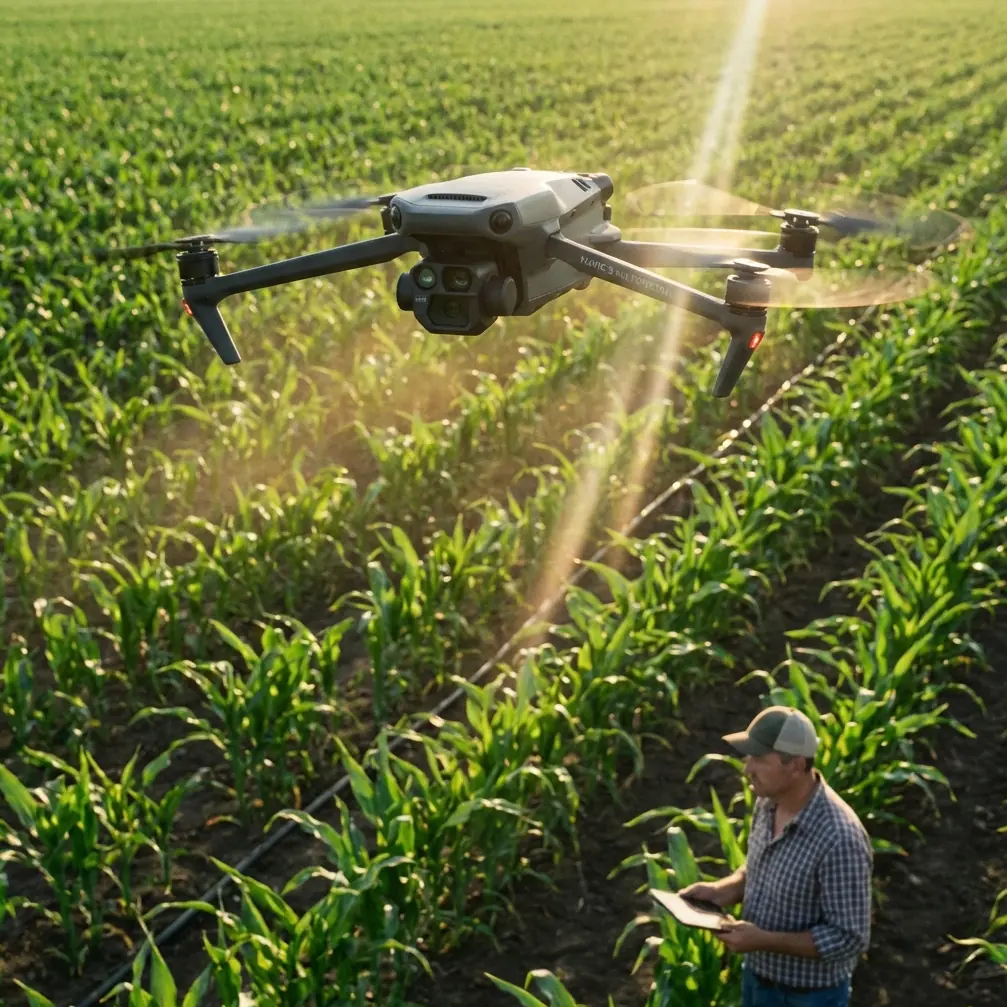
Mapping Coastal Vineyards With the Mavic 4 Pro: Practical Field Tips From a Photographer
META: A practical how-to for using the Mavic 4 Pro to map coastal vineyards, with workflow tips on obstacle avoidance, ActiveTrack, D-Log, Hyperlapse, and flight planning in windy terrain.
Coastal vineyards look calm from the road. In the air, they are anything but simple.
You are dealing with rows that run at odd angles, shifting sea wind, reflective irrigation lines, trellis wires, elevation changes, and narrow access lanes bordered by trees or utility poles. Add the need to produce usable mapping data and visually clear reference imagery, and suddenly a casual drone flight turns into a disciplined field operation.
That is where the Mavic 4 Pro makes sense.
I approach this less like a spec-sheet exercise and more like a working method. I’m a photographer first, but when I map vineyards, the goal is not just pretty overheads. The flight has to return image sets that help growers, managers, and consultants actually read the site: row consistency, drainage patterns, canopy gaps, edge stress, vehicle access, and erosion pressure near exposed coastal boundaries.
The Mavic 4 Pro fits that job best when you use its features with intent. Obstacle avoidance is not there to make you careless. ActiveTrack and subject tracking are not just cinematic tricks. D-Log is not only for colorists. QuickShots and Hyperlapse are not throwaway extras. In a vineyard workflow, each one can solve a real problem if you know when to deploy it and when to leave it alone.
Start with the coastal problem, not the aircraft
A vineyard near the coast behaves differently from an inland block.
Wind arrives in pulses, often from one open side. Salt haze can flatten contrast. Morning fog can sit low in one section and clear another. Vine rows may follow terrain rather than a neat north-south grid. That means your mapping plan has to adapt to the land instead of forcing a generic lawnmower mission onto it.
This is where the Mavic 4 Pro tends to outperform weaker prosumer alternatives: it gives you a stronger mix of flight confidence and creative control in one aircraft. Some competing models can capture good images or offer decent automated flight features, but they often become limiting when the terrain gets tight and the light turns difficult. Coastal vineyards create both issues at once.
Before launch, walk the perimeter if possible. I want four things identified on foot:
- The cleanest takeoff and recovery point
- The direction of the dominant wind
- Any tall obstructions at the block edge
- Areas where the rows dip, kink, or break around access roads
That short walk will tell you whether the aircraft needs to fly cross-row or along-row for the cleanest overlap and safest turning points.
Use obstacle avoidance as a planning tool, not a rescue system
A lot of pilots misunderstand obstacle avoidance. They think of it as something that saves a bad decision. In vineyard work, its best value is operational confidence.
Coastal sites often include windbreak trees, utility lines near service roads, scattered sheds, and trellis end-post assemblies that rise above the visual rhythm of the rows. During repeat passes, especially when you are managing framing and telemetry at the same time, having obstacle avoidance active reduces workload. That matters because mapping quality often falls apart when the pilot becomes mentally overloaded.
On the Mavic 4 Pro, obstacle sensing lets you hold tighter, more efficient working paths around field boundaries than you might risk on a less aware platform. That translates into two practical gains:
- Less wasted airspace around the block edges
- Fewer interruptions in your image capture rhythm
Why does that matter? Because continuity matters in vineyard mapping. If one side of the property gets captured with inconsistent spacing or interrupted angles, your stitched overview becomes less reliable for comparing row vigor, canopy interruptions, and drainage paths.
Still, there’s a limit. Trellis wires and thin vineyard infrastructure can be hard for any avoidance system to interpret consistently, especially in harsh side light. I keep obstacle avoidance enabled, but I do not rely on it when operating close to line structures. The system is there to reduce risk, not to replace field judgment.
Map first, then gather interpretation footage
One of the biggest mistakes I see is mixing objectives. Pilots try to get mapping coverage, promotional video, and social media clips in one continuous improvised flight.
Don’t.
With the Mavic 4 Pro, I split the session into two missions.
Mission 1: Structured overhead capture
This is the data flight. The aircraft flies for consistency, not style. Altitude stays stable. Speed stays moderate. Overlap is predictable. Camera movement is minimized. The aim is clean, repeatable visual coverage of the block.
Mission 2: Interpretive visual pass
This is where the aircraft’s smarter tracking and motion features become useful. Now I’m looking for context: access roads, slope transitions, sea exposure, buffer zones, irrigation staging, and how one section of vines differs visually from another.
That separation alone improves results more than any single camera setting.
D-Log is useful even if your final map is simple
Some operators assume D-Log only matters for polished video edits. In vineyard work, that is too narrow.
Coastal light can be brutal. Bright sky, pale soil, dark canopy shadows, reflective water tanks, and ocean glare can all exist in the same frame. A flatter profile like D-Log helps preserve tonal information in those difficult scenes, especially when you need later flexibility to distinguish subtle detail across the vine canopy and ground.
Operationally, that means two things:
- You get more room to correct harsh lighting inconsistencies across a flight set
- You can produce clearer interpretive visuals for clients who need to inspect site conditions without crushed shadows or blown highlights
I would not use D-Log blindly for every deliverable. If the task is a simple reference set needed quickly on-site, a standard color profile may be more efficient. But for vineyards where block-to-block comparison matters, D-Log gives you insurance against coastal contrast extremes.
This is one area where the Mavic 4 Pro stands out against lighter consumer-oriented competitors that can look fine in ideal light but start to break apart when you need highlight retention and grading flexibility from a demanding agricultural environment.
ActiveTrack and subject tracking have a place in vineyard operations
At first glance, ActiveTrack sounds irrelevant for mapping vines. It is not.
I use subject tracking in support tasks around the mapping mission, not for the core overhead pass. For example, if a vineyard manager is driving a utility vehicle through the property to point out drainage issues, damaged rows, or access bottlenecks, ActiveTrack can help create a smooth visual record of the route. That route documentation becomes valuable later when comparing spoken observations with the mapped area.
The operational significance is simple: subject tracking helps connect raw aerial coverage with on-the-ground management context.
A vehicle path through the block can reveal things a top-down still cannot explain on its own, such as:
- where machinery struggles to turn at row ends
- how runoff cuts across access lanes
- where edge vegetation interferes with movement
This is also where the Mavic 4 Pro has an advantage over drones that track well in open recreational settings but become erratic in structured agricultural landscapes. Vineyards are repetitive environments. Rows, posts, shadows, and moving foliage can confuse weaker tracking systems. A platform with more dependable subject tracking gives you footage that is actually usable for review rather than just visually flashy.
QuickShots are not just for showreels
QuickShots have a reputation as beginner tools. That misses their field value.
In a vineyard mapping session, QuickShots can produce fast orientation clips for remote stakeholders who are not drone-native. A short automated reveal of the property edge, a gradual pullback over a block, or a rising orbital context shot can explain layout much faster than a static orthographic image alone.
That matters when the audience includes owners, consultants, or farm staff who need to understand location relationships quickly.
I would not substitute QuickShots for planned capture. But I do use them after the core mission to create simple visual references: where the vineyard sits relative to a cliff edge, road entrance, neighboring block, or drainage channel. Those clips reduce explanation time later.
Hyperlapse is surprisingly useful for environmental reading
Hyperlapse is another feature many pilots reserve for dramatic sunsets. For coastal vineyard work, it can document environmental movement across the site.
A short Hyperlapse from a stable vantage point can show fog lift, shadow movement across rows, changing light on slope faces, or the way wind patterns move through different blocks. That kind of temporal context is hard to grasp from still imagery alone.
If one section of the vineyard consistently catches more wind exposure, the visual movement pattern may help explain canopy differences visible in your mapping results. You are not using Hyperlapse as a novelty. You are using it as a visual environmental note.
Flight pattern tips for coastal rows
The Mavic 4 Pro is capable, but your route design still decides the quality of the outcome. Here is the method I trust most.
1. Fly one block at a time
Do not try to cover the entire property in a single improvised mission. Vineyard blocks often change orientation. Treat each one as its own mapping unit.
2. Prioritize overlap over speed
In coastal wind, image consistency suffers before the pilot always notices it. Slight yaw corrections and micro-drift can degrade your set. Slowing down protects your overlap and reduces blur risk.
3. Build wider turn margins at exposed edges
If the sea-facing edge gets hit by gusts, give yourself more room on those turns. The extra buffer is usually worth far more than the seconds you save with tight corners.
4. Capture one lower-altitude pass
A higher overview is useful, but a lower pass often reveals row gaps, localized stress, and drainage scars with better legibility.
5. Re-fly critical sections if the light shifts
If fog clears or cloud cover breaks during the session, do not hesitate to re-capture the most important block. Coastal vineyards can change appearance quickly enough to compromise comparison across the image set.
Camera discipline matters more than pilots admit
The Mavic 4 Pro gives you enough intelligence that it is easy to become casual. Resist that.
Keep shutter speed appropriate for your motion. Watch horizon consistency. Avoid needless gimbal movement during mapping runs. Review a sample set in the field before leaving. I also recommend recording a spoken note after each block: wind direction, light condition, and anything unusual you observed. Those voice notes save time later when sorting files.
If you are working with a grower remotely or coordinating with a local team, sending a quick field note through direct vineyard flight planning chat can help confirm row priorities before you commit to the next block.
Where the Mavic 4 Pro genuinely excels
For this kind of work, the Mavic 4 Pro is strongest not because one headline feature dominates, but because the package is balanced.
You need obstacle avoidance for confidence near boundaries. You need tracking that can support documentation beyond the map itself. You need enough image flexibility to handle difficult coastal contrast, which is where D-Log earns its keep. You also benefit from fast automated modes like QuickShots and Hyperlapse when communicating site context to people who may never touch GIS software or photogrammetry tools.
That combination is what sets it apart from many competitors. Some drones are good at avoiding obstacles but less convincing in image flexibility. Others shoot attractive footage but feel less dependable in structured agricultural workflows. In vineyard mapping, especially near the coast, the aircraft has to do more than one thing well. The Mavic 4 Pro does.
Final field advice
If I had to reduce this to one principle, it would be this: map the vineyard the way the manager thinks about the vineyard.
Not as an abstract aerial pattern. Not as a cinematic backdrop. As a working landscape shaped by wind, access, row health, slope, and timing.
Use the Mavic 4 Pro’s obstacle avoidance to reduce risk at the edges. Use D-Log when coastal light becomes too contrast-heavy for ordinary capture. Use ActiveTrack to document movement and management routes that explain what the overhead images cannot. Use QuickShots and Hyperlapse to add environmental and spatial context, not fluff.
That is how the aircraft becomes more than a camera in the sky. It becomes a practical field tool for reading a vineyard as it really functions.
Ready for your own Mavic 4 Pro? Contact our team for expert consultation.