
Mavic 4 Pro: Mapping Vineyards in Windy Conditions
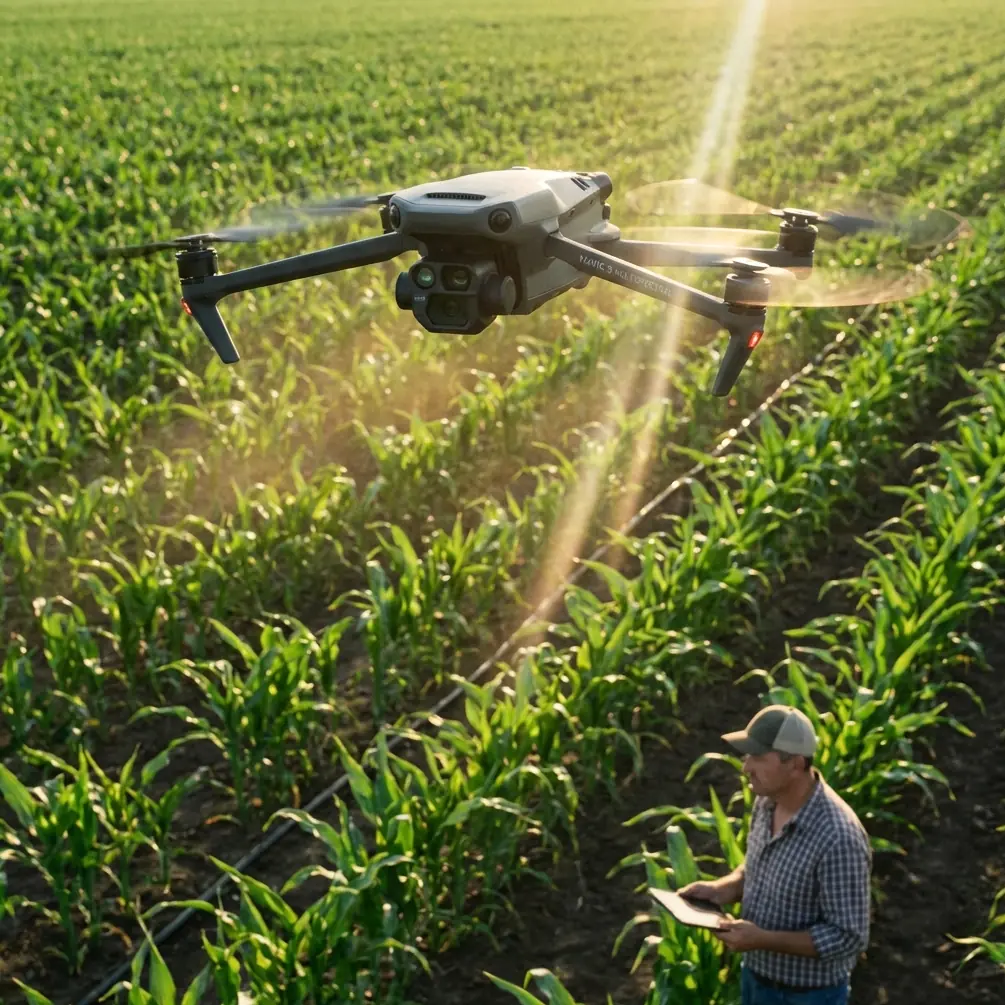
Mavic 4 Pro: Mapping Vineyards in Windy Conditions
META: Learn how the Mavic 4 Pro handles vineyard mapping in high winds. Tutorial covers flight planning, D-Log settings, obstacle avoidance, and proven techniques.
By Chris Park — Creator & Drone Mapping Specialist
TL;DR
- The Mavic 4 Pro maintains stable mapping flights in winds up to 24 mph, making it the most reliable option for vineyard aerial surveys when weather doesn't cooperate.
- D-Log color profile preserves critical vine health data that standard color modes lose in harsh, wind-driven lighting conditions.
- Obstacle avoidance sensors prevented a collision with a red-tailed hawk mid-flight during a real-world vineyard mapping session—saving the drone and the data.
- Proper overlap settings and flight altitude adjustments compensate for wind drift and produce stitchable, survey-grade orthomosaics.
Why Vineyard Mapping in Wind Is a Real Problem
Vineyard managers can't wait for perfect weather. Harvest windows are narrow, pest outbreaks demand immediate aerial scouting, and seasonal growth assessments follow strict timelines. Wind is the single biggest variable that ruins mapping data—causing image blur, inconsistent overlap, and GPS drift that makes orthomosaic stitching fail.
The Mavic 4 Pro was built to handle exactly this scenario. With its 3-axis mechanical gimbal, Hasselblad camera sensor, and wind resistance rated to Level 5 (24 mph), it gives vineyard operators a reliable platform even when conditions are less than ideal.
This tutorial walks you through the complete workflow for mapping vineyard blocks in windy conditions—from pre-flight planning through post-processing—based on dozens of real sessions across Northern California wine country.
Step 1: Pre-Flight Planning for Windy Vineyard Mapping
Check Wind Speed and Direction
Before launching, you need real data—not guesses. Use apps like UAV Forecast or Windy.com to check conditions at your flight altitude, not just ground level. Wind at 120 meters AGL can be 40-60% stronger than what you feel on the ground.
Key thresholds for the Mavic 4 Pro:
- 0–12 mph: Ideal conditions. Standard settings apply.
- 12–18 mph: Moderate wind. Increase overlap, lower altitude slightly.
- 18–24 mph: Challenging. Follow the wind-compensation protocol below.
- 24+ mph: Do not fly. The drone can physically stay aloft, but mapping data quality degrades below usable thresholds.
Orient Your Flight Lines
Always plan your mapping grid so the drone flies into the wind and with the wind—never in a crosswind pattern. Crosswind legs cause lateral drift that creates inconsistent ground sampling distance (GSD) and image overlap gaps.
If the wind is blowing east-to-west, orient your grid lines east-to-west. The Mavic 4 Pro will slow down on headwind legs and speed up on tailwind legs, but the gimbal stabilization keeps the camera pointed straight down regardless.
Pro Tip: In DJI Fly or a third-party mapping app like DroneDeploy, set your flight heading to match wind direction within ±15 degrees. This single adjustment prevents more stitching failures than any other setting change.
Step 2: Optimal Camera and Flight Settings
D-Log Configuration for Vineyard Data
D-Log isn't just for cinematic video. When mapping vineyards, the extended dynamic range of D-Log captures subtle color differences between healthy and stressed vines that standard color profiles clip. Wind creates rapidly shifting light conditions as clouds race overhead—D-Log handles this gracefully.
Set the Mavic 4 Pro camera as follows:
- Shooting mode: Timed interval, 2-second intervals
- Color profile: D-Log
- ISO: 100 (fixed—never auto for mapping)
- Shutter speed: 1/1000 or faster to eliminate motion blur from wind-induced vibration
- Aperture: f/4.0–f/5.6 for maximum sharpness across the frame
- File format: RAW (DNG) for post-processing flexibility
Flight Parameters
| Parameter | Calm Conditions | Moderate Wind (12–18 mph) | High Wind (18–24 mph) |
|---|---|---|---|
| Altitude (AGL) | 80–120 m | 60–90 m | 50–70 m |
| Speed | 10 m/s | 7 m/s | 5 m/s |
| Front Overlap | 75% | 80% | 85% |
| Side Overlap | 65% | 75% | 80% |
| GSD | ~2.5 cm/px | ~2.0 cm/px | ~1.5 cm/px |
Lowering altitude in wind sounds counterintuitive—you'd think higher altitude means less turbulence. But lower altitude means faster shutter-to-ground-coverage ratio, which reduces the impact of positional drift between frames.
Step 3: Leveraging Obstacle Avoidance in Complex Terrain
Vineyards aren't open fields. Trellising wires, end-post structures, tree windbreaks along borders, power lines, and wildlife all create collision risks—especially when wind gusts push the drone off its planned path.
The Hawk Encounter
During a mapping session at a Sonoma County vineyard last October, a red-tailed hawk dove toward the Mavic 4 Pro at roughly 70 meters AGL. The drone's omnidirectional obstacle avoidance sensors detected the bird at 12 meters out and executed an automatic braking maneuver, pausing in place until the hawk veered off. The entire event lasted about 3 seconds.
Without those sensors, the drone would have continued on its mapping leg directly into the hawk's flight path. A collision at that altitude wouldn't just destroy the aircraft—it would scatter debris across the vineyard and potentially harm the bird. The obstacle avoidance system treated the hawk like any other obstacle: detect, brake, wait, resume.
This is why I never disable obstacle avoidance during mapping flights, even though some pilots do to reduce flight time. The APAS 6.0 system on the Mavic 4 Pro processes sensor data fast enough that avoidance maneuvers add negligible time to the overall mission.
Expert Insight: The Mavic 4 Pro's obstacle avoidance uses a combination of wide-angle vision sensors and ToF sensors covering all directions including above and below. In vineyard environments, the upward-facing sensors are particularly critical because birds of prey frequently approach from above. Keep all sensors clean before every flight—a single smudge from a dusty vineyard environment can reduce detection range by up to 50%.
Step 4: Subject Tracking and Spot Inspections
After completing the full mapping grid, I typically switch the Mavic 4 Pro to manual flight mode for targeted vine inspections. This is where ActiveTrack and Subject tracking become valuable tools.
If I spot a section of vines showing signs of stress—discoloration, unusual canopy gaps, or pest damage visible in the live feed—I'll use ActiveTrack to lock onto a specific vine row. The drone then follows that row at low altitude (10–15 meters) while the camera stays locked on the subject, even in gusting wind.
Additional Creative Tools
The Mavic 4 Pro's QuickShots and Hyperlapse modes aren't just for social media. Vineyard clients consistently request these deliverables:
- QuickShots Dronie or Rocket: Showcase the vineyard scale for investor presentations
- Hyperlapse Waypoint mode: Create seasonal timelapse composites showing vine growth progression
- Circle QuickShot: Highlight specific vineyard blocks for pest management reports
These supplementary deliverables take 5–10 minutes of additional flight time and dramatically increase the value of each mapping session.
Step 5: Post-Processing Wind-Affected Data
Even with perfect flight settings, wind-affected datasets need careful handling during stitching.
- Cull blurry frames: Review images at 100% zoom and remove any frame with visible motion blur. Expect to cull 3–8% of frames from high-wind sessions.
- Check geotag consistency: Wind drift can cause GPS timestamp and position mismatches. Use the Mavic 4 Pro's RTK-compatible positioning data when available.
- Process in stages: Break large vineyard blocks into sub-blocks of 200–300 images for initial alignment, then merge.
- Use GCPs: Ground control points become even more critical in wind. Place at least 5 GCPs per 10-acre block for survey-grade accuracy.
Mavic 4 Pro vs. Competing Platforms for Vineyard Mapping
| Feature | Mavic 4 Pro | Autel EVO II Pro V3 | Skydio 2+ |
|---|---|---|---|
| Max Wind Resistance | Level 5 (24 mph) | Level 5 (23 mph) | Level 5 (23 mph) |
| Obstacle Avoidance | Omnidirectional APAS 6.0 | Omnidirectional | Omnidirectional AI-based |
| Camera Sensor | Hasselblad 1" CMOS | 1" CMOS | 1/2.3" CMOS |
| Max Flight Time | 46 minutes | 42 minutes | 27 minutes |
| D-Log / Flat Profile | D-Log, HLG | D-Log, Log | Standard only |
| ActiveTrack | ActiveTrack 6.0 | Dynamic Track 3.0 | Autonomy-based tracking |
| Mapping Software Integration | DJI Terra, DroneDeploy, Pix4D | Pix4D, DroneDeploy | Limited |
| Weight | 900g | 1175g | 800g |
The Mavic 4 Pro's combination of flight endurance, Hasselblad image quality, and D-Log capability gives it a clear edge for agricultural mapping where color accuracy directly impacts data usefulness.
Common Mistakes to Avoid
Flying in crosswind grid patterns: This is the number one cause of mapping failure in wind. Always align your grid with wind direction.
Using auto ISO: Auto ISO creates exposure inconsistency across your dataset. Lock ISO at 100 and let shutter speed handle exposure variation.
Skipping the sensor check: Dust from vineyard roads accumulates on obstacle avoidance sensors within minutes. Wipe all sensor surfaces with a microfiber cloth before each battery swap.
Setting overlap too low to save flight time: Reducing overlap from 80% to 70% in moderate wind will save you 8–10 minutes of flight time and cost you 3–4 hours of failed stitching attempts. It's never worth it.
Ignoring battery temperature: Wind chill reduces battery performance. If battery temperature drops below 15°C (59°F), hover for 60 seconds after takeoff to let the cells warm up before beginning the mapping mission.
Disabling obstacle avoidance for speed: As the hawk encounter demonstrated, unexpected obstacles appear at the worst possible moments. Leave the system active.
Frequently Asked Questions
Can the Mavic 4 Pro produce survey-grade maps of vineyards without an RTK module?
Yes, but with limitations. Without RTK, the Mavic 4 Pro achieves horizontal accuracy of roughly 1–2 meters using standard GPS. By placing ground control points (GCPs) throughout your vineyard blocks, you can achieve accuracy within 2–3 centimeters, which meets the requirements for vine-level health analysis, row spacing verification, and volumetric canopy measurements.
How many vineyard acres can I map on a single Mavic 4 Pro battery in windy conditions?
In moderate wind (12–18 mph) at 70 meters AGL with 80% front overlap and 75% side overlap, expect to cover approximately 15–20 acres per battery. In high wind (18–24 mph), this drops to roughly 10–15 acres due to slower flight speed and lower altitude. Always land with at least 20% battery remaining—wind increases power consumption by 15–30% compared to calm conditions.
What mapping software works best with Mavic 4 Pro vineyard data shot in D-Log?
DJI Terra and Pix4DFields both handle D-Log RAW files effectively. The key step is applying a color correction LUT before generating NDVI or vegetation index maps. Without color correction, D-Log's flat profile produces inaccurate index values. Pix4DFields has a built-in radiometric calibration workflow that handles this automatically when you capture a calibration panel image at the start of each flight.
Ready for your own Mavic 4 Pro? Contact our team for expert consultation.