
How to Map Mountain Vineyards with Mavic 4 Pro
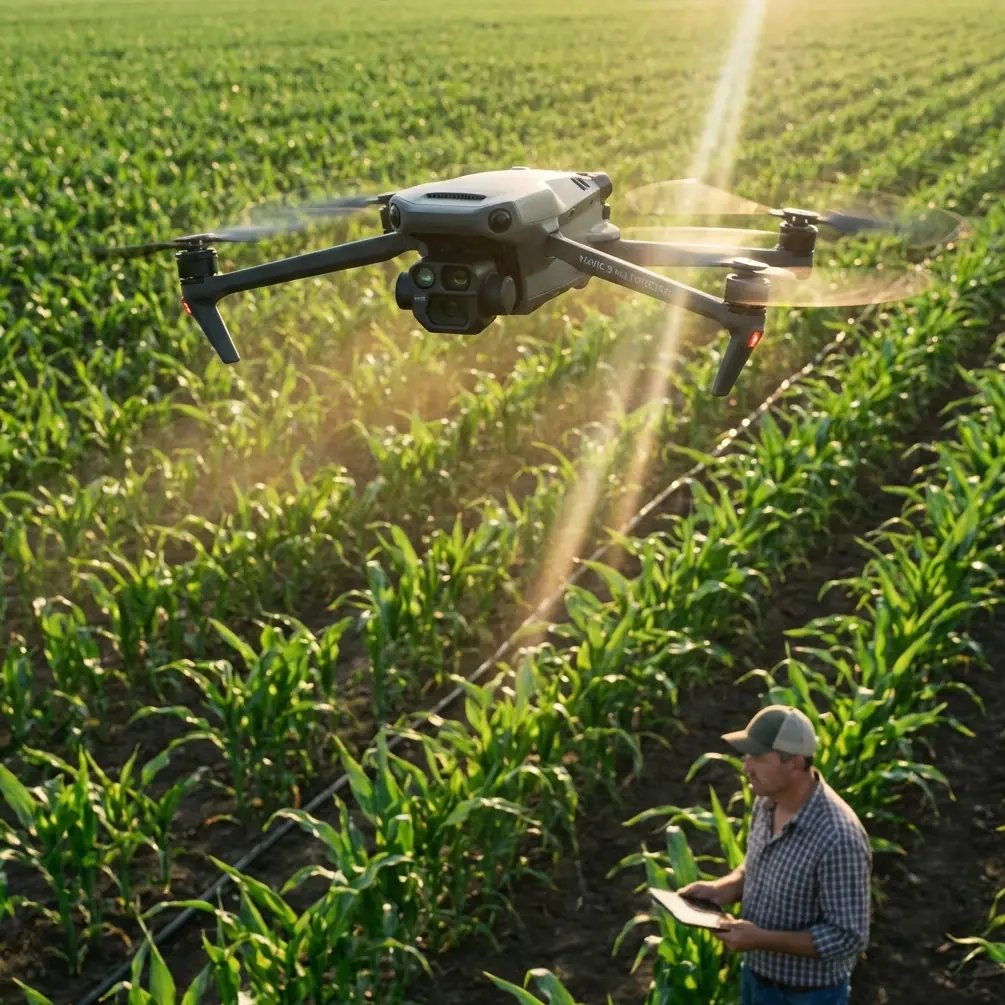
How to Map Mountain Vineyards with Mavic 4 Pro
META: Learn professional vineyard mapping techniques using Mavic 4 Pro in challenging mountain terrain. Master EMI handling, flight planning, and precision agriculture workflows.
TL;DR
- Electromagnetic interference (EMI) in mountain vineyards requires specific antenna positioning and channel selection to maintain reliable control
- The Mavic 4 Pro's omnidirectional obstacle avoidance enables safe autonomous flight between tight vine rows at elevations above 1,500 meters
- Proper D-Log color profile settings capture 14+ stops of dynamic range for accurate NDVI-ready imagery
- Mission planning with 70% front overlap and 75% side overlap ensures complete orthomosaic coverage without gaps
Why Mountain Vineyard Mapping Demands Specialized Techniques
Vineyard mapping in mountainous terrain presents unique challenges that flat-field agriculture never encounters. Steep gradients, variable elevations, and electromagnetic interference from mineral-rich soils can disrupt standard drone operations within seconds.
The Mavic 4 Pro addresses these challenges through its advanced sensor suite and transmission system. However, success depends entirely on understanding how to configure and deploy these capabilities correctly.
This tutorial walks you through complete mountain vineyard mapping workflows—from pre-flight EMI mitigation to post-processing orthomosaics that viticulturists actually use.
Understanding Electromagnetic Interference in Mountain Environments
Mountain vineyards often sit atop iron-rich soils and near geological formations that generate significant electromagnetic interference. This interference disrupts the communication link between your controller and the Mavic 4 Pro.
Recognizing EMI Symptoms
Watch for these warning signs during flight:
- Sudden signal strength drops below two bars despite clear line of sight
- Intermittent video feed stuttering or complete blackouts lasting 2-3 seconds
- GPS position drift exceeding 3 meters while hovering stationary
- Compass calibration warnings appearing mid-flight
- Return-to-home activation without pilot command
Antenna Adjustment Protocol for EMI Mitigation
The Mavic 4 Pro's controller features adjustable antennas that most pilots never optimize. Proper positioning makes the difference between mission success and emergency landing.
Step 1: Before takeoff, identify potential EMI sources. Power lines, irrigation pump stations, and exposed rock formations containing magnetite all generate interference.
Step 2: Position controller antennas perpendicular to the drone's expected flight path—not pointed directly at it. The antenna radiation pattern broadcasts strongest from the flat face, not the tip.
Step 3: Select manual channel selection in transmission settings. Automatic channel hopping can lock onto interference-heavy frequencies. Choose channels 1, 6, or 11 for least overlap with common interference sources.
Expert Insight: When flying near vineyard irrigation systems with electric pumps, maintain minimum 50-meter horizontal separation. These pumps generate broadband EMI that overwhelms automatic channel selection algorithms.
Step 4: Enable dual-band transmission mode. The Mavic 4 Pro simultaneously broadcasts on 2.4GHz and 5.8GHz frequencies. Mountain terrain often blocks one frequency while leaving the other clear.
Pre-Flight Planning for Steep Terrain
Mountain vineyards rarely offer flat launch sites. Your mission planning must account for elevation changes that can exceed 200 meters across a single property.
Terrain Follow Mode Configuration
The Mavic 4 Pro's terrain follow function uses downward-facing sensors combined with DEM data to maintain consistent altitude above ground level (AGL).
Configure these settings before launch:
- Terrain follow altitude: Set to 40-50 meters AGL for vineyard mapping
- Maximum climb rate: Limit to 3 m/s to prevent aggressive altitude corrections
- Terrain data source: Download offline terrain maps—cellular coverage fails in most mountain regions
- Safety margin: Add 15 meters to your planned AGL to account for DEM inaccuracies
Flight Speed Optimization
Mapping speed directly impacts image quality and overlap consistency. Mountain conditions require slower speeds than flatland operations.
| Terrain Type | Recommended Speed | Overlap Achieved | Image Sharpness |
|---|---|---|---|
| Flat vineyard | 8-10 m/s | 70% front, 75% side | Excellent |
| Moderate slope (15-25°) | 5-7 m/s | 75% front, 80% side | Excellent |
| Steep slope (25-35°) | 3-5 m/s | 80% front, 85% side | Good to Excellent |
| Extreme slope (35°+) | 2-3 m/s | 85% front, 90% side | Good |
Slower speeds on steep terrain compensate for the increased ground distance covered per image when flying at consistent AGL.
Obstacle Avoidance Configuration for Vine Row Navigation
The Mavic 4 Pro's omnidirectional obstacle avoidance system detects objects in all directions simultaneously. However, default settings prioritize safety over mission completion—problematic when mapping requires precise flight paths.
Optimizing Avoidance Settings
Navigate to Settings > Safety > Obstacle Avoidance and configure:
- Avoidance behavior: Set to "Bypass" rather than "Brake." This allows the drone to navigate around obstacles while maintaining mission progress
- Horizontal detection range: Reduce to 8 meters in tight vine rows. Default 15-meter range triggers unnecessary course corrections
- Vertical detection range: Maintain default 10 meters for overhead hazard protection
- Minimum approach distance: Set to 3 meters for vine row operations
When to Disable Avoidance
Experienced pilots sometimes disable obstacle avoidance for specific mapping scenarios. Consider disabling when:
- Flying above 60 meters AGL where no obstacles exist
- Mapping dormant vineyards with no foliage
- Operating in ATTI mode for manual precision control
Pro Tip: Never disable obstacle avoidance during your first flight over unfamiliar terrain. Complete one reconnaissance flight with full avoidance enabled to identify unmarked hazards like guy wires, weather stations, or bird deterrent systems.
Camera Settings for Agriculture-Ready Imagery
Vineyard mapping serves multiple purposes: health assessment, yield estimation, and infrastructure planning. Each requires specific camera configurations.
D-Log Profile for Maximum Data Retention
The Mavic 4 Pro's D-Log color profile captures the widest dynamic range—critical for post-processing into vegetation indices.
Configure these settings:
- Color profile: D-Log
- ISO: 100-200 (never auto)
- Shutter speed: 1/500 minimum for motion blur elimination
- White balance: Manual, set to 5600K for consistent color temperature
- Image format: RAW (DNG) for full processing flexibility
Exposure Strategy for Variable Lighting
Mountain terrain creates dramatic lighting variations. South-facing slopes receive direct sunlight while north-facing rows remain shadowed—often within the same vineyard block.
Use exposure bracketing with three shots at -1, 0, +1 EV for challenging lighting. The Mavic 4 Pro captures brackets rapidly enough to maintain 70% overlap at 5 m/s flight speed.
ActiveTrack for Perimeter Documentation
Beyond orthomosaic mapping, vineyard managers need video documentation of perimeter fencing, access roads, and infrastructure. ActiveTrack simplifies this process.
Subject Tracking Configuration
ActiveTrack 6.0 on the Mavic 4 Pro recognizes and follows vehicles, people, and defined visual targets. For vineyard perimeter documentation:
Step 1: Drive an ATV or utility vehicle along the perimeter at 10-15 km/h
Step 2: Launch the Mavic 4 Pro and establish 30-meter following distance
Step 3: Draw a selection box around the vehicle on the controller screen
Step 4: Select "Trace" mode to follow directly behind, or "Parallel" to maintain offset position
Step 5: Set altitude to 15-20 meters for optimal perspective
The drone automatically adjusts speed, maintains framing, and avoids obstacles while you focus on driving the perimeter route.
Hyperlapse for Seasonal Documentation
Viticulturists value time-lapse documentation showing seasonal vineyard changes. The Mavic 4 Pro's Hyperlapse function creates these automatically.
Waypoint Hyperlapse Setup
Step 1: Fly a manual path through the vineyard, marking 5-8 waypoints at key positions
Step 2: Return to starting position and activate Hyperlapse mode
Step 3: Select "Waypoint" hyperlapse type
Step 4: Set interval to 2 seconds and total duration to 30 minutes
Step 5: The drone automatically flies between waypoints, capturing images at each interval
Repeat this identical flight path monthly throughout the growing season. Post-processing software stitches these into compelling seasonal progression videos.
QuickShots for Marketing Content
Vineyard owners increasingly need aerial marketing content. QuickShots provides professional-quality footage without complex piloting.
Recommended QuickShots for vineyard marketing:
- Dronie: Reveals vineyard scale while keeping winery building in frame
- Circle: Orbits around central tasting room or landmark tree
- Helix: Combines ascending spiral for dramatic reveal shots
- Rocket: Vertical ascent showcasing row patterns from above
Each QuickShot completes in 15-30 seconds and requires minimal pilot input beyond subject selection.
Common Mistakes to Avoid
Flying during peak thermal activity. Mountain thermals peak between 11 AM and 3 PM, creating turbulence that degrades image sharpness. Schedule mapping flights for early morning or late afternoon.
Ignoring battery temperature warnings. Mountain elevations mean cooler temperatures. Batteries below 15°C deliver reduced capacity. Pre-warm batteries in your vehicle before flight.
Using automatic exposure for mapping. Auto exposure creates inconsistent brightness across images, complicating orthomosaic stitching. Always use manual exposure locked to a mid-tone reference.
Neglecting ground control points. Without GCPs, your orthomosaic may show 5-10 meter positional errors. Place minimum 5 GCPs distributed across the mapping area for survey-grade accuracy.
Attempting single-battery coverage of large areas. The Mavic 4 Pro delivers approximately 40 minutes flight time under ideal conditions. Mountain operations reduce this to 30-35 minutes. Plan missions requiring 70% of available battery capacity maximum.
Frequently Asked Questions
What overlap settings produce the best orthomosaic quality for vineyard mapping?
For mountain vineyard mapping, use 75% front overlap and 80% side overlap minimum. Steep terrain increases effective ground distance between images, making higher overlap essential. Processing software like Pix4D or DroneDeploy requires this redundancy to accurately stitch images captured at varying elevations and angles.
How do I handle compass calibration errors in mineral-rich vineyard soils?
Move at least 30 meters away from any visible rock outcroppings or irrigation infrastructure before calibrating. If errors persist, enable "Opti-Flow" positioning mode which relies on visual sensors rather than magnetic compass. Complete calibration at your launch site before every flight—mountain magnetic fields vary significantly across short distances.
Can the Mavic 4 Pro map vineyards in light rain or morning fog?
The Mavic 4 Pro lacks official weather sealing, making rain operations inadvisable. Morning fog presents different challenges—obstacle avoidance sensors struggle with moisture droplets, and image quality suffers from reduced contrast. Wait until visibility exceeds 3 kilometers and relative humidity drops below 85% for optimal results.
Ready for your own Mavic 4 Pro? Contact our team for expert consultation.