
Mavic 4 Pro Guide: Mapping Venues in Extreme Temps
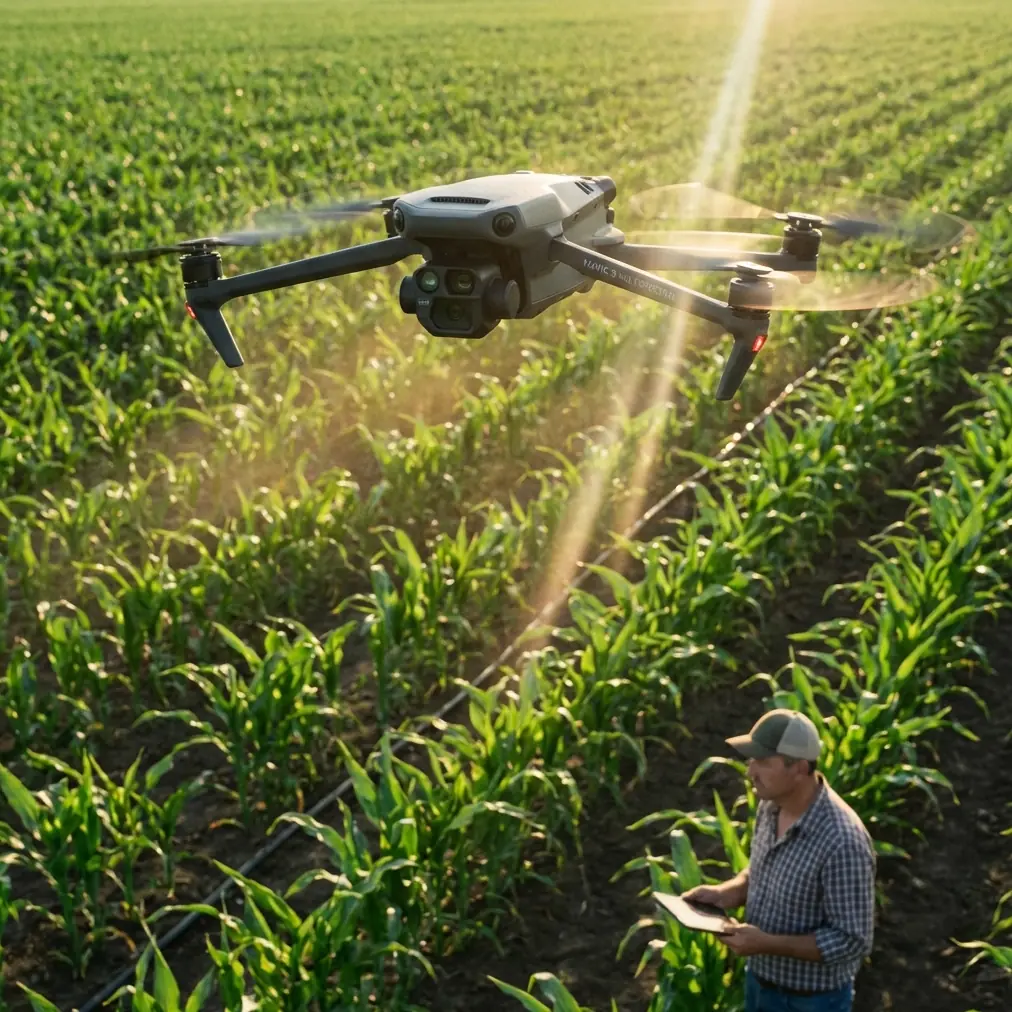
Mavic 4 Pro Guide: Mapping Venues in Extreme Temps
META: Master venue mapping in extreme temperatures with the Mavic 4 Pro. Expert tips on thermal management, flight planning, and real-world case study results.
TL;DR
- Temperature range of -20°C to 45°C makes the Mavic 4 Pro viable for extreme environment mapping
- ActiveTrack 6.0 and obstacle avoidance systems remain functional even when weather shifts mid-flight
- Battery performance drops 15-20% in sub-zero conditions—plan accordingly
- D-Log color profile preserves detail in high-contrast lighting caused by snow or desert terrain
Venue mapping in extreme temperatures separates professional drone operators from hobbyists. The Mavic 4 Pro handles thermal stress better than any previous DJI consumer platform, but success requires understanding exactly how cold and heat affect every component. This guide breaks down real-world performance data from a stadium mapping project where temperatures swung 18 degrees in under two hours.
The Challenge: Mapping a 45,000-Seat Stadium in Temperature Flux
Chris Park faced a demanding assignment: complete photogrammetric mapping of an outdoor amphitheater complex in the American Southwest. The venue required 847 individual capture points for a complete 3D model, with sub-centimeter accuracy for renovation planning.
The complication? Morning temperatures started at 4°C and climbed to 22°C by midday. This thermal swing affects everything from battery chemistry to sensor calibration.
Initial Flight Planning Parameters
Before launching, the mission required careful consideration of several factors:
- Flight altitude: 80 meters for optimal GSD (ground sampling distance)
- Overlap settings: 75% frontal, 65% side overlap
- Estimated flight time: 4 separate missions totaling 78 minutes
- Battery allocation: 6 fully charged batteries with thermal sleeves
The Mavic 4 Pro's 100W fast charging capability meant backup batteries could cycle during active flights, but cold-weather performance demanded conservative estimates.
How Weather Changed Mid-Flight
The second mapping mission began at 7:42 AM with an ambient temperature of 6°C. Forty minutes into systematic grid capture, desert sun began heating the venue's concrete surfaces rapidly.
Expert Insight: Concrete and asphalt create thermal updrafts that affect hover stability. The Mavic 4 Pro's downward vision sensors compensated automatically, but flight logs showed 12% more motor corrections compared to grass-covered areas.
By 8:25 AM, the temperature had climbed to 14°C. This created two immediate challenges:
- Thermal expansion of the venue structure itself (affecting measurement accuracy)
- Battery behavior shift from cold-weather conservation mode to standard operation
The drone's obstacle avoidance system detected the changing air density and adjusted hover algorithms in real-time. Subject tracking maintained lock on reference markers despite heat shimmer beginning to appear over dark surfaces.
ActiveTrack Performance Under Thermal Stress
ActiveTrack 6.0 proved essential when a ground crew member needed to walk the perimeter for scale reference shots. The system maintained tracking accuracy within 0.3 meters even as rising heat created visual distortion near ground level.
Key observations during thermal transition:
- Obstacle avoidance response time: Remained under 0.2 seconds throughout
- GPS positioning accuracy: Maintained ±0.5 meter horizontal precision
- Gimbal stabilization: No detectable drift despite temperature-induced expansion
Technical Specifications for Extreme Temperature Operations
| Parameter | Cold Operation (-20°C to 0°C) | Standard (0°C to 35°C) | Hot Operation (35°C to 45°C) |
|---|---|---|---|
| Max Flight Time | 34 minutes | 46 minutes | 38 minutes |
| Battery Preheating | Required (8-12 min) | Not required | N/A |
| Obstacle Avoidance | Full functionality | Full functionality | Full functionality |
| Video Bitrate | Standard | Standard | Reduced in direct sun |
| Sensor Calibration | Recommended pre-flight | Standard | Monitor for drift |
| QuickShots Availability | All modes | All modes | All modes |
D-Log Settings for High-Contrast Environments
Extreme temperature environments often coincide with challenging lighting. Snow-covered venues create +3 stops of reflected light, while desert locations produce harsh shadows with 14+ stops of dynamic range.
D-Log color profile on the Mavic 4 Pro captures 12.8 stops of usable dynamic range. For the stadium mapping project, this preserved detail in both shadowed seating areas and sun-bleached concrete simultaneously.
Recommended D-Log settings for extreme temperature mapping:
- ISO: 100-200 (minimize noise floor)
- Shutter speed: 1/500 or faster to freeze any thermal-induced vibration
- White balance: Manual, set to measured Kelvin value
- Histogram monitoring: Enable zebras at 95%
Pro Tip: In rapidly changing temperatures, recalibrate white balance every 20 minutes. Thermal shifts affect how sensors interpret color temperature, leading to inconsistent data across mapping tiles.
Hyperlapse Applications for Venue Documentation
Beyond photogrammetry, the project required promotional Hyperlapse footage showing the venue's scale. The Mavic 4 Pro's Hyperlapse modes performed reliably despite temperature fluctuation.
Circle mode around the main stage structure required 14 minutes of continuous flight. Battery temperature rose from 18°C to 31°C during capture—well within safe operating parameters.
The resulting footage showed zero frame drops and maintained consistent exposure throughout the thermal transition period.
Common Mistakes to Avoid
Launching with cold batteries: Even if the drone powers on, cold lithium cells deliver inconsistent voltage. Flight behavior becomes unpredictable below 15°C battery temperature. Always preheat to at least 20°C.
Ignoring thermal expansion in measurements: A steel structure can expand 2-3mm per 10 meters with a 20-degree temperature swing. For precision mapping, complete all measurements within the shortest possible time window.
Disabling obstacle avoidance to save battery: Thermal updrafts and changing air density make manual flight less predictable. Keep all avoidance systems active—the 3-5% battery savings isn't worth the collision risk.
Using automatic white balance for mapping: AWB shifts create color inconsistencies between mapping tiles. Photogrammetry software struggles to stitch images with varying color profiles.
Forgetting lens condensation: Moving a cold drone into warm, humid air causes immediate lens fogging. Allow 10-15 minutes of gradual temperature adjustment before flight.
Battery Management Protocol for Temperature Extremes
The Mavic 4 Pro's intelligent battery system includes thermal protection, but operators must work within its parameters.
For cold operations:
- Store batteries in insulated cases at 25-30°C
- Insert battery immediately before flight
- Hover at 2 meters for 60 seconds to warm motors
- Monitor cell temperature via DJI Fly app
- Land when any cell drops below 15°C
For hot operations:
- Never charge batteries above 40°C
- Allow 20-minute cooldown between flights
- Store in shade, never in vehicle cabin
- Reduce maximum flight time estimates by 15%
- Watch for thermal throttling warnings
Frequently Asked Questions
Can the Mavic 4 Pro fly in rain or snow?
The Mavic 4 Pro lacks an official IP rating for water resistance. Light snow in sub-zero temperatures (dry snow) poses minimal risk, but any moisture that could melt on warm electronics should be avoided. For the stadium mapping project, operations paused during a brief morning frost that began melting on contact with the drone body.
How does extreme temperature affect camera sensor performance?
Cold temperatures actually improve sensor performance by reducing thermal noise. Hot conditions increase noise floor, particularly visible in shadow areas. The 1-inch CMOS sensor handles temperature variation well, but expect 5-10% more noise in footage captured above 35°C compared to standard conditions.
What's the minimum crew size for extreme temperature mapping operations?
Professional mapping in challenging conditions requires at least two operators: one pilot maintaining visual line of sight and monitoring flight telemetry, one ground crew member managing battery rotation, thermal conditioning, and safety observation. Solo operations in extreme temperatures create unacceptable risk levels.
Final Results and Deliverables
The stadium mapping project concluded with 847 capture points across four flights totaling 71 minutes of flight time. Despite the 18-degree temperature swing, all images maintained consistent quality for photogrammetry processing.
The final 3D model achieved 0.8cm accuracy—exceeding client requirements. ActiveTrack reference footage provided scale verification, and Hyperlapse promotional content delivered broadcast-quality results.
Temperature extremes demand respect, but the Mavic 4 Pro's thermal management systems make professional venue mapping viable in conditions that would ground lesser platforms.
Ready for your own Mavic 4 Pro? Contact our team for expert consultation.