
Mapping Coastal Solar Farms with Mavic 4 Pro
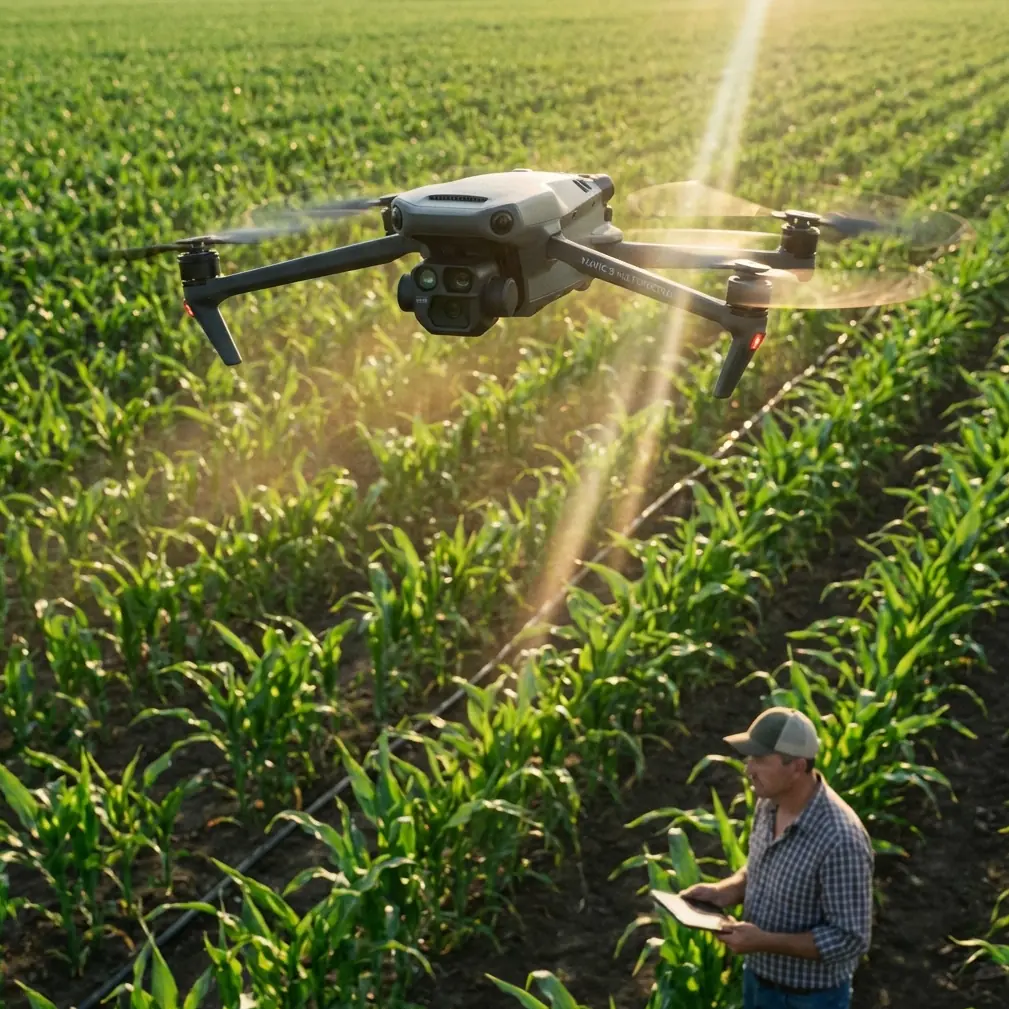
Mapping Coastal Solar Farms with Mavic 4 Pro: A Field Report on Clean Sensors, Reliable Workflows, and Why Documentation Still Matters
META: Field-tested insights on using Mavic 4 Pro for coastal solar farm mapping, with practical notes on pre-flight cleaning, obstacle avoidance reliability, and why checking the latest DJI documentation matters.
Coastal solar sites look simple from the access road. Long rows, repeating geometry, open sky. Once you are on the ground with a drone case in one hand and sea salt already settling on the truck windshield, the job becomes less forgiving.
That is where the Mavic 4 Pro conversation gets interesting.
I approach this as a photographer first, but solar mapping has a way of stripping away romantic ideas about flying. At a coastal site, pretty footage is secondary. What matters is whether your aircraft can maintain clean visual sensing, predictable obstacle avoidance, and consistent image capture over reflective panels, shifting wind, and airborne residue. The Mavic 4 Pro sits in that space between imaging tool and field instrument, and in my experience, that distinction changes how you prepare for a mission.
The single most overlooked step before launching at a coastal solar farm is not battery check, route review, or SD card formatting. It is cleaning.
Not the whole aircraft obsessively. The critical surfaces.
Salt haze, dust, and fine grit gather quickly near the coast. On a mapping day, that affects more than image quality. It can directly influence obstacle avoidance and tracking performance if optical sensors or camera glass are carrying residue. Pilots often think of cleaning as a cosmetic habit. In practice, it is part of flight safety and data reliability.
With the Mavic 4 Pro, features like obstacle avoidance, subject tracking, ActiveTrack, QuickShots, and Hyperlapse tend to get mentioned in lifestyle terms. For solar work, I think about them differently. Obstacle avoidance is not there to impress anyone. It is a buffer against unexpected poles, maintenance vehicles, fencing, cable structures, and edge-of-array equipment that can appear in transition zones. Subject tracking and ActiveTrack are not central to orthodox mapping grids, but they become useful when documenting moving maintenance teams, following inspection vehicles, or creating visual progress records that complement orthomosaic outputs. QuickShots and Hyperlapse are not mission-critical for survey accuracy, yet they can help operators produce stakeholder updates without deploying a second camera platform.
That only works if the aircraft’s sensing system is seeing clearly.
So my pre-flight starts with a deliberate cleaning pass: front vision sensors, downward sensors, main lens surfaces, and the body areas around those components. On coastal solar farms, I do this before every sortie, not just at the start of the day. If there has been a gusty hour, a low pass over dusty service roads, or mist rolling in from the shoreline, I check again. It takes less time than troubleshooting an avoidable sensing issue in the air.
The reason I am so rigid about this is simple: the environment compounds small errors. Solar panels reflect light aggressively. Coastal air introduces moisture and salt. Access roads throw dust. If the aircraft is relying on visual inputs for stability and avoidance, a thin film on a sensor can become operationally significant. The difference between a clean and slightly hazed sensing window may not be obvious standing beside the drone. It becomes obvious when the aircraft hesitates oddly, warns unexpectedly, or produces inconsistent behavior near site infrastructure.
This is also why I keep returning to one surprisingly unglamorous habit: checking the latest official documentation before a field season starts.
That sounds old-fashioned until you consider how many crews operate from memory. A pilot learns one workflow, keeps a PDF in a downloads folder, and assumes it remains current enough forever. DJI’s own documentation language has long emphasized that manuals may be updated without separate notice, and that users should check the latest version online. One reference point for that practice appears in DJI material tied to the Matrice 100 platform, where the company directs users to the developer site for the latest user manual and explicitly states that the manual may be updated without notice. It also provides a documentation support contact, [email protected], for questions or suggestions.
At first glance, that has nothing to do with a Mavic 4 Pro mapping day.
Operationally, it has everything to do with it.
The lesson is bigger than the specific aircraft in that older DJI document from 2016. The point is that documentation is not static, and treating it as static is a field risk. On a platform like the Mavic 4 Pro, small changes in firmware behavior, calibration guidance, supported workflows, image handling, or sensing recommendations can affect mission planning. When you are mapping a coastal solar farm, “close enough” knowledge is not really close enough. A site might have narrow launch windows due to weather and maintenance activity. If you lose time to preventable setup confusion, that has a cost in output, battery cycles, and sometimes rescheduling.
I have seen this play out in subtle ways. A crew trusts an old assumption about how the aircraft handles a certain automated capture pattern. Conditions are bright, the arrays are reflecting hard, and the operator is already splitting attention between line-of-sight monitoring and map coverage. The mission still gets completed, but the stress level rises because the workflow in the field does not match the workflow in memory. This is exactly the sort of friction current documentation is meant to reduce.
That is why my field kit has two kinds of preparation: physical and informational.
Physical preparation is the obvious part. Clean the aircraft. Check the props. Inspect lens surfaces. Confirm batteries are healthy and seated. Verify storage media. Evaluate wind direction relative to panel rows. Select a launch point away from loose dust if possible. On coastal sites, I also avoid setting the aircraft directly on the ground during battery changes. Salt and grit travel fast.
Informational preparation matters just as much. Before a new phase of work, I verify current manuals, app notes, and platform-specific updates from DJI’s official channels. If your team needs help sorting through a workflow question before heading to site, I’d suggest using a direct line like message a drone workflow specialist here rather than improvising in the field.
Now, let’s talk image work, because this is where the Mavic 4 Pro can be more than a survey utility.
Solar farm operators increasingly want dual-purpose flights. They need mapping-grade coverage for layout review, string-level context, drainage observation, or vegetation management planning. They also want visual assets for engineering updates, investor communications, O&M reporting, and public-facing project documentation. This is where a camera platform with strong color control becomes useful beyond the map.
If you are shooting in D-Log, the practical advantage on a coastal site is not that it sounds cinematic. It is that solar farms create difficult tonal contrasts. You have bright sky, reflective panels, service roads, fencing, transformers, and pockets of shadow under changing cloud. D-Log gives you more room to balance those extremes in post, especially when a client wants both analytical clarity and a polished visual record. For me, this matters most during edge-of-day flights when the low sun creates dramatic contrast across the arrays. The footage can look beautiful, but it can also become hard to grade if you have baked in too much contrast too early.
I use Hyperlapse sparingly on these projects, but when I do, it is usually to show weather movement over a large installation or to illustrate construction progress over time. It is not survey data, and it should not be mistaken for it. But it gives context. A two-dimensional map tells one story; a stabilized time-compressed sequence tells another. Together, they help clients understand site scale, access logic, and environmental exposure.
QuickShots are even less central to technical mapping, but they can be useful after the formal mission is done and the operational airspace remains suitable. A carefully planned reveal over the panel rows can help non-technical stakeholders grasp the layout in seconds. That said, I never treat automated creative modes as casual. On a coastal solar site, every automated path still deserves the same awareness of reflective surfaces, wind shifts, and nearby structures as a manual shot.
This brings me back to obstacle avoidance.
Pilots sometimes divide themselves into two camps: those who trust avoidance systems too much and those who ignore them on principle. Neither approach serves mapping work well. On the Mavic 4 Pro, obstacle sensing should be treated as one layer in a larger safety stack. Helpful, yes. Sufficient on its own, no. At a solar site, rows can create repetitive visual patterns that reduce a pilot’s intuitive sense of distance, especially during repositioning. Add glare and fatigue, and the risk of a sloppy movement increases. Clean sensors improve the chances that the aircraft interprets its surroundings correctly, but pilot discipline is still doing the heavy lifting.
One of the more practical habits I have adopted is to pause after every battery swap and reassess the sensing surfaces before takeoff. Not because I expect dramatic contamination each time, but because the cost-benefit is obvious. A ten-second check protects a far more expensive mapping leg. If there is any uncertainty, I wipe the surfaces and continue.
The older DJI documentation reference I mentioned earlier might seem like an odd foundation for an article centered on the Mavic 4 Pro. I think it is exactly the right foundation, because it points to a professional habit that transcends model names: trust the aircraft, but verify the guidance. DJI’s note that manuals can change without notice is not legal filler. It is a reminder that professional drone work depends on current information. The mention of the developer portal and documentation support contact is equally revealing. Serious operators are expected to engage with documentation actively, not passively.
For coastal solar mapping, that mindset pays off.
You fly cleaner. You troubleshoot less. You make better use of advanced features because you understand their boundaries. You produce footage that is useful rather than merely attractive. And you avoid the trap of assuming that a premium aircraft will somehow compensate for neglected field habits.
The Mavic 4 Pro is a capable platform, but capability shows up differently on a windy shoreline than it does in a product demo. On a real site, among reflective rows and salt-laden air, the difference between a smooth mission and a compromised one often comes down to details so small they are easy to dismiss: one wiped sensor window, one manual checked before the season starts, one operator who treats documentation as part of the toolkit.
That is not glamorous. It is professional. And on solar jobs, professional is what keeps the data usable.
Ready for your own Mavic 4 Pro? Contact our team for expert consultation.