
Mavic 4 Pro Mapping Tips for Forests in Windy Conditions
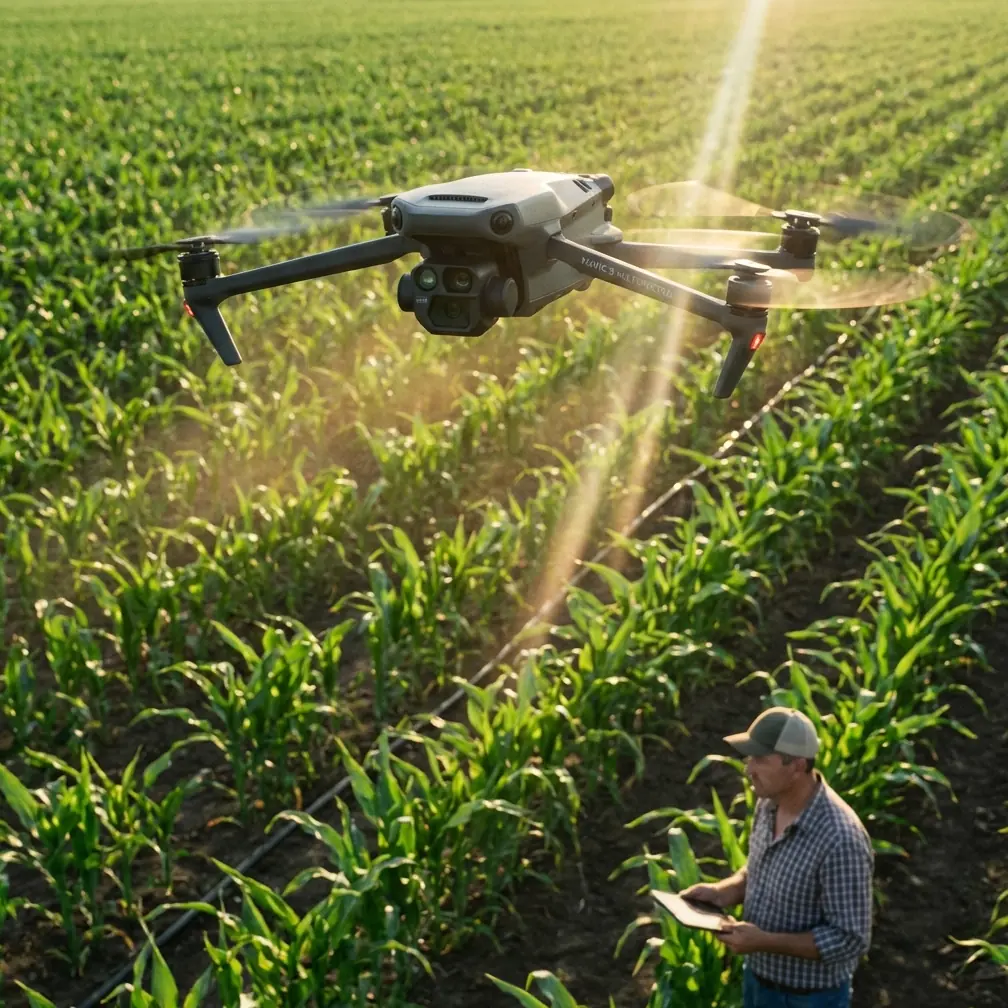
Mavic 4 Pro Mapping Tips for Forests in Windy Conditions: What Actually Helps in Water-Resource Survey Work
META: Practical Mavic 4 Pro tutorial for forest and watershed mapping in windy conditions, with expert workflow tips for hydrology surveys, flood-zone inspection, and safer aerial data capture.
I’ve had days when a “simple” mapping job turned into a wrestling match with terrain, wind shear, tree cover, and bad access.
One assignment still sticks with me. The target area sat where forest edge met river corridor, with embankments, reservoir features, and irregular water boundaries that the client needed documented fast. On paper, the mission sounded routine. In reality, the roads were poor, visual access from the ground was terrible, and several key points along the waterline were almost impossible to assess from a boat or on foot without burning half a day.
That kind of job is exactly where the Mavic 4 Pro mindset matters.
Not because any drone magically removes operational difficulty. It doesn’t. But because the right aircraft, flown with the right planning logic, can change how you approach hydrology work, watershed inspection, and forest-adjacent mapping when the wind is moving and the landscape is fighting back.
This article is built around that field reality: mapping forests in windy conditions, with a specific eye on water-resource and river-area survey tasks. The reference material behind this piece is centered on UAV hydrological monitoring, and its core point is simple but powerful: traditional methods often rely on people carrying cameras to high ground or using boats to estimate water area, while drone aerial survey can cover large areas quickly, deliver real-time monitoring data, and produce map outputs that are actually usable for decision-making. That difference is not abstract. It directly affects how fast you can understand terrain, water extent, embankment condition, and changing water levels.
Why forest mapping and hydrology often belong in the same mission
A lot of pilots think of “forest mapping” and “water survey” as separate jobs. In practice, they overlap constantly.
If you are working near reservoirs, retention basins, flood storage areas, riverbanks, irrigation corridors, or wooded catchment zones, the forest is rarely just background scenery. It blocks lines of sight, disrupts GNSS confidence in some pockets, creates turbulence, and hides terrain transitions that matter for runoff, erosion, and access planning.
The reference material highlights a major operational benefit of UAVs in water-resource work: they allow teams to quickly look down on flood detention zones, terrain, landforms, reservoirs, dikes, and dangerous embankment sections from above. That top-down perspective matters even more when the perimeter is wooded. A ground team may know a levee or shoreline exists. They may not know how the surrounding canopy, access routes, erosion paths, and water spread relate until the aircraft gives them the full spatial picture.
With a Mavic 4 Pro workflow, the win is not just sharper imagery. It is better situational understanding in less time.
Start with the mission objective, not the camera mode
When people ask for “mapping tips,” they often expect settings first. I’d start somewhere else.
Define what the output must prove.
For hydrology or watershed work near forests, that usually falls into one of four categories:
- Water coverage area
- Shoreline or warning-line interpretation
- Condition of embankments, reservoirs, or risk sections
- Change over time
The source document specifically mentions water coverage area surveys, water warning-line analysis, and aerial map generation from real-time monitoring data. That tells us something important: the mission is not just about collecting pretty aerial footage. It is about generating information that can support decisions. In flood or drought contexts, delay has a cost.
So before launch, decide whether your Mavic 4 Pro sortie is for:
- fast reconnaissance
- repeatable mapping
- detailed inspection passes
- or time-comparison documentation
If you mix all four into one flight without a plan, windy forest conditions will punish you.
In windy forest environments, the first challenge is not image quality. It’s flight geometry.
Wind around forests is messy. Open water can look calm enough from takeoff, while the treeline is producing lateral gusts and rotor wash effects a few meters above canopy height. If you climb too high too quickly, you may enter stronger flow than expected. If you stay too low, you may lose the clean sightline needed for a proper map.
What worked for me on similar jobs was breaking the area into wind-behavior zones:
- open water edge
- treetop transition band
- above-canopy mapping altitude
- protected leeward side
- narrow river corridor or cutline
The Mavic 4 Pro’s obstacle avoidance and route discipline become most useful here when you stop flying reactively. Pre-visualize where the aircraft will experience abrupt airflow changes, especially near ridges, embankments, and forest margins.
That matters because hydrology tasks often require reliable overlap and consistent perspective. If you let the aircraft drift or crab irregularly through gusts, your later map alignment suffers. In a flood-prone or reservoir-monitoring assignment, that weakens one of the biggest benefits named in the reference: the ability to quickly create clear electronic or photographic outputs for water-resource inspection mapping.
In plain language, if your geometry is sloppy, your decision support is sloppy.
Use the Mavic 4 Pro like two aircraft in one mission
For this kind of work, I usually think in two passes.
Pass 1: Reconnaissance and hazard reading
This is where ActiveTrack, subject awareness tools, and obstacle sensing logic are useful indirectly, even if you are not “tracking” a moving person or vehicle in the classic sense. You are building spatial awareness. Fly a controlled visual pass around the perimeter to identify:
- wind-exposed edges
- hidden tree protrusions
- access breaks to embankments
- water extent irregularities
- any dangerous sections that deserve slower inspection
The source material specifically notes that UAVs can quickly reach affected areas despite transport limitations and transmit live on-site information in real time. That is a major field advantage in river, reservoir, or detention-zone work. In forested terrain, the practical meaning is this: don’t wait for the final map to tell you where the problem is. Use the first pass to understand what deserves the second pass.
Pass 2: Structured capture
Once the area is mentally organized, switch to your repeatable mapping pattern. Keep your lines conservative. In gusty conditions, I’d rather fly a slightly tighter, safer grid and add a second battery than try to stretch one aggressive mission profile over mixed canopy and water.
This sounds basic, but it’s where experienced operators separate themselves from casual pilots.
Why top-down perspective beats boats and hillside photography
The reference document is blunt about traditional methods. It describes survey teams carrying cameras to elevated positions or using boats to estimate water surface area. It also points out that manual methods are slow and lack the detailed bird’s-eye perspective needed for accurate division or interpretation.
That matches what many of us have seen firsthand.
From a boat, scale is deceptive. From shore, occlusion is constant. From a hillside, your angle distorts shoreline relationships and hides the inside edge of vegetation and erosion features. In wooded floodplain environments, this is a serious limitation. A water boundary is not just a line where wet meets dry. It is often entangled with reeds, brush, fallen timber, sediment color changes, and partial canopy cover.
The Mavic 4 Pro solves part of this simply by putting your camera in the only place where the geometry makes sense: overhead.
And that operationally significant overhead view is one of the strongest points in the source material. It enables teams to identify terrain, reservoirs, dikes, and hazardous sections quickly, then monitor how conditions develop. For a civilian mapping team, environmental consultant, or water-resource surveyor, that means fewer blind spots and less dependence on risky field positioning.
Windy forests demand smarter use of tracking and automation
A lot of pilots ignore QuickShots, Hyperlapse, or tracking tools on technical jobs because they sound too cinematic. That’s a mistake if you understand their limits.
Would I use QuickShots as a primary mapping method? No.
Would I use short automated movement patterns or repeatable camera motions to create visual change records for stakeholders? Absolutely.
When you’re documenting water level shifts, embankment condition, or vegetative encroachment over time, controlled repeatability matters. Hyperlapse-style interval documentation can help communicate progression across a corridor, while ActiveTrack-style stability logic can be useful in auxiliary visual storytelling when following a river edge access path or maintenance vehicle from a safe, compliant distance.
The key is to keep those tools secondary to your actual survey capture.
For formal map-grade outputs, structure wins. For communication and reporting, automation can save time.
D-Log is not just for colorists
If your Mavic 4 Pro workflow includes D-Log, use it thoughtfully on mixed forest-and-water scenes.
Why? Because this environment is brutal on dynamic range. Dark canopy, reflective water, bright sky, exposed sandbars, concrete spillway surfaces, and shadowed embankments can all live in one frame. If you crush shadows or clip highlights, small but meaningful surface details disappear.
In hydrological monitoring, those details can affect interpretation. The reference text emphasizes that real-time aerial monitoring should help teams clearly analyze the real-time dynamics of water resources. Clear analysis depends on preserving visual information in difficult light. D-Log gives you more room in post to separate shoreline texture, damp ground transitions, and subtle water-surface variation.
That does not mean every field team needs cinema-grade color work. It means your capture format should support analysis, not sabotage it.
The safety advantage is bigger than most spec sheets suggest
One of the strongest ideas in the source material is not really about image quality at all. It’s about keeping people out of bad places.
The document notes that UAV use in drought inspection can help teams avoid sending personnel deep into fields, while also giving timely visibility into water-source reserves and water-level changes across outer rivers, lakes, and inner waterways. It also states that drones are particularly suited to emergency management because they reduce the risk exposure of flood and drought personnel while increasing efficiency.
That matters in forest mapping too.
Windy woodland near water creates exactly the kind of access problem that tempts crews into unnecessary field exposure: unstable banks, poor visibility, wet ground, long detours, and delayed communication between observation points. If the Mavic 4 Pro can answer the location question from the air, the team doesn’t need to answer it with boots first.
For environmental and civil users, that is one of the most valuable operational shifts a drone can deliver.
My field workflow for a Mavic 4 Pro in these jobs
Here’s the practical sequence I’d recommend:
1. Define the decision question
Are you measuring water extent, checking a dike segment, documenting drought conditions, or creating a base map for later comparison?
2. Split the mission by terrain behavior
Separate open-water and forest-edge segments. Don’t assume one altitude and one flight pattern will suit both.
3. Fly a live recon pass
Use the Mavic 4 Pro’s situational tools to read wind, canopy clearance, and hidden obstacles before committing to full capture.
4. Capture the structured dataset
Prioritize clean overlap, stable speed, and consistent angle. In gusts, consistency beats ambition.
5. Add secondary visual passes
Collect lower obliques of embankments, reservoirs, or warning-line features that help non-pilot stakeholders understand the site.
6. Review before leaving
Hydrology jobs often happen far from easy access. Check coverage in the field. If a dangerous embankment section or waterline break matters, confirm it while the aircraft is still available.
If you’re building a similar workflow and want to compare mission planning ideas with someone who understands these edge cases, you can message Chris directly here.
What changed for me after adopting this approach
The biggest shift was mental.
I stopped treating the drone as a flying camera and started treating it as a fast-response spatial intelligence tool.
That framing lines up closely with the source material, which stresses rapid wide-area inspection, real-time information transfer, and later production of electronic or photographic map results. Once you accept that role, every Mavic 4 Pro setting choice becomes easier to judge. Does this help the team understand the site faster, safer, and more accurately? If yes, keep it. If not, skip it.
For forest mapping in windy conditions, especially where water-resource monitoring is part of the assignment, that discipline matters more than hype.
The aircraft is there to help you see what ground methods miss: the actual spread of water, the relationship between treeline and embankment, the weak points in access, the dynamic changes that occur too fast for manual surveys, and the full overhead context that boats and shore-based photography simply cannot provide.
That’s why UAV hydrological monitoring has become so valuable. Not because it replaces human judgment, but because it gives that judgment better evidence, sooner.
And when the weather is moving, the trees are shifting, and the site is too large to read from the ground, that speed can be the difference between a rough guess and a useful map.
Ready for your own Mavic 4 Pro? Contact our team for expert consultation.