
Mapping Fields in Windy Conditions: Practical Mavic 4 Pro
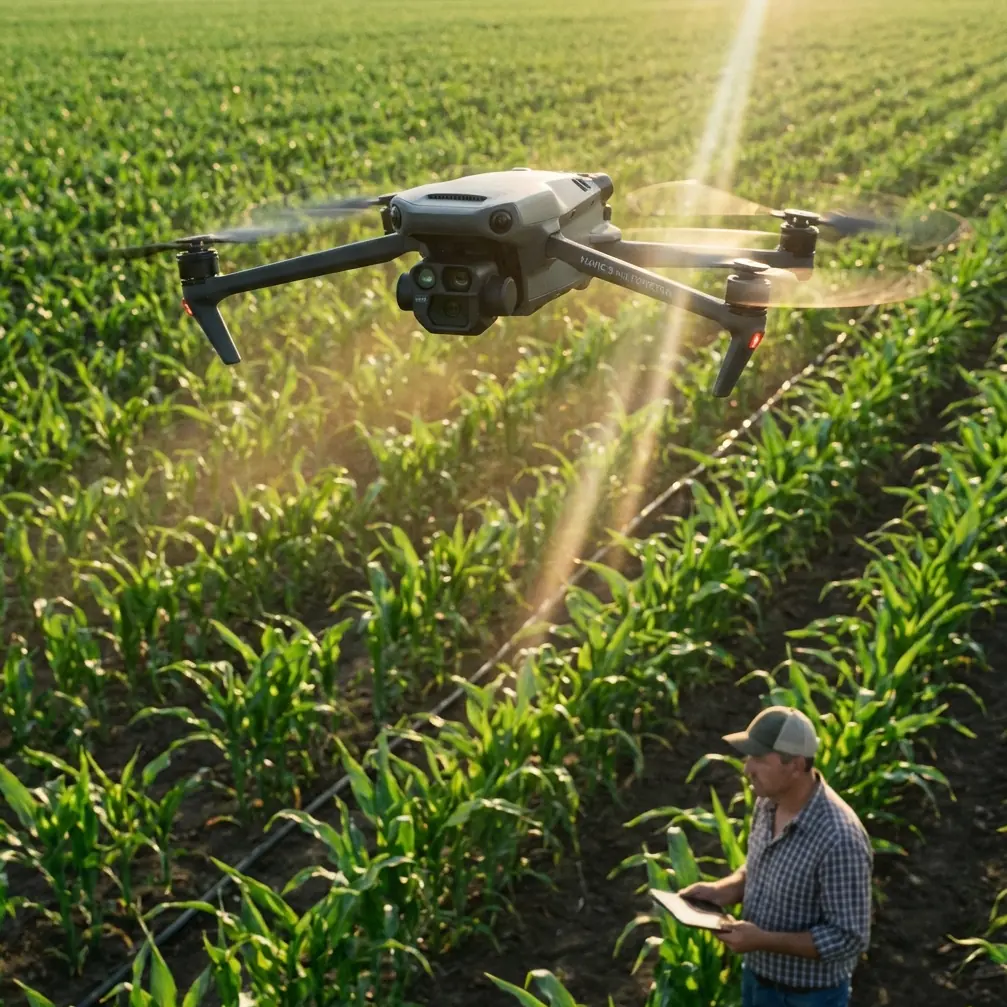
Mapping Fields in Windy Conditions: Practical Mavic 4 Pro Best Practices
META: A field-ready Mavic 4 Pro mapping guide for windy conditions, covering flight planning, obstacle avoidance, tracking, D-Log workflows, and tactics that improve usable data.
Wind changes everything in field mapping.
It changes battery planning, image overlap, ground speed, gimbal behavior, and the margin for error near trees, poles, irrigation rigs, and ridgelines. If your goal is reliable map data instead of a stressful flight log, the Mavic 4 Pro has to be used differently in wind than it would for a calm sunrise orbit or a quick social clip.
This guide is built around that exact scenario: mapping fields in windy conditions with the Mavic 4 Pro. Not filming. Not general-purpose flying. Mapping, where consistency matters more than drama and where one unstable leg of a mission can ripple into uneven coverage, weak stitching, or repeat flights you did not plan for.
The good news is that the Mavic 4 Pro is unusually well suited to this kind of work when compared with many drones that are excellent at cinematic flight but less disciplined once the air starts moving. The reason is not one headline feature. It is the stack: strong obstacle avoidance, mature subject and terrain-aware tracking logic, stable flight control, intelligent automation modes such as QuickShots and Hyperlapse that double as recon tools, and color options like D-Log that help when you need to inspect field edges, drainage lines, and crop inconsistency after the flight.
That combination matters operationally. In wind, a drone that simply “flies” is not enough. You need one that keeps composure while gathering repeatable imagery.
Start with a mapping mindset, not a camera mindset
A lot of pilots approach the Mavic 4 Pro as a premium aerial camera first and a field tool second. That is backward if you are mapping acreage.
Your priority is coverage geometry. Wind pushes you off ideal speed, and once speed varies too much, your overlap can change from excellent to marginal within a single pass. The result may not be obvious on the controller. You only discover it later when the map looks patchy or the reconstruction software struggles in low-texture areas.
Before takeoff, define three things:
- your required overlap
- your acceptable wind threshold
- your return reserve
Those are more useful than obsessing over image style in the first five minutes. The Mavic 4 Pro gives you enough intelligence to make these calls with precision, but the pilot still has to think like a survey operator.
On windy days, I recommend flying the first leg into the wind rather than with it. That sounds basic, but it changes mission quality in a big way. If the aircraft can hold the tougher outbound track cleanly while the battery is full, the rest of the mission becomes easier to manage. If it struggles early, you know before committing the whole field.
This is also where the Mavic 4 Pro separates itself from less refined competitors. Some aircraft feel fine in wind until you inspect the actual path consistency and see micro-corrections everywhere. The Mavic line has long been strong at smoothing that behavior, and the Pro version is particularly useful because its sensing and stabilization package helps maintain disciplined movement instead of turning every gust into a visible positional wobble.
Use obstacle avoidance as a mapping safety net, not a crutch
Field pilots sometimes assume obstacle avoidance matters less in agriculture because the environment is “open.” That is only half true.
Real fields contain wire fences, utility lines, isolated trees, pivot systems, sheds, windbreaks, and elevation changes that can appear suddenly when your attention is split between map coverage and aircraft attitude. Wind makes these features more dangerous because drift can close distance faster than expected, especially during turns at field edges.
This is where obstacle avoidance becomes operationally significant. On the Mavic 4 Pro, it is not just there to protect a cinematic reveal. It reduces the chance that a gust during a cornering transition turns into a mission-ending mistake. If you are mapping a parcel bordered by tree lines or infrastructure, that extra awareness buys you decision time.
The practical rule is simple: leave it on unless you have a specific reason to disable part of the sensing logic. Advanced pilots sometimes switch systems off in highly predictable open zones to maintain uninterrupted route behavior, but that should be a deliberate call, not a habit. In wind, extra awareness is usually worth more than theoretical route purity.
One useful workflow is to perform a fast perimeter inspection flight before starting the actual map run. You can use the drone’s intelligent capture features for this, not as a creative exercise, but as reconnaissance. A short Hyperlapse path, for example, can reveal how trees are moving, where gusts are stronger, and whether any sprinkler hardware or temporary equipment has been repositioned since your last visit. That is a smarter use of automation than most pilots realize.
Wind changes your altitude decision more than your camera decision
Many operators respond to wind by lowering speed first. That helps, but altitude often matters more.
At lower heights, you may get better ground detail, yet you also expose the aircraft to mechanical turbulence generated by hedgerows, berms, buildings, and uneven terrain. Climb a little, and the air can become cleaner. Climb too much, and you reduce ground resolution or increase the area affected by lateral drift. The right answer is site-specific.
The Mavic 4 Pro gives you flexibility here because its imaging system is strong enough to preserve useful detail even when you choose a slightly more conservative altitude for stability. That trade is frequently better than forcing a low, bumpy mission just to maximize nominal resolution.
When comparing this with competitors, this is one of the areas where the Mavic 4 Pro tends to excel in real operations. Some drones may advertise strong imaging, but the total result depends on how stable the platform remains while collecting hundreds of frames over repeated tracks. Mapping is unforgiving. If the aircraft and gimbal do not work together cleanly in wind, the sensor spec sheet stops mattering.
A practical approach is to run a short test strip at one altitude, review consistency, then adjust before flying the full block. Two minutes spent validating is better than discovering later that the southern edge of the field was collected in rougher air than the rest.
Do not ignore ActiveTrack and subject tracking logic
At first glance, ActiveTrack and subject tracking sound irrelevant to mapping. They are not central to the mission, but they are still useful tools in a windy field workflow.
Here is why: mapping jobs often begin with a site read. You may need to inspect a moving irrigation rig, follow a vehicle along a service path, or document drainage behavior around a boundary while winds are shifting. Subject tracking helps gather those contextual visuals quickly and safely before or after the mapping run. That context can be valuable for farm managers who are not only looking for a stitched map, but trying to understand what conditions were present during the flight.
The operational significance is efficiency. Instead of launching a second platform or manually chasing a moving point in gusty air, the Mavic 4 Pro can handle short observational tasks with less pilot workload. That keeps your attention free for battery state, wind trends, and airspace awareness.
It also reinforces why this model stands out against more single-purpose drones. Some competitors are either good at automated imaging or good at dynamic subject work. The Mavic 4 Pro’s advantage is how well those worlds overlap. For field operators, that means one aircraft can collect map data, edge-condition footage, and contextual inspection visuals in the same session.
QuickShots and Hyperlapse are more useful than they look
Most mapping professionals dismiss QuickShots immediately. For final deliverables, that instinct makes sense. But in field operations, QuickShots can function as fast visual checks for terrain shape, obstacle placement, and boundary confirmation.
A brief automated maneuver can reveal how wind is affecting the aircraft from different headings. You are not using it for style. You are using it as a controlled diagnostic. If the aircraft holds its line cleanly during a short pre-mission sequence, that tells you something. If you see excessive correction, abrupt yaw behavior, or visible instability near one edge of the field, adjust your route before committing.
Hyperlapse is similarly underestimated. In a windy mapping context, it can help document changing cloud cover and shadow movement over time. That matters because inconsistent illumination can affect interpretation, especially when you are reviewing plant health patterns, tire tracks, standing water, or subtle elevation cues. Time-based visual context can explain why one section of a map reads differently from another.
Those are not glamorous uses, but they are real. And they play to the Mavic 4 Pro’s strength as an aircraft that does more than one job well.
D-Log is not just for filmmakers
D-Log often gets pigeonholed as a cinematic feature. For field mapping support, it has a practical role.
Windy days frequently come with harsh light transitions: sun breaks through, clouds move fast, reflective water appears in drainage cuts, and bright soil sits next to darker crop zones. A flatter profile like D-Log can preserve detail across those changes when you are recording supplemental footage for later review. That footage is not your orthomosaic source, but it can be incredibly useful when you need to verify what the mapping images were actually showing at the time.
For example, if a stitched result suggests an irregular pattern along a low area, D-Log footage may help you distinguish between moisture, shadow, lodged plants, or blown surface residue. That interpretive support is where a premium drone earns its keep.
If you are handing material to an agronomist, manager, or landowner, this matters. They are not always looking for artistic color straight out of camera. They want clarity. D-Log gives you room to recover it.
Battery strategy in wind needs stricter discipline
This is the part many experienced pilots still get wrong. They trust calm-day habits.
In wind, battery percentages lie by omission. They tell you remaining charge, not the effort required to get home from your current position against a headwind. On a long field run, that distinction matters more than almost anything else.
Set a more conservative return threshold than you would on a calm day. Keep your farthest leg aligned with your strongest confidence window, not with the point where you are trying to squeeze the most acreage from one pack. Mapping rewards repeatability. It does not reward bravado.
The Mavic 4 Pro helps here because its overall flight intelligence reduces workload, but the pilot still has to plan like the return trip will be harder than the outbound. In agriculture, that assumption is usually correct.
If you want help building a site-specific windy-day workflow, share your field layout and conditions through this direct flight planning chat: https://wa.me/example
A simple windy-field workflow that works
If I were taking the Mavic 4 Pro to a breezy farm property tomorrow, I would keep the process tight:
First, inspect the field perimeter and identify turbulence sources. Tree belts, outbuildings, ridges, and irrigation equipment deserve attention before any automated pattern begins.
Second, run a short test leg into the wind. Watch ground speed, aircraft attitude, and how much correction is needed to maintain the line.
Third, pick the altitude that gives the best compromise between detail and stable air. Do not lock yourself into the lowest possible height just because it looks better on paper.
Fourth, keep obstacle avoidance active during edge work and all unfamiliar sections. Wind-driven drift near boundaries is where small mistakes become expensive ones.
Fifth, capture a small amount of supplemental footage in D-Log. When you review the map later, that extra visual context often saves time.
Sixth, land earlier than your ego wants to. Swap batteries before the flight becomes a negotiation with the weather.
That workflow is not flashy, but it produces usable data, which is the only metric that matters.
Why the Mavic 4 Pro stands out for this job
The best drone for windy field mapping is not simply the one with the sharpest headline image quality. It is the one that helps you complete the mission cleanly when conditions are less than ideal.
That is why the Mavic 4 Pro is such a strong fit. Obstacle avoidance gives you margin near real-world field hazards. ActiveTrack and subject tracking add contextual utility before and after the map run. QuickShots and Hyperlapse can be repurposed as recon and condition-check tools. D-Log preserves visual information that helps interpret what the mapping session actually captured. Put together, those features create an aircraft that behaves like a field instrument, not just a flying camera.
And that is the key distinction.
When the wind rises, the question is not whether the drone can stay in the air. Many can. The real question is whether it can still produce disciplined, trustworthy coverage while reducing pilot workload and protecting the mission from small errors that compound over a large field.
Used properly, the Mavic 4 Pro answers that question better than most of its peers.
Ready for your own Mavic 4 Pro? Contact our team for expert consultation.