
How to Map Fields with Mavic 4 Pro in Windy Conditions
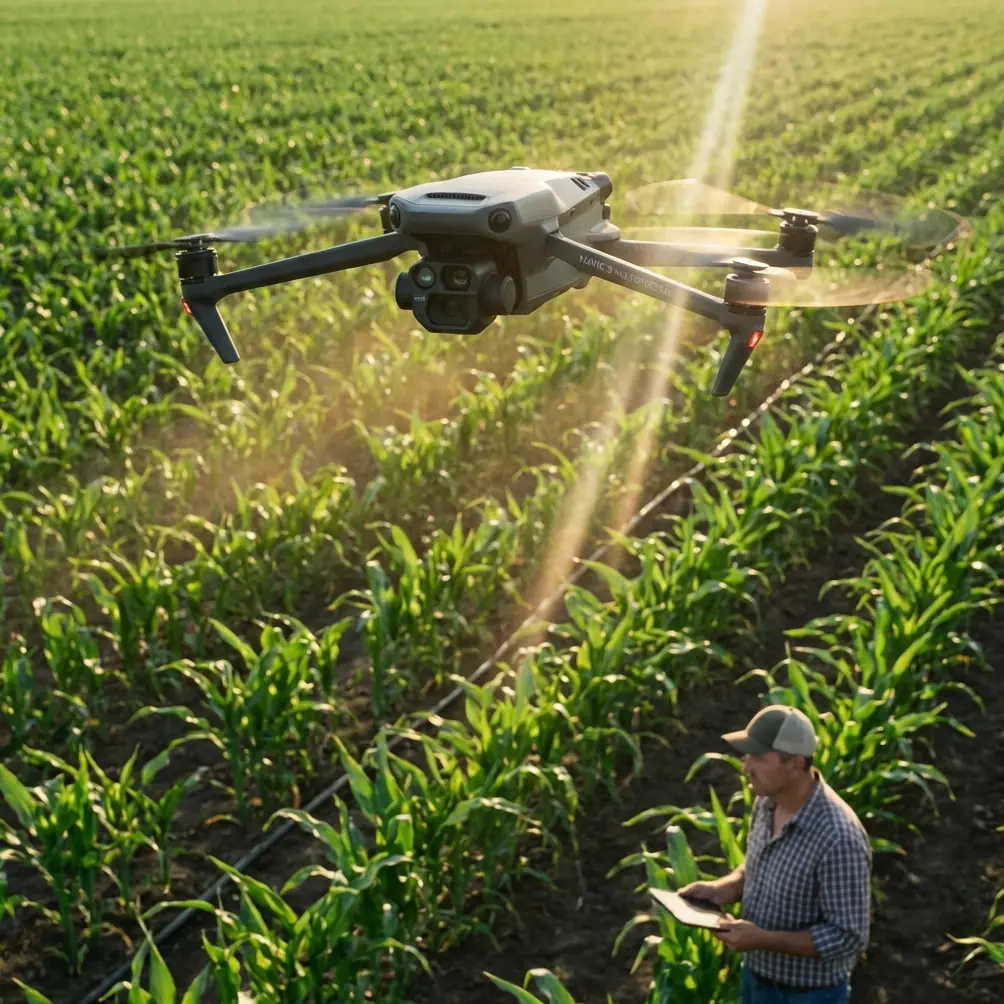
How to Map Fields with Mavic 4 Pro in Windy Conditions
META: Master agricultural field mapping with Mavic 4 Pro in challenging winds. Learn expert techniques, settings, and accessories for accurate survey data every flight.
TL;DR
- Wind speeds up to 24 mph won't stop accurate mapping when you configure the M4P correctly
- ActiveTrack and obstacle avoidance systems require specific adjustments for agricultural environments
- D-Log color profile preserves critical crop health data that standard profiles miss
- A third-party wind anemometer attachment transformed my pre-flight assessment accuracy
Field mapping waits for no one—especially during critical growth stages when weather windows shrink to hours. The Mavic 4 Pro handles wind gusts up to 24 mph while maintaining the positional accuracy your agronomic data demands. This guide walks you through the exact workflow I use to capture survey-grade imagery when conditions turn challenging.
Why Wind Challenges Traditional Mapping Workflows
Agricultural mapping differs fundamentally from recreational flying. You're not capturing a single dramatic shot. You're building datasets where every frame must align with centimeter-level precision.
Wind introduces three critical problems:
- Positional drift between waypoints corrupts orthomosaic stitching
- Altitude fluctuations create inconsistent ground sampling distance (GSD)
- Gimbal compensation limits cause motion blur at frame edges
- Battery drain increases by 15-30% fighting constant headwinds
- Flight time drops from the rated 46 minutes to approximately 28-32 minutes
The Mavic 4 Pro's tri-directional obstacle avoidance system actually complicates matters in open fields. Tall crops, irrigation equipment, and fence lines trigger false positives that interrupt automated flight paths.
Expert Insight: Disable forward obstacle avoidance sensors when mapping fields with mature corn or similar tall crops. The system interprets crop canopy edges as collision threats, causing unnecessary altitude adjustments that ruin your GSD consistency.
Pre-Flight Wind Assessment Protocol
Before launching, I attach the Vaavud Sleipnir anemometer to my smartphone. This third-party accessory costs less than a single battery but prevents countless failed missions.
Here's my go/no-go checklist:
| Wind Condition | Ground Speed | Gust Factor | Recommendation |
|---|---|---|---|
| Calm | 0-5 mph | <1.2x | Ideal mapping conditions |
| Light | 6-12 mph | <1.3x | Standard settings work |
| Moderate | 13-18 mph | <1.4x | Adjust overlap, reduce speed |
| Strong | 19-24 mph | <1.5x | Expert mode required |
| Severe | 25+ mph | Any | Abort mission |
The gust factor matters more than sustained speed. A steady 18 mph wind causes fewer problems than 12 mph with gusts to 20. Inconsistent conditions force the flight controller into constant correction mode, draining batteries and introducing micro-vibrations.
Configuring the Mavic 4 Pro for Windy Mapping
Camera Settings for Maximum Data Quality
D-Log isn't just for cinematographers. This color profile captures 14+ stops of dynamic range, preserving shadow detail in crop canopies that reveals pest damage and nutrient deficiencies invisible in standard profiles.
My agricultural mapping camera configuration:
- Shooting mode: Manual
- Shutter speed: 1/500s minimum (prevents motion blur during gusts)
- ISO: 100-400 (keep noise floor low for analysis software)
- Aperture: f/4.0-f/5.6 (balances sharpness with depth of field)
- Color profile: D-Log
- White balance: Manual, set to current conditions
- Format: RAW + JPEG (RAW for analysis, JPEG for quick review)
Flight Controller Adjustments
Access the advanced flight settings through DJI Fly's menu system. These changes optimize stability:
Gain values for windy conditions:
- Attitude gain: Increase by 15-20% from default
- Brake sensitivity: Maximum
- Yaw rotation speed: Reduce to 60°/second
Higher attitude gain means the M4P responds more aggressively to wind displacement. The drone feels "stiffer" but maintains position accuracy that looser settings sacrifice.
Pro Tip: Create a dedicated controller profile named "Wind Mapping" with these settings saved. Switching between recreational and professional configurations takes two taps instead of navigating multiple menus.
Intelligent Flight Features: What to Enable and Disable
The Mavic 4 Pro's intelligent features require selective deployment for mapping work.
Disable these features:
- Subject tracking (interferes with waypoint adherence)
- QuickShots (designed for creative content, not surveys)
- Hyperlapse (wrong application entirely)
- ActiveTrack (will follow moving objects like tractors)
Keep enabled:
- Return-to-home (safety essential)
- Downward obstacle avoidance (protects during descent)
- Geofencing (prevents flyaways)
Flight Planning for Wind Compensation
Orientation Strategy
Always plan your flight lines perpendicular to the prevailing wind direction. This approach offers two advantages:
The drone experiences consistent crosswind rather than alternating headwind/tailwind legs. Crosswind compensation is more predictable, and battery consumption stays uniform throughout the mission.
Ground speed remains constant. Headwind legs slow the aircraft while tailwind legs accelerate it, creating inconsistent image overlap even with distance-based triggering.
Overlap Adjustments
Standard mapping overlap of 75% front / 65% side works in calm conditions. Wind demands more aggressive settings:
| Wind Speed | Front Overlap | Side Overlap | Speed Reduction |
|---|---|---|---|
| 0-8 mph | 75% | 65% | None |
| 9-15 mph | 80% | 70% | 10% |
| 16-20 mph | 85% | 75% | 20% |
| 21-24 mph | 85% | 80% | 30% |
Higher overlap compensates for positional drift between frames. Yes, this increases flight time and storage requirements. The alternative—failed stitching and unusable data—costs far more.
Altitude Considerations
Wind speed increases with altitude. The 20 mph reading at ground level might translate to 28+ mph at your planned 400-foot mapping altitude.
For windy conditions, I reduce altitude to 200-250 feet AGL when regulations and terrain permit. This keeps the drone in calmer air while still achieving acceptable GSD for most agricultural applications.
The tradeoff: more flight lines to cover the same area. Plan accordingly with extra batteries.
Executing the Mission
Launch Technique
Standard launch procedures fail in wind. The Mavic 4 Pro's motors spool up while the aircraft sits on the ground, but gusty conditions can tip the drone before it achieves hover.
My windy launch protocol:
- Position the drone with its nose into the wind
- Ensure the landing surface is level and stable
- Use hand launch only if ground conditions are problematic
- Immediately climb to 30 feet before initiating any lateral movement
- Hover for 15 seconds to verify stability and GPS lock quality
Mid-Flight Monitoring
Watch these telemetry values throughout the mission:
- Attitude indicators: Excessive pitch or roll suggests the drone is fighting harder than expected
- Motor temperature: Available in advanced telemetry; overheating indicates stress
- GPS accuracy: Should remain under 1.5 meters horizontal
- Battery voltage: Drops faster under load; plan conservative return margins
If any parameter trends toward limits, abort the current leg and return. Partial data beats crashed equipment.
Common Mistakes to Avoid
Trusting weather forecasts over real-time measurement. Forecasts predict regional conditions. Your field exists in a microclimate affected by terrain, tree lines, and structures. Always measure actual wind at the site.
Maintaining standard flight speeds. The Mavic 4 Pro can cruise at 47 mph, but mapping in wind should never exceed 15-18 mph ground speed. Slower flight allows the gimbal to stabilize between frames.
Ignoring battery temperature. Cold batteries in windy conditions compound problems. Keep spares warm in your vehicle until needed. The M4P's intelligent batteries won't deliver full capacity below 50°F.
Skipping test flights. Before committing to a full mapping mission, fly a single leg manually. Assess how the drone handles current conditions before trusting automation.
Forgetting to recalibrate the compass. Magnetic interference from farm equipment, buried irrigation lines, or nearby vehicles corrupts heading data. Calibrate at the launch site, away from metal objects.
Post-Processing Considerations
Wind-affected imagery requires adjusted processing parameters in your photogrammetry software.
Increase feature matching sensitivity to compensate for slight blur. Enable rolling shutter correction even though the M4P's sensor handles this well—wind-induced vibration mimics rolling shutter artifacts.
Review the sparse point cloud before committing to dense reconstruction. Gaps or obvious misalignments indicate frames that should be excluded from processing.
Frequently Asked Questions
Can the Mavic 4 Pro maintain RTK accuracy in windy conditions?
The M4P doesn't include native RTK, but when paired with DJI's D-RTK 2 mobile station, positional accuracy remains within 1-2 centimeters even in moderate wind. The RTK correction compensates for GPS drift that wind-induced movement might otherwise cause. Budget approximately 20% additional flight time for the same coverage area due to reduced speeds.
How do I prevent the gimbal from hitting its limits during gusts?
Set your camera angle to -80° instead of -90° (straight down). This provides 10 degrees of buffer for the gimbal to compensate for sudden aircraft tilting. The slight angle introduces minimal geometric distortion that photogrammetry software corrects automatically.
Should I use ND filters when mapping in windy conditions?
Avoid ND filters for mapping work. They force slower shutter speeds to maintain proper exposure, increasing motion blur risk. Unlike cinematic work where ND filters create pleasing motion, mapping demands the sharpest possible frames. Accept the slightly harsher look of fast shutter speeds—your analysis software doesn't care about aesthetics.
Wind doesn't have to ground your mapping operations. The Mavic 4 Pro, properly configured, delivers professional-grade agricultural data in conditions that would challenge lesser platforms. Master these techniques, respect the aircraft's limits, and you'll capture usable imagery when competitors stay home.
Ready for your own Mavic 4 Pro? Contact our team for expert consultation.