
Mapping Coastal Construction Sites with Mavic 4 Pro
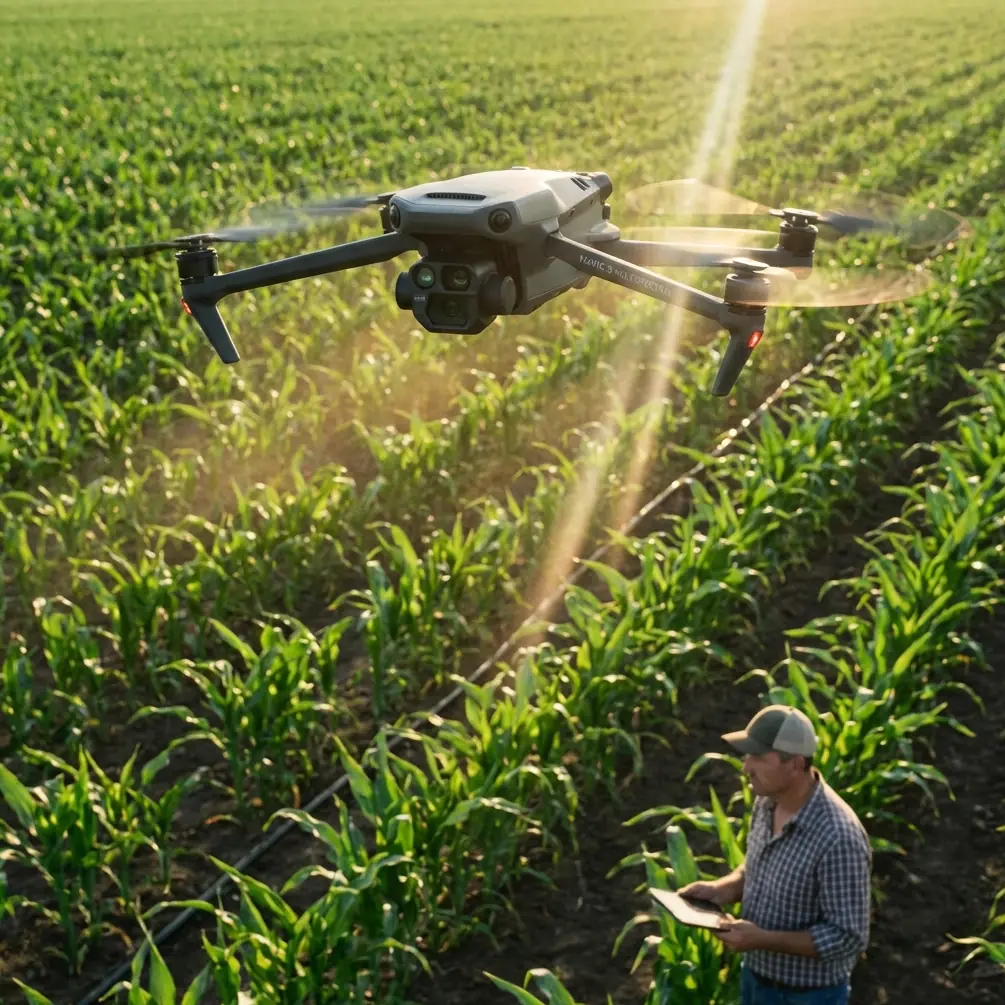
Mapping Coastal Construction Sites with Mavic 4 Pro: A Practical Workflow That Protects Accuracy
META: Learn a field-tested Mavic 4 Pro mapping workflow for coastal construction sites, with image preprocessing, accuracy control, and pre-flight cleaning steps grounded in aerial photogrammetry standards.
Coastal construction mapping is where small mistakes get expensive fast.
Salt haze softens contrast. Reflective water edges confuse tie points. Sand, concrete, rebar, drainage works, haul roads, and temporary structures all change week to week. If you are flying a Mavic 4 Pro over this kind of site, the drone itself is only part of the job. The real result depends on whether your capture workflow holds up once the imagery hits photogrammetry software.
That is why the most useful way to talk about Mavic 4 Pro for this scenario is not as a spec sheet exercise, but as a disciplined mapping routine. For coastal projects, the drone’s obstacle avoidance and tracking tools can help in the field, but they do not replace the fundamentals: preserving image geometry, managing radiometric quality, and keeping aerial triangulation within tolerance.
A Chinese low-altitude digital aerial photogrammetry standard offers a surprisingly sharp framework for this. Two details matter immediately. First, any format conversion done for post-processing must not lose geometric information or radiometric information. Second, relative orientation should keep vertical parallax error around connected points to 2/3 of a pixel, with a maximum residual of 4/3 of a pixel under normal conditions. Those are not abstract office numbers. On a coastal construction site, they describe the difference between a map you can trust for progress verification and one that looks fine until someone checks elevations around a drainage channel.
Why Mavic 4 Pro fits this kind of job
The Mavic 4 Pro is attractive for construction mapping because it sits at a useful intersection: portable enough for frequent site visits, capable enough for repeatable image capture, and versatile enough to switch from mapping missions to visual documentation in the same outing.
That versatility matters on coastal builds. One flight may be dedicated to orthomosaic and surface model capture. The next may focus on visual inspection of revetments, stockpile changes, crane staging, or access roads. Features commonly associated with creative flying, such as D-Log, Hyperlapse, QuickShots, ActiveTrack, and subject tracking, are not the core of a mapping mission, but they still have operational value around documentation and communication. A project manager may want a clean progress sequence. A consultant may need visual context around a retaining structure. A marketing team may request cinematic updates. The key is knowing when those modes help and when they should stay out of the mapping workflow.
For strict photogrammetry, consistency beats flair every time.
Start with the step most crews skip: clean the front-end sensors and optics
Before takeoff, do one simple thing that directly affects mapping reliability: clean the camera glass and the obstacle sensing surfaces.
This sounds minor. It is not.
In coastal environments, salt particles, moisture film, wind-blown sand, and cement dust accumulate quickly. A light residue on the main camera can reduce contrast and make image enhancement more aggressive later. A dirty obstacle sensor can also create inconsistent behavior during low-altitude site movement, especially around scaffolding, barriers, parked equipment, and temporary fencing.
The standard behind aerial image preprocessing specifically emphasizes that image handling must preserve geometric and radiometric information, and that camera distortion needs correction in preprocessing or during aerial triangulation. If the source image begins with haze, streaking, or contamination from salt spray, you are forcing software to solve a problem that should have been solved on the ground in 30 seconds.
My routine is simple:
- Use a blower first, not a cloth first.
- Remove dry particles before touching the lens.
- Wipe the main camera gently with a clean optical cloth.
- Inspect obstacle avoidance windows for salt spots or dust haze.
- Check again after the drone has been sitting in sea air during setup.
On a humid shoreline site, this single habit often improves edge clarity enough to produce cleaner tie points and fewer weak zones near bright concrete and reflective puddles.
Plan the mission around geometry, not convenience
Coastal construction sites tempt pilots into easy launch locations and quick coverage patterns. That works for basic visuals. It is weaker for mapping.
When your final deliverables may include a digital orthomosaic, digital elevation output, or linework support, image geometry comes first. The photogrammetry standard makes this explicit: internal processing for digital line maps, DEM products, and orthophotos must satisfy defined accuracy requirements, and the relationship between office-generated points and nearby field control must stay within specified planimetric and elevation tolerances.
For the Mavic 4 Pro operator, that means a few practical choices:
1. Favor repeatable flight lines
Fly a structured grid or corridor pattern that can be repeated week after week. Construction comparisons only work when the geometry is stable enough for change detection.
2. Avoid improvising altitude because of site traffic
If cranes, concrete pumps, or stacked material force altitude changes mid-mission, split the site into blocks rather than flying a messy, inconsistent pass. Mixed image scale makes triangulation work harder.
3. Build overlap for difficult surfaces
Coastal environments often include low-texture sand, shiny roofing, water-adjacent surfaces, and temporary geotextiles. These can weaken point matching. Extra overlap gives the software more chances to establish solid connection points.
4. Think about tide and shadow timing
A shoreline retaining wall at low tide may expose geometry that disappears later. Long shadows from piling rigs can also alter tie point quality. Time consistency is not just visual discipline. It helps photogrammetric stability.
Be careful with image conversion after the flight
A common failure point in drone mapping is not the flight. It is what happens right after.
The referenced standard states that format conversion is acceptable for post-processing needs, but geometric information and radiometric information must not be lost. This is highly relevant to Mavic 4 Pro users because many teams export, compress, rename, or batch-convert files without thinking through what the software needs.
Operationally, this means:
- Keep the original source images archived.
- Avoid unnecessary compression before processing.
- Do not strip metadata casually.
- Preserve full image quality for aerial triangulation.
- If you generate working copies, clearly separate them from originals.
Why does this matter on a coastal construction site? Because water edges, bright aggregate, pale concrete slabs, and reflective membranes already challenge matching and tonal interpretation. If you degrade tonal depth or alter geometry through careless conversion, your project may still process, but accuracy can slip in subtle ways. You may not notice until you compare earthworks progress or elevation around drainage grades.
If your team needs help setting up a clean handoff from flight to processing, this direct WhatsApp mapping workflow channel is a useful place to sort out practical file-handling questions before errors compound downstream.
Distortion correction is not optional
The source standard also states that original digital camera imagery should undergo distortion correction, either with dedicated software or during aerial triangulation.
This is one of those details that experienced operators respect because they have seen what happens when it is ignored. In mapping, the image is not just a picture. It is measurement material. Any lens-related distortion that is left unmanaged can shift how points align across overlapping images.
With Mavic 4 Pro, your processing software may handle lens correction internally, or you may choose a workflow that addresses it explicitly before or during triangulation. Either approach can work if it is controlled and documented. The wrong move is to apply unknown third-party corrections, social-media-oriented edits, or automatic enhancements that change image geometry without traceability.
For a construction client, this can affect:
- edge fidelity along sea walls and curbs
- height interpretation near graded pads
- consistency in stockpile volume comparisons
- alignment of orthomosaics against survey control
The more precise the job, the less room there is for casual image treatment.
Use obstacle avoidance intelligently, not automatically
Obstacle avoidance is one of the strongest practical aids on a coastal construction site, especially where the environment is dense with temporary hazards. But in mapping, you need predictable movement more than reactive movement.
If avoidance settings trigger route deviations during capture, your image spacing and overlap pattern can become inconsistent. That does not mean obstacle sensing should be disabled in every case. It means the site should be assessed block by block.
For example:
- In open fill areas or along broad reclamation sections, stable, uninterrupted mapping lines are ideal.
- Around cranes, cable runs, scaffolds, and partially enclosed structures, obstacle awareness may be essential during transit or setup.
- Near reflective water or shiny surfaces, monitor for unusual sensor behavior.
This is another reason the pre-flight cleaning step matters. Clean sensing surfaces improve reliability when you do depend on the system, especially in salt-heavy air.
Keep tracking modes separate from survey capture
ActiveTrack and subject tracking are useful features, but they belong to documentation flights, not your core mapping block.
On a construction site, they can help create progress visuals showing moving equipment routes, perimeter access, or material delivery flow. QuickShots and Hyperlapse can also support stakeholder updates if used safely and at the right time. D-Log can be valuable when you need flexible color grading for project communication footage.
But photogrammetry wants consistency in framing, overlap, and geometry. Automated cinematic modes prioritize visual effect, not survey discipline. The clean approach is to separate the mission into two phases:
- Mapping flight for orthomosaic, elevation, and measurement products
- Documentation flight for communication assets and visual storytelling
That separation protects data quality while still making the most of the aircraft.
Watch your tie points in weak-texture zones
The standard’s relative orientation guidance is especially useful here: connected points should keep vertical parallax mean error to about 2/3 pixel, with maximum residual around 4/3 pixel under typical conditions, with some allowance in particularly difficult terrain.
Why does that matter for coastal construction? Because some of the hardest places to map are not dramatic. They are flat, repetitive, and bright.
Think of:
- broad sand staging areas
- fresh concrete pads
- pale membrane roofing
- shallow standing water
- low-contrast reclaimed land
These surfaces can produce weaker connection points. If your software reports unstable residuals or tie point weakness, the issue may not be the drone at all. It may be site texture, glare, low contrast, or an overlap pattern that was only just adequate.
The operational response is to improve capture discipline before you chase software fixes. More overlap, better light, cleaner optics, and stable flight geometry usually help more than aggressive post-processing.
Image enhancement should support readability, not rewrite the data
The source document allows image enhancement of original data, but with a clear condition: the quality of the final orthophoto product must be protected.
That is a subtle but crucial line. Construction teams often want maps that “look better,” especially when they are used in reports. Yet enhancement can become destructive if it introduces tonal clipping, false edge emphasis, or inconsistent color between flight blocks.
For Mavic 4 Pro coastal mapping, the safest practice is this:
- Process with the goal of interpretability.
- Keep enhancement moderate and reversible.
- Preserve the original dataset untouched.
- Distinguish between analytical outputs and presentation outputs.
A slightly flatter but faithful orthomosaic is usually more valuable than a dramatic-looking one that obscures surface detail or creates misleading contrast at grade transitions.
Build the job like a survey record, not a content shoot
The standard also mentions that when using new technologies and methods, they should be proven in practice, supported by test reports, and clearly specified in the project design if they still meet required accuracy.
That principle maps directly onto modern drone operations. Mavic 4 Pro is capable, but every project workflow should still be documented. If you are using a new processing profile, an updated control layout, or a revised coastal capture method, validate it on a test area first.
For repeat construction monitoring, your field notes should include:
- launch point
- weather and visibility
- tide context if relevant
- any sensor cleaning performed
- image format handling decisions
- control/check point arrangement
- any anomalies in obstacle sensing or flight path behavior
This is not bureaucracy for its own sake. It is how you create defendable outputs when a client asks why one week’s volume or grade comparison differs from another.
The real takeaway for Mavic 4 Pro operators
For coastal construction mapping, the Mavic 4 Pro is most effective when it is treated less like a flying camera and more like the front end of a measurement system.
That means respecting the boring details. Keep the optics and obstacle sensors clean. Preserve original image geometry and radiometric information during conversion. Correct distortion in a controlled way. Watch relative orientation quality. Separate survey capture from creative flight modes. Document any new workflow you introduce.
Do that, and the aircraft becomes far more useful than a simple site-photo tool. It becomes a repeatable platform for progress evidence, terrain understanding, coordination, and project communication across difficult shoreline environments.
Ready for your own Mavic 4 Pro? Contact our team for expert consultation.