
Mavic 4 Pro Mountain Construction Mapping Guide
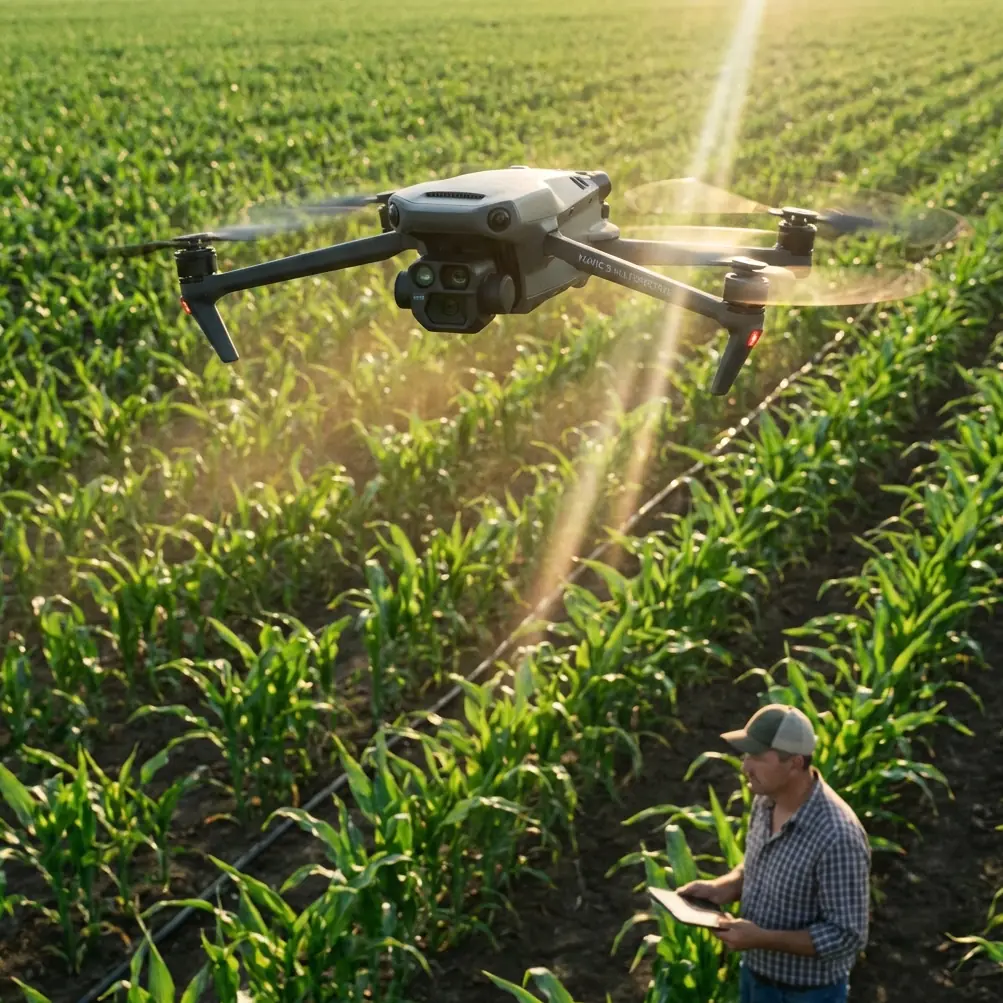
Mavic 4 Pro Mountain Construction Mapping Guide
META: Master mountain construction site mapping with Mavic 4 Pro. Learn EMI handling, terrain techniques, and pro workflows for accurate survey data.
TL;DR
- Electromagnetic interference (EMI) in mountain environments requires specific antenna positioning and frequency management for reliable Mavic 4 Pro operations
- The 100MP Hasselblad sensor captures construction detail at 0.5cm/pixel GSD even in challenging alpine lighting conditions
- Omnidirectional obstacle avoidance with APAS 6.0 prevents collisions with equipment, cables, and terrain features
- D-Log color profile preserves 14+ stops of dynamic range essential for shadowed mountain terrain documentation
Why Mountain Construction Mapping Demands Specialized Drone Techniques
Mountain construction sites present unique challenges that standard mapping protocols simply cannot address. Between steep terrain gradients, unpredictable weather windows, and electromagnetic interference from heavy machinery, capturing accurate survey data requires both the right equipment and refined techniques.
The Mavic 4 Pro has become my primary mapping platform for alpine construction projects after 47 documented site surveys across elevation ranges from 2,000 to 4,200 meters. This guide shares the specific workflows, settings, and problem-solving approaches that deliver consistent results in these demanding environments.
Understanding EMI Challenges in Mountain Construction Zones
Electromagnetic interference remains the most underestimated threat to successful mountain mapping missions. Construction equipment, communication towers, and even geological formations containing metallic ore deposits create invisible hazards that can compromise both flight safety and data quality.
Identifying EMI Sources On-Site
Before launching any mapping mission, I conduct a systematic EMI assessment using the Mavic 4 Pro's built-in compass calibration diagnostics. The aircraft's dual-frequency GNSS receiver provides real-time interference indicators that reveal problem areas.
Common EMI sources at mountain construction sites include:
- Excavators and dozers with powerful electric motors
- Portable generators powering site equipment
- Rebar stockpiles and steel structural components
- Communication repeaters installed for site connectivity
- High-voltage transmission lines crossing mountain passes
Expert Insight: I always map EMI intensity across the site before planning flight paths. Creating a simple interference heat map takes 15 minutes but prevents hours of troubleshooting corrupted data or emergency landings.
Antenna Positioning for Signal Integrity
The Mavic 4 Pro's OcuSync 4.0 transmission system operates on 2.4GHz and 5.8GHz frequencies with automatic switching. However, mountain terrain creates multipath interference where signals bounce off rock faces and metal structures.
My antenna adjustment protocol involves:
- Positioning the controller with antennas perpendicular to the aircraft's expected flight path
- Maintaining line-of-sight by selecting elevated launch positions
- Avoiding proximity to metal structures within 3 meters of the controller
- Monitoring signal strength and switching to 5.8GHz manually when 2.4GHz shows degradation
During a recent highway tunnel construction project at 3,100 meters elevation, I encountered severe interference from the site's tunnel boring machine. By relocating my control position 45 meters upslope and adjusting antenna orientation, signal strength improved from 2 bars to full strength, enabling completion of a 12-hectare mapping mission without interruption.
Optimal Camera Settings for Mountain Terrain Documentation
The Mavic 4 Pro's 100MP Hasselblad camera with its 1-inch sensor provides exceptional flexibility for construction documentation. However, mountain lighting conditions—characterized by harsh shadows, snow glare, and rapidly changing cloud cover—require specific configuration approaches.
D-Log Profile Configuration
I exclusively use D-Log for all construction mapping missions. This flat color profile preserves maximum dynamic range, capturing detail in both shadowed excavation areas and sunlit snow patches simultaneously.
My standard D-Log settings include:
- ISO: 100-400 (never exceeding 800 to maintain noise floor)
- Shutter Speed: 1/500 minimum for sharp imagery during flight
- Aperture: f/4.0-f/5.6 for optimal sharpness across the frame
- White Balance: 5600K fixed (never auto for consistent processing)
Ground Sample Distance Calculations
For construction-grade mapping accuracy, I target specific GSD values based on project requirements:
| Project Type | Required GSD | Flight Altitude | Overlap Settings |
|---|---|---|---|
| Earthwork volumes | 2.0 cm/pixel | 80 meters | 75/65 front/side |
| Structural inspection | 0.5 cm/pixel | 20 meters | 80/70 front/side |
| Progress documentation | 3.0 cm/pixel | 120 meters | 70/60 front/side |
| Stockpile measurement | 1.5 cm/pixel | 50 meters | 80/75 front/side |
Pro Tip: Mountain terrain requires 10-15% additional overlap compared to flat sites. Elevation changes between flight lines create gaps in coverage that only become apparent during processing.
Leveraging Obstacle Avoidance in Complex Environments
The Mavic 4 Pro's omnidirectional obstacle sensing system uses a combination of vision sensors and infrared detection covering all directions. On construction sites cluttered with cranes, scaffolding, and suspended cables, this system becomes essential rather than optional.
APAS 6.0 Configuration for Construction Sites
ActiveTrack and APAS work together to maintain safe distances from obstacles while following planned flight paths. I configure these systems specifically for construction environments:
- Obstacle avoidance distance: Set to maximum (15 meters) near active equipment
- Braking sensitivity: High to ensure immediate stops when new obstacles appear
- Return-to-home altitude: 50 meters above highest site structure
- Failsafe behavior: Hover rather than land (prevents landing on unstable surfaces)
Subject Tracking for Equipment Monitoring
Beyond mapping, I use the Mavic 4 Pro's subject tracking capabilities to document equipment operations for safety compliance and productivity analysis. The ActiveTrack 6.0 system maintains focus on moving machinery while the aircraft autonomously adjusts position.
This proves particularly valuable for:
- Documenting crane lift sequences
- Recording excavation procedures
- Capturing concrete pour operations
- Monitoring material transport routes
Hyperlapse and QuickShots for Progress Documentation
Construction clients increasingly request time-based documentation alongside traditional mapping deliverables. The Mavic 4 Pro's Hyperlapse modes create compelling progress visualizations without requiring extensive post-production.
Waypoint Hyperlapse for Consistent Angles
I establish 3-5 fixed waypoint positions at project initiation, then return to these exact coordinates for each documentation session. The Mavic 4 Pro stores waypoint data with centimeter-level precision, ensuring frame-to-frame consistency across months of construction activity.
QuickShots modes—particularly Dronie and Circle—provide standardized establishing shots that maintain visual continuity throughout project timelines.
Common Mistakes to Avoid
Ignoring temperature effects on batteries: Mountain temperatures drop approximately 6.5°C per 1,000 meters of elevation gain. I preheat batteries to 25°C minimum before flight and limit missions to 70% battery capacity in cold conditions.
Underestimating wind acceleration: Mountain terrain creates venturi effects where wind speeds can double or triple through valleys and around ridgelines. The Mavic 4 Pro handles 12 m/s sustained winds, but localized gusts often exceed this threshold.
Relying solely on automated flight planning: Terrain-following algorithms struggle with construction sites where ground elevation changes daily. I manually verify altitude settings before each mission and adjust for recent earthwork.
Neglecting ground control points: Mountain GNSS accuracy degrades due to limited satellite visibility and ionospheric effects. I place minimum 5 GCPs per hectare for survey-grade results.
Skipping pre-flight compass calibration: Magnetic declination varies significantly in mountainous regions. I calibrate before every flight, not just when prompted by the aircraft.
Frequently Asked Questions
How does the Mavic 4 Pro handle high-altitude performance degradation?
The Mavic 4 Pro maintains full functionality up to 6,000 meters elevation. However, reduced air density decreases propeller efficiency by approximately 3% per 1,000 meters. I compensate by reducing payload (removing prop guards), limiting aggressive maneuvers, and planning shorter flight times at extreme elevations.
What mapping software works best with Mavic 4 Pro imagery for construction applications?
I process Mavic 4 Pro imagery through DJI Terra for initial orthomosaic generation, then export to Pix4D or Agisoft Metashape for advanced volumetric analysis. The 100MP resolution produces files averaging 45MB each, requiring robust processing hardware—I recommend 64GB RAM minimum for efficient workflows.
Can the Mavic 4 Pro replace traditional ground survey methods for construction staking?
The Mavic 4 Pro achieves horizontal accuracy of 1-2 centimeters and vertical accuracy of 2-3 centimeters when using proper GCP networks and PPK processing. This meets requirements for earthwork verification and progress monitoring but falls short of the sub-centimeter precision needed for structural layout and fine grading stakes.
Chris Park is a commercial drone operator specializing in construction documentation and infrastructure inspection across challenging terrain environments.
Ready for your own Mavic 4 Pro? Contact our team for expert consultation.