
Mapping Remote Coastlines with Mavic 4 Pro
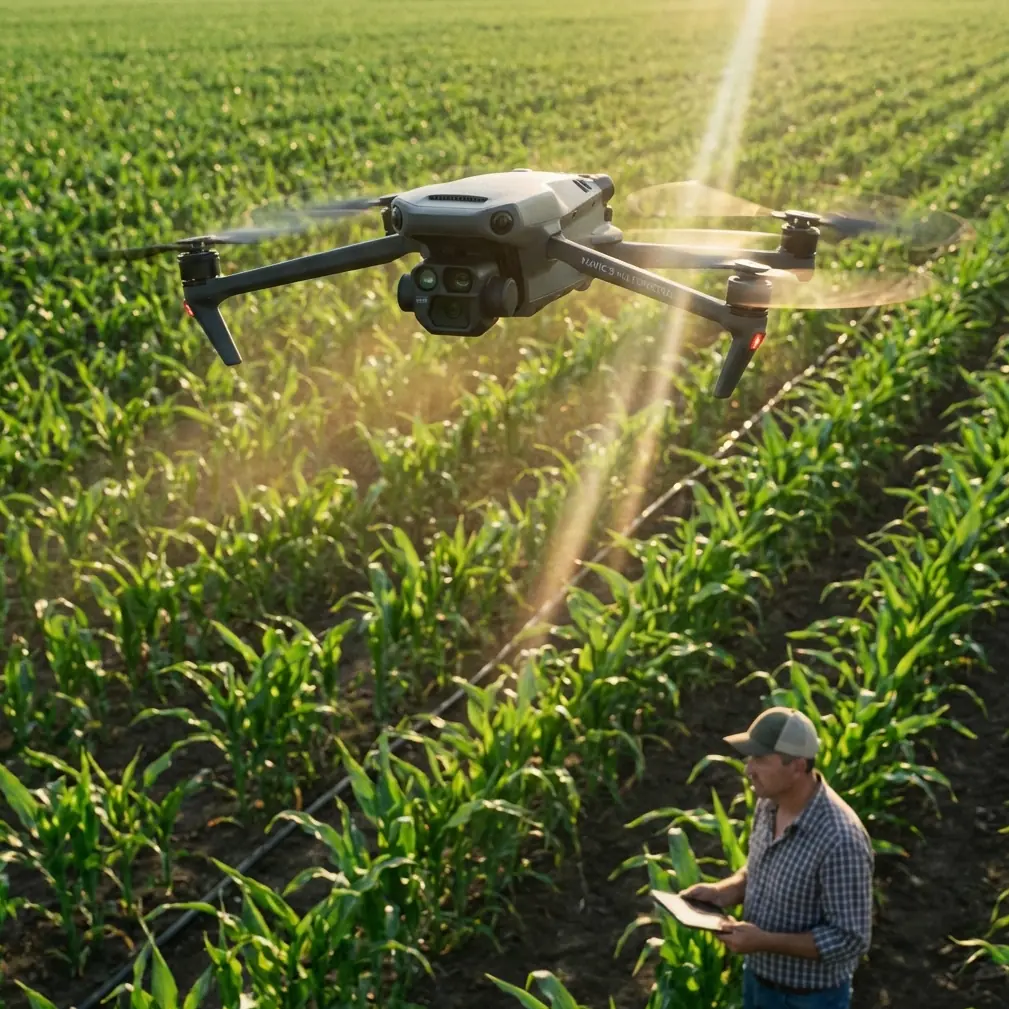
Mapping Remote Coastlines with Mavic 4 Pro: A Practical Case Study from Capture to Photogrammetry
META: A field-tested look at using Mavic 4 Pro for remote coastline mapping, with workflow tips on obstacle sensing, pre-flight cleaning, image capture, and photogrammetry processing.
Remote coastline mapping punishes weak workflows.
Salt haze builds on sensors. Wind changes by the minute. Texture can disappear over tidal flats, wet sand, and shallow water. And when you finally get home with the imagery, the real question starts: did the flight plan produce data your photogrammetry software can actually solve cleanly?
That is where the Mavic 4 Pro becomes interesting—not as a generic camera drone, but as a capture tool inside a larger mapping chain. If your goal is documenting shoreline conditions, erosion patterns, access roads, revetments, or nearshore infrastructure in isolated areas, aircraft capability is only half the story. The other half is whether the image set can move efficiently into a serious processing environment.
This case study is built around that exact problem: mapping a remote coastal section with Mavic 4 Pro, then preparing the imagery for downstream photogrammetric production using the kind of software logic represented by established systems such as Inpho and MapMatrix.
The mission profile: why coastlines are harder than they look
A remote shoreline sounds straightforward until you inspect the surface conditions from a mapping perspective.
Coasts often combine three difficult image characteristics at once:
- low-texture zones such as wet sand
- reflective surfaces from tidal water and puddling
- repeating patterns in dunes, scrub, or wave wash
Those conditions matter because aerial triangulation depends on reliable tie points between overlapping images. In the reference material, Inpho’s MATCH-AT is described as especially strong at automatically matching effective connection points, including difficult low-texture areas such as water-adjacent zones, deserts, and forests. That detail matters operationally for Mavic 4 Pro users because remote coastline jobs often fail not during the flight, but later, when the alignment engine struggles to find stable correspondences in feature-poor surfaces.
In other words, successful coastline mapping is not just about flying safely. It is about capturing imagery in a way that gives the adjustment software a fighting chance.
Before takeoff: the cleaning step many pilots skip
On coastal jobs, my first pre-flight task is not powering on the aircraft. It is cleaning.
That sounds trivial until you remember how much Mavic 4 Pro relies on vision-based sensing for obstacle avoidance and stable autonomous behavior. Salt spray, airborne grit, sunscreen residue from hands, and fine dust from vehicle access tracks can all degrade outward-facing sensors and camera glass. If you plan to use subject tracking, ActiveTrack, or any automated support feature while working around cliffs, driftwood, utility poles, or uneven access points, a dirty sensor stack can quietly reduce confidence in the system.
So the routine is simple:
- Inspect front, rear, lateral, and downward sensing surfaces.
- Check the main lens for salt film.
- Use a clean blower first, then a microfiber cloth if needed.
- Confirm the gimbal moves freely with no grit in the damping area.
This pre-flight cleaning step is especially important on shoreline work because obstacle avoidance is not only about avoiding large objects in flight. It also supports safer low-altitude transitions during takeoff and landing from improvised field positions. Remote coastlines rarely offer perfect launch pads.
If you are collecting mapping imagery, you may not use creative modes like QuickShots or Hyperlapse for the main survey block, but maintaining clean sensors still helps with the aircraft’s environmental awareness during ferry segments and manual repositioning.
Flight planning for photogrammetry, not just pretty footage
The Mavic 4 Pro can tempt pilots into cinematic habits. Coastlines look dramatic, and the platform’s image quality encourages sweeping reveals. But mapping demands discipline.
For this mission, the shoreline was divided into three segments:
- a linear coast run
- a bluff section with elevation change
- a backshore access corridor with vegetation and service tracks
Instead of flying a single scenic pass, the area was captured as a structured image network with deliberate overlap and occasional cross-lines. The reason is simple. Good photogrammetry software can do impressive work, but it still benefits from image geometry that supports robust adjustment.
This is where the reference material becomes useful beyond history. Inpho, founded in Germany in the 1980s by Professor Fritz Ackermann and acquired by Trimble in February 2007, built its reputation on rigorous aerial triangulation and orthophoto processing. Its standing in Europe—where the source notes its aerial triangulation and orthorectification tools held the largest market share—reflects the fact that high-end mapping is won by geometry, not marketing.
For Mavic 4 Pro operators, the takeaway is direct: fly in a way that honors the needs of downstream adjustment software. Strong frontal overlap, consistent speed, controlled altitude, and enough side overlap to survive weak shoreline texture will do more for deliverable quality than any dramatic camera move.
Why the coastline environment changes capture strategy
Inland mapping usually gives you roads, corners, roof edges, and varied terrain signatures. Shorelines often do not.
A long section of wet beach can look nearly identical frame to frame. Shallow water can introduce false texture from reflections. Drift lines can shift with tide stage. Add wind, and the aircraft may yaw-correct more often than you want.
That is why I prefer shorter, well-contained flight blocks rather than one oversized mission in remote coastal areas. Smaller blocks make it easier to monitor exposure consistency, battery margin, and tide-driven scene change. They also reduce the pain if one section later shows poor alignment and needs to be reflown.
The source material mentions that MapMatrix products range from a single-workstation stereoscopic mapping system to a full digital photogrammetry platform and even enterprise-level geospatial processing clusters. That range matters because not every Mavic 4 Pro operator is working inside the same production model. A solo coastal surveyor may process on one machine. A larger geospatial team may push multiple shoreline sectors through a centralized environment. The important point is that the capture strategy should scale cleanly into either workflow.
The drone is only the front end. The production system behind it determines whether your field data becomes a useful map product.
Camera settings that protect your data
For remote shoreline documentation, I care less about making the scene look dramatic in the field and more about preserving usable tonal information.
When the sun is high and water reflections are bright, D-Log can be helpful for retaining highlight latitude in visual review assets. But for strict photogrammetry capture, consistency is king. Exposure shifts between images can complicate feature extraction, especially across mixed surfaces like pale sand, dark rock, scrub vegetation, and surf lines.
So the practical rule is this: pick a stable exposure strategy and resist unnecessary automation. Keep shutter speed appropriate to aircraft speed and wind conditions. Avoid introducing motion blur over low-texture surfaces. Watch for glare bands over shallow water. If a segment becomes too reflective, alter the flight timing or angle rather than assuming software will rescue it later.
That matters because even powerful processing environments are not magic. The source describes Inpho as a platform that can systematically process aerial remote sensing, laser, and radar data. That kind of breadth is impressive, but it does not remove the need for disciplined image capture at the drone stage.
The handoff: from Mavic 4 Pro imagery to mapping software
Once the field collection ends, the Mavic 4 Pro’s role shifts. Now the question becomes whether the image set can support:
- aerial triangulation
- dense matching
- DSM or DTM creation
- orthophoto generation
- feature extraction or stereo compilation
The source gives two useful clues about what strong processing looks like.
First, MATCH-AT is noted for efficient automatic aerial triangulation and strong tie-point matching, even in difficult low-texture regions. For a coastline project, this means your image block has a better chance of holding together across sandy or sparsely featured surfaces if it was captured with enough overlap and geometric stability.
Second, the MATCH-T DSM module is described as a fully automatic tool for extracting dense point clouds and generating high-accuracy digital terrain models through stereo-based matching. That is highly relevant for shoreline work where elevation context matters—bluff retreat, dune form, access slope, drainage patterns, and the relationship between infrastructure and tidal edge all benefit from a usable terrain surface, not just a flat orthomosaic.
A Mavic 4 Pro cannot replace a larger crewed survey aircraft for every corridor or regional coastal program. But paired with disciplined mission design and serious photogrammetry processing, it can produce field data that is genuinely useful for targeted coastal assessment.
What worked in this case
Three decisions made the biggest difference.
1. Cleaning the sensing system before every sortie
This reduced uncertainty during launch, recovery, and low-altitude repositioning near uneven coastal terrain. On a remote site, one bad landing can end the day. Obstacle avoidance works best when the sensors can actually see.
2. Flying for tie points, not aesthetics
The most important images were not the beautiful ones. They were the boring, repeatable, overlapping frames that gave the adjustment engine consistent geometry. Coastline missions need that discipline because feature-poor surfaces are unforgiving.
3. Thinking about processing before takeoff
Knowing that downstream software may perform aerial triangulation, orthorectification, and dense surface extraction changes the way you capture. The source notes that MapMatrix can serve different user scales and production organizations, from standalone systems to enterprise processing clusters. That is a reminder that your raw image block should be organized, consistent, and transferable from day one.
Where Mavic 4 Pro fits best for remote coastline work
Based on this workflow, Mavic 4 Pro is best suited to coastal missions where mobility matters more than extreme area coverage:
- erosion monitoring on discrete shoreline sections
- documentation of seawalls, revetments, or access paths
- pre-construction or maintenance baselines
- habitat edge mapping in accessible civilian projects
- education and training exercises in photogrammetric field methods
That last point deserves more attention than it usually gets. The source highlights MapMatrixEDU as a multi-source geospatial data processing teaching system built to help instructors teach and help beginners enter the field quickly, with components such as lesson-point analysis, interactive tutorials, and software assessment. For teams adopting Mavic 4 Pro in surveying or training environments, that is a useful model. A drone platform becomes much more valuable when the organization also has a structured pathway for teaching image geometry, data quality control, and processing logic.
Hardware gets attention. Training is what protects output quality.
A note on field support and workflow planning
Remote coastline jobs often fail in the planning details: launch access, battery rotation, tide timing, and how the imagery will be processed after the aircraft is packed away. If you are designing a Mavic 4 Pro mapping workflow and want to talk through sensor cleaning routines, overlap strategy, or compatibility with a larger photogrammetry pipeline, you can message our field workflow desk here.
The larger lesson
What makes Mavic 4 Pro effective in remote coastline mapping is not one headline feature.
It is the combination of safe field behavior, clean sensors, disciplined image acquisition, and a realistic understanding of photogrammetry. The reference material points to mature processing ecosystems like Inpho and MapMatrix because mapping has always been bigger than the aircraft. One system is known for strong aerial triangulation and orthophoto production, with roots going back to the 1980s and formal acquisition by Trimble in 2007. Another spans standalone stereoscopic mapping, full digital photogrammetry, and enterprise geospatial processing. Together, those details underline the same truth: data quality is created across the entire chain.
For remote shoreline work, that chain starts before takeoff with a cloth and a lens check.
Then it depends on how you fly.
Ready for your own Mavic 4 Pro? Contact our team for expert consultation.