
Mapping Guide: Mavic 4 Pro Best Practices for High
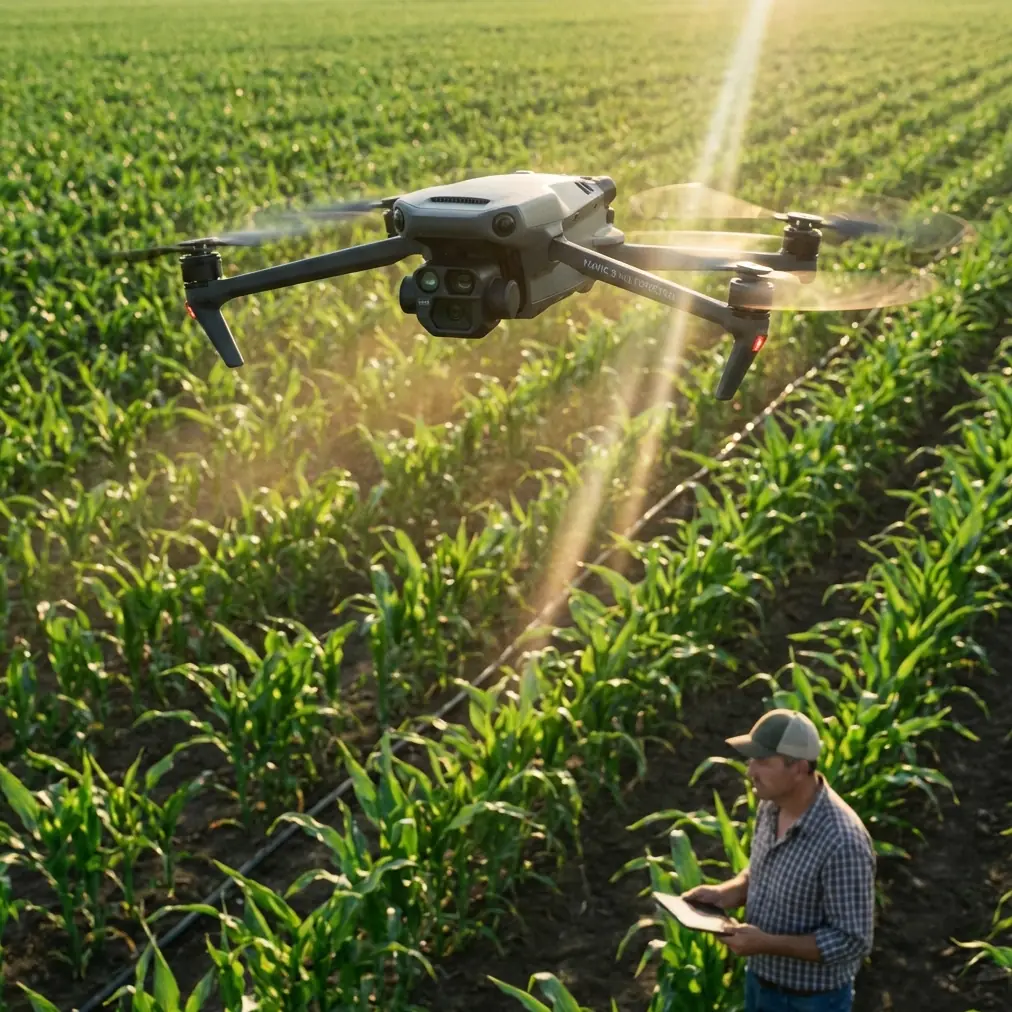
Mapping Guide: Mavic 4 Pro Best Practices for High-Altitude Coastline Work
META: A practical Mavic 4 Pro tutorial for high-altitude coastline mapping, with workflow advice, safety considerations, obstacle avoidance strategy, ActiveTrack limits, D-Log capture notes, and field planning grounded in real UAV publishing context.
High-altitude coastline mapping looks deceptively simple from the ground. Wide open water. Long, readable edges. Plenty of room. Then you launch and reality shows up fast: wind shear above the cliffs, shifting glare off the water, uneven terrain behind the shoreline, and a flight path that can go from routine to messy in one battery cycle.
That is where the Mavic 4 Pro becomes interesting—not because of hype, but because this kind of assignment demands a platform that can balance image quality, flight stability, route discipline, and pilot workload. If your goal is clean orthomosaic inputs, repeatable survey passes, and enough cinematic flexibility to document the site beyond the map itself, the aircraft has to do more than just stay airborne.
This guide is built for that exact scenario: mapping coastlines from elevated launch points, often with steep drop-offs, changing winds, and reflective surfaces. I’m also framing it through a lens the UAV industry sometimes forgets: practical field intelligence matters as much as the aircraft spec sheet. One of the clearest reminders of that comes from an early Chinese UAV publication culture. In the October 2015 second issue of Global UAV (全球无人机), the editors emphasized that accurate positioning, useful content, and reader feedback were essential to building something valuable. They also openly admitted shortcomings in layout and depth, then invited contributions from practitioners rather than pretending the first version was perfect. That mindset still matters. Coastline mapping gets better when workflows are shaped by pilots who have done the job, revised the method, and shared what broke.
Why coastline mapping is harder at altitude
When operators say “coastline mapping,” they often mean one of three jobs:
- Shoreline change monitoring
- Cliff or embankment condition documentation
- Corridor-style mapping for planning, conservation, or infrastructure review
At high elevation, all three are affected by a few recurring problems.
First, your launch point may be much higher than the target surface. That changes how you think about return-to-home behavior, terrain separation, and link quality. The aircraft may be flying below your physical position for most of the mission, which can distort visual judgment if you rely too heavily on direct line-of-sight cues.
Second, coastal light is unforgiving. Water reflections can produce exposure inconsistency, while pale rock, wet sand, and vegetation transitions can confuse automated settings if you let the camera make too many decisions for you.
Third, wind is rarely uniform. A ridge line can feel manageable while the air over the water is moving very differently. If you are flying a survey grid or linear pass, one side of the route may consume far more power than expected.
The Mavic 4 Pro workflow should be built around those conditions, not around general recreational habits.
Start with mission intent, not flight mode
Before touching settings, define what success looks like.
If the purpose is survey-grade visual consistency, your priority is overlap, altitude discipline, shutter control, and stable geometry. If the purpose is site documentation for engineering review, you may need oblique passes, contextual reveals, and reference shots in addition to nadir mapping. If the purpose is environmental monitoring, color consistency and repeatability across multiple site visits become more important than dramatic framing.
This sounds obvious, but many pilots still bounce between mapping behavior and content-creation behavior in the same sortie without a plan. The result is a compromised dataset and wasted battery.
The Mavic 4 Pro is capable enough to tempt you into doing everything on one flight. Resist that. Separate your flights by deliverable whenever possible:
- Flight 1: mapping pass
- Flight 2: oblique documentation
- Flight 3: environmental context, hyperlapse, or stakeholder visuals
That split reduces pilot distraction and improves output quality.
Preflight planning for a cliffside or elevated coast
For a high-altitude coastal mission, I use a stricter checklist than I would for inland field work.
1. Check wind by layer, not just at launch
A shoreline launch zone can be partially sheltered. Conditions 30 to 80 meters out may be very different. If local data is limited, treat the first climb as reconnaissance rather than committing straight into the mission.
2. Set return-to-home based on terrain reality
If you launch from a bluff, your return profile must account for nearby rock faces, poles, and any structures behind you. Obstacle avoidance helps, but it is not a substitute for a correct RTH plan. On coastlines, a poor RTH setting can create more risk than the original mission path.
3. Build for glare management
Use a third-party ND/PL filter set if the light is harsh. This is one accessory that can materially improve coastal work. A quality polarized filter can reduce reflected glare from water and wet rock, helping preserve texture along the shore boundary. It won’t fix every reflection angle, and over-polarization can create uneven skies, but for certain mapping support shots and obliques it improves readability enough to justify carrying it. For straight orthomosaic capture, test carefully before standardizing it in your workflow.
4. Confirm storage and file strategy
Coastline jobs often generate more footage than expected because operators capture both mapping and proof-of-condition imagery. Segment your cards and folder structure by flight purpose, not just by date.
5. Brief your loss-of-signal response
If your route follows a cliff edge, the aircraft may intermittently mask itself relative to your controller position. Know in advance whether your safest response is hover, return, or continue, depending on local topography.
Camera setup that serves mapping instead of fighting it
The Mavic 4 Pro’s camera capabilities invite creative shooting, but mapping rewards consistency.
Use manual exposure whenever the scene is changing
Water and rock in the same frame can cause exposure shifts if you stay in auto. Lock exposure so the shoreline texture remains predictable from pass to pass.
Use D-Log when the mission also needs grading latitude
If the assignment includes stakeholder deliverables beyond the map—progress reports, planning visuals, environmental summaries—D-Log can be useful. The operational significance is simple: a flatter profile preserves flexibility in high-contrast scenes, which are common on sunlit coastlines with dark water and bright surf. That said, if your only output is mapping input imagery, avoid unnecessary complexity. Consistency beats flexibility in pure survey work.
Control shutter speed for detail
Coastal wind and aircraft movement will expose weak shutter choices quickly. Fast enough shutter settings help preserve edge definition in rocks, retaining walls, and vegetation boundaries.
White balance should be locked
Auto white balance can wander as the frame alternates between sea, land, foam, and cloud reflection. Lock it.
Obstacle avoidance matters differently on the coast
Obstacle avoidance in a coastline mission is not just about preventing collisions. It affects route integrity.
On an inland site, avoidance events might be occasional corrections. Along cliffs, poles, cranes, cables near harbors, or uneven escarpments, an avoidance-triggered detour can deform your planned image geometry. If the aircraft unexpectedly shifts around terrain during a mapping run, your overlap pattern may no longer be as clean as you think.
So the operational rule is this: use obstacle avoidance as a protective layer, but do not assume it guarantees survey consistency. Review terrain in advance and keep enough margin that the aircraft does not need to improvise around obstacles during your actual data collection line.
This is one area where the “useful content” principle from that 2015 Global UAV editorial still lands. The editors said readers valued practical, accurately targeted UAV content. In field terms, that means talking honestly about what flight assistance features can and cannot do. Avoidance is helpful. It is not a substitute for route design.
ActiveTrack and subject tracking: useful, but know the limit
For pure mapping, ActiveTrack is not the main tool. But in coastline operations, there are legitimate civilian cases where subject tracking helps:
- documenting a survey team walking a shore transect
- following a utility inspection vehicle along a coastal road
- capturing support footage of a marine conservation team near the shoreline
The significance of subject tracking here is workload reduction. It allows the pilot to focus on framing and separation while the aircraft maintains attention on the moving subject. But there is a catch: shoreline environments are visually complex. Breaking waves, shadows from cliffs, moored boats, and crossing paths can interrupt tracking confidence.
Use ActiveTrack for supplementary documentation, not for your primary map acquisition.
QuickShots and Hyperlapse are not fluff if you use them correctly
A lot of commercial operators dismiss QuickShots and Hyperlapse as content-creator extras. That misses the point.
For coastline mapping teams, those modes can serve communication and reporting. A short automated reveal can establish the relationship between cliff, beach, access road, and infrastructure in seconds. A hyperlapse can document tidal progression, beach use, or cloud movement affecting visibility windows. These are not substitutes for mapping, but they often make the final project easier for non-pilot stakeholders to understand.
The key is to keep them separate from the data flight. Run them afterward when the required imagery is already secured.
Battery discipline over water and elevation
Battery management becomes less forgiving when flying along an elevated coast because headwinds on the outbound leg are not always obvious. I prefer to decide turnaround points by conservative reserve, not by visual distance from home.
Also remember that climbing back toward a high launch point at the end of a mission can feel deceptively easy to underestimate. The aircraft may have been operating below you for most of the sortie. Returning is not just about horizontal distance; it is about regaining the vertical profile safely with adequate power in reserve.
A practical flight pattern for shoreline mapping
For most high-altitude coastlines, I recommend this sequence:
Phase 1: Recon pass
Fly a short manual line parallel to the coast. Check wind response, signal behavior, glare, and terrain interference.
Phase 2: Main mapping run
Execute your planned route with fixed exposure and disciplined overlap. Keep your speed conservative enough that image sharpness remains reliable in gusts.
Phase 3: Oblique edge capture
Capture angled views of cliffs, revetments, berms, or erosion features that nadir imagery may underrepresent.
Phase 4: Context media
Only after the mission-critical work is complete should you use Hyperlapse, QuickShots, or subject tracking.
If you need a second opinion on route setup for a specific shoreline profile, I’d point teams toward a direct field discussion rather than guessing from screenshots; this kind of mission benefits from talking through terrain and wind assumptions in real time, and a simple WhatsApp planning thread can help: message a UAV workflow specialist.
Post-flight review: what to inspect before leaving the site
Do not pack up immediately after landing.
Review:
- edge sharpness across several images
- overlap consistency near turns
- exposure stability between water-adjacent frames and inland frames
- any obstacle avoidance interventions
- any tracking anomalies if supplementary footage was captured
- horizon and gimbal behavior in crosswind segments
If you see a weakness, refly while you are still there. Coastline access is often inconvenient, and tide, weather, or access permissions may not line up again soon.
The bigger lesson for Mavic 4 Pro operators
A good coastline mapping mission is not about using every feature the aircraft offers. It is about knowing which features support the deliverable and which ones merely distract from it.
The Mavic 4 Pro is strong when it is treated as a disciplined aerial tool: obstacle avoidance used thoughtfully, ActiveTrack reserved for support footage, D-Log deployed when dynamic range actually matters, and automated creative modes kept in their proper place. Add one useful accessory—like a well-chosen third-party ND/PL filter for glare-heavy conditions—and the aircraft becomes even more practical in coastal fieldwork.
There is also a useful cultural point buried in that 2015 Global UAV magazine launch. The publication, released as an October 2015 second issue after its first electronic issue went live on September 25, openly leaned on reader feedback to improve relevance and quality. That humility is worth carrying into drone operations. No mapping workflow should stay frozen. The best teams revise after every mission, especially in environments as variable as elevated shorelines.
If you fly the Mavic 4 Pro this way—not as a toy with advanced features, but as a platform inside a repeatable mission system—you get cleaner data, fewer surprises, and deliverables that hold up when clients or project partners start asking specific questions about the edge of the coast, not just the beauty of the view.
Ready for your own Mavic 4 Pro? Contact our team for expert consultation.