
Inspecting Coastal Venues with Mavic 4 Pro | Guide
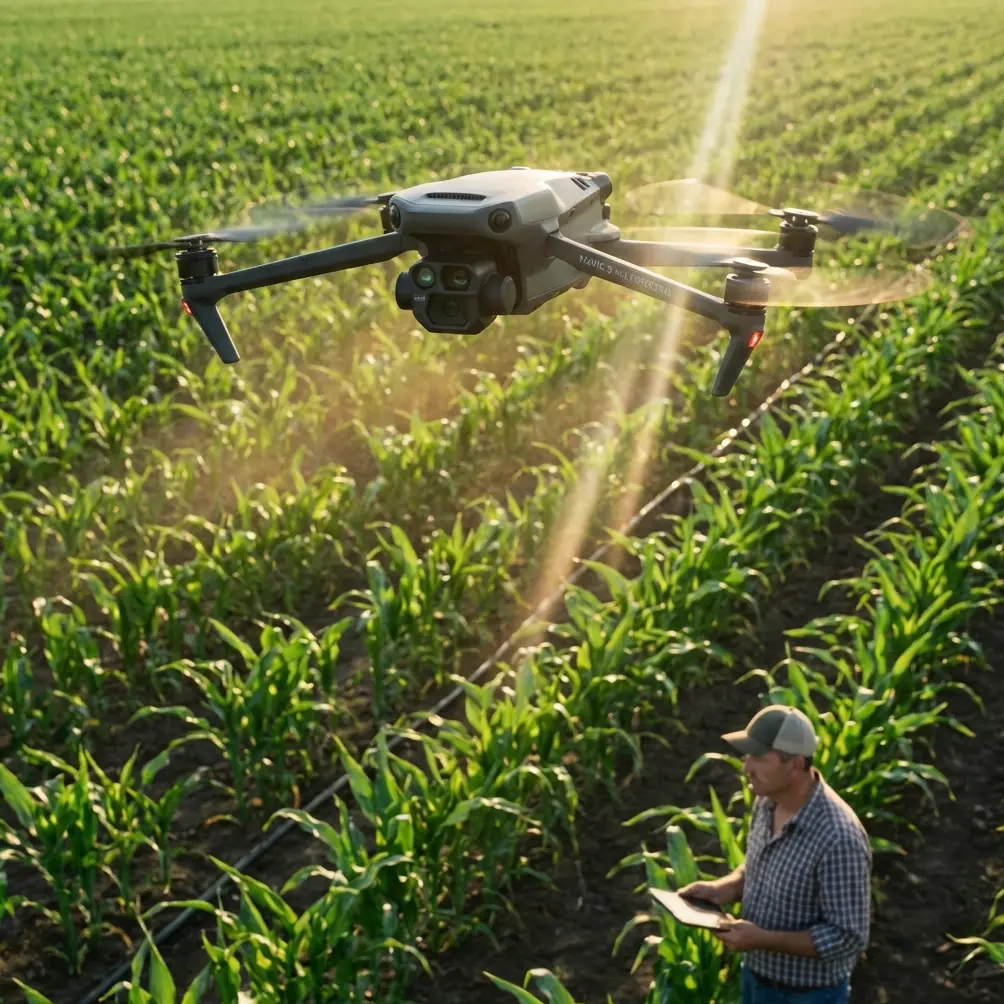
Inspecting Coastal Venues with Mavic 4 Pro | Guide
META: Learn how to inspect coastal venues with the DJI Mavic 4 Pro. Chris Park shares expert tips on obstacle avoidance, ActiveTrack, and handling weather shifts.
TL;DR
- The Mavic 4 Pro's omnidirectional obstacle avoidance makes coastal venue inspections safer even when sea fog and crosswinds roll in unexpectedly.
- ActiveTrack 6.0 and Subject tracking let you lock onto structural features while flying complex paths around piers, amphitheaters, and waterfront pavilions.
- D-Log color profile preserves highlight and shadow detail critical for identifying cracks, corrosion, and drainage issues in high-contrast coastal light.
- A systematic flight plan—perimeter first, then detail passes—cuts total inspection time by up to 40% compared to improvised manual flights.
Why Coastal Venue Inspections Demand a Smarter Drone
Coastal venues—oceanfront amphitheaters, beachside wedding pavilions, seaside conference centers, boardwalk event spaces—face accelerated wear from salt air, wind-driven moisture, and UV exposure. Traditional ground-level inspections miss rooftop corrosion, gutter blockages, and facade deterioration that only aerial perspectives reveal.
I'm Chris Park, and I've spent the last three years refining drone-based inspection workflows for event venues along the Pacific and Atlantic coasts. This tutorial walks you through exactly how I use the DJI Mavic 4 Pro to deliver comprehensive venue condition reports, including the settings I rely on, the flight patterns that capture every critical angle, and how to handle the one variable that always shows up uninvited: weather.
Gear Setup and Pre-Flight Configuration
Firmware and App Preparation
Before every coastal job, update the Mavic 4 Pro firmware and the DJI Fly app to the latest versions. Coastal environments push sensors hard—salt particulate can scatter infrared signals, and firmware updates frequently refine how the omnidirectional obstacle avoidance system interprets noisy returns.
Checklist before leaving for the site:
- 3 fully charged Intelligent Flight Batteries (plan for 46 minutes max per battery in ideal conditions; coastal wind cuts this to roughly 34–38 minutes)
- Microfiber cloths for wiping salt mist off the camera lens and obstacle avoidance sensors
- ND filter set (ND8, ND16, ND32)—coastal light is intense, and you need these to maintain a cinematic 1/100s shutter at 50fps
- iPad mini or high-brightness phone so you can see the live feed in direct sunlight
- Landing pad—sand and drone motors are not friends
Camera Settings for Inspection Work
Switch the camera to D-Log color profile immediately. Coastal venues present extreme dynamic range: sun-blasted white canopies next to deep shadow under overhangs. D-Log captures roughly 14+ stops of dynamic range on the Mavic 4 Pro's 1-inch Hasselblad CMOS sensor, giving you the latitude to pull detail out of both extremes in post-processing.
Set these parameters as your baseline:
- Resolution: 4K at 50fps (gives you clean slow-motion for reviewing structural details frame by frame)
- ISO: 100–400 (keep it low to minimize noise in shadow areas where you're looking for cracks)
- Aperture: f/2.8–f/5.6 (balance depth of field with light intake)
- White Balance: 5600K manual (auto WB shifts when the drone pans from ocean to building, creating inconsistent footage)
Pro Tip: Shoot stills in 48MP RAW at every significant finding. Video is great for overview, but insurance adjusters and structural engineers want high-resolution stills they can zoom into without pixel degradation.
The Flight Plan: A Three-Phase Coastal Inspection
Phase 1 — Perimeter Orbit at Safe Altitude
Launch from your landing pad and climb to 40 meters AGL (above ground level). Use the Mavic 4 Pro's QuickShots Orbit mode to execute a 360-degree perimeter pass around the entire venue. This first orbit accomplishes three things:
- Establishes the venue's overall footprint and identifies obvious damage zones
- Tests wind conditions at operating altitude before committing to closer passes
- Creates a complete contextual video that orients viewers when you later present close-up findings
Set the orbit radius wide enough—60 to 80 meters from the structure's center—so the obstacle avoidance system has generous clearance. The Mavic 4 Pro's omnidirectional sensing range of up to 40 meters in optimal conditions gives you real-time alerts, but salt haze can reduce effective range by 15–20%.
Phase 2 — Structural Detail Passes
This is where the Mavic 4 Pro earns its keep. Drop altitude to 8–15 meters and fly slow, methodical passes along each facade, roofline, and structural joint. I typically fly at 2–3 m/s to keep footage stable and give the 3-axis gimbal time to compensate for gusts.
Use ActiveTrack 6.0 to lock onto specific structural features—a rusted HVAC unit, a section of delaminating stucco, a sagging gutter. The Subject tracking algorithm keeps the camera trained on your target while you focus on piloting a safe path. This dual-attention approach is critical when you're flying near cables, signage, and antenna masts that populate coastal venue rooftops.
Key areas to inspect on every coastal venue:
- Roof membrane and flashing (look for lifting, bubbling, or pooling water stains)
- Gutters and downspouts (salt crystallization causes blockages that lead to overflow damage)
- Metal fasteners and brackets (corrosion accelerates 3–5x faster within 1 mile of saltwater)
- Exterior paint and sealant (UV and salt degrade coatings within 18–24 months in direct coastal exposure)
- Foundation-grade transitions (sand migration and erosion undercut footings over time)
Phase 3 — Hyperlapse for Context Documentation
Once detail passes are complete, use the Mavic 4 Pro's Hyperlapse mode (Waypoint sub-mode) to create a compressed time-perspective flyover. Set 4–6 waypoints around the venue and let the drone execute the path autonomously. The resulting Hyperlapse gives property managers and event coordinators a visually compelling overview they can share with stakeholders who won't sit through raw inspection footage.
When the Weather Turned: Real-World Obstacle Avoidance in Action
Halfway through a Phase 2 pass on a 12,000-square-foot oceanfront event pavilion in Monterey, the morning marine layer that had been sitting two miles offshore decided to move inland—fast. Within four minutes, visibility at the venue dropped from clear skies to thick, rolling fog. Wind shifted from a manageable 8 mph onshore breeze to 18 mph gusting from the northwest.
Here's what happened and what the Mavic 4 Pro did automatically:
The omnidirectional obstacle avoidance system ramped up sensitivity. I could see on the controller screen that the proximity warning margins widened—the drone was giving itself more buffer. When a gust pushed the aircraft toward a metal pergola frame, the Mavic 4 Pro autonomously braked and held position rather than continuing its programmed path.
I immediately switched from ActiveTrack to full manual control, climbed to 30 meters to clear all rooftop obstacles, and activated Return to Home. The drone's RTH altitude was pre-set to 50 meters—always set this higher than the tallest obstacle on site—and it flew a straight, sensor-assisted path back to the landing pad.
Total time from weather shift to safe landing: under 3 minutes. No crash, no panic, no lost footage. The footage captured before the fog rolled in was fully usable, and I returned the next morning to complete the remaining passes.
Expert Insight: Always pre-set your Return to Home altitude at least 10 meters above the tallest structure at the site. Coastal fog can erase visual references instantly. That pre-set altitude is your automated safety net when manual visual piloting becomes unreliable.
Technical Comparison: Mavic 4 Pro vs. Common Inspection Alternatives
| Feature | Mavic 4 Pro | Mavic 3 Pro | Air 3 |
|---|---|---|---|
| Sensor Size | 1-inch Hasselblad CMOS | 4/3 Hasselblad CMOS | 1/1.3-inch CMOS |
| Max Photo Resolution | 48MP | 48MP | 48MP |
| Obstacle Avoidance | Omnidirectional (360°) | Omnidirectional (360°) | Omnidirectional (360°) |
| Max Flight Time | 46 min | 43 min | 46 min |
| Max Wind Resistance | 12 m/s (Level 6) | 12 m/s (Level 6) | 12 m/s (Level 6) |
| ActiveTrack Version | 6.0 | 5.0 | 5.0 |
| D-Log Support | Yes | Yes | Yes |
| Transmission Range | 20 km (O4) | 15 km (O3+) | 20 km (O4) |
| Ideal For | Professional inspections | Professional content creation | Versatile mid-range work |
The Mavic 4 Pro's combination of the O4 transmission system and ActiveTrack 6.0 makes it the strongest option for inspection work where you need both reliable long-range video feed in electromagnetically noisy coastal environments and intelligent subject-following for systematic structural documentation.
Common Mistakes to Avoid
Flying without an ND filter in coastal light. Overexposed highlights destroy your ability to identify white-on-white damage like paint peeling off white stucco. Use at minimum an ND8 on overcast days and ND16–ND32 in direct sun.
Ignoring salt buildup on sensors. After every coastal flight, wipe down all obstacle avoidance sensor windows with a clean microfiber cloth. Salt residue creates false proximity readings that make the drone brake unnecessarily—or worse, fail to detect a real obstacle.
Setting Return to Home altitude too low. Coastal venues often have antennas, flag poles, and decorative spires that exceed the main roofline by 5–8 meters. Measure or estimate the tallest point and add 10 meters to your RTH altitude.
Using Auto White Balance during inspection shoots. The constant color-temperature shift between ocean reflection and building surfaces makes Auto WB unreliable. Lock it at 5600K and correct in post if needed.
Skipping the perimeter orbit. It's tempting to dive straight into detail passes to save battery. The perimeter orbit at 40 meters takes only 3–4 minutes and often reveals problem areas you wouldn't have prioritized otherwise—saving you from needing a return trip.
Frequently Asked Questions
Can the Mavic 4 Pro handle strong coastal winds during inspections?
Yes. The Mavic 4 Pro is rated for wind resistance up to 12 m/s (approximately 27 mph / Level 6 winds). For most coastal inspection days, this provides a comfortable operating margin. I recommend canceling flights when sustained winds exceed 10 m/s (about 22 mph) because gusts typically add 30–50% on top of sustained speed near buildings, and you need that buffer for safe close-proximity flying.
What's the best color profile for identifying structural damage?
D-Log is the best profile for inspection work. It captures the widest dynamic range, preserving detail in both the brightest sun-hit surfaces and the darkest under-structure shadows. You will need to color-correct in post-production—D-Log footage looks flat and desaturated straight out of camera—but the detail retained is worth the extra editing step. For quick field reviews, you can temporarily switch to Normal profile to see a punchy, contrast-rich preview.
How many batteries should I bring for a full coastal venue inspection?
Plan for 3 batteries minimum for a venue under 15,000 square feet. Coastal wind reduces effective flight time from the rated 46 minutes down to approximately 34–38 minutes per battery. A three-phase inspection (perimeter orbit, detail passes, Hyperlapse) typically requires 90–110 minutes of total flight time, and you always want one battery in reserve for re-shoots or unexpected findings that need additional documentation.
Ready for your own Mavic 4 Pro? Contact our team for expert consultation.