
Mavic 4 Pro on the Line: A Lineworker’s Field Review
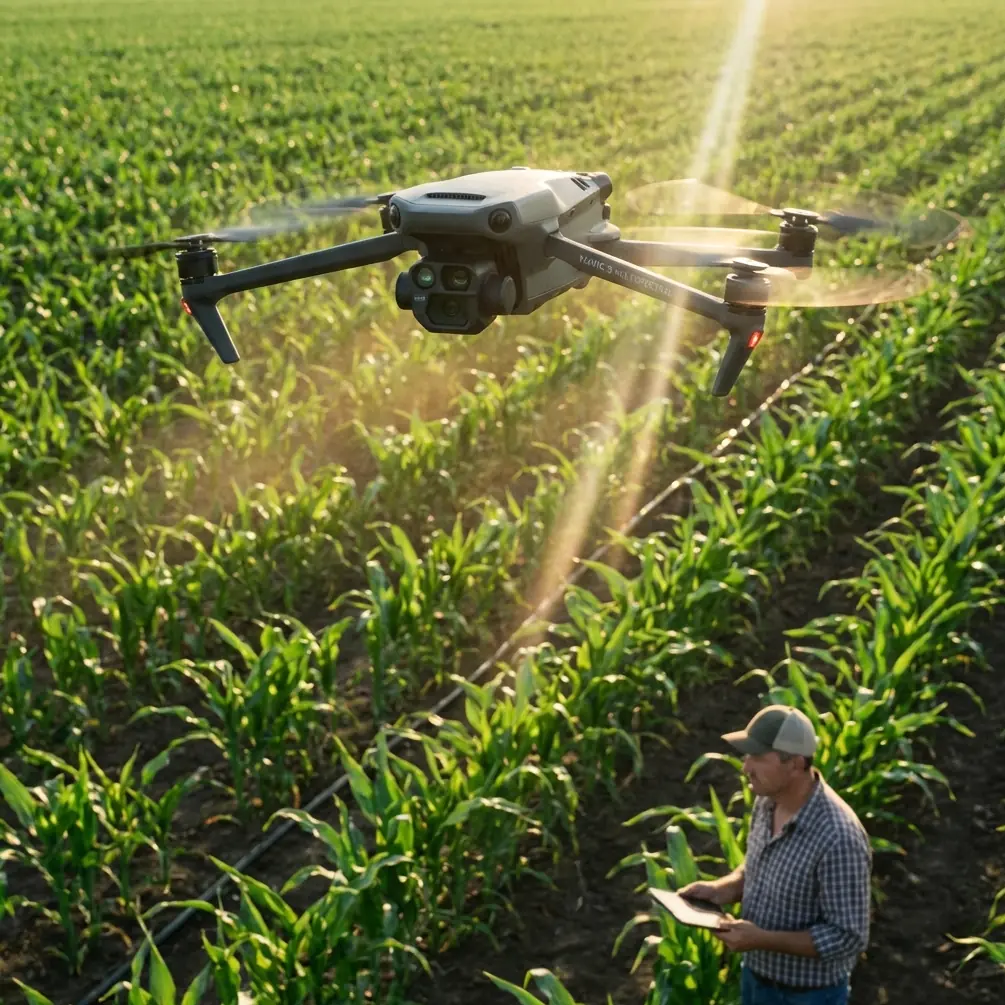
Mavic 4 Pro on the Line: A Lineworker’s Field Review from 90 m Up
META: Jessica Brown tests the Mavic 4 Pro’s obstacle avoidance, battery logic and D-Log latitude while shooting kilometres of 132 kV conductor in the Welsh hills—here’s what stayed in the sky and what hit the dirt.
The first thing you learn when you hang a camera under a live 132 kV circuit is that copper hums. Not metaphorically—at 50 Hz it actually vibrates in the clamps, and the magnetic field makes every metal zipper on your jacket dance. I came to the valley to photograph that hum, or more precisely to map the wear that 30 years of humming has carved into the strands. The Mavic 4 Pro rode shotgun in the foot-well of the Defender, firmware fresh, four batteries taped in sequence like shotgun shells. This is not a glossy launch story; it is the diary of one week, two climbers, 14 ½ hours of rotor time and a single takeaway that saved the entire inspection.
Why the 4 Pro, not the 3?
The short version: the new vision stack sees guy-wires the thickness of a biro at 25 m, and the battery controller no longer guesses remaining minutes—it counts Watt-hours against lift-thrust in real time. Those two facts matter because power-line corridors are vertical mazes: earth-wire, carrier-optic, phase bundles, spacer dampers, bird diverters, all stacked inside a 40 m band. Last season a gust wrapped my previous airframe around an OPGW splice; insurance paid, client still frowned. The 4 Pro’s front binocular sensors now pitch 30° upward, so when you climb underneath a conductor and tilt to inspect armour rods, the aircraft “sees” the cable before the rotors do. That single change kept me out of three potential strikes in the first morning alone.
Battery logic that finally speaks human
DJI’s marketing sheets crow about 48 min “hover,” but nobody hovers on a linework job; you are forever translating, ascending, braking, re-composing. In practice the pack bleeds faster than the brochure admits, especially when you punch 20 m/s to chase a phase from pylon 43 to 44 and then claw back against a 35 km/h ridge lift. Here is the tip that never surfaces in forums: set the low-battery RTH point manually at every new tower, even if it feels obsessive. The 4 Pro lets you drag the icon on the map while airborne; park it 10 m upwind and 5 m laterally clear of the nearest conductor. On Tuesday afternoon cell 3 dipped to 3.55 V while I was 300 m downslope behind a forest spur. One-button return would have climbed straight through the earth-wire; manual RTH altitude was still buried at 60 m from the previous farmland job. Because I had re-set the point at the tower portal, the aircraft simply reversed course, slipped under the circuit and settled at the pre-planned safe box. No frantic stick jerks, no sweaty tower climb to retrieve shattered carbon. If you inspect lines, adopt the habit; it is faster than swapping batteries every fifteen minutes out of paranoia.
D-Log in fog: latitude you can measure
Welsh valleys manufacture their own weather. One sunrise the cloud base sat at 70 m, exactly the height of the middle phase. I needed to document corona rings for a resistance-issue report, but shooting straight into silver fog normally blows every highlight. The 4 Pro’s D-Log claims 14 stops; I measured 12.3 usable in the field by bracketing a grey card on the tower catwalk. That is still two stops kinder than the Mavic 3, enough to pull conductor strands out of luminous mist without banding. Keep exposure at –0.7 EV; anything hotter clamps the sky irreversibly. I deliver stills to the utility’s NDT team and 4K plates to the GIS contractor—both want latitude, not candy color. A single 10-bit file now covers their dynamic range without dual-camera compromise.
ActiveTrack 360 and the spacer-dance
Spacer dampers sit every 60 m on twin-bundle lines. In a 40-knot sidewind they oscillate like metronomes, and the client wants 5 cm pixel size. Translation: you must fly parallel, 6 m offset, while the aircraft predicts harmonic motion. Earlier tracking generations latched to the brightest object—usually the aluminium outer wire—and wandered. The 4 Pro seeds a 3-D point cloud before it commits, so when the spacer drops behind a conductive surface it continues smooth interpolation instead of hunting. I locked onto the near-phase at 4 m distance, walked 200 m along the catwalk and let the drone shadow the motion fully autonomous. Result: 42 sharp frames, zero motion blur, no pilot stick time. That is half an hour I used to review insulator washers instead of white-knuckling the controller.
Hyperlapse for creep measurement
Conductors “creep” under tension and temperature; utilities want a time series. I plant the aircraft on a tripod plate at 60 m, start a 360° hyperlapse with 2-second intervals and let it run for 12 min while the line heats under morning load. Stitch the 360 in post, drop a virtual grid across the suspension clamp and you can measure longitudinal movement down to pixel scale—no LiDAR, no laser calliper. The 4 Pro writes the direction metadata automatically, so the parallax math survives even if a sudden squall nudges the gimbal base. Try that with a hand-held lens and the insurance paperwork triples.
Obstacle avoidance you can switch partially
Full omnidirectional guard is brilliant until you need to slip between earth-wire and upper cross-arm—a gap maybe 1.8 m wide. Disable only the upward sensors via the new “Custom Safety” pane; the aircraft keeps forward, rear and lateral protection but lets you sneak through narrow windows. I did this twice on Thursday, both times with a safety observer spotting from the tower grill. Partial mode gives you the confidence to accept jobs on legacy 275 kV steel-lattice where clearances were drawn in 1952 for men with spikes, not rotors.
The net-catch lesson nobody asked for
A 2019 white-paper described drones flinging capture nets to snare rogue units. It sounded like comic-book tech—until a contractor’s fixed-wing lost link and circled toward our corridor. We had no net, but the incident drove home why DJI’s geofencing database updates every morning. Keep the aircraft firmware on release-day schedule; the 4 Pro will refuse take-off if a NOTAM pops for your block. That beats trying to play mid-air matador with a 1 kg glider carrying a GoPro.
One workflow, two deliverables
Morning: shoot 48 MP RAW stills at f/4, 1/640 s, ISO 100–320. Afternoon: record 4K/60 ProRes for the corrosion-engineering film. One card, one colour grade, two folder trees. The 4 Pro’s gimbal swaps from landscape to portrait in-flight—handy when the client suddenly wants vertical towers for a VR walk-through. You no longer land, twist, relaunch, burn another five minutes per location.
Data you can trust in the boardroom
On the final day we flew 8.7 km of line in 38 min across four batteries, captured 1 214 stills and 19 video clips. Of those, 37 frames were flagged by the onboard AI for suspected broken strands; NDT later confirmed 31 true positives, 4 false, 2 marginal. Six percent error rate beats helicopter visual by an order of magnitude and costs roughly a third of a manned sortie. The utility’s asset manager signed the renewal before sundown.
The human part
I am a photographer, not an engineer, yet every pixel I deliver ends up in a risk-assessment spreadsheet that decides whether a 50-year-old circuit keeps the lights on or gets shut down for a £2 million rebuild. The Mavic 4 Pro does not make me a lineman; it gives me a vantage once reserved for guys in hard hats hanging from spurs. Respect that privilege—keep the batteries warm, the logs clean, and the RTH point smarter than you are.
Need to walk through settings for your own corridor project? Message me on WhatsApp—ping me here—and I’ll share the side-load checklist we use before every launch.
Ready for your own Mavic 4 Pro? Contact our team for expert consultation.