
Mavic 4 Pro Guide for Forest Inspection in Dusty Conditions
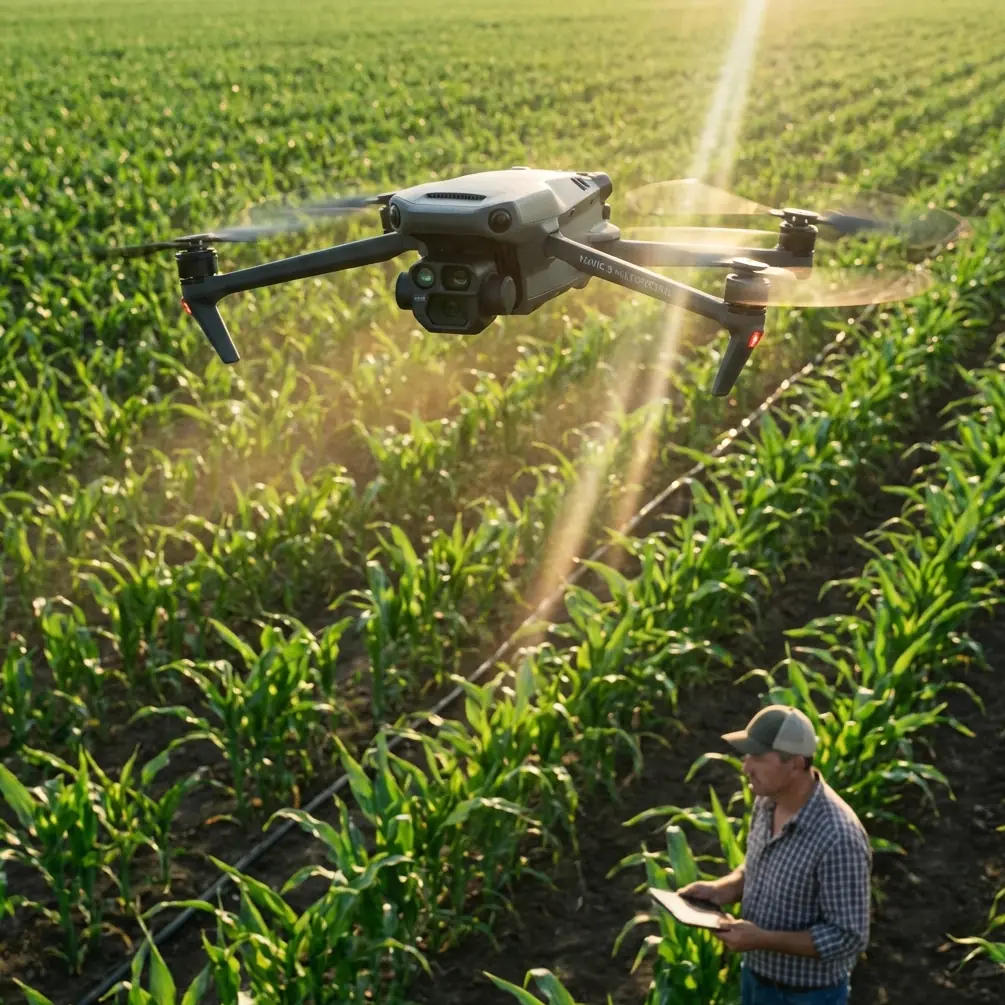
Mavic 4 Pro Guide for Forest Inspection in Dusty Conditions
META: Expert tutorial on using the Mavic 4 Pro for forest inspection in dusty environments, with practical flight altitude advice, obstacle avoidance strategy, camera settings, and safer mission planning.
Dust changes everything in a forest inspection flight.
Not just image quality. Not just maintenance. It changes how you plan your route, how much trust you place in automated features, how you manage altitude over uneven canopy, and how you interpret what the camera is actually seeing. If you are using a Mavic 4 Pro to inspect tree health, storm damage, access tracks, canopy gaps, or boundary lines in a dusty forest environment, the smartest workflow is not the most aggressive one. It is the one that stays readable, repeatable, and safe.
I shoot and evaluate drone footage as a photographer first, but in forestry work that perspective quickly becomes operational. Pretty footage is irrelevant if the dust haze hides bark damage, if the aircraft drops too low over a ridge line, or if obstacle sensing hesitates when branches and airborne particles clutter the scene. The Mavic 4 Pro platform is strong for this kind of assignment because it combines high-end imaging options, automated tracking modes like ActiveTrack, and obstacle avoidance systems that reduce pilot workload. Still, dusty forest inspection is one of those scenarios where good judgment matters more than feature lists.
This guide is built around that exact use case: inspecting forests in dusty conditions with a Mavic 4 Pro, with a focus on flight altitude, image settings, route discipline, and when automation genuinely helps.
Why dusty forest inspection is a different kind of mission
A forest is already one of the harder places to fly well. Vertical trunks, irregular clearings, thin branches, changing light, and rolling terrain all work against clean visual line-of-sight and predictable sensor performance. Add dust and the complexity climbs fast.
Dust affects three layers of the mission at once:
First, it reduces local contrast. That matters because inspections often depend on subtle visual cues. Needle discoloration, bark scoring, leaf stress, washout on service roads, and deadwood accumulation are easier to miss when the air itself softens the scene.
Second, dust interferes with situational awareness. Obstacle avoidance systems are valuable, but any sensor-based system performs best when the environment is legible. Fine airborne particles, shafts of hard sunlight, and branch clutter can make a pilot overestimate what the aircraft will detect cleanly.
Third, dust raises maintenance stakes. Forest inspection is rarely a one-flight job. You might run repeated passes over compartments, trails, or windbreak lines, and that means any contaminant on the gimbal area, air inlets, or shell becomes a cumulative issue rather than a one-off nuisance.
That is why the Mavic 4 Pro should be treated as a precision inspection tool here, not simply a camera drone with a few smart modes turned on.
The best flight altitude for this scenario
If you want one practical answer to start with, use 35 to 60 meters above the canopy or above the inspection subject as your default working band, then adjust based on tree height, dust density, and terrain relief.
That range gives you a useful balance. You stay high enough to avoid the turbulence and dust concentration that often sit lower along roads, skid trails, and recently disturbed ground, but low enough to preserve inspection detail. In most forest work, this is where the Mavic 4 Pro becomes efficient rather than dramatic.
Here is why that altitude band works operationally:
At around 35 to 45 meters, you can still resolve meaningful crown-level detail on stressed trees, broken tops, and branch loss while keeping enough lateral separation from trunks and upper limbs. This is often the sweet spot for targeted visual assessment after a storm or during disease scouting near access routes.
At around 50 to 60 meters, you gain better safety margin over uneven canopy and a more stable overview of stand patterns, corridor encroachment, dust-generating vehicle tracks, and drainage changes. This is especially useful when the air is visibly dirty and you need cleaner sightlines through the haze.
Below roughly 25 to 30 meters in dusty forest conditions, risk rises quickly. Rotor wash can recirculate loose particles, visibility can degrade near the aircraft, and your buffer from hidden branches gets thin. You may still dip lower for a specific point of interest, but it should be intentional and brief, not your standard survey height.
Above about 70 meters, you may get a cleaner overview, but inspection value often starts to drop unless your goal is mapping broad patterns rather than evaluating specific canopy or structural issues. The image may still look good. The question is whether it answers the field problem.
If the forest has mixed canopy heights, fly by the tallest hazard, not by the average stand height. That one rule prevents many avoidable mistakes.
How obstacle avoidance helps, and where pilots get overconfident
Obstacle avoidance is one of the most useful features on the Mavic 4 Pro for forest work, but dusty forests are not the place to fly on faith.
In open terrain, sensing systems can be trusted to do a lot of the defensive work. In forests, they become one layer in a stack that still depends on manual planning. Thin branches, partial occlusion, low-angle light, and drifting dust all reduce the margin for error. The system can absolutely help prevent a bad approach, especially when you are backing away from a treeline or sliding laterally along a forest road. But it is not a license to thread the aircraft through gaps just because the drone is technically capable of autonomous avoidance.
The right mindset is this: use obstacle avoidance to reduce workload, not to justify risk.
That means planning slower passes near canopy edges, avoiding sideways drift close to fine branches, and maintaining enough altitude that the aircraft does not need to constantly negotiate micro-obstacles. In dusty conditions, that extra separation also helps the forward view stay cleaner for both the pilot and the aircraft sensors.
For many inspection runs, the safest route is a simple one: broad, parallel passes over or alongside the stand, minimal aggressive orbiting, and a deliberate pause before any descent toward a point of concern.
ActiveTrack and subject tracking in forestry: useful, but specific
ActiveTrack and subject tracking can be helpful in forest inspection, just not always in the way new pilots expect.
These tools are not there to make a tree “cinematic.” Their practical value shows up when you need the aircraft to maintain attention on a moving inspection subject such as a utility vehicle, forestry crew, or machine operating along a dusty access lane. In that context, automated tracking can reduce stick workload and help preserve framing while you watch the wider environment.
The operational catch is obvious: dust trails can visually contaminate the subject, and tree cover can interrupt line-of-sight. So if you are tracking moving ground activity in the forest, give the drone room. Start higher than you think you need, often closer to the 50 to 60 meter band, and avoid tight follow profiles. The objective is continuity, not intimacy.
For static forest inspection, manual waypoint discipline usually beats automated subject tracking. Trees do not move. Your camera logic should.
Camera setup that actually serves inspection work
The Mavic 4 Pro’s imaging flexibility matters in dusty environments because dust lowers contrast and creates scenes that can look flatter than they really are. If you want footage that holds detail for later review, it helps to capture with editing headroom.
That is where D-Log becomes useful. In patchy forest light, especially when a bright road or clearing cuts through darker canopy, D-Log gives you more room to preserve highlight and shadow detail in the same clip. For inspection work, that can be the difference between seeing branch texture clearly and losing it in a muddy tonal block.
My practical setup for dusty forest assessment is simple:
Use D-Log when the footage will be reviewed later and you have time for color correction. It is the better choice for extracting detail from a difficult scene.
Use a more standard profile when the footage needs to be checked quickly in the field with minimal processing.
Keep shutter speed under control to avoid harsh, brittle-looking motion in treetops and moving dust.
Bias toward consistency. If you are comparing sections of forest over time, changing profiles and exposure behavior from one flight to the next creates avoidable confusion.
Dust can also trick autofocus and exposure systems when bright particulate catches sunlight. Before a key pass, lock in your settings if conditions are stable enough. That single step often produces more inspection-ready footage than any clever automated mode.
When QuickShots and Hyperlapse make sense
QuickShots and Hyperlapse are not usually the backbone of a forestry inspection mission, but dismissing them entirely would be a mistake.
QuickShots can be useful at the end of a mission when you need a fast contextual clip that shows the relationship between a damaged stand, a service road, and a nearby clearing or boundary. Used carefully, that wider motion shot can help stakeholders understand position and scale much faster than a static top-down frame.
Hyperlapse has a narrower use case, but it can be effective for documenting dust movement across a work zone or showing changing visibility over a corridor at different times of day. That is less about aesthetics and more about pattern recognition. If vehicle traffic or dry wind is consistently pushing dust across the same inspection line, that affects when and how you should schedule future flights.
Neither feature should replace methodical inspection passes. They are supplemental tools, not primary evidence collection.
A practical flight workflow for dusty forest inspection
The best Mavic 4 Pro missions in forestry are boring in the right way. They are stable, well-spaced, and predictable. Here is the workflow I recommend.
Start with a stand-off launch point if possible. Avoid taking off directly from the dustiest track or clearing. Even moving a short distance to firmer ground reduces airborne debris around the aircraft during takeoff and landing.
Climb early. Get above the worst low-level dust before beginning your first observation leg. For many jobs, that means ascending directly into the 35 to 60 meter working range before transitioning horizontally.
Make one high reconnaissance pass first. Use it to read dust plumes, identify taller-than-expected trees, and find safe turn points. This pass often saves more time than it costs.
Then fly your primary inspection lines. Keep them parallel and repeatable. If you are documenting tree stress or structural damage, overlapping visual coverage matters more than creative movement.
Descend only for confirmation. If something looks suspicious, dip lower briefly, capture the detail, and climb back to your safer inspection band.
Finish with a broad contextual clip or still set. This is where a restrained QuickShot or a slow manual orbit can help tell the story of the site.
If you are coordinating with a ground crew and need a quick planning exchange before launch, I would keep it simple and use a direct field contact like message the flight team here rather than trying to sort details once rotors are already spinning.
What to watch for after the flight
In dusty conditions, post-flight discipline matters almost as much as flying skill.
Check the gimbal area first. If the camera assembly has picked up visible dust, address it before the next sortie. The same applies to vents, body seams, and landing surfaces. Do not let contamination build between flights and then wonder why the aircraft starts sounding different or the footage loses crispness.
Review footage on a larger screen whenever possible. Dust haze can make clips look “fine” on a controller display while hiding the fact that key inspection details are soft or low-contrast.
And compare by intent. Ask whether the footage helps answer the inspection question. Can you identify canopy thinning? Can you see storm breakage clearly? Can you distinguish road-edge erosion from a lighting artifact? Those are the metrics that matter.
The bigger takeaway for Mavic 4 Pro pilots
The Mavic 4 Pro is a strong aircraft for forest inspection because it combines obstacle avoidance, intelligent tracking features like ActiveTrack, flexible capture modes such as D-Log, and fast-access tools like QuickShots and Hyperlapse in a compact platform. But dusty forests reward restraint, not bravado.
If you remember one operating principle, make it altitude discipline. Flying in the 35 to 60 meter range for most dusty forest inspections gives you cleaner air, safer clearance, and more consistent visual data. From there, the smart features become more effective because you are not forcing them to work at the edge of the environment.
That is what separates usable field results from footage that only looks impressive at first glance. In forestry, the drone is not there to perform. It is there to reveal what the ground team cannot easily see from below.
Ready for your own Mavic 4 Pro? Contact our team for expert consultation.