
Mavic 4 Pro for Low-Light Forest Inspection
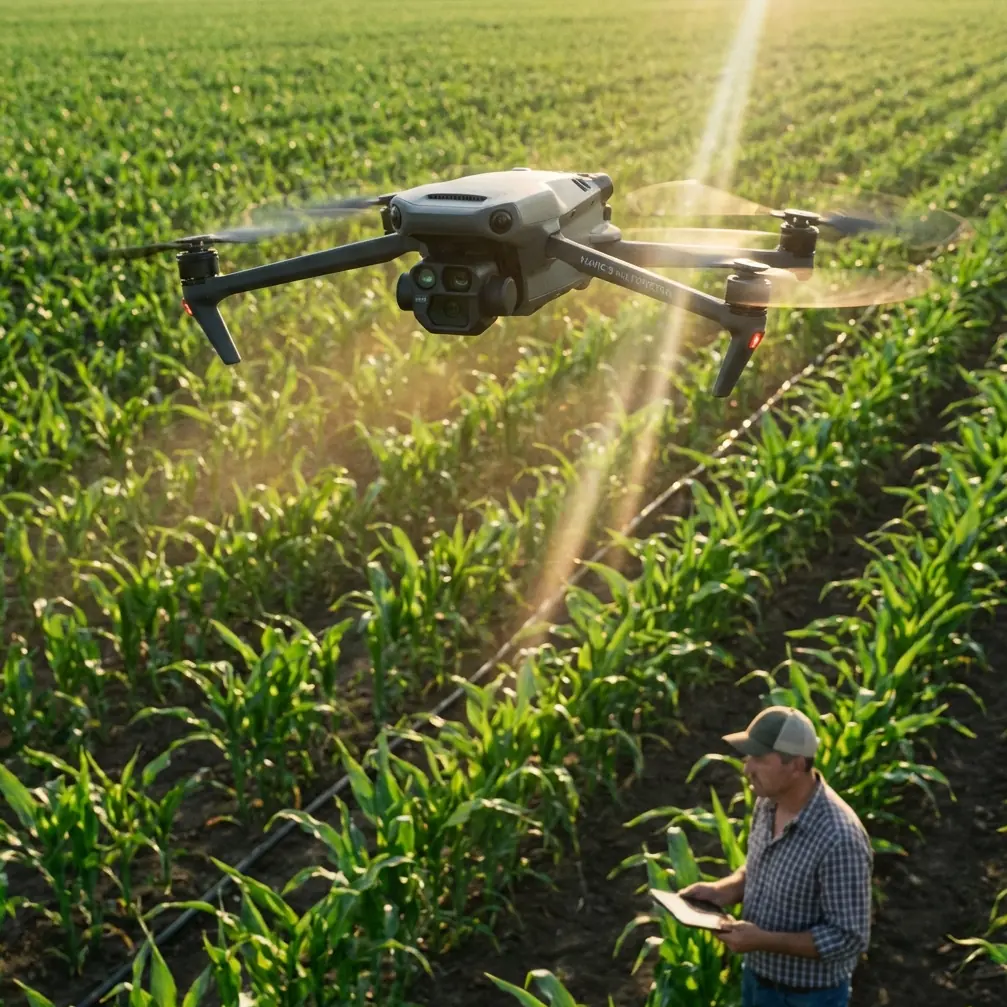
Mavic 4 Pro for Low-Light Forest Inspection: A Practical Field Workflow
META: Learn how to use the Mavic 4 Pro for low-light forest inspection with safer flight planning, cleaner footage, stronger obstacle avoidance, and better tracking under canopy.
Forest inspection at dusk or under a dense canopy is where most drones start to show their limits. The problem is not just darkness. It is contrast. Branches cut across the frame, the ground shifts from shadow to bright gaps, and GPS confidence can feel less certain once the canopy thickens. If your job is to document tree health, storm damage, trail obstruction, or boundary issues, you need a drone that can hold detail in difficult light without turning every flight into a risk calculation.
That is exactly why the Mavic 4 Pro makes sense for this kind of work.
I am approaching this as a photographer first, because low-light inspection is not only about collecting data. It is also about making sure that what you bring home is readable. If bark damage disappears into crushed shadows or a broken limb is smeared by noise reduction, the flight may be technically successful and still fail the mission. The Mavic 4 Pro stands out here because it combines the kind of image control serious operators care about with the automation that keeps flights safe in cluttered environments.
Why low-light forest inspection is unusually demanding
Open-field flying is forgiving. Forest flying is not. Even when you stay clear of trunks and avoid aggressive maneuvers, the aircraft has to interpret a layered scene full of narrow branches, uneven terrain, and sudden light transitions. In practical terms, three things matter more than almost anything else:
- Whether the drone can see obstacles early enough to react.
- Whether the camera can preserve usable detail in shadow-heavy scenes.
- Whether tracking and return paths remain reliable when the environment gets visually messy.
The Mavic 4 Pro is especially relevant because its appeal is not based on one headline feature. It is the combination. Obstacle avoidance helps when a route tightens unexpectedly. ActiveTrack and subject tracking matter when you are following a moving worker, vehicle, or animal corridor along a trail. D-Log matters because low-light woodland footage often needs careful tonal recovery in post, not heavy in-camera processing that bakes in compromises.
A lot of competing drones do one of these jobs well enough. Fewer of them do all three with the same level of confidence.
Start with the right mission profile, not the camera settings
Before you touch ISO or shutter speed, define the inspection objective. This sounds obvious, but it is where many low-light flights go wrong. A forest inspection mission usually falls into one of three categories:
- Structural scanning: looking for downed limbs, damaged trunks, washouts, or blocked access routes.
- Pattern observation: identifying stress signatures across a stand of trees, such as thinning crowns or uneven density.
- Movement follow-up: tracking a person, vehicle, or path through wooded terrain for documentation.
Each mission type changes how you should use the Mavic 4 Pro.
For structural scanning, obstacle avoidance becomes your primary safety net, and you should fly slower than your instincts might suggest. In low light, the margin between “visible branch” and “dark line in the background” shrinks fast. Even with a sophisticated sensing system, slower flight gives the aircraft more time to interpret thin obstacles and gives you more time to decide whether the route is still clean.
For pattern observation, your camera workflow matters more. This is where D-Log earns its place. Rather than chasing a punchy live image, record a flatter profile that protects highlight and shadow information. Under canopy, bright sky holes and dark understory can appear in the same frame. That contrast is exactly what creates trouble for inspection footage. A log profile gives you more room to lift shadow detail later without breaking the image.
For movement follow-up, ActiveTrack can save time and reduce stick workload, but only if you use it intelligently. Tracking in forests is harder than tracking in open terrain because the subject may be briefly hidden by trunks or branches. The Mavic 4 Pro has a real advantage here because its tracking tools are useful beyond cinematic work. In inspection, they help maintain consistent framing on a worker walking a trail, an ATV checking boundary lines, or a ranger moving toward a flagged hazard.
The safest way to fly under canopy margins
I do not recommend aggressive under-canopy flying in low light unless the route has been assessed in better conditions first. The better use case for the Mavic 4 Pro is flying at or just above canopy breaks, trail corridors, logging roads, and forest edges where visibility remains manageable but the light is still poor.
This is where obstacle avoidance separates serious field equipment from hobby-first aircraft. In a forest environment, the drone is not just avoiding large obvious objects. It must deal with partial obstructions, protruding limbs, and uneven geometry. When competitors struggle, it is often because they handle broad obstacles better than fine detail. That matters in the woods, where a small branch can end a mission as quickly as a tree trunk.
Operationally, this means the Mavic 4 Pro gives you more confidence when flying lateral passes along a tree line or easing forward through a trail opening at dusk. Confidence is not the same as carelessness. It means you can devote more attention to the inspection target rather than spending every second compensating for what the aircraft might miss.
A simple rule helps here: if your screen image looks darker than the scene appears to your eyes, slow down immediately. Low-light forest flying becomes dangerous when operators trust the aircraft’s sensors but forget that their own situational awareness is also being reduced.
Camera settings that keep inspection footage usable
You do not need cinematic perfection. You need footage that survives scrutiny.
For low-light inspection on the Mavic 4 Pro, I would prioritize clarity over dramatic motion blur. Keep your shutter speed high enough to preserve branch definition and small structural details, especially if wind is moving the canopy. If you let shutter speed collapse too far, bark fissures, hanging debris, or cable-like vines can become indistinct.
This is another place where the drone’s imaging capability matters more than spec-sheet bragging. Better low-light performance means you do not have to lean as hard on noise reduction, which often wipes away exactly the texture inspectors need to examine. A drone that looks fine on a social clip may fall apart when you zoom in on a shaded limb junction.
D-Log is particularly useful here because forest footage often contains subtle tonal information that standard profiles compress too aggressively. If a section of trunk is darkened by moisture, fungus, or burn marks, you want the ability to shape that footage later with restraint. With log capture, you can recover those differences more precisely.
If your mission includes both inspection and public-facing documentation, capture two sequences: one in your preferred inspection-oriented workflow and one using QuickShots or a controlled reveal shot for context. QuickShots are often dismissed as creative extras, but in field reporting they can quickly establish the relationship between a hazard site and its surrounding terrain. Used sparingly, that context can make your evidence easier for non-pilots to understand.
ActiveTrack is more useful in forests than many pilots realize
Most people associate ActiveTrack with athletes, vehicles, and social media clips. In forest inspection, its real value is consistency.
Say you are documenting a surveyor walking a rough boundary or a trail crew moving toward a washout. Manual tracking in fading light is demanding because your visual references are constantly interrupted by trunks and branches. The Mavic 4 Pro’s subject tracking tools reduce that workload. Instead of continuously rebuilding your framing, you can focus on route safety, spacing, and what the environment is revealing.
There is a limit, of course. Dense canopy and repeated occlusion can confuse any tracking system. But that does not make the feature secondary. It makes it strategic. Use ActiveTrack where the path has visible continuity, then switch back to manual control when the route narrows or closes visually.
Compared with many rival drones, this is where the Mavic 4 Pro feels more complete. Some alternatives deliver acceptable image quality but weaker autonomous follow behavior once the background gets complicated. Others track well in open space but become less trustworthy around repeated vertical patterns like tightly spaced trunks. In a forest, those weaknesses appear quickly.
Hyperlapse can help reveal change over time
Hyperlapse is not just a creative toy. For inspection, it can be a practical way to show progression across a site or to compare changing light and visibility over a route. If you are documenting how fog, smoke residue, or evening shadow affects a specific stand, a controlled Hyperlapse sequence can compress several minutes of environmental change into something a land manager can understand in seconds.
The key is restraint. Keep the route simple. Avoid using it in heavily obstructed airspace. Let the feature serve the report, not the other way around.
This is one of the quiet strengths of the Mavic 4 Pro platform overall. Features such as Hyperlapse and QuickShots are not isolated “creator” tools when used by a professional operator. In inspection work, they can add orientation, chronology, and context to otherwise static findings.
A field workflow that works
Here is the workflow I would use for a low-light forest inspection mission with the Mavic 4 Pro:
First, arrive before the light drops too far. Low light does not mean near-darkness. You want enough remaining ambient light for both the aircraft sensors and your own eyes to interpret the environment responsibly.
Second, run a high pass over the area if possible. Look for canopy gaps, snags, wire hazards at the margins, and any reflective water that may distort your sense of terrain.
Third, identify one primary route and one exit route. In forests, route discipline matters more than improvisation.
Fourth, set up your inspection capture in D-Log if post-processing is part of the workflow. That gives you the best chance of preserving detail across shadow-heavy scenes.
Fifth, keep obstacle avoidance active and reduce speed before entering any corridor where branches or trunks begin to stack visually.
Sixth, use ActiveTrack only where subject visibility is stable enough to justify it. If the subject disappears behind repeated obstructions, take over manually before the system starts hunting.
Seventh, capture one contextual sequence for reporting. This could be a slow reveal, a controlled orbit in a clear area, or a short QuickShot that places the problem site in relation to roads or open ground.
Finally, review key clips on-site before leaving. Low-light problems often look acceptable in the moment and disappointing later. It is better to discover exposure or focus issues while the aircraft is still in the field case.
If you need to coordinate with a spotter or field crew during setup, I would keep it simple and use a direct message link like send the flight location here so everyone is working from the same reference point.
Where the Mavic 4 Pro really pulls ahead
The real advantage is balance.
For low-light forest inspection, the best drone is not the one with the most dramatic headline feature. It is the one that lets you collect clear, consistent evidence while reducing exposure to unnecessary risk. The Mavic 4 Pro excels because it brings together strong image control, obstacle avoidance that matters in branch-heavy environments, and tracking features that remain useful beyond cinematic flying.
That last point is worth underlining. Competitor drones often force a tradeoff. You get better automation but less confidence in the image, or strong image quality but weaker flight assistance in clutter. The Mavic 4 Pro sits in the more useful middle ground for real field work. That is why it suits forestry inspection so well, especially late in the day when light starts disappearing and the margin for error gets thinner.
If your work involves documenting damage, monitoring access routes, or building visual records in wooded terrain, this aircraft is not just capable. It is practical. And in inspection, practical beats flashy every time.
Ready for your own Mavic 4 Pro? Contact our team for expert consultation.