
Filming Wildlife in Remote Areas With the Mavic 4 Pro
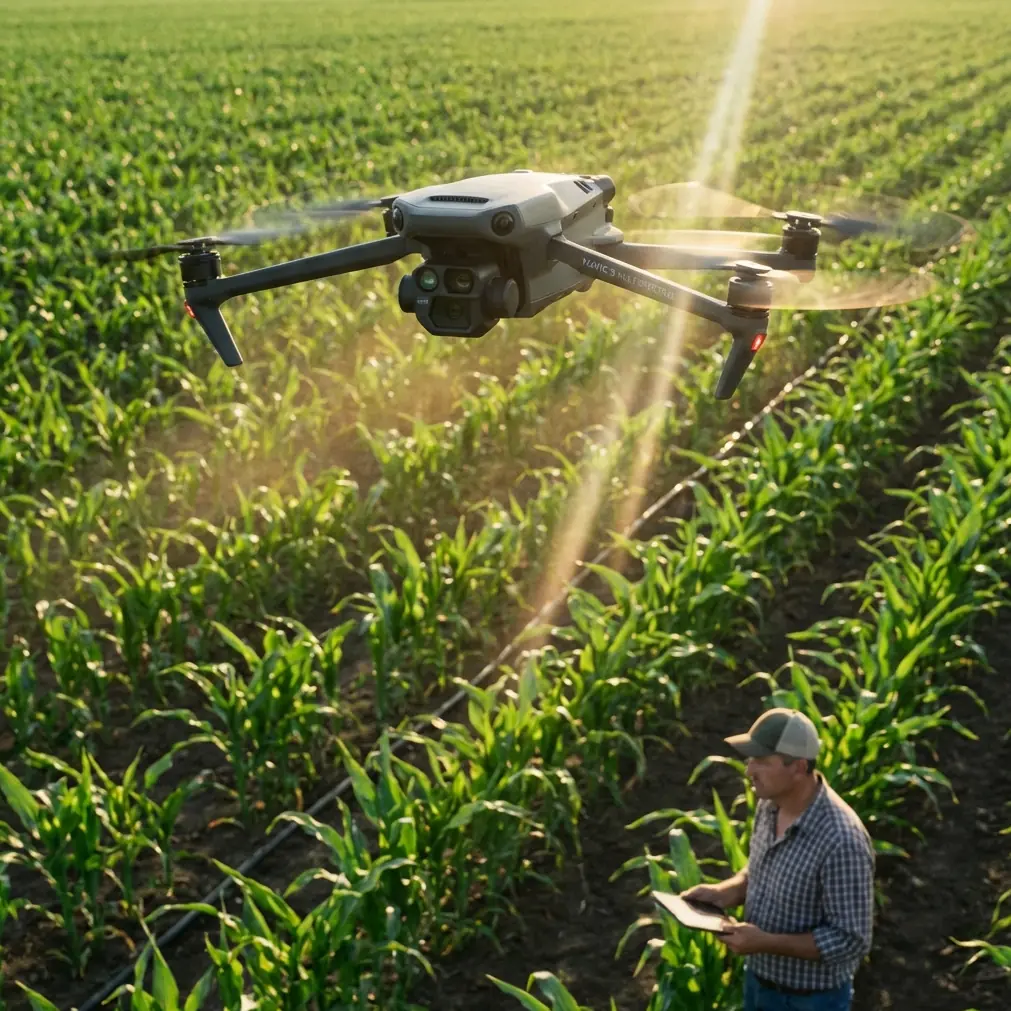
Filming Wildlife in Remote Areas With the Mavic 4 Pro: A Field Tutorial That Starts Before Takeoff
META: Practical Mavic 4 Pro wildlife filming tutorial for remote shoots, covering pre-flight cleaning, power planning, obstacle avoidance, ActiveTrack, D-Log capture, and mobile field workflow.
Wildlife filming has a way of exposing every weak point in your drone workflow.
In town, a sloppy prep routine might cost you a reshoot. In a remote marsh, ridgeline, or grassland, it can cost the whole day. Light changes, animals move once and never repeat the behavior, and your base of operations is often the back of a vehicle rather than a studio or office. That is exactly why the smartest way to use a Mavic 4 Pro in the field is to think less like a casual flyer and more like a mobile aerial imaging operator.
A useful reference point comes from an emergency mobile mapping vehicle system designed for long-distance transport, on-site data processing, and transmission support. It was built around a simple reality: field output depends on what happens around the aircraft, not just in the aircraft. The system emphasizes three things that matter just as much to a wildlife filmmaker using a Mavic 4 Pro in remote country: stable power, an organized mobile workspace, and rapid handling of imagery on site.
That framework turns a drone shoot from “bring the drone and hope” into a repeatable method.
Start with the least glamorous step: cleaning the vision system
Before batteries, before framing, before checking your ND filters, clean the aircraft.
That sounds basic, but on a Mavic 4 Pro it directly affects obstacle avoidance and subject tracking reliability. If you’re filming birds over reeds, deer at a forest edge, or mountain goats against broken rock, the aircraft’s sensing system is constantly interpreting low-contrast shapes, moving branches, glare, dust, and fine texture. A smudge on a sensor or front lens can reduce confidence in the very features people rely on most in remote shooting: obstacle avoidance, ActiveTrack, and stable autonomous movement.
My pre-flight cleaning routine is short:
- Wipe the main camera glass with a proper lens cloth
- Check forward, rear, and downward sensing windows for dust, fingerprints, or dried moisture
- Inspect propellers for chips, grass strands, and grit at the hub
- Confirm gimbal movement is free and smooth
- Look for salt spray, pollen, or mud if you launched from coastal or wetland terrain
The reason this matters is practical, not obsessive. Wildlife footage often depends on controlled, low-stress aircraft movement. If obstacle sensing is compromised, the drone may brake unpredictably, hesitate during a tracking move, or misread nearby branches. If the tracking system struggles, you get drifting compositions, nervous corrections, or a missed pass when the animal finally enters the best light.
A clean drone is not just safer. It is smoother.
Build your remote workflow around the vehicle
Most people treat the car as transportation. In remote wildlife filming, the vehicle is really your support platform.
The mobile mapping reference describes a vehicle support system that provides long-distance transport and an on-site emergency data-processing environment. That idea translates beautifully to the Mavic 4 Pro. Even if you are working solo, your vehicle should function like a tiny field station with dedicated zones for flight prep, battery management, media handling, and review.
One detail from the reference stands out: the cargo space and the work space are separated. That is operationally significant because it prevents the usual field chaos where propellers, batteries, food, wet jackets, cards, and cables all end up in one pile. Chaos slows launches. Slow launches miss wildlife moments.
In practice, I recommend dividing your vehicle like this:
Rear cargo zone
Keep aircraft case, landing pad, charging kit, spare props, and weather gear here. This is the “dirty” area where equipment comes in and out.
Clean work zone
Use a seat-back desk, folding tray, or compact table for controller setup, card swaps, log notes, and clip review. This becomes your “inside workstation.”
Power zone
Keep charging accessories and power conversion gear in one known location. If possible, isolate battery charging from camera media handling so you are not juggling both at once.
That same reference also specifies workspace suitable for at least two people working simultaneously. Even if you are alone, that principle still matters: leave enough room to operate without balancing your controller on your knees while changing settings in a cramped position. Awkward setup leads to mistakes.
Power planning is what keeps remote shoots alive
When wildlife activity finally starts, the worst sentence in the field is: “I need to power everything down.”
The mobile system reference recommends using shore power whenever it is available within 30 meters of the vehicle. In its context, that means bringing external mains power into the onboard system via an electric cable reel. For a Mavic 4 Pro operator, the lesson is broader: if there is reliable external power nearby, use it and preserve your independent power reserves for when you truly need them.
At a lodge, ranger station, research camp, or remote guest facility, top everything off before heading farther out. Do not treat wall power as optional. Treat it as battery preservation.
The second power detail is even more valuable. The reference calls for an online UPS capable of keeping key onboard equipment running for about 30 minutes during a failure. That 30-minute buffer is not just a technical footnote. It is a mindset.
For wildlife filming, your own “30-minute rule” should be this: always maintain enough reserve power to safely finish the current imaging task, review the essential footage, back up the card, and make a controlled exit from the location. If your workflow collapses the moment a charging source disappears, you are operating too close to the edge.
This matters especially when shooting D-Log and high-value behavior sequences. If you capture a rare interaction—a raptor lift-off, herd crossing, mating display, or feeding pattern—you need enough power left to verify exposure, sharpness, and continuity before leaving. Remote filming is not the place for blind faith.
Set up for speed, because “fast but usable” wins in the wild
Another line from the reference deserves attention: the core of field effectiveness is getting output quickly, with speed and usability as the central standard.
That is exactly right for wildlife.
A cinematic setup that takes 18 minutes to deploy is inferior to a slightly simpler setup that gets airborne in 3 minutes while the animals are still present. The Mavic 4 Pro rewards operators who know their presets and can move without hesitation.
Create dedicated profiles before the trip:
- A slow, quiet cinematic profile for broad environmental reveals
- A tracking profile tuned for ActiveTrack and moderate subject motion
- A high-shutter or action-ready profile for birds or erratic mammals
- A low-contrast D-Log capture setup for dawn and dusk grading flexibility
Why presets matter: every second you spend rebuilding exposure, color mode, tracking parameters, and stick feel in the field is a second in which the animal may vanish behind cover.
QuickShots and Hyperlapse also deserve a realistic role. They are not the centerpiece of serious wildlife coverage, but they can be useful for habitat context. A carefully timed Hyperlapse over a wetland at sunrise can establish place without disturbing the main subject area. QuickShots may work when the animal is distant and the environment is the real storytelling element. They are not substitutes for disciplined manual flight near living subjects, but they can efficiently build sequence variety.
Use obstacle avoidance intelligently, not blindly
Obstacle avoidance is one of the most misunderstood features in wildlife flying.
People assume it removes risk. It doesn’t. It changes the kind of risk.
In open terrain, it can be a major confidence booster. In wooded, brushy, or backlit environments, it can produce abrupt braking or route changes at the exact moment you want smooth visual continuity. That is why the pre-flight cleaning step matters so much, and why location assessment matters even more.
Before launch, look at the airspace as a camera path, not just a safe area. Ask:
- Are there thin branches, reeds, wires, or uneven rock spires?
- Will the drone face glare or low-angle sun during the move?
- Is the subject likely to change direction toward cover?
- Does the route leave room for obstacle avoidance to react without ruining the shot?
For wildlife, the best use of obstacle sensing is often as a backstop while you fly conservatively and predictably. It should support your judgment, not replace it.
ActiveTrack works best when you respect animal behavior
ActiveTrack can be useful in civilian wildlife filmmaking, but only when the aircraft is far enough away to avoid pressure on the animal and the subject is already moving in a consistent pattern.
Good candidates:
- Ungulates crossing open ground
- Waterfowl moving along a shoreline
- Animals on a visible trail with clear background separation
Poor candidates:
- Subjects under canopy
- Fast, erratic birds
- Animals already showing alert or avoidance behavior
Operational significance matters here. If the drone has to continuously re-identify the subject against cluttered terrain, the shot becomes unstable and the animal may still be stressed by the aircraft’s presence. The right move is often to use ActiveTrack for part of the sequence, then transition to a manual orbit, side-follow, or elevated static hold.
If you need a second opinion on field setup logic or workflow choices before heading out, I sometimes tell crews to gather their shot plan and message a remote drone workflow contact here so the power, accessories, and operating assumptions are checked before the trip rather than in the middle of nowhere.
Review footage on site like a mapping team would
One of the most useful ideas in the source material is the emphasis on on-site data processing. The vehicle system includes real-time display, image stitching and processing, workstations, and a gigabit network switch. You do not need a full mobile command van to borrow the principle.
What matters is immediate review.
Do not rely on the controller screen alone. If possible, review critical takes on a larger display, tablet, or laptop inside the vehicle before you leave the area. The reference system even lists multiple display sizes, including a 23-inch monitor, which underscores the larger point: bigger viewing surfaces catch problems small screens hide.
For Mavic 4 Pro wildlife work, on-site review helps you detect:
- Focus misses hidden by bright daylight
- Overexposed plumage or reflective water
- Micro-judder in panning sequences
- Track interruptions during ActiveTrack clips
- Horizon drift in long habitat reveals
- Dust spots that appeared after launch
This is especially important with D-Log footage. Flat profiles preserve grading latitude, but they can make exposure mistakes less obvious if you only glance at a small screen in full sun. A quick controlled review in the vehicle can save an entire expedition.
Keep the mobile workstation quiet and stable
The emergency mapping vehicle reference mentions vibration reduction, sound insulation, and a quieter operating environment around the generator and equipment. That may sound far removed from a compact foldable drone, but the lesson is sharp.
Field productivity drops fast in noisy, unstable, uncomfortable environments.
If your charging setup rattles in the back of the vehicle, your card case slides around, and you cannot hear warning tones from your controller because a portable generator is roaring beside you, small errors multiply. Build calm into the station:
- Charge away from your main review area if possible
- Use foam or rigid dividers to stop gear movement
- Keep controller audio and alerts audible
- Review clips seated and shaded, not hunched in direct glare
- Log batteries and cards with a simple physical system
Remote wildlife shoots are often physically tiring. The quieter and more orderly your vehicle base is, the better your decisions will be on flight three, not just flight one.
A practical field sequence for the Mavic 4 Pro
Here is the sequence I recommend for a remote wildlife session:
Arrive and observe before unpacking
Watch wind, animal movement, and likely camera paths.Build the clean work zone
Controller, cards, cloth, filters, notebook.Clean aircraft optics and sensing surfaces
This protects obstacle avoidance and tracking consistency.Confirm power status
Count available flights, reserve charging options, and maintain your own 30-minute margin for safe wrap-up and review.Launch with the simplest useful shot first
Usually a high, quiet environmental reveal.Move to primary behavior coverage
Use manual control or ActiveTrack only when the terrain and subject behavior support it.Capture a backup version
A second pass with different framing often saves the edit.Land and review immediately
Check the critical shots on the largest practical screen.Back up and reset cleanly
Battery rotation, card labeling, lens recheck.Leave only after verification
Remote miles are expensive in time, not just fuel.
The bigger lesson for Mavic 4 Pro users
The best remote wildlife footage from a Mavic 4 Pro usually has less to do with flashy flight modes than with disciplined field systems.
That is why the emergency mobile mapping reference is so relevant. Its concrete details—using external power when available within 30 meters, maintaining online UPS support for roughly 30 minutes, separating work and cargo space, and prioritizing fast usable output—translate directly into better drone practice even for a compact filmmaker’s setup. Those are not abstract engineering ideas. They are field survival principles for image-makers.
When applied to wildlife work, they lead to fewer missed opportunities, better sensor reliability, cleaner media handling, and stronger decision-making under pressure.
And it all begins with one of the smallest tasks in the kit: cleaning the aircraft before takeoff.
Ready for your own Mavic 4 Pro? Contact our team for expert consultation.