
Mavic 4 Pro Filming Guide: Wildlife Tactics for Complex
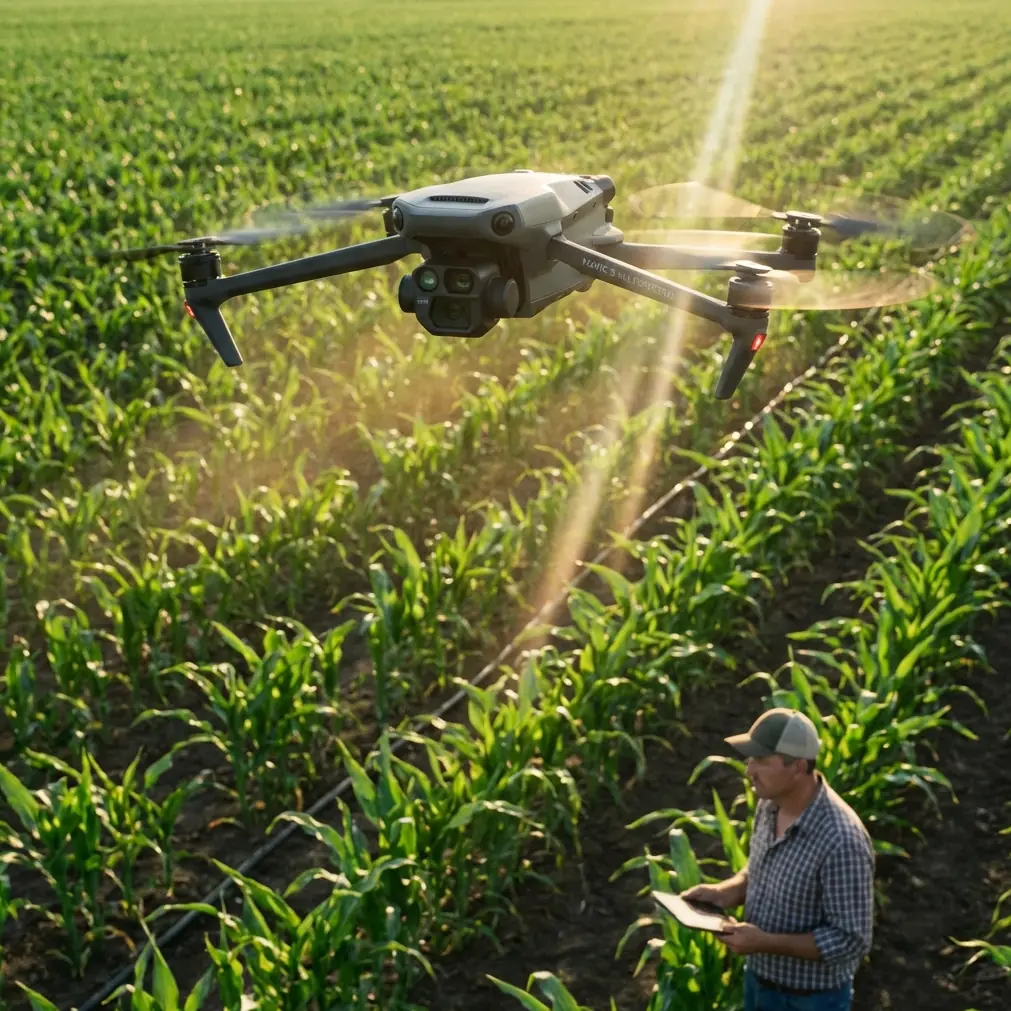
Mavic 4 Pro Filming Guide: Wildlife Tactics for Complex Terrain
META: Practical Mavic 4 Pro filming guide for wildlife in rugged terrain, covering obstacle avoidance, ActiveTrack, D-Log, Hyperlapse, and safer shot planning.
Filming wildlife in broken terrain is where a drone stops being a flying camera and becomes a decision-making tool. Open fields are easy. The real test comes when your subject moves through gullies, tree lines, boulder stacks, ridge faces, and uneven light that changes by the minute. That is exactly where a Mavic 4 Pro-style workflow matters most.
I’m writing this with one specific use case in mind: you are in the field, you have a narrow weather window, and an animal does something worth filming for maybe 12 seconds. You do not get a second take. In that moment, the quality of your footage depends less on cinematic ambition and more on preparation, aircraft behavior, and how well you understand the drone’s sensing and tracking logic.
A few months ago, I watched a deer break from scrub at the edge of a steep ravine and cut diagonally across a slope littered with deadfall. It was a terrible place to improvise. Branches reached in from the side, the terrain rose under the aircraft, and the background shifted from open grass to dark timber in seconds. That is the kind of scenario where obstacle avoidance and subject tracking stop being spec-sheet talking points. They become the difference between a usable sequence and a ruined flight.
Why the Mavic 4 Pro matters in this scenario
The Mavic 4 Pro conversation usually starts with image quality. Fair enough. But for wildlife work in complex terrain, the headline features are not only about the sensor or color profile. They are about how many tasks the aircraft can manage at once while you focus on animal behavior.
You are trying to do several things simultaneously:
- Keep the drone clear of branches, rock walls, and rising ground
- Preserve smooth framing on an unpredictable subject
- Avoid aggressive control inputs that spook wildlife
- Hold exposure through mixed light
- Capture footage with enough latitude for grading later
That is why features like obstacle avoidance, ActiveTrack, D-Log, QuickShots, and Hyperlapse belong in the same conversation. They are not separate menu items. In the field, they stack together into one operating method.
If you are planning a wildlife shoot and want to compare settings before you head out, I often tell crews to message the flight planning desk here while they are still building the shot list rather than after they arrive on location.
Start with the terrain, not the animal
Most pilots do the opposite. They find the animal first, then think about how to film it. That sequence is backward in rough country.
Before takeoff, study three things:
- Vertical changes in the landscape
- Obstacle density at multiple heights
- Escape routes for both the animal and the aircraft
Complex terrain tricks pilots because the danger is not always directly in front of the drone. A hillside that appears distant can rise into your flight path quickly if you are tracking laterally. A clean overhead line can become blocked when your aircraft descends to maintain subject size in frame. Dense brush near the ground also interferes with visual judgment, making it easy to misread clearance.
This is where obstacle avoidance earns its place. In wildlife filming, it is not there to encourage risky flying. It is there to protect you from small miscalculations when the topography changes faster than your eye can parse. If the drone’s sensing system can identify a branch line or detect converging terrain while you are managing framing, your workload drops immediately.
Operationally, that matters for one simple reason: smoother inputs produce calmer footage and less wildlife disturbance. Jerky manual corrections often happen when a pilot notices an obstacle late. Better sensing helps you avoid that chain reaction.
ActiveTrack is only as good as your setup
ActiveTrack sounds magical until you use it in bad conditions. Then you learn the truth. Tracking is not a substitute for pilot judgment. It is an assistant, and like any assistant, it performs better when you give it clean instructions.
When filming wildlife in uneven terrain, the best ActiveTrack results usually come from disciplined starting conditions:
- Begin with clear subject separation from the background
- Avoid launching the track when the animal is already under canopy
- Choose an angle that preserves a predictable movement path for at least several seconds
- Leave horizontal and vertical clearance so the drone can make subtle adjustments
That deer on the ravine edge was a good example. The first two seconds were clean. Then it crossed in front of gray deadwood and dipped toward darker brush. A poorly set track would have either drifted off the subject or forced a clumsy reposition. The smarter move was to establish the subject while it still had tonal contrast against the grass, let the drone follow conservatively, and avoid pushing in too close.
The operational significance here is huge. Subject tracking helps maintain frame consistency during chaotic movement, but only if you resist the temptation to crowd the animal. Wildlife rarely moves in a straight line for your convenience. Giving the aircraft room to interpret movement reduces abrupt path changes and lowers collision risk when the route tightens.
Obstacle avoidance is most useful before you think you need it
A common misunderstanding is that obstacle avoidance only matters in dense forest. In reality, it is just as valuable along cliff bands, dry washes, broken ridges, and transitional habitats where open ground gives way to clutter.
The reason is closing speed. In broken terrain, your available reaction time shrinks fast. What looked like a comfortable buffer at one altitude disappears when the drone follows a subject downslope. Branches from the side become relevant. Rising terrain beneath the aircraft becomes relevant. A forward path that seemed safe becomes a funnel.
For wildlife filming, use obstacle avoidance as a buffer against terrain compression, not as permission to fly aggressively. There is a practical difference. If you treat the system as insurance, you will still choose cleaner lines. If you treat it like invincibility, you will eventually ask it to solve a geometry problem too late.
That distinction matters when your subject changes pace. Animals often pause, bolt, cut sideways, or reverse direction in a burst. A drone with reliable sensing gives you a chance to hold composure while you decide whether to continue the shot or break off.
Use D-Log when the light is doing two things at once
Wildlife habitats are rarely evenly lit. You may have bright rock, dark timber, reflective water, and backlit dust in the same frame. Standard-looking footage can fall apart quickly under those conditions because highlight retention and shadow detail start competing with each other.
That is where D-Log becomes more than a colorist’s preference. In mixed lighting, it gives you more room to recover the shot in post without crushing the shaded areas where the animal may move. If a hawk lifts from a shadowed branch into a bright clearing, or a deer exits dark cover onto sunlit grass, a flatter profile gives you a better chance of holding both environments together.
The field benefit is not just aesthetic. It affects editorial usability. Wildlife sequences often depend on continuity across a few brief clips. If one shot clips the sky and the next buries the subject in shadow, your sequence feels fragmented even if the action is excellent.
A sensible approach with D-Log on the Mavic 4 Pro is to expose with discipline rather than chase a bright preview image. Protect the highlights, watch your histogram if available, and accept that the footage is supposed to look restrained before grading. That restraint is what preserves options later.
QuickShots are useful, but not where most people deploy them
QuickShots can be helpful in wildlife work, but not during the most sensitive phase of the encounter. This is where judgment matters.
If the subject is already moving unpredictably through obstacles, automated shot routines are usually not the first tool I reach for. You need direct control and situational awareness. But QuickShots can be valuable before or after the animal pass, especially for environmental storytelling.
For example:
- Establish the valley or ridgeline before the subject enters frame
- Reveal the habitat boundaries around a watering area
- Add a controlled motion shot that shows how steep or enclosed the terrain really is
The significance is editorial context. A wildlife clip is stronger when viewers understand the physical environment the animal is navigating. Complex terrain is part of the story. A controlled automated move can give you that context without requiring an elaborate manual camera move at the edge of your workload.
Used this way, QuickShots are not a novelty. They become a supporting tool for scene geography.
Hyperlapse works best when wildlife is not the subject
Hyperlapse has a place in a Mavic 4 Pro wildlife workflow, but usually not for the animal itself. Fast-moving wildlife and interval capture do not naturally mix unless the goal is environmental atmosphere rather than behavioral detail.
Where Hyperlapse shines is in showing habitat transitions:
- Fog spilling through a valley at dawn
- Light moving across a rock face near a nesting area
- Tidal or cloud movement around a coastal habitat
- Long shadows advancing across grassland before evening activity
That footage can be crucial in a finished edit because it explains timing and conditions. Wildlife behavior is often tied to light, temperature, wind, and terrain exposure. A Hyperlapse sequence can communicate those shifts in seconds.
Operationally, Hyperlapse also lets you gather high-value B-roll when the animals are absent or resting, instead of burning battery on speculative hovering. That is a better use of flight time.
Keep your distance and let the lens do some work
Wildlife footage often gets worse as the pilot gets more excited. The instinct is always to move closer. In rugged terrain, that instinct creates two problems at once: greater chance of disturbing the animal and less room for the drone to navigate safely.
The Mavic 4 Pro is most effective when you build the shot around stable spacing. Let the aircraft hold a respectful distance, keep the path clean, and use composition intelligently rather than forcing intimacy. A wider environmental frame can be more powerful than a cramped close chase, especially when the terrain itself tells part of the story.
That deer sequence worked because the drone did not try to sit directly over the animal. It tracked with offset, allowed the slope and deadfall to remain visible, and preserved enough separation for the sensing system to do its job. The resulting footage felt calmer, more natural, and more truthful to the moment.
Pre-flight settings that actually matter
Before you launch, lock in the settings that reduce decision-making once the action starts.
Focus on these priorities:
- Enable obstacle avoidance and confirm it is active in the mode you plan to use
- Set your color profile intentionally, with D-Log if post-production latitude matters
- Confirm subject tracking behavior before the wildlife appears
- Check return-to-home altitude against the highest nearby terrain or trees
- Review wind direction relative to ridgelines, saddles, and cliff edges
- Plan an exit path that does not cross directly over the animal
These are not glamorous choices, but they are what preserve usable footage. Wildlife encounters unfold quickly. If you are adjusting core settings mid-flight, you are already behind.
The best wildlife footage looks unforced
That is the real standard for Mavic 4 Pro work in difficult terrain. Not maximum drama. Not the closest pass. Not the most aggressive move. The best footage feels like the aircraft understood the landscape and respected the subject.
When obstacle avoidance is doing its quiet work, ActiveTrack is set up from a smart angle, D-Log is protecting your dynamic range, and you use QuickShots or Hyperlapse only where they make editorial sense, the result is not flashy. It is controlled. Clean. Credible.
And credibility matters in wildlife cinematography. Viewers can tell when a shot feels hunted by the pilot instead of observed by the camera.
If you are flying the Mavic 4 Pro in complex terrain, think like a field operator first and a cinematographer second. Read the slope. Read the obstacles. Read the animal. Then let the drone’s tools support that judgment rather than replace it.
That is how you come home with footage worth keeping.
Ready for your own Mavic 4 Pro? Contact our team for expert consultation.