
Mavic 4 Pro in Dusty Venues: A Practical Field Workflow
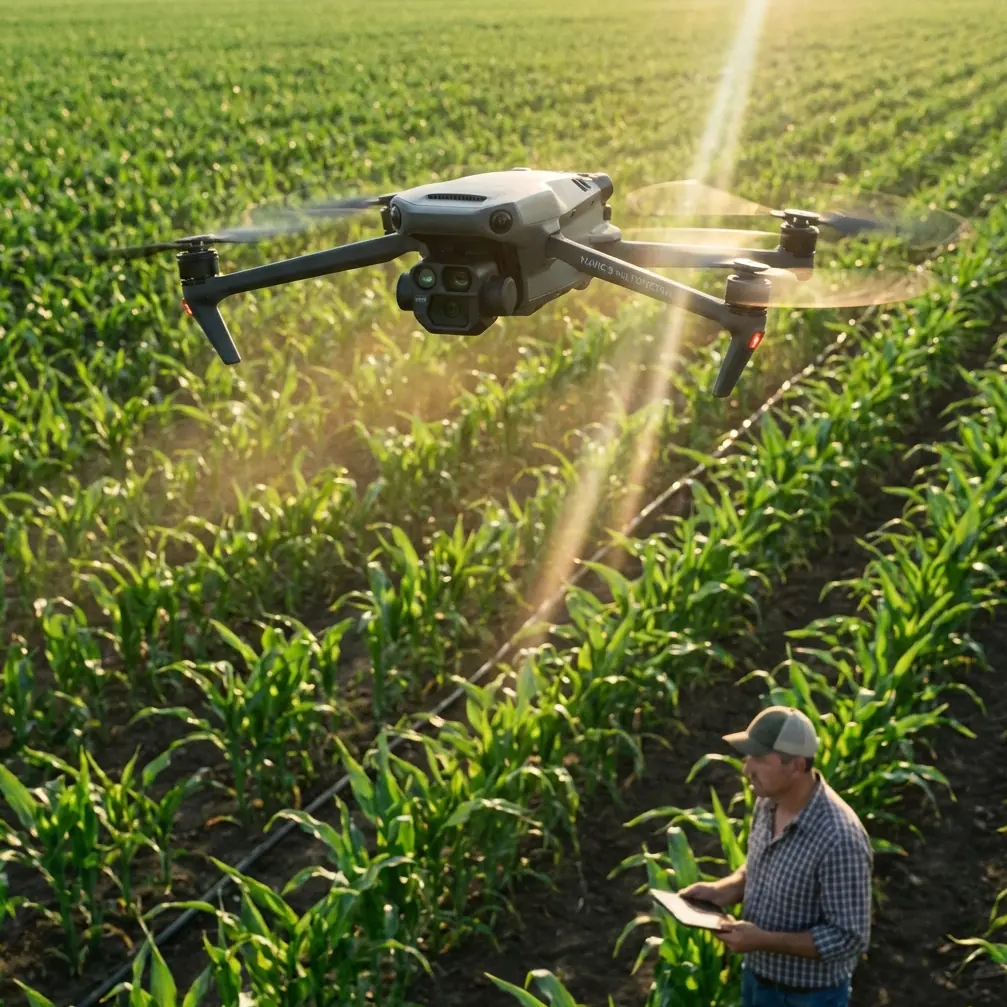
Mavic 4 Pro in Dusty Venues: A Practical Field Workflow for Clean Footage and Stable Control
META: Learn how to use Mavic 4 Pro effectively in dusty filming environments, with practical guidance on obstacle avoidance, ActiveTrack, D-Log capture, and handling electromagnetic interference through smart antenna adjustment.
Dust changes everything.
Not just the look of a venue, but the way a drone sees, breathes, tracks, and holds a link. If you’re filming construction-adjacent event grounds, equestrian arenas, motocross parks, outdoor festival sites, or dry industrial venues with a Mavic 4 Pro, the challenge is rarely just image quality. It’s reliability. Dust reduces contrast, confuses sensors, settles on optics, and often shows up in places where temporary power infrastructure and wireless equipment create electromagnetic noise.
That combination matters more than most pilots admit.
The Mavic 4 Pro conversation usually gets pulled toward camera specs and automated flight modes. Those are useful, but they’re only part of the story when you’re working in a dusty venue. The real question is how to keep the aircraft predictable while still coming home with usable footage. That means balancing obstacle avoidance behavior, subject tracking confidence, flight path discipline, and clean radio habits, especially when interference starts creeping in.
There’s an interesting clue in a seemingly unrelated industry story. At the Motorola Solutions Summit in Orlando, held April 19–22, speakers from the Collier County Sheriff’s Office described a real-time incident center where drones and aerial data play a central role inside an integrated view of operations. Strip away the public-safety context and the operational lesson is still valuable for civilian pilots: aerial video becomes far more useful when it’s treated as situational data, not just pretty footage. In a dusty venue, that mindset changes how you fly a Mavic 4 Pro. You stop thinking only about cinematic moves and start thinking about total awareness: where dust is blowing, where signal conditions degrade, where your subject path is likely to become visually ambiguous, and where a single pass is better than five retries.
That shift in mindset saves batteries, reduces risk, and often gives you stronger footage.
Start with the air, not the shot list
Before launching, spend a few minutes studying the venue as a moving system. Dust is rarely uniform. It pools behind barriers, rises near vehicle routes, and hangs longer around open staging areas with lots of foot traffic. In many commercial venues, the dirtiest air also overlaps with the noisiest radio environment: LED walls, temporary generators, event Wi‑Fi, wireless video links, and steel infrastructure can all make control and transmission less forgiving.
If you know you’ll be filming in those conditions, your first decision is altitude strategy. Low passes look dramatic, but in dusty venues they are also where obstacle sensing has the hardest job. Loose particulate can reduce scene clarity and create a flatter visual environment, especially over pale ground. If you’re depending on obstacle avoidance to bail you out during aggressive, low, lateral movement, you’re setting yourself up for inconsistent behavior.
A better workflow is to establish three flight layers:
- a higher recon layer for site reading
- a mid-level coverage layer for reliable tracking and repeatable motion
- a low-detail layer used only when the air is visibly cleaner and your route is simple
This is where the “one screen, total awareness” concept has real operational value even for solo creators. You may not have a full incident center, but your controller screen should serve that same purpose. Live view is not just for composition. It’s your dashboard for dust density, traffic patterns, subject separation, and signal health. Fly like your screen is an operations console, because in practice it is.
Dust and obstacle avoidance: know when assistance helps and when it hesitates
Obstacle avoidance is valuable in venue work, but dusty environments expose its limits. The system performs best when objects have clear edges and the aircraft has enough visual confidence to interpret them properly. Dust can soften contrast and make scene depth harder to read. Backlit haze adds another layer of difficulty.
Operationally, that means two things.
First, obstacle avoidance is most useful in dusty locations when your route passes obvious structures: fencing, light poles, stage truss, walls, parked equipment, and tree lines. In those cases, it provides a meaningful buffer. Second, it becomes less dependable as a substitute for manual judgment in open, low-contrast spaces where dust clouds and ground texture blend together.
So don’t treat obstacle avoidance as a permission slip. Treat it as an extra observer.
I generally recommend using it to support measured movements rather than high-speed improvisation in dusty venues. If you’re making a reveal from behind a scaffold tower, circling a grandstand, or backing away from a presenter near fixed infrastructure, the system is useful. If you’re skimming over a dry field with drifting dust and trying to thread through temporary installations, you should simplify the shot instead.
One clean pass beats a flashy near-miss every time.
ActiveTrack and subject tracking in haze: choose separation over drama
Dust affects tracking because tracking needs definition. A subject partly veiled by airborne dirt, moving across similarly colored ground, is harder to hold than a subject with strong tonal separation from the background.
That’s why venue planning matters more than mode selection.
If you want ActiveTrack to behave consistently, don’t launch straight into the most chaotic scene. Start by choosing subject lines that create contrast. A rider crossing a darker perimeter lane may track better than the same rider charging straight through a pale dust plume. A presenter walking beside a shaded structure may hold better than one centered in a blown-out open lot at noon.
This matters operationally because it reduces the number of abandoned takes and unnecessary repositioning flights. Every extra pass in dust increases the chance of contaminated optics and unstable visual conditions.
A simple field rule works well: if the subject is hard for your eye to define at a glance on the controller, tracking performance is already under pressure. Build shots around cleaner moments rather than forcing automation through bad visibility.
That also applies to QuickShots. They can still be useful at dusty venues, but only if the scene geometry is obvious and the subject remains visually distinct. Orbit-style moves around a static feature, a branded installation, or a presenter standing in a cleared area tend to be safer than automated shots over active dust corridors.
D-Log in dusty light: preserve flexibility without flattening the scene too far
Dusty venues often produce tricky light. Highlights bloom, the air itself brightens, and distant details lose separation. This is exactly where D-Log can earn its place. The advantage is not abstract “cinematic quality.” It’s control in post.
When you capture in D-Log, you preserve more room to shape contrast later, which helps recover some structure in scenes where dust washes out the image. That is especially useful during golden hour, when airborne particles can create beautiful atmosphere but also reduce clarity across the frame.
There is a catch. If you underexpose too aggressively in an effort to protect highlights, dusty footage can turn muddy quickly. You want enough information in the midtones to keep the venue readable, especially if the footage has a practical purpose beyond aesthetics, such as progress documentation, sponsor deliverables, or facility marketing.
So think of D-Log as a resilience tool. It gives you latitude when the air itself is acting like a giant diffuser. Used well, it helps maintain useful tonal separation between your subject, the venue, and the background haze.
Hyperlapse in dusty spaces: use motion to show atmosphere, not hide it
Hyperlapse can work brilliantly in dry venues if you build it around environmental movement. Dust drifting through side light, people flowing in and out of a grandstand, vehicles crossing a service lane, or a setup crew transforming a site over time can all become stronger with controlled time compression.
But don’t use Hyperlapse to disguise unstable flying conditions. If interference is already causing inconsistent control response, or if visibility is changing minute to minute, a hyperlapse sequence can magnify those inconsistencies. The final result may feel jittery or visually confused, no matter how attractive the setting looked in person.
The smarter use is to set up in a stable part of the venue and let the atmosphere do the work. Dust is not always a problem to eliminate. Sometimes it is the story. A good Mavic 4 Pro operator recognizes when environmental texture adds depth and when it starts degrading reliability.
Handling electromagnetic interference with antenna adjustment
This is the part too many pilots treat casually.
Dusty venues often coincide with heavy temporary infrastructure. Wireless audio, video transmission systems, power equipment, metal staging, and dense spectator devices can all contribute to electromagnetic interference. You may notice it as reduced transmission stability, inconsistent live view quality, delayed response, or warnings that seem to come and go depending on your position.
When that starts happening, don’t immediately blame the aircraft. Look at your geometry.
Antenna adjustment is one of the fastest practical fixes. The goal is not to point the antenna tips directly at the drone. It’s to orient the antenna surfaces for a stronger link path between controller and aircraft. Small changes in your body position, controller angle, and takeoff location can make a real difference, especially near metal structures or busy broadcast zones.
In practical terms:
- face the aircraft directly when possible
- avoid standing beside large steel objects, vehicles, or generator housings
- raise your controller position slightly instead of holding it against your torso
- rotate your stance if the link improves in one direction
- relocate a short distance if interference seems tied to a specific pocket of the venue
This is where experienced operators separate themselves from button-pushers. They don’t panic when the signal gets noisy. They test orientation, confirm line of sight, and adjust antennas deliberately before changing the whole flight plan.
The significance is straightforward: cleaner control and transmission mean fewer ruined takes and less temptation to descend into poor air just to keep visual contact. In dusty sites, that discipline is doubly valuable because the safest correction is often to improve the link from where you stand, not to chase the drone into harsher conditions.
If you’re coordinating venue filming and want a direct planning channel before the shoot, you can message the team here.
Build your shot order around contamination risk
Lens cleanliness is the hidden variable in dusty drone work. A flight that starts sharp can degrade halfway through the session because the front element picks up fine residue. You may not notice immediately on the small screen, especially under bright conditions.
That’s why shot sequencing matters.
Get your cleanest, most critical footage first. Wide establishing shots, sponsor angles, venue overviews, and any must-have tracking passes should happen before repeated low work near active dust sources. Save experimental shots and low drama passes for later in the schedule. If the environment worsens, you have still protected the deliverables that matter.
This also aligns with the integrated-data lesson from the Orlando summit example. When drones are used as part of a real operational picture, the best outputs come from disciplined capture rather than constant improvisation. Civilian venue filming benefits from the same thinking. Define what the footage needs to communicate, then use the Mavic 4 Pro’s automation and camera flexibility selectively, not reflexively.
A practical dusty-venue workflow for Mavic 4 Pro operators
Here’s the workflow I’d use on a dry, interference-prone venue day:
1. Recon high
Launch high enough to read wind direction, dust corridors, and infrastructure density. Identify cleaner air lanes and avoid the temptation to start with a hero shot.
2. Test the link early
Hover in a stable zone and assess responsiveness. If the control link feels inconsistent, adjust antenna orientation and your standing position before committing to distance.
3. Capture priority footage first
Shoot your must-have wide coverage and key tracking passes while optics are clean and the aircraft is fresh.
4. Use tracking where contrast supports it
Deploy ActiveTrack only when the subject stands apart clearly from the background. If visibility is marginal, fly manually.
5. Let obstacle avoidance support, not lead
Use it around defined structures and controlled moves. In open dust and low-contrast spaces, simplify.
6. Record in D-Log when light is harsh or atmospheric
Protect tonal flexibility for post, especially when airborne dust is flattening the scene.
7. Reserve low dusty passes for the end
Those shots can be striking, but they also raise contamination risk and sensor complexity.
8. Reassess after each battery
Dust and interference both change over time. Treat every battery as a new operating window, not a continuation of the previous one.
Why this approach works
The Mavic 4 Pro is at its best when the pilot uses its smart features as tools inside a real workflow. Dusty venues punish lazy habits. They expose overreliance on automation, weak signal discipline, and poor shot prioritization. But they also reward thoughtful operators with footage that feels alive: layered atmosphere, directional light, moving texture, and a stronger sense of place than a sterile venue can offer.
The deeper lesson from that April 19–22 Orlando summit discussion is useful here. Aerial systems are most effective when they contribute to awareness. For civilian venue filming, awareness means reading dust movement, understanding interference pockets, choosing trackable subject lines, and knowing when to trust assistance versus manual control. The Mavic 4 Pro gives you enough capability to do all of that well. The difference is whether you fly it as a camera in the sky or as a disciplined aerial tool.
In dusty environments, that difference shows up in every frame.
Ready for your own Mavic 4 Pro? Contact our team for expert consultation.