
Mavic 4 Pro for High-Altitude Power Line Filming
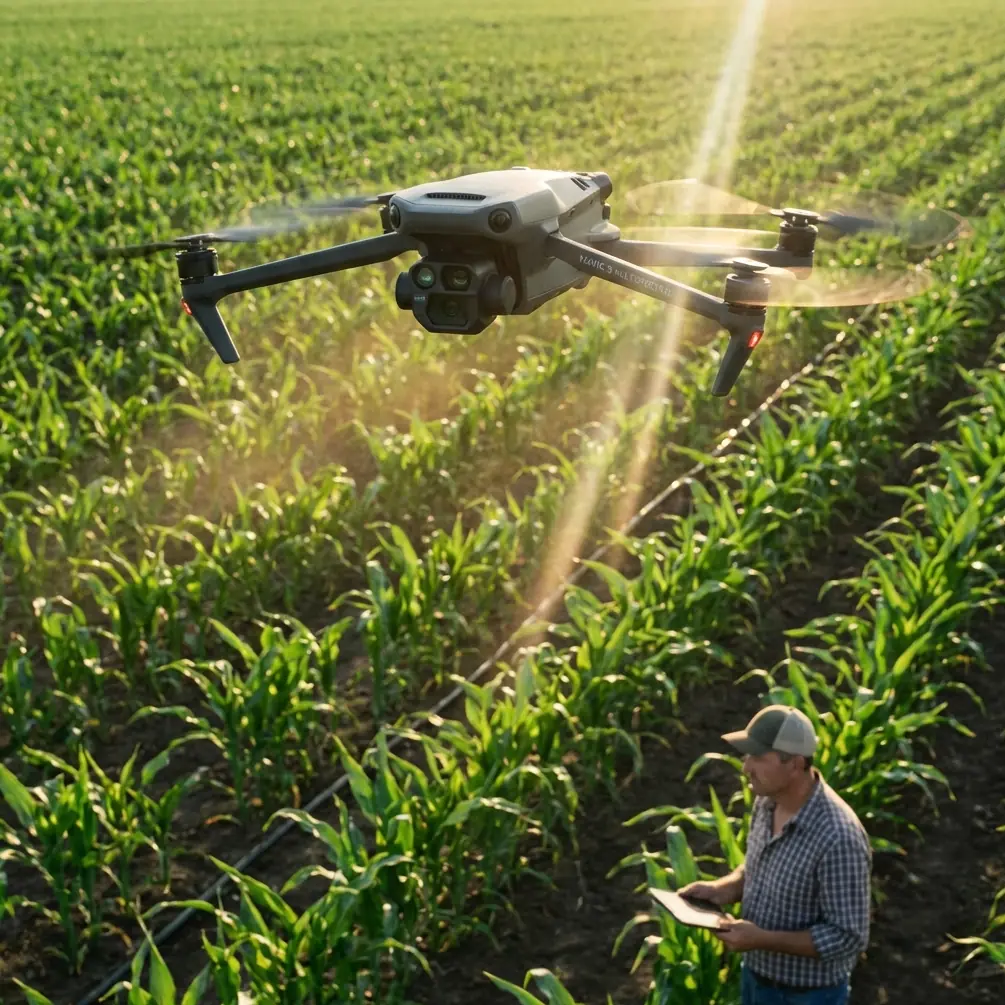
Mavic 4 Pro for High-Altitude Power Line Filming: What Actually Matters in the Field
META: A technical review of the Mavic 4 Pro for filming power lines at high altitude, with practical guidance on obstacle sensing, ActiveTrack, D-Log workflows, wind handling, and a critical pre-flight cleaning step.
Filming power lines in high altitude conditions is one of those jobs that looks straightforward on paper and becomes very unforgiving the moment the aircraft leaves the ground.
The challenge is not just altitude. It is the combination of thinner air, changing wind behavior around ridgelines, long linear assets, visual clutter from towers and cables, and the constant need to capture stable, inspectable footage without getting too close to infrastructure. That is exactly where the Mavic 4 Pro becomes interesting. Not because it is simply “good for aerial video,” but because several of its core flight and camera features solve real operational problems that show up on these missions.
This review looks at the Mavic 4 Pro through one specific lens: filming power lines in high altitude environments where safety margins, image consistency, and obstacle awareness matter more than flashy spec-sheet bragging rights.
Why high-altitude power line work is a different kind of drone job
Anyone who has filmed utility corridors in mountain regions or elevated transmission routes already knows the first problem: aircraft behavior changes as altitude rises. Air density drops, which can reduce propulsive efficiency and alter braking feel. At the same time, wind can become less predictable. A route that seems calm at takeoff may turn turbulent near towers, saddles, or steep slopes.
Then there is the subject itself. Power lines are difficult visual elements for any aircraft to interpret. Towers are obvious. Wires are not. They can disappear against bright sky, dark forest, or snow-covered terrain depending on angle and sun position. That means the pilot is balancing three overlapping tasks:
- Maintaining safe stand-off distance from infrastructure
- Capturing footage stable enough for engineering review or client delivery
- Managing exposure and motion while the aircraft works in a harsher-than-average environment
The Mavic 4 Pro’s value in this setting comes down to how well it reduces workload without encouraging lazy flying. That distinction matters. No intelligent feature replaces route planning or line-of-sight discipline around utility assets. But the right tools can lower cognitive load, which is exactly what you want when conditions are thin, windy, and visually complex.
The pre-flight step too many pilots skip: clean the sensing system
Before talking about flight modes or image quality, there is a simple habit that deserves more attention than it gets: cleaning the aircraft’s obstacle sensing surfaces before launch.
For high-altitude power line filming, this is not cosmetic maintenance. It is a safety procedure.
Obstacle avoidance performance depends on sensors and lenses having a clear view of the environment. Dust, fingerprints, moisture residue, or pollen film can degrade how reliably the aircraft interprets structures around it. On utility routes, where towers, guying, vegetation, and terrain may all sit inside the aircraft’s pathing envelope, compromised sensing creates unnecessary risk.
A proper pre-flight wipe takes less than a minute. Clean the obstacle sensing windows and camera glass with a soft lens-safe cloth. Check for smears that only appear when angled toward the sun. If you are operating in cold highland air after transporting the aircraft in a warm vehicle, also watch for condensation. That light haze can be easy to miss on the ground and costly once the aircraft is tracking parallel to infrastructure.
Operationally, this matters because features like obstacle avoidance and ActiveTrack only work as well as the aircraft’s ability to “see.” Pilots often discuss software sophistication, but the software cannot compensate for dirty optics. In the field, a clean sensor suite is one of the simplest ways to preserve the reliability of safety features.
Obstacle avoidance: useful, but not magic around cables
Obstacle avoidance is one of the most relevant Mavic 4 Pro capabilities for this type of mission, but it needs to be understood with precision. Around power lines, avoidance systems are best treated as a support layer, not your primary defense.
The system is most useful when the aircraft is operating near towers, terrain edges, isolated trees, access roads, or changing topography where a pilot’s attention is split between framing and flight path management. That extra environmental awareness can help prevent drift into obvious hazards, especially in crosswinds or during repositioning maneuvers.
Where pilots can get overconfident is with the wires themselves. Thin conductors remain some of the hardest obstacles for any drone to reliably perceive under every lighting condition. Background contrast, wire diameter, viewing angle, and aircraft speed all influence detectability. So the practical takeaway is this: obstacle avoidance can reduce risk near the line environment, but it should never be the reason you feel comfortable flying closer to conductors.
That is why the Mavic 4 Pro makes the most sense when used with disciplined offset flying. Instead of chasing dramatic close passes, the aircraft is strongest when it captures smooth, lateral, repeatable footage from a conservative stand-off distance. In high altitude, that approach also helps protect image stability because the pilot has more room to absorb gusts without abrupt corrections.
ActiveTrack and subject tracking: best used on corridors, not wires
The mention of subject tracking and ActiveTrack often leads people to think in cinematic terms first. For utility work, the real advantage is not cinematic flair. It is route management.
Tracking features are most useful when you are following a vehicle along the service corridor, pacing inspection crews, or maintaining a consistent relationship to a tower or structure while the aircraft handles some of the positional work. In these scenarios, ActiveTrack can free the operator to pay closer attention to framing, terrain, and stand-off distance.
That said, this is not a feature I would lean on to “follow” power lines themselves. Linear infrastructure is visually repetitive, and high-altitude terrain can introduce background elements that complicate autonomous behavior. Use tracking where the subject has clear visual identity and where the flight path remains predictable. For example, tracking a utility truck on a mountain access road while holding the line corridor in frame is a sensible use. Relying on automation in close proximity to conductors is not.
The operational significance is straightforward: ActiveTrack is valuable for reducing stick workload during corridor storytelling and documentation, but only when the tracked subject is suitable and the aircraft has room to maneuver safely. It is a support tool for context shots, not a shortcut for close-in line inspection flying.
Image quality and D-Log: why it matters more in mountain light
High-altitude filming does strange things to contrast. Bright sky, reflective hardware, snow patches, shaded valleys, and dark conifer backgrounds can all exist in the same scene. If your footage clips highlights on insulators or loses tower lattice detail in shadow, the shot becomes less useful for both editorial and technical review.
This is where D-Log earns its place in the Mavic 4 Pro workflow.
A log profile gives you more flexibility to preserve highlight and shadow information when shooting in difficult light. That is not just relevant for cinematic grading. It is practical for utility filming because the viewer often needs to read detail across multiple tonal zones in the same frame. A transmission tower against a bright alpine sky is a classic example. Standard profiles may look punchy on the controller screen, but they can collapse fine detail when the light is harsh.
D-Log helps retain a flatter, more gradable image, which is especially useful if your deliverables need to match footage from ground cameras or from multiple aerial flights shot under changing conditions. It also gives you more room to normalize footage captured on one side of a ridgeline versus the other, where exposure behavior can change fast.
For a creator or operations lead, the bigger point is consistency. High-altitude jobs are often expensive to repeat. You want files with enough latitude to survive a careful post workflow, not footage that looked vivid in the field but falls apart when the editor starts balancing sky and structure.
QuickShots and Hyperlapse: useful when used with restraint
QuickShots and Hyperlapse are not the first features most utility professionals think about, but they do have legitimate roles if used intelligently.
QuickShots can help produce concise establishing visuals of a substation approach, a ridgeline tower location, or a corridor running through difficult terrain. These short automated moves are best kept well clear of wires and executed only in open sections of the site where obstacles are obvious and controllable. Their value is speed. On a busy field day, they let the team capture a clean context shot without building a move manually from scratch.
Hyperlapse is more niche, but it can be effective for showing weather movement over a line corridor, traffic flow to a remote maintenance site, or the transition from valley floor to elevated infrastructure. In project documentation, that kind of sequence can help communicate environmental context that static photos fail to capture.
Still, neither feature should dominate a high-altitude power line mission. They are supplements, not the core payload. The mission-critical work remains stable manual or semi-assisted flight with deliberate camera control.
Wind, battery discipline, and route logic
The Mavic 4 Pro can only be judged properly in this environment if you consider how the aircraft fits into a real flight plan.
High-altitude power line filming punishes poor battery decisions. Headwinds on the outbound leg can fool pilots into thinking the return will be easy, until terrain-induced gusting or climb segments change the equation. The smarter approach is to structure your route in conservative blocks. Capture one tower segment or one corridor section at a time. Land early. Reassess wind at aircraft altitude, not just at launch point.
This also affects how you use the camera. Long, continuous passes look elegant in a reel, but in mountain utility work they can force the aircraft deeper into variable conditions than necessary. Shorter, repeatable segments are often operationally better. They reduce exposure to sudden wind shifts, simplify file management, and make it easier to re-fly a section if one clip suffers from yaw twitch or exposure drift.
The Mavic 4 Pro’s benefit here is less about one standout feature and more about balance. You need an aircraft that can deliver controlled footage, maintain situational awareness, and keep pilot workload low enough that route decisions stay disciplined. That is where the platform makes sense.
Camera movement strategy near transmission assets
For this kind of work, the best footage usually comes from restraint.
Parallel tracking shots at a safe lateral offset tend to be more useful than dramatic push-ins. Slow ascents revealing the relationship between tower height and terrain are often better than aggressive orbits. Oblique angles that separate conductors from the background can improve both aesthetics and readability.
This is another reason the Mavic 4 Pro suits the job. Features like obstacle avoidance, stable tracking assistance, and intelligent capture modes can support smooth movement, but the pilot still has to choose the right geometry. Good utility footage is not about showing how daring the operator is. It is about producing material that is clean, legible, and repeatable.
If your team is planning a corridor shoot in elevated terrain and wants to compare setup choices before deployment, this direct field coordination link can help: message the flight team here.
Where the Mavic 4 Pro fits best
The Mavic 4 Pro is a strong tool for high-altitude power line filming when the mission requires a portable aircraft that can deliver polished visuals without stripping away operational caution.
Its real strengths in this context are practical:
- Obstacle avoidance that adds a layer of protection around towers, terrain, and obvious hazards
- ActiveTrack and subject tracking that can reduce workload on corridor support shots
- D-Log for handling difficult mountain contrast and preserving footage flexibility
- QuickShots and Hyperlapse for occasional context sequences that explain the environment around the line
Just as important, it rewards disciplined use. Clean the sensing system before every launch. Treat automation as assistance, not permission. Keep stand-off distances conservative. Build routes around wind and battery reality, not the ideal line on a map.
That is the difference between using a capable drone and using it well.
For pilots filming utility infrastructure in elevated terrain, the Mavic 4 Pro is not interesting because it promises perfect autonomy. It is interesting because, in the hands of a careful operator, it helps make a difficult job more controlled, more consistent, and safer from the first pre-flight wipe to the final graded clip.
Ready for your own Mavic 4 Pro? Contact our team for expert consultation.